Hacking m3sakura is almost here!

  • Thread starter Thread starter mhkwong
  • Start date Start date
  • Views Views 259,721
  • Replies Replies 1,355
halomasta said:
dsrules said:
off topic:
Since iTouchDS had been hacked to run with M3REAL firmware, it is possible for the other way around?
http://kotei.blog.so-net.ne.jp/
iTouch works for DS? o.O How does it compare to Sakura?

Also do you think if GBA temp were to re-review M3DS real with Sakura would its rating change?

itouchds is the newest budget cart made by the m3 team
 
halomasta said:
Also do you think if GBA temp were to re-review M3DS real with Sakura would its rating change?
yup pretty much
should bump it up to gold, but have to wait for the real english version from the m3sakura + m3 team
 
cory1492 said:
halomasta: if I read the badly translated japanese properly... the M3real hack of itouch didn't work?
Nagaroth said:
mercenary96 said:
Nagaroth said:
You might want to add this to the next bundle version (taken from HandHeldSources, described as M3Sakura Serve Pack No.01 (Solve NDS Game 2326. Copy startnds.ext file to SYSTEM folder).

Oh, and many thanks for all the work you've done this far guys. Really appreciated.

I think if you use the SP1 you can't run games anymore, iamanobody would first have to hack it for us

Oops, you're right. I was in a rush and didn't check that the "SP" is actually a new version of the DS loader. Will have to wait then
rolleyes.gif
Somebody test this (M3Sakura_Ver111_SP1_hexpatched.zip) on an english sakura, I don't have the time right this second to convert my m3 back again to see if it works, but it still launches from japanese so it can't be overly broken by my hexing. This is iamanobody's patches hex edited into the 111-sp1 file, as such all credit belongs in the right place (provided it actually works, iamanobody, if not, me
laugh.gif
)

Just tried this and it doesn't work. Just black screens.
 
If I had the time and energy to, I would make a skin that resembles the menus in Persona 3.
 
While it is a significant improvement to the original M3 Real software, overall its a sub-par loader. Sure, it looks pretty, but having to reset after changing ROM options? Forced use of touch screen? It really doesn't offer anything other carts don't (aside from the M3 Real's great GBA integration, if you have an M3 expansion pack).
 
well i agree with you urza to some degree, however i think the moonshell functions integrated into the loader are a substantial positive. you shouldn't ignore them.

no other cart has better integrated media functions. out of the ones that do have media built into the loader (that i can think of atm) - SCDS is based on an outdated moonshell, and DS-X is quite poor eh?

forced use of touchscreen isn't too bad imo, of course it's nice to have the option but i don't really have a preference between buttons and stylus.
reset: again i'm not that nitpicky about it.

of course it doesn't seem unreasonable to suggest that those features should be corrected.
 
I don't use my DS for media purposes. No point settling on mediocre performance when I have other devices that do a much better job.

Even if I was, its simple enough to boot into Moonshell if you're watching a video (I imagine it wouldn't be too great a hardship to give up a few seconds of your life), and would use lmp-ng for music even on Sakura, as it offers better playback.
 
The mysterious disappearance of the soft-reset function is what turns me off Sakura the most as of current. (Some homebrews not working is the second most annoying.) I shan't be switching to Sakura until these issues are fixed. I hope they fix it soon cause the Sakura menu is well sexy.

Oh, yeah, and that thing with having to reset the DS after changing your settings. That's just completely retarded.
 
BTW: i edited my post a little bit: some minor rephrasing/additions. a bit slow though so it was edited after you guys posted.

lmp-ng is better? i can't really discern a difference (comparing with moonshell im not actually running sakura right now, only tried the betas), although i know it can playback some extra music formats.

however it still seems to me that sakura gui > moonshell (again only from screenshots and beta usage)

all your arguments are fair, but i think perhaps they all come come down to personal preference or individual needs. (unfortunately i don't have a PMP
frown.gif
)

peace friend
happy.gif
 
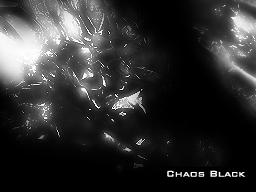
I've made a dark skin for Sakura. It's the first skin I've made and I'm not quite finished, so I wanted to release a "preview" so I could get some feedback before I finish the final version. It's mostly done but I have a few things I still want to fix. The skin is mostly black and I've designed it around the way I personally use Sakura, as such I'm not sure how others will find it. I'm a bit color blind, so if there's still any pink left somewhere please let me know.

Again, this is the first skin I've made for anything (aside from a simple black one for DSOrganise, but I never "released" that) so any advice from more the more experienced people around here would be greatly appreciated. If people seem to like I make make some more. Here it is:

ChaosBlack.png


Chaos Black
 
I find it hard to believe that Sakura is a modified version of Moonshell. To me it feels like a new version.

Normally I'm all for functionality over form but I kept both firmwares on my card. Sure a lot of things were broken in the transition but the things that bugged me the most were fixed. If the new issues aren't fixed soon then I'll just switch back. I can live without the new features but I want to savor this for what it is until then. At least the main things that Sakura was meant to do are done well, save for those homebrew and game option things I suppose.

All of a sudden I'm reminded of all of the comparisons between Windows XP and Vista.

[Edit]Also I find that I can use only the buttons on the menus without any problems. I subconsciously switch between button and touch screen controls in this kind of thing and didn't notice any trouble doing it here.
 
AXYPB said:
All of a sudden I'm reminded of all of the comparisons between Windows XP and Vista.
You shouldn't be, because that's hardly comparable to M3 Real vs M3 Sakura.
 
cornaljoe said:
cory1492 said:
halomasta: if I read the badly translated japanese properly... the M3real hack of itouch didn't work?
Nagaroth said:
mercenary96 said:
Nagaroth said:
You might want to add this to the next bundle version (taken from HandHeldSources, described as M3Sakura Serve Pack No.01 (Solve NDS Game 2326. Copy startnds.ext file to SYSTEM folder).

Oh, and many thanks for all the work you've done this far guys. Really appreciated.

I think if you use the SP1 you can't run games anymore, iamanobody would first have to hack it for us

Oops, you're right. I was in a rush and didn't check that the "SP" is actually a new version of the DS loader. Will have to wait then
rolleyes.gif
Somebody test this (M3Sakura_Ver111_SP1_hexpatched.zip) on an english sakura, I don't have the time right this second to convert my m3 back again to see if it works, but it still launches from japanese so it can't be overly broken by my hexing. This is iamanobody's patches hex edited into the 111-sp1 file, as such all credit belongs in the right place (provided it actually works, iamanobody, if not, me
laugh.gif
)

Just tried this and it doesn't work. Just black screens.

Aww, I hope somebody can patch it soon, I really need it so I can play it in Sakura.
Right now when I want to play it, I just switch back to Real firmware.

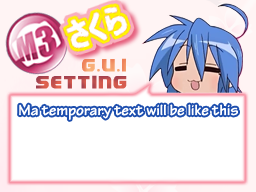
Btw thanks for Mercenary96 for PSD template, now I can make my own background.
Here's the sample, still messed up though.

MoeCustom_TopMsgcopy.png
 
Urza said:
AXYPB said:
All of a sudden I'm reminded of all of the comparisons between Windows XP and Vista.
You shouldn't be, because that's hardly comparable to M3 Real vs M3 Sakura.
I don't want to get too deep into this, but for me Vista adds a bunch of really cool minor features while being largely unusable with my system. I can't even open or save files without the program I'm using crashing without leaving a log. It got so bad I went back to XP, but I still miss being able to use aspect-corrected stretched images for the wallpaper and auto-cleaning flash drives when I connect them if errors are detected in them.

It's just in this case it's that I can't use some of my homebrew, but it's homebrew I can do without at the moment. I can also survive without soft-resetting or using cheats since I don't depend on either. I do love how it starts up with a recently opened programs list instead of a main menu, though.
 
ok iv down loaded bundle pack and every thing is freeking awsome except for i cannot run the only 2 homebrew software i even care about.
DSNOTES and Phidias (the paint program. just 2 white screens. what am i doing wrong?
i reeeeally need phidias paint ...if sakura cant run it i may have no choice but to go back to real loader software...help?

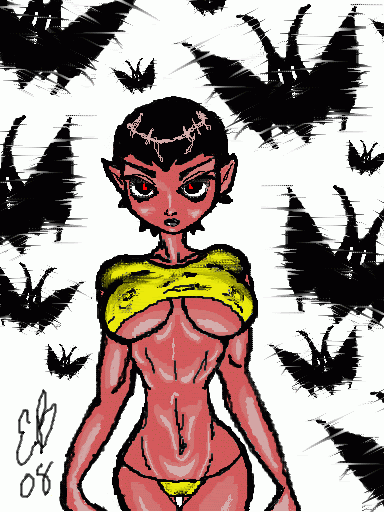
heres some examples of my ds art iv done:
vampychan2.gif
dianacosplaydrawing.jpg
eyesofthenight.jpg
 
I've answered that already, but here it is again:

QUOTE said:
An easy way to fix the homebrew problem is to get this (Flashcart OS), and set it as DEFAULTY.nds or DEFAULTX.nds. This way you can load it on bootup so you can run homebrew.
 
Update for the skins/skinpack:

Fixed translation:

ErrorDialogBG.jpg

ErrorDialogBG_blue.jpg

(well i hope you won't have to see these screens on your ds ^^)

This is the correct translation from Densetsu3000 for the error screen.


Downloads

New Updated SkinKit

Pink Skin V3 only
Blue Skin V3 only


I need a sp for Summon Night - Twin Age
cry.gif
, it works with the old m3 firmware...
 

Site & Scene News

Popular threads in this forum