I did say that, and you ignored it anyway so what's your point?
That only required you to look at pictures to figure out yourself or just not getting one that could even possibly block it. You have many options available.
you're jumping from topic to topic and making it very confusing since the nuances of each topic are just different enough...
convert ps1 bin cue to chd:
Here
convert ps1 bin cue to pbp:
Here
Not really. This was the first search result on google for me:
https://en.everybodywiki.com/List_of_PlayStation_games_with_CD_audio_tracks
again, muddling different subjects makes it confusing and requires in these cases completely different answers (and should have their own forum threads)
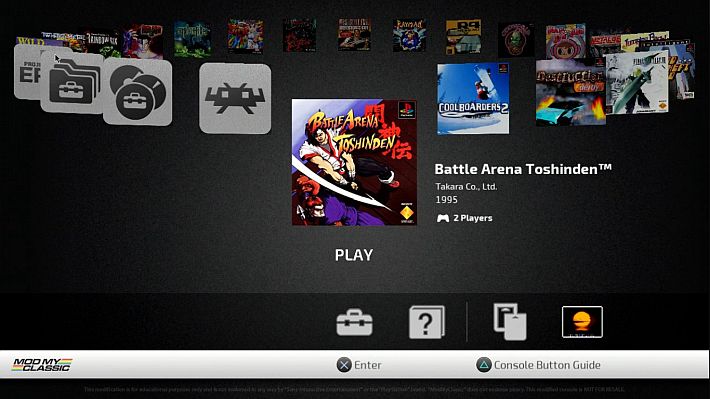
Autobleem only shows 11 boxarts at a time no matter how many games you have. Look at the picture. it doesn't even show the entire cover for the game at each end, giving you a visual cue that there are more off screen...
Everything has SOME input lag. Some things more than others.
IT IS RELEASED ON GOOGLE DRIVE... They talk about it on their discord. Any Youtube. And other sites.
Don't use it if it bothers you.
OK. then the answer I gave before is the correct one. Official Retroarch team didn't build it. The PSC modding teams did.
OK
It doesn't matter what "the average drive" needs. It matters what the drive you own or plan to buy needs...
No
I didn't contradict myself. I told you the safe answer is not to trust QC chargers to give only 5v. I also told you over 5v is dangerous and not providing enough amps *could* damage something that relies just on that power (no battery).
overheating or not depends on if the charger is crappy or not. I didn't buy it. I don't know it's quality or specifications.
The emoji is because if it is lower amps it will be a slower charge. how could it be as fast if it's not as much power?
OK. I'll leave any forthcoming questions for someone else to answer. Good luck with your project.
So, you keep answering me after what you said?
You're lying. I didn't ignore it since I told you non-QC power supplies couldn't be shipped to my country. Speaking of ignoring, I made other questions and you ignored them unlike me regarding this QC power supply subject, so what's your point in lying concerning this subject?
I assumed if an OTG cable is PSC-compatible like it's said on the website it would block nothing but if it wasn't for some users saying that it actually did, I might've bought one of those. It doesn't make sense to sell products and say they're compatible with certain devices when they block fundamental ports of those devices. Is it my fault for assuming PSC-compatible devices would work with no problem without even seeing a picture of them? I don't get it why it's obvious for you to waste time seeing pictures of them when they say they're PSC-compatible.
They have to do with this one, and like I said, when I created separate threads for different subjects, I was criticized for creating too many and one of them was even closed and I was told on it to regard the subject in another thread I already created which already regarded a single different subject. So, now you admit I didn't say what you accused me since I only asked you about it?
But I did search and I didn't found that website and this time you actually showed me it and didn't do what you did before regarding the CUE to CHD and the CUE to PBP conversions. Why is that?
Again, after creating separate issues for other subjects in the past, one of them was closed and I was told in that thread to regard the subject in a different thread I already created when in that thread I already regarded a single different subject, not to mention I was critized for creating too many threads.
I didn't know everything had latency. Was that so obvious for you? Excuse me for not knowing it. If I didn't mention it I'd never know it so do you finally get the importance of questioning? Do even handhelds have latency?
But you got it from Discord, that's the point. From what YouTube videos and other websites?
What about PS3's RetroArch? Why is it yet to be out for years?
OK, what? Do you agree with me and the questions I made are important, after all?
One more time, excuse me for not being obvious to me that the OTG cable didn't require power.
So, charging the PSP and the PS Vita with the right voltage but the wrong amperage won't mess up the power supplies and the consoles but they'll charge slower (if the power supplies' amperage is lower than the consoles') or faster (if the power supplies' amperage is higher than the consoles')? What about using power cords in devices without batteries with a different voltage than the devices' or with the right one but with the wrong amperage? Would the power cords mess up the devices' power supplies? May power supplies also mess themselves if used in devices with a different voltage or with the right one but with the wrong amperage? The "specification" is lower amperage than they need, I've already told you.
Once again, what do you mean by quality? How can I know? I don't know, so I asked, don't you think?
What might be obvious for you might not be for me and excuse me yet again for not knowing it. If I didn't mention it, I'd never know, so do you finally get the importance of making questions?
Once more, how can the amperage the PSP and the PS Vita really need be known to buy the right power supply if sometimes manufacturers rate devices as needing more amps then they may technically need to cover worst case scenarios since I can't find 5V 2A and 5V 1.5A power supplies?
Ok, what? It was you who said in the beginning of the previous reply that talking to me online wasn't helping anyone and you didn't want to lose your sanity, not me. Will you finally keep your word?
And do you think I want to lose my sanity? And if you're losing yours for answering me, why do you keep doing it?
You're not forced to reply me. Over and over again, in the beginning, you said talking to me isn't helping anyone, so why do you keep replying me, anyway? I doubt getting the PSC to work with an external HDD, an OTG cable and a power supply is all someone wants in life.
If sometimes manufacturers rate devices as needing more amps then they may technically need to cover worst case scenarios, how can I know the amperage of the PSP's and the PS Vita's power supplies to buy the right ones since I can't find 5V 2A and 5V 1.5A's?
You didn't answer what would happen if using a power supply with the same voltage but less amperage than the device it's connected to.
DualShock 3 works with Brook Super Converter connected to the PSC's front ports without doing the power-mod soldering (you
told me you weren't sure it would).
All the PBP games I tried on the PSC had a black screen or froze at the logo and all the Retroboot PS1 cores I tried couldn't run them as well.
Is there a way to remove the stock games on the PSC?
How can I save AutoBleem and Retroboot (and its cores) settings when updating the former?
Also, how to update Retroboot cores?
EDIT: I found non-QC 5V 3A power supplies on Amazon that could be shipped to my country and just to be sure, I ordered one of them. I also found a 5V 2A PSP power supply and a 5V 1.5A PS Vita Slim one that could be shipped to my country and I ordered them. The new 5V 2A PSP power supply already arrived, I already used it and it took the same time as the previous 5V 1.5A one to charge the PSP, I think, so I might've lost money for nothing. I don't think the PSP power supply is official. I'll order another one and this time I hope it will be an official one.
EDIT 2: I ordered an used 5V 2000mA official PSP power supply (PSP-100, but it's actually PSP-104) and it's taking the same time to charge the PSP as before, so I might've lost money for nothing again.
EDIT 3: The non-QC 5V 3A power supply, the OTG cable and the USB 3.0 2.5" 1 TB HDD to use with the PSC arrived. I copied AutoBleem to the external HDD, connected the OTG cable to the PSC's Micro USB port and connected the external HDD and the power supply to it and it's working.
EDIT 4: So, the official 5V 1.5V PS Vita Slim power supply (PCH-ZAC1) arrived and it's taking approximately the same time (I think) to charge the PS Vita as the previous non-official power supply, which means I might've lost money for nothing once again.
EDIT 5: The PSC's "POWER" indicator doesn't blink (so, the PSC doesn't recognize AutoBleem) with my 2.5" 1 TB USB 3.0 external HDD connected to the OTG and with the latter connected to the PSC's Micro USB port but it does (so, it recognizes AutoBleem) with my USB flash drive connected to the PSC's controller port "2". Now what? Maybe I wouldn't have this problem if using the QC 5V 3A power supply so I might have lost money for nothing yet again. Didn't you say there was nothing to be afraid of as long as the power supply was 5V only, not QC? Or maybe it's not a decent power supply?
EDIT 6: I get the PSC to blink (so, it recognizes AutoBleem) with the external HDD connected to the OTG cable and with the latter connected to the PSC's Micro USB port by taking the OTG cable from the PSC's Micro USB port and putting it back. Since I sometimes have this problem, I have to do this process when it happens but I'm afraid of messing up the external HDD since for some reason it automatically turns on as soon as it's connected to the OTG cable and with the latter connected to the PSC's Micro USB port even with the PSC turned off but what choice do I have? Since the external HDD automatically turns on if connected to the OTG cable and with the latter connected to the PSC's Micro USB port, I only connect it to the OTG cable and with the latter connected to the PSC's Micro USB port when I want to run AutoBleem. Also, the external HDD doesn't turn off even after turning off the PSC and the PSC's adapter makes noise when turning off the console with the external HDD connected to the OTG cable and with the latter connected to the PSC's Micro USB port, so one more reason to connect the external HDD to the OTG cable when wanting to run AutoBleem. Maybe the power supply doesn't provide enough energy to power the PSC and its external HDD so that makes the PSC to not recognize the external HDD, but if so, why does it sometimes work? You said there was nothing to worry about as long as the power supply was 5V only, not QC (like my previous power supply, which I didn't even try). Maybe it's not a decent power supply?
EDIT 7: I downloaded PBP games converted by PSX2PSP from BIN/CUE, tried them and they didn't have problems. I was told it's normal for PSN PBP games to not work on the PSC since they're encrypted and some have audio in Sony's ATRAC3 format and AutoBleem doesn't support encrypted PBP files or ATRAC3, as well as all the PS1 Retroboot cores I tried.
EDIT 8: It seems I can manually download Retroboot's latest cores from
here but I was told not all of them are needed and some of them need INFO files and they can be find
here.
EDIT 9: Now, when turning off the PSC with the external HDD connected to the OTG cable and with the latter connected to the PSC's Micro USB port, the PSC turns on immediately afterwards. Also, the external HDD stopped working for good because the PSC's "POWER" indicator doesn't blink when turning on the console with it connected to the OTG cable and with the latter connected to the PSC's Micro USB port and even two PCs say to insert a disc when double-clicking it in File Explorer on Windows. I find it odd this external HDD stopped working when I bought it April last year.
EDIT 10: I bought another 2.5" 1 TB USB 3.0 external HDD and when connected to the OTG cable with the latter connected to the PSC's Micro USB port, the PSC's "POWER" indicator always blinks when turning the console on (so, it recognizes AutoBleem) unlike with the previous one, so I don't have to take the OTG cable from the PSC's Micro USB port and put it back (maybe the previous external HDD was faulty from the start, which is odd).
This external HDD turns off some seconds after turning off the PSC unlike the previous one (once more, maybe the other external HDD was faulty from the start, which is odd) but since it still automatically turns on if connected to the OTG cable and with the latter connected to the PSC's Micro USB port and the PSC's adapter still makes noise when turning off the console with the external HDD connected to the OTG cable and with the latter connected to the PSC's Micro USB port, I only connect the external HDD to the OTG cable and with the latter connected to the PSC's Micro USB port when I want to run AutoBleem.
Also, when turning off the PSC with the external HDD connected to the OTG cable and with the latter connected to the PSC's Micro USB port, the PSC no longer turns on immediately afterwards.
I just hope this external HDD lasts longer than the previous one since the latter didn't even last a year.
EDIT 11:
@esmith13 said to use
this power supply because the one I'm using is garbage. The one he recommended is a Raspberry Pi 3B/3B+ power supply (the PSC needs 1A and the external HDD I'm using and listed to him [Seagate STJL1000400] is rated to draw 0.9A) and he said if using it I'd know it's not a trickle charger and it's meant to provide constant reliable power for a device without a battery. He also claimed my power supply shouldn't be whistling when connecting the PSC's external HDD to the OTG cable with the PSC turned off and though the power supply is rated at 3A (total), no single USB port will supply more than 2A, so it's 2A of maximum supply. He also declared it's a phone charger, not an actual power supply, that the difference between them is how steady and clean the flow of power is, that I'm hitting the limit of what the phone charger can supply on a single port if it's good quality, that its quality is poor and that he wouldn't use it for what I'm trying to do. When I confronted him saying I thought a phone charger was also a power supply, that he had claimed a 3A power supply was right for the PSC and that he didn't tell me that no single USB port will supply more than 2A, he replied he didn't think I'd buy a multi-port power supply, that most actual power supplies power only one device and that 90% of those kinds of multi-port power supplies are garbage, even for phones, to which I answered by saying I hadn't found any single 3A power supply, so I bought that one.
He mentioned that before I turn on the PSC, I should connect the external HDD to the OTG cable, wait a few seconds to guarantee the HDD spins up so that the PSC will see it, connect the OTG cable to the PSC's Micro USB port and press the PSC's "POWER" button.
He also said that after I turn off the PSC, the external HDD or the power supply should be disconnected from the OTG cable (so that power can't be supplied to the external HDD when not in use to solve longevity and/or sleep issues), the OTG cable should be disconnected from the PSC's Micro USB port and the order in which this is done doesn't matter.
I think having to disconnect the external HDD from the OTG cable to spare its life doesn't make sense since turning off the PSC makes the external HDD turn off seconds after (at least its indicator turns off and the external HDD stops making noise) for some reason, even while still having the external HDD connected to the OTG cable (and so to the power supply) and the OTG cable connected to the PSC's Micro USB port.
He also told the previous external HDD's power supply might've messed my previous external HDD, that it's normal for external HDDs to turn on as soon as they see power applied by design and that I should keep them disconnected for a longevity concern (once more, I don't think this makes sense because of what I previously said) and/or sleep issues when not being used.
He told if the external HDD is either spinning forever (he mentioned it will majorly shorten lifespan) or if it supports auto-sleep when inactive, it likely won't spin up fast enough to be read upon booting the PSC.
Maybe it wasn't the previous power supply's fault for messing the previous external HDD but the fact the latter was formatted as FAT32 and not NTFS or exFAT. I was told the PSC corrupts FAT32 devices on the long run and I thought the external HDD had to be formatted as it to be recognized but it turns out the kernel which is installed to make the PSC support an OTG cable also makes it able to support NTFS and exFAT devices. Just to be safe, I copied the external HDD's content to the PC, formatted the external HDD as NTFS and copied back its content from the PC.
Since the power supply he
recommended comes with a switch, I can leave everything connected, turn off the PSC, wait for the external HDD to turn off after a few seconds and click on the power supply's switch when not using the PSC, and when using it, just click on the power supply's switch and turn on the PSC. According to him, the OTG cable must still be disconnected from the PSC's Micro USB port before turning on the switch so that the external HDD spins up for the PSC to see it next, then I should still wait some seconds, connect the OTG cable to the PSC's Micro USB port and turn the PSC on.
If the external HDD sleeps after a short period of time and if the game being played doesn't read from the external HDD long enough for the external HDD to enter sleep, according to
@esmith13, it will try to spin up when needed later by the PSC, so it may lock up or crash if it's too slow to spin up and be ready. Very few games don't read the disc regularly but it could happen and should be a normal occurrence. I guess that doesn't happen with USB flash drives and microSD cards because I think they don't sleep but they would still need to be connected to an OTG cable and then to the PSC's Micro USB port since without hardware modification they only have a 0.1A limit and so they have issues with pretty much all storage devices because they don't meet 0.5A of USB 2.0 specification, much less USB 3.X. I was told even USB flash drives that seem to work are prone to having file system corruption later on.
EDIT 12: So, I bought the power supply
@esmith13 recommended, it doesn't make a whistling noise when the external HDD is connected to it via OTG cable (and so turned on) before turning on the PSC and the console recognizes it.
Instead of connecting the external HDD to the OTG cable, waiting a few seconds, connecting the OTG cable to the PSC's Micro USB port and then turn the PSC on, I'll leave everything connected, turn off the PSC, wait for the external HDD to turn off after a few seconds and click on the power supply's switch when not using the PSC, and when using it, just click on the power supply's switch and turn on the PSC. I asked
@esmith13 if I really had to disconnect the OTG cable from the PSC's Micro USB port and wait a few seconds until the external HDD started spinning if doing the latter because after leaving everything connected, clicking the PSC's power supply and turning on the console, it almost always recognizes AutoBleem (when it doesn't, it's because when not using the PSC I turned it off and didn't click the power supply's switch afterwards and in those cases I just have to click it and then turn the console on when using it. The former scenario happened some times after turning off the PSC without clicking the power supply's switch afterwards when not using it, waiting until the external HDD stopped spinning, disconnecting it from the OTG cable, connecting it to the PC to copy games to it, disconnecting it from the PC, connecting it to the PSC's OTG cable and turning on the console when using it).