u can flash the hwfly sdloader to your pico chipcan i get a preview of the hekate image on the picofly chip? I see on YouTube there are people who install picofly. but the initial view is hekate. not a pico image
Thats already the default, you just need to put hekate files on sdcard root. Then rename the hekate**.bin file into payload.bin.can i get a preview of the hekate image on the picofly chip? I see on YouTube there are people who install picofly. but the initial view is hekate. not a pico image
After you setup the SDCard the initial view is hekate.can i get a preview of the hekate image on the picofly chip? I see on YouTube there are people who install picofly. but the initial view is hekate. not a pico image
wrong pointsDid i mistakes on some step
that is required for proper fuse burning. not a bug.Was the issue fix when you update sysnand ofw via online, and it reboots but instead of training and glitching into hekate, it will train and boot into ofw?
take the kapton off like @lightninjay said then u will have cyanHi all,
Could somebody give me some pointers?
I have done a shed load of lites, v1, v2 and oleds without issue using APU flex cables... however, tonight I thought I would have a stab at the mosfet thing on a V2 on 16.0.3...
It glitched and went white, then blue, the the usual green.
This time it just booted OFW???
It does the same thing everytime, no 'NO SD CARD' prompt at all.
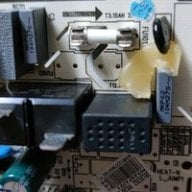
Odd? Included photos...
I have followed the following diagram too...
Thanks,
Ant

im waiting the official oneNew firmware helped me to resolve the issue.
On old 2.67 the picofly shows green light and boot into OFW. I check rst point and cleaned and everything no fix. It always blue and then green and boot into OFW.
On new 2.7 firmware picofly gives the error =* which is Dat0 is not connected properly. New firmware is better to diagnose the situation.
if you're facing a issue on green light still don't find any problem. Try 2.7 to see what error it gives. But according to rehius this firmware is in alpha stage. So, do it at your own risk.
Thanks to Rehius for developing this new firmware.

your image attachment is blankHi guys, no one answered, I have a question about the use of installing the new firmware and the 2 cables, would that make all the switches work with a single mosfet?
yes, the colour scheme has changed. now all indication is greenish yellowPeople, I put the firmware 2.67 and the rp2040 turns on a red light, but on the same chip when I put version 2.70 the green light turns on, is that correct?
thanks rehius, I ask you, is the extra connection of 2 cables used so that now all the switches work with a single mosfet?yes, the colour scheme has changed. now all indication is greenish yellow
yes, with i2c connection single mosfet should be enoughthanks rehius, I ask you, is the extra connection of 2 cables used so that now all the switches work with a single mosfet?
Maybe it's related: https://gbatemp.net/threads/need-so...-hwfly-lite-installation.613354/post-10099766Hello. I smoothly installed Picofly on a Lite. All is fine. Blue then green light with the forbidden fruit's no sd card logo. However, When I insert an SD card loaded with Hekate I get a black screen, it does not boot into Hekate. The SD card is working fine on OLED and inserting an empty SD card shows "failed to boot payload" I'm assuming both the SD card and slot are working, not sure what's the issue.