

Hardware Tutorial
Updated
DS (Base) Screw and Hardware Measurements
The last console for my series of screw and hardware measurements; The Original DS.

I've done screw measurement posts for several consoles (listed below) including every DS and 3DS console.
I did more deeper dives into the DSi and DSi XL, pointing out any console-to-console differences.
Other posts can be found here:
- DS (Base)
- DS Lite
- DSi
- DSi XL
- 3DS (Base)
- 3DS XL
- 2DS
- New 2DS XL
- New 3DS
- New 3DS XL
Also check out my DS and 3DS Screw Repository.
How I measured these screws.
I measured the screws on a ruler with markings down to half-millimeter increments and a digital microscope. Measurements were taken similar to this image of measuring Thread Pitch below.
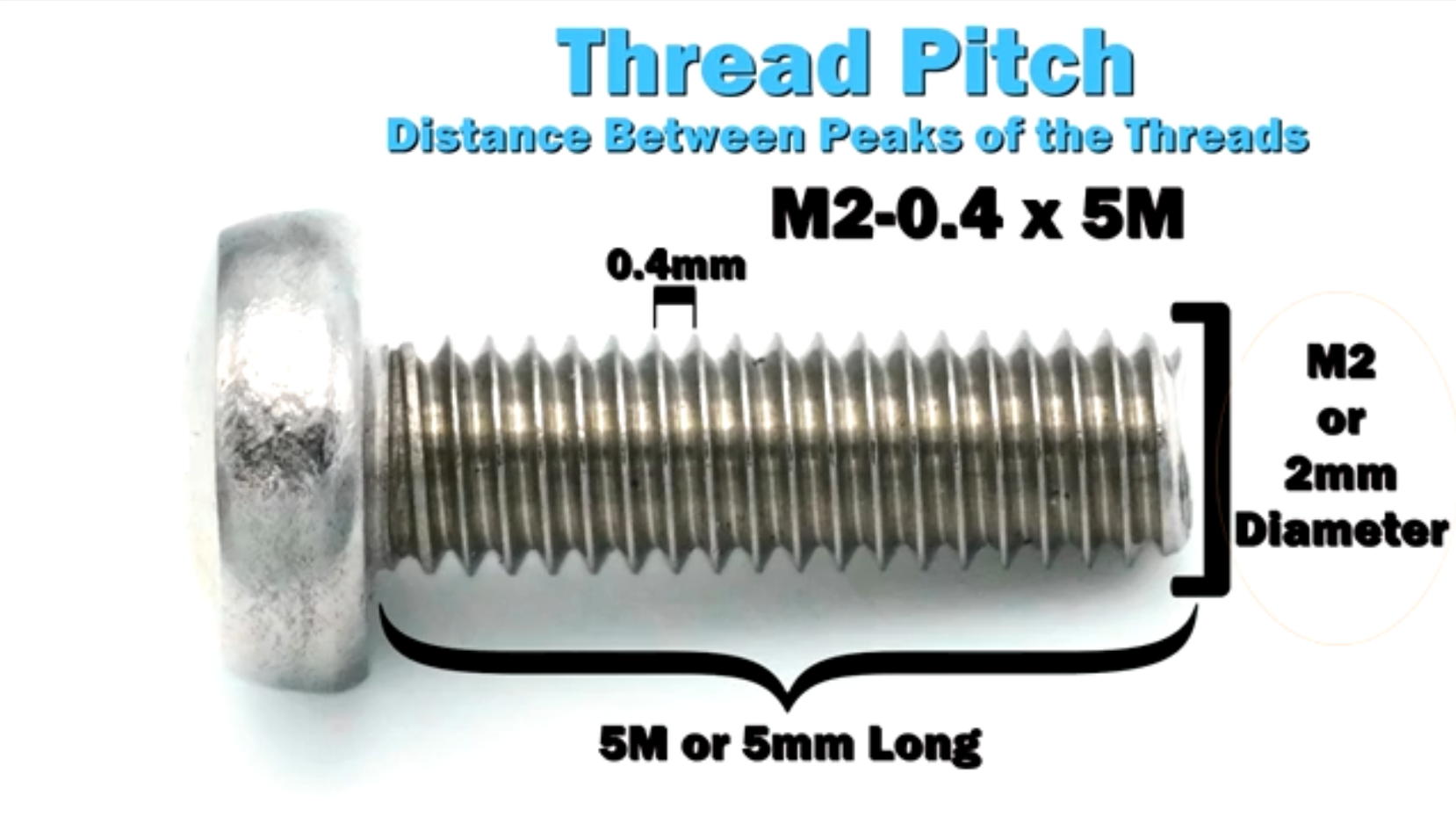
(Image Sourced from Albany County Fasteners' video, How to Measure Screws & Bolts - US & Metric Sizing | Fasteners 101)
Since I do not have specialty equipment to measure screws this small, I am forced to estimate; especially on the thread pitch itself. Take the measurements with the knowledge that it was done by someone who is a novice in screw measuring.
DS (Base)
It is assumed that the DS has a JIS head (I assume JIS #00) since all subsequent DS and 3DS consoles use them. A Phillips #00 works for this application, so no specialty tools are needed. The IFixIt Guides for the New 3DS XL sometimes recommends a Phillips #000, but I didn't find that necessary.
The outer shell also uses Tri-Point screws which IFixIt recommends a Y00 or Y1 (depending on the guide) to remove. My precision driver kit doesn't have a Y1, so I used a Y1.5, which worked perfectly fine.
Below is the list of screws and Hardware grouped by size.
I'll add links to an IFixIt Guide to match my terms to pictures (i.e. Motherboard Screw would point to the Motherboard removal step of an IFixIt guide). The screw names themselves will have a link to the image of the screw removal with another link next to it just the image link dies.
Screws
Legend:
- Screw Length x Thread Width x Head Width.
- Recommended Driver.
- Screw Amounts, Placeholder name, and Link to IFixIt guides and images.
- Repeated previous entry as needed.
- Thread Pitch Measurement.
4mm x 1.5mm x 3mm
Phillips: PH #00
(2x) Wifi, Speaker, and Ribbon Connection Board Screws (Step 15)
M1.4 – 0.6 x 3.5mm
4mm x 1.5mm x 3.5mm
Phillips: PH #00
(1x) Battery Door Screw (Step 1)
M1.4 - 0.4 x 3.5mm
6mm x 1.5mm x 3mm
Phillips: PH #00
(4x) Top Screen Screws (Step 11)
(1x) Hinge Screw (Step 13)
(4x) Motherboard Screws (Step 6)
(3x) GBA Metal Shield and Stylus Cover Screws (No Guide)
M1.4 – 0.6 x 5.5mm
6mm x 1.5mm x 3mm
Tri-Wing: Y1/Y00 or Y1.5
(7x) Bottom Shell Screws (Step 4)
M1.4 – 0.6 x 5.5mm
Other
(1x) E-Clip (Step 1)
4mm Wide
(1x) Battery Door Nut
4mm Square x 1.5mm Thick
(2x) Shoulder Button Springs
6.5mm Long x 3.5mm Diameter
Screw Covers
(2x) Top Screen Screw Cover Thick (Step 11)
3.5mm Square x 1.5mm Thick
(2x) Top Screen Screw Cover Thin (Step 11)
~3.5mm Square x 0.5mm Thick
Battery Door

The Battery Door consists of two parts: The Screw and the Screw Retaining E-Clip
One Battery Door Screw:
M1.4 - 0.4 x 3.5mm
4mm x 1.5mm x 3.5mm
Phillips: PH #00


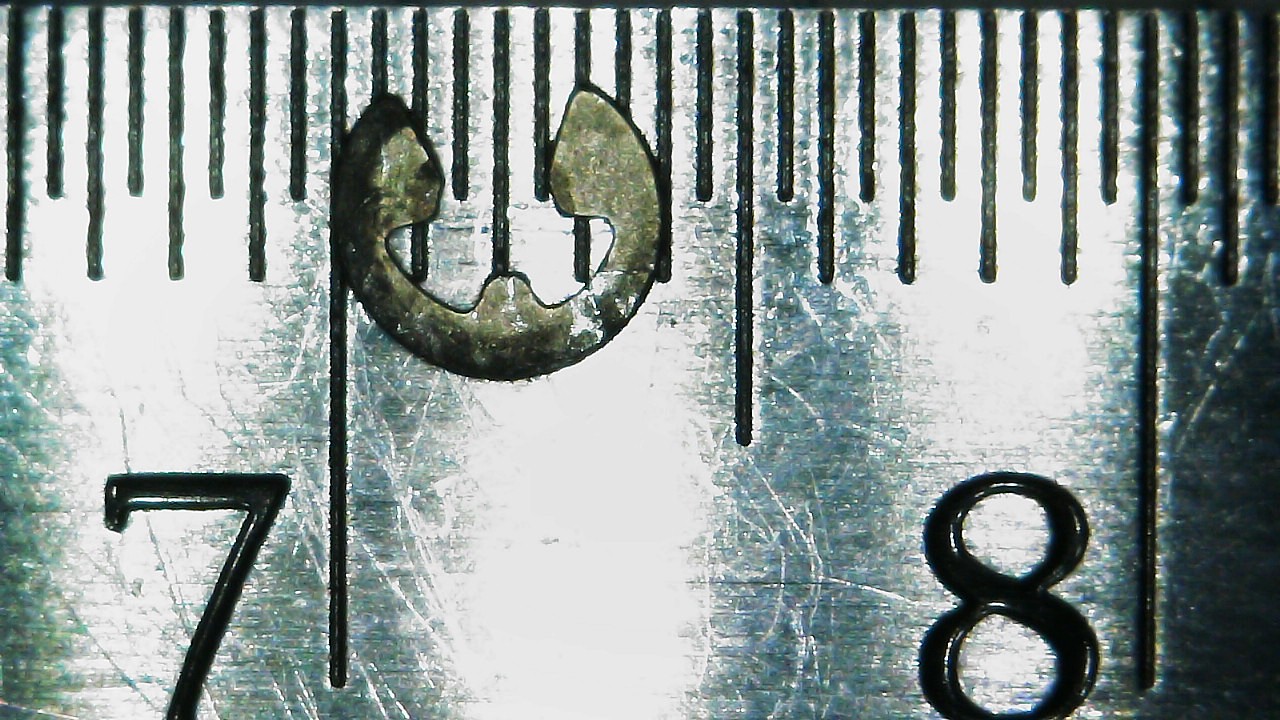
One E-Clip:
4mm wide
Bottom Shell
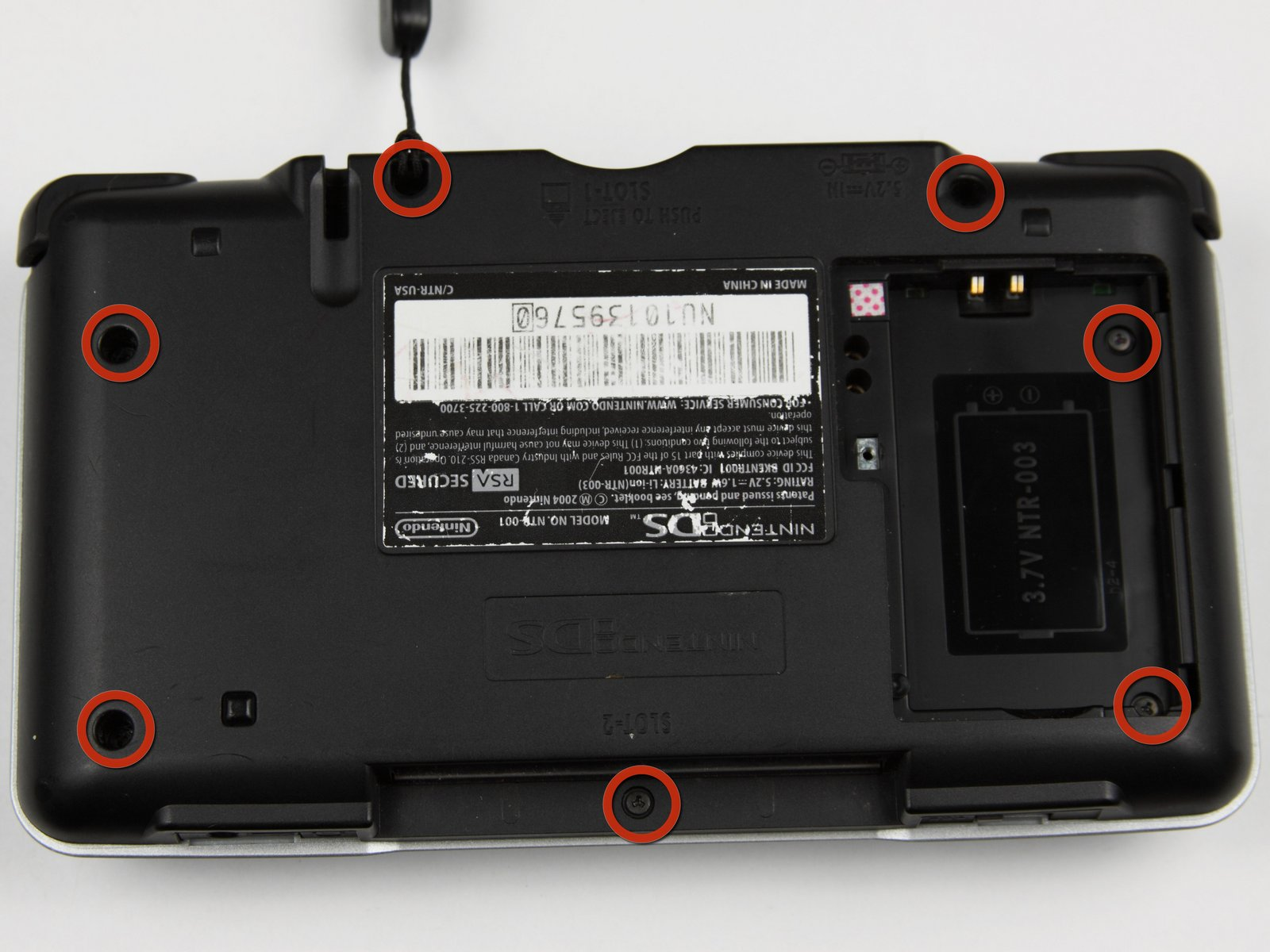
Seven Bottom Shell Screws:
M1.4 – 0.6 x 5.5mm
6mm x 1.5mm x 3mm
Tri-Wing: Y1/Y00 or Y1.5
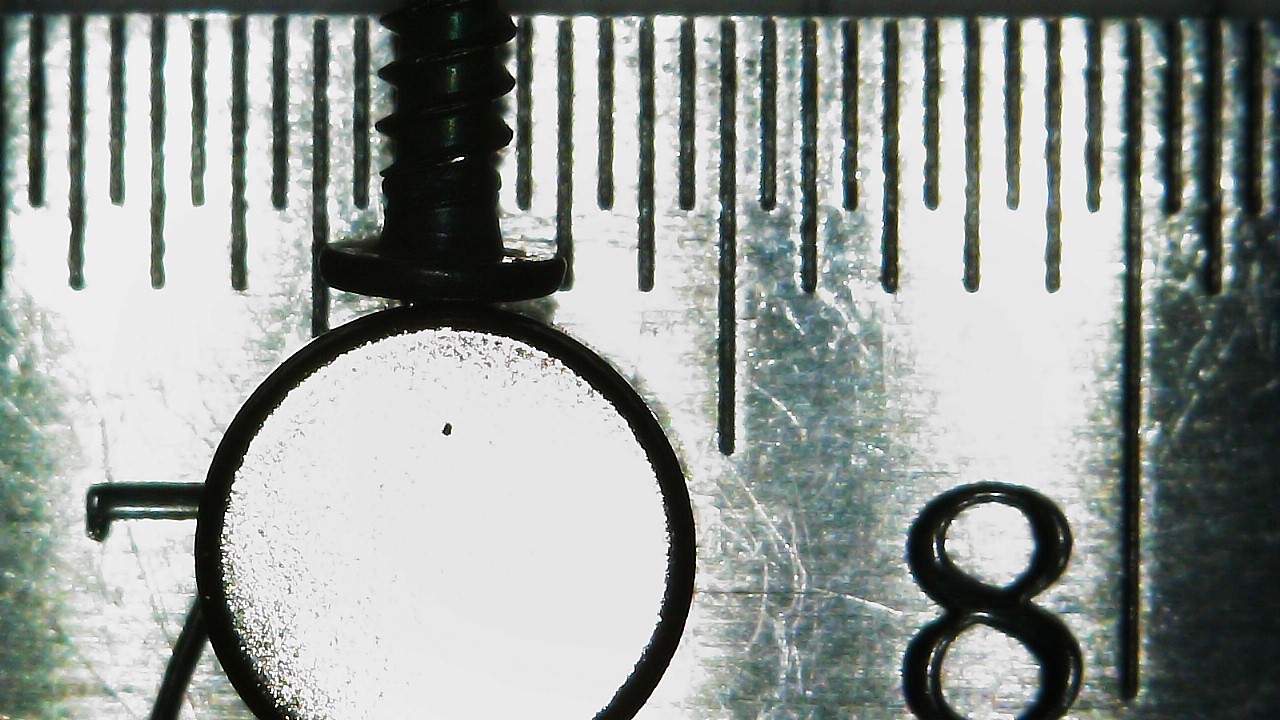
Motherboard

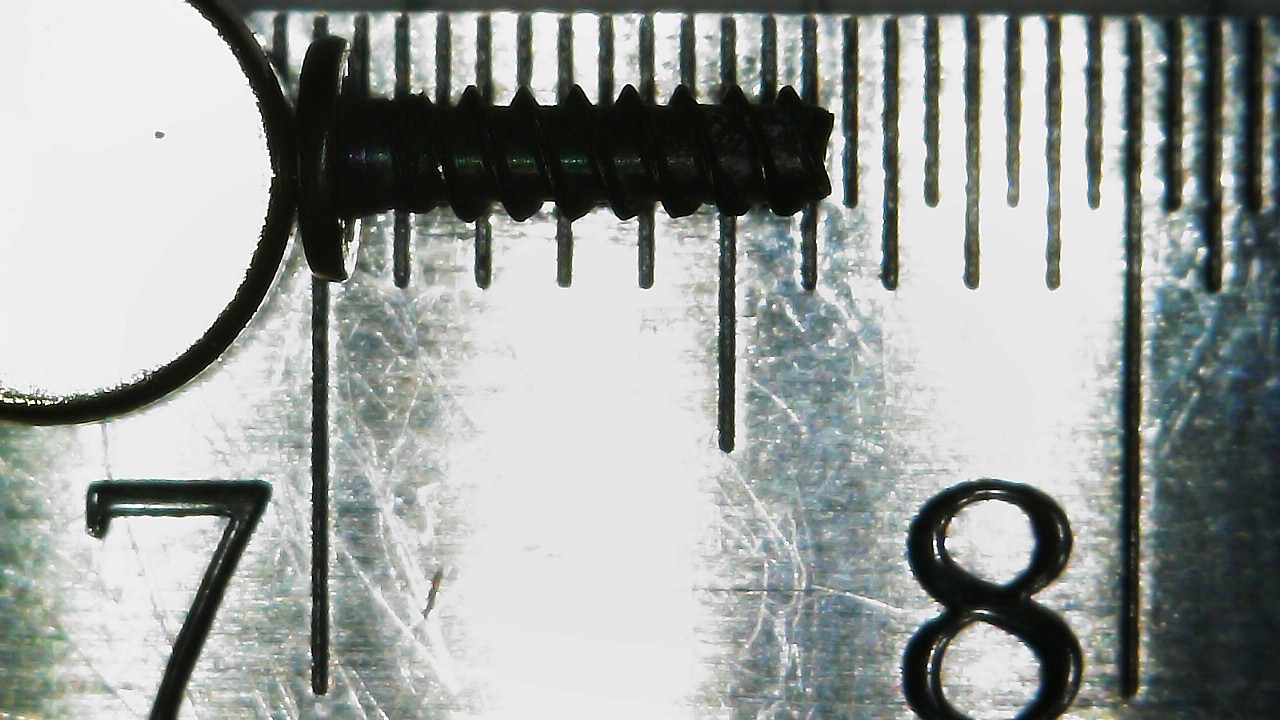
Four Motherboard Screws:
M1.4 – 0.6 x 5.5mm
6mm x 1.5mm x 3mm
Phillips: PH #00
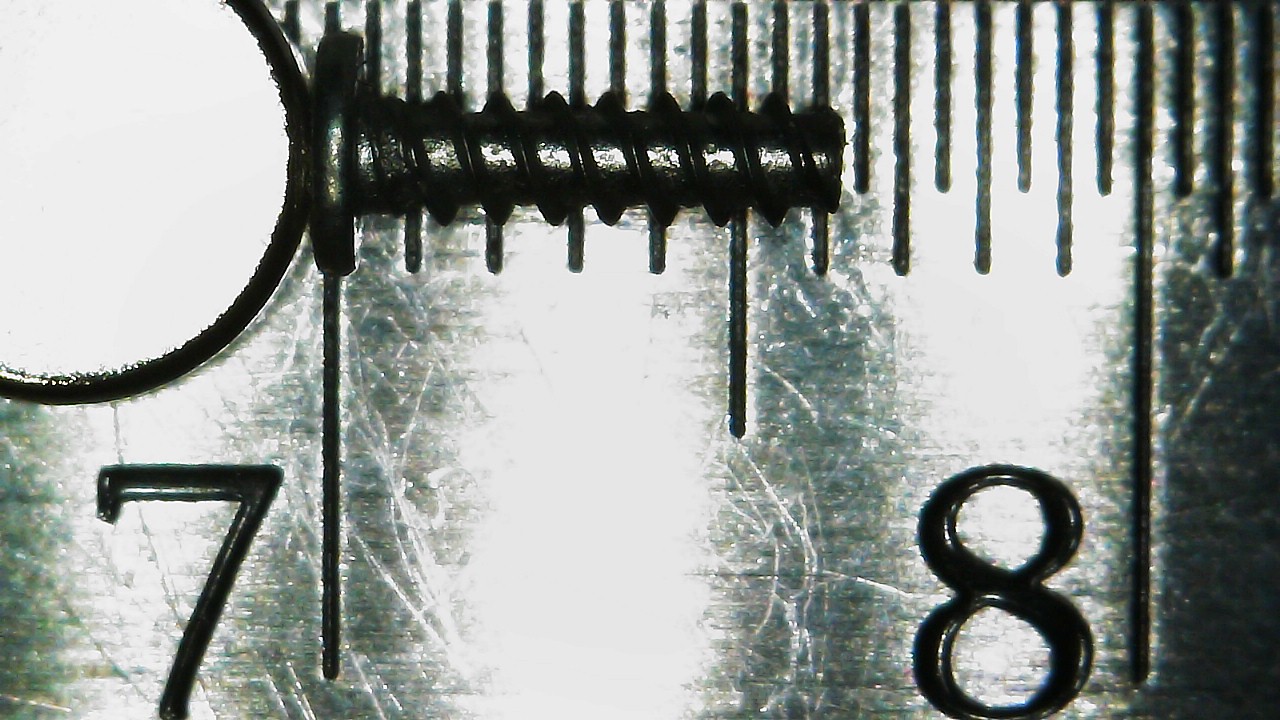

Hinge
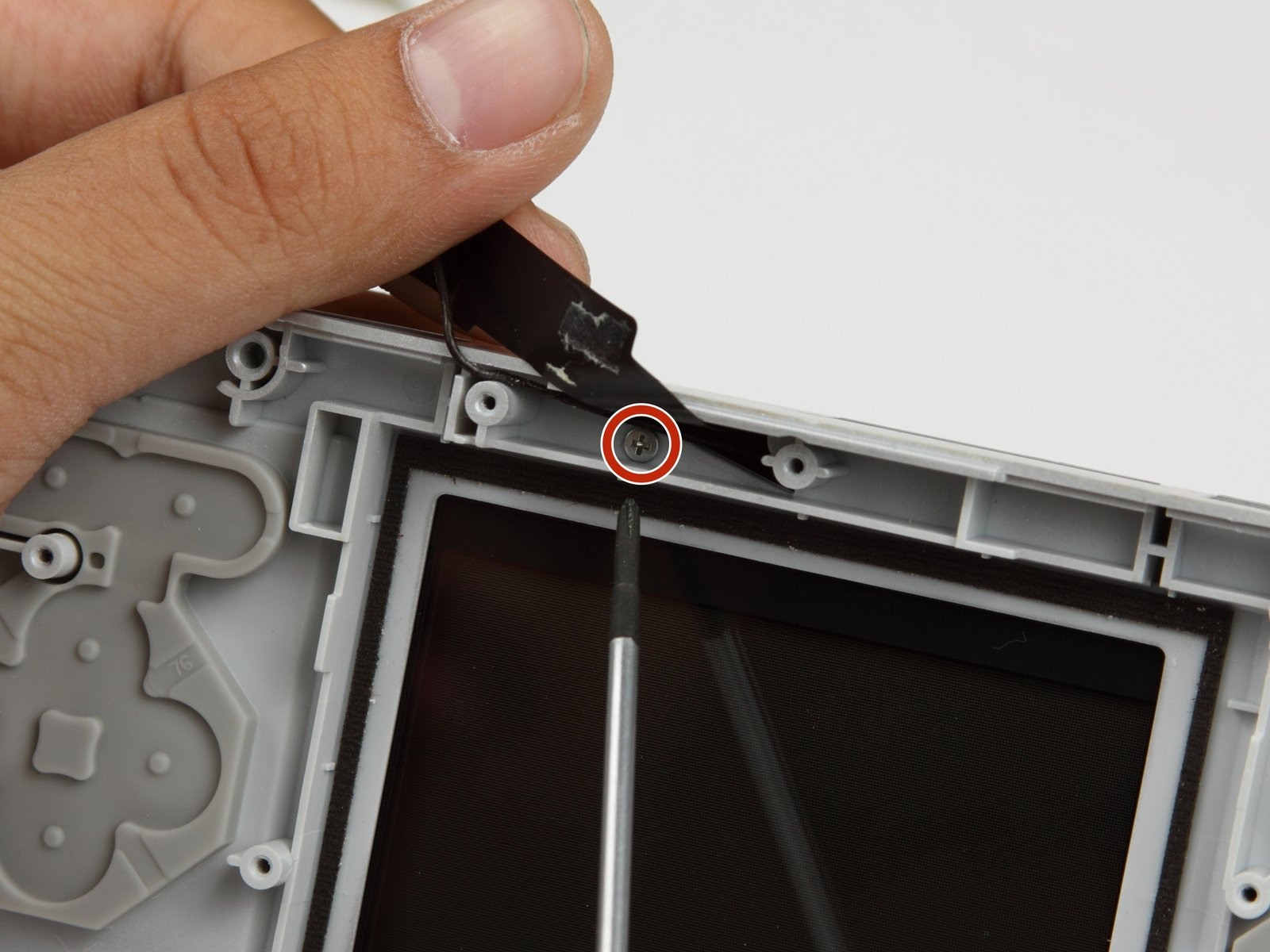
One Hinge Screw:
M1.4 – 0.6 x 5.5mm
6mm x 1.5mm x 3mm
Phillips: PH #00
Top Screen

Four Top Screen Screws
M1.4 – 0.6 x 5.5mm
6mm x 1.5mm x 3mm
Phillips: PH #00
Top Screen Wifi, Speaker, and Ribbon Connection Boards.

Wifi, Speaker, and Ribbon Connection Board Screws:
M1.4 – 0.6 x 3.5mm
4mm x 1.5mm x 3mm
Phillips: PH #00


GBA Metal Shield, Stylus Cover, and Shoulder Buttons
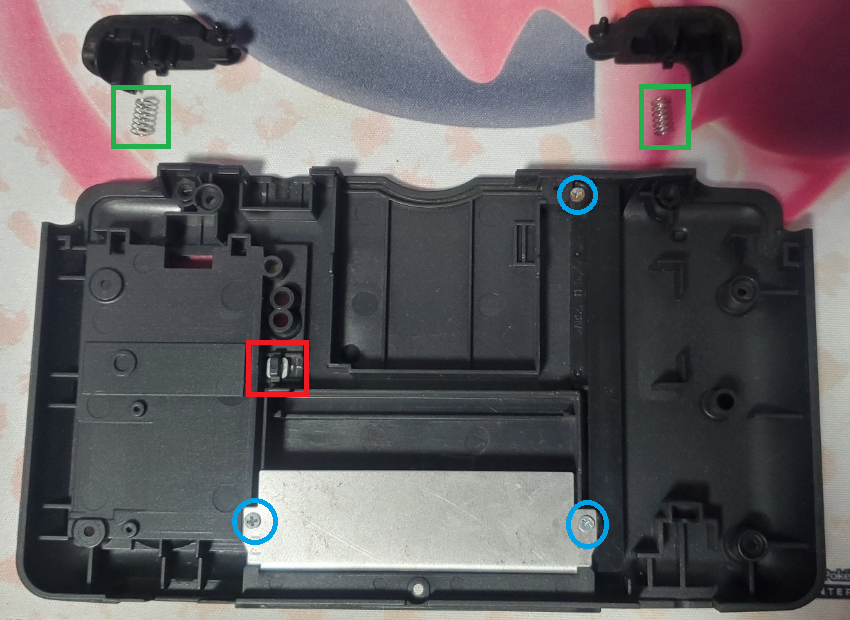
Three GBA Metal Shield and Stylus Cover Screws
M1.4 – 0.6 x 5.5mm
6mm x 1.5mm x 3mm
Phillips: PH #00
One Battery Door Nut
4mm Square x 1.5mm Thick


Two Shoulder Button Springs
6.5mm Long x 3.5 Diameter
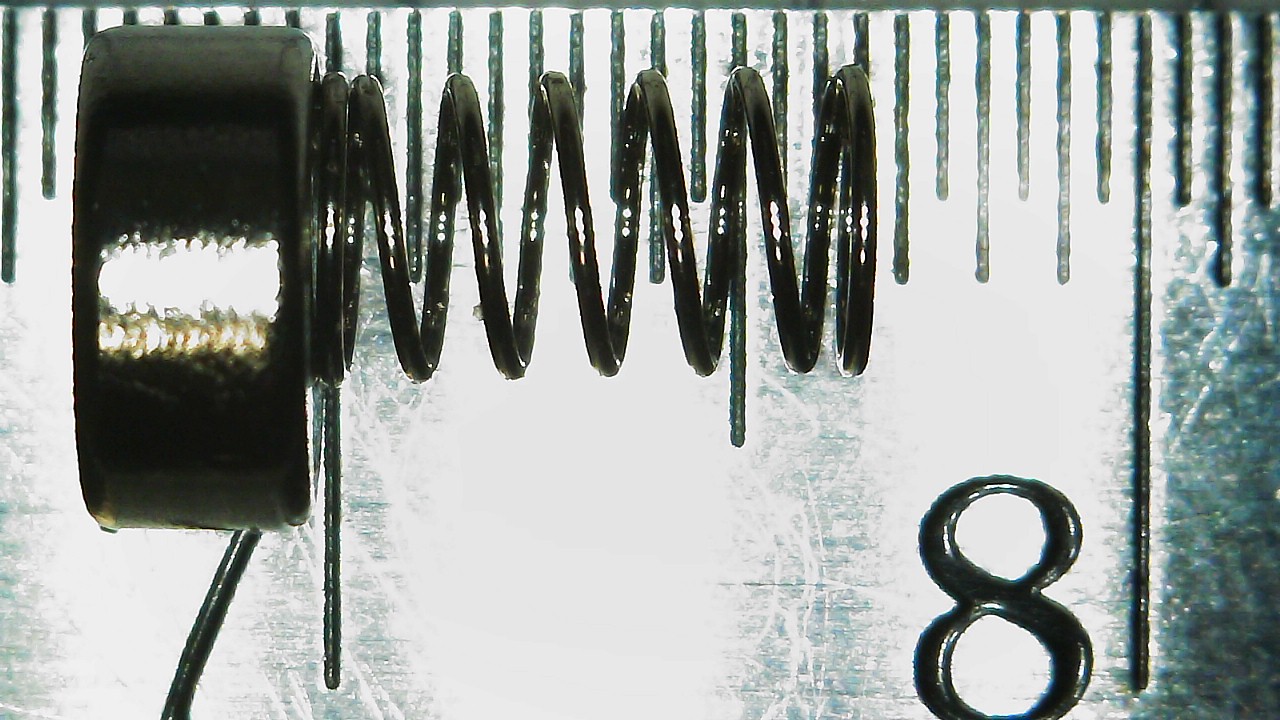
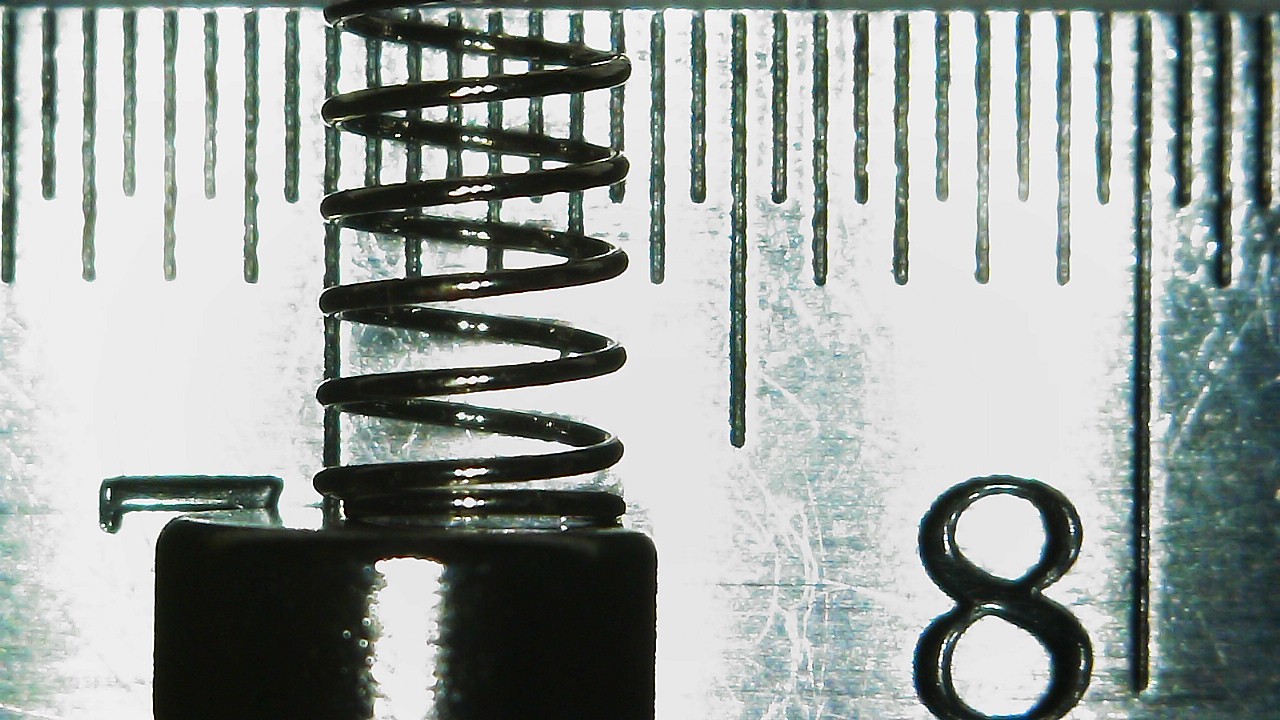
Top Screen Screw Covers
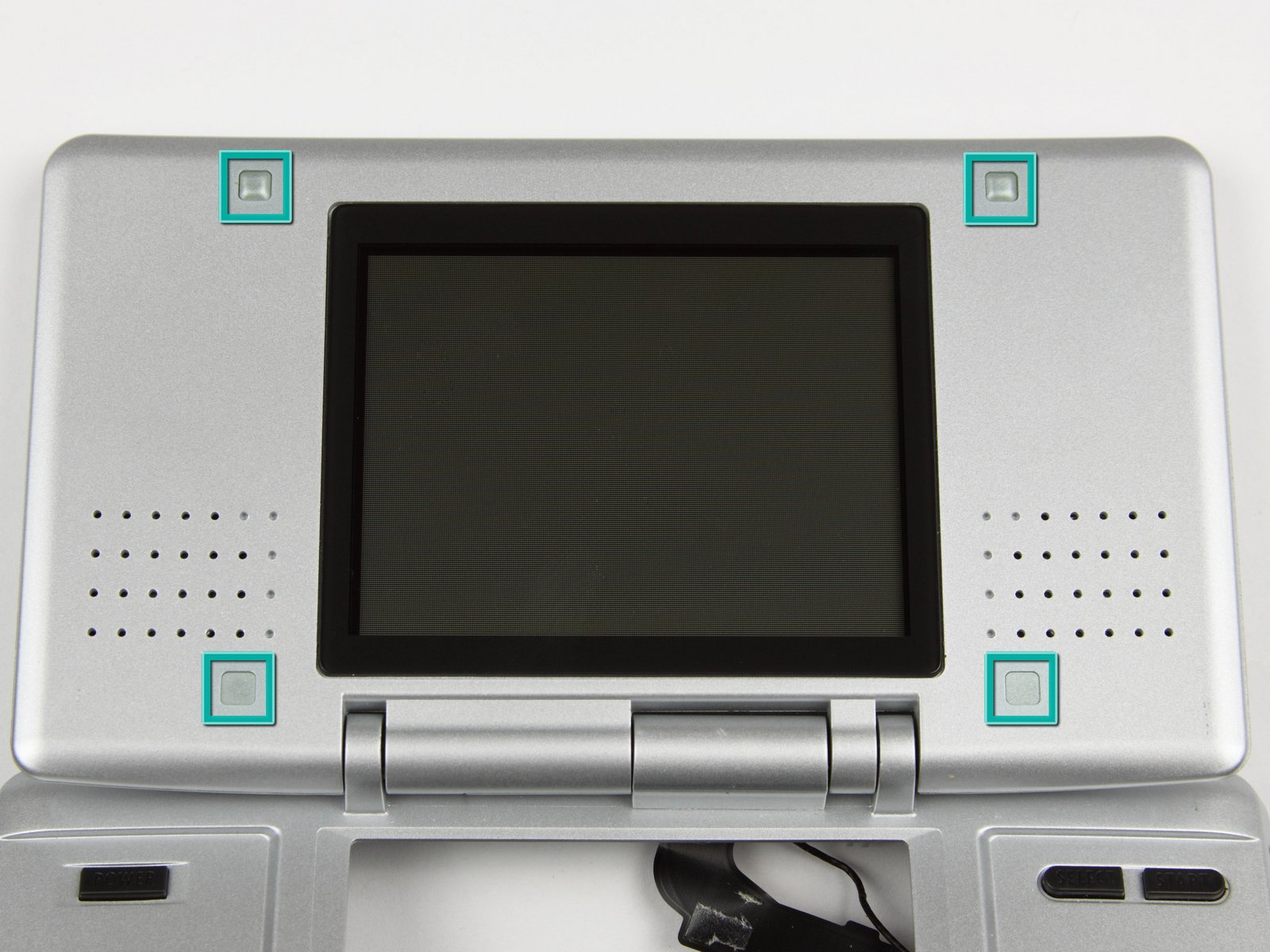
Two Top Screen Screw Cover Thick
3.5mm Square x 1.5mm Thick


Two Top Screen Screw Cover Thin
~3.5mm Square x 0.5mm Thick


I've done screw measurement posts for several consoles (listed below) including every DS and 3DS console.
I did more deeper dives into the DSi and DSi XL, pointing out any console-to-console differences.
Other posts can be found here:
- DS (Base)
- DS Lite
- DSi
- DSi XL
- 3DS (Base)
- 3DS XL
- 2DS
- New 2DS XL
- New 3DS
- New 3DS XL
Also check out my DS and 3DS Screw Repository.
How I measured these screws.
I measured the screws on a ruler with markings down to half-millimeter increments and a digital microscope. Measurements were taken similar to this image of measuring Thread Pitch below.
(Image Sourced from Albany County Fasteners' video, How to Measure Screws & Bolts - US & Metric Sizing | Fasteners 101)
Since I do not have specialty equipment to measure screws this small, I am forced to estimate; especially on the thread pitch itself. Take the measurements with the knowledge that it was done by someone who is a novice in screw measuring.
DS (Base)
It is assumed that the DS has a JIS head (I assume JIS #00) since all subsequent DS and 3DS consoles use them. A Phillips #00 works for this application, so no specialty tools are needed. The IFixIt Guides for the New 3DS XL sometimes recommends a Phillips #000, but I didn't find that necessary.
The outer shell also uses Tri-Point screws which IFixIt recommends a Y00 or Y1 (depending on the guide) to remove. My precision driver kit doesn't have a Y1, so I used a Y1.5, which worked perfectly fine.
Below is the list of screws and Hardware grouped by size.
I'll add links to an IFixIt Guide to match my terms to pictures (i.e. Motherboard Screw would point to the Motherboard removal step of an IFixIt guide). The screw names themselves will have a link to the image of the screw removal with another link next to it just the image link dies.
Screws
Legend:
- Screw Length x Thread Width x Head Width.
- Recommended Driver.
- Screw Amounts, Placeholder name, and Link to IFixIt guides and images.
- Repeated previous entry as needed.
- Thread Pitch Measurement.
4mm x 1.5mm x 3mm
Phillips: PH #00
(2x) Wifi, Speaker, and Ribbon Connection Board Screws (Step 15)
M1.4 – 0.6 x 3.5mm
4mm x 1.5mm x 3.5mm
Phillips: PH #00
(1x) Battery Door Screw (Step 1)
M1.4 - 0.4 x 3.5mm
6mm x 1.5mm x 3mm
Phillips: PH #00
(4x) Top Screen Screws (Step 11)
(1x) Hinge Screw (Step 13)
(4x) Motherboard Screws (Step 6)
(3x) GBA Metal Shield and Stylus Cover Screws (No Guide)
M1.4 – 0.6 x 5.5mm
6mm x 1.5mm x 3mm
Tri-Wing: Y1/Y00 or Y1.5
(7x) Bottom Shell Screws (Step 4)
M1.4 – 0.6 x 5.5mm
Other
(1x) E-Clip (Step 1)
4mm Wide
(1x) Battery Door Nut
4mm Square x 1.5mm Thick
(2x) Shoulder Button Springs
6.5mm Long x 3.5mm Diameter
Screw Covers
(2x) Top Screen Screw Cover Thick (Step 11)
3.5mm Square x 1.5mm Thick
(2x) Top Screen Screw Cover Thin (Step 11)
~3.5mm Square x 0.5mm Thick
Battery Door
The Battery Door consists of two parts: The Screw and the Screw Retaining E-Clip
One Battery Door Screw:
M1.4 - 0.4 x 3.5mm
4mm x 1.5mm x 3.5mm
Phillips: PH #00
One E-Clip:
4mm wide
Bottom Shell
Seven Bottom Shell Screws:
M1.4 – 0.6 x 5.5mm
6mm x 1.5mm x 3mm
Tri-Wing: Y1/Y00 or Y1.5
Motherboard
Four Motherboard Screws:
M1.4 – 0.6 x 5.5mm
6mm x 1.5mm x 3mm
Phillips: PH #00
Hinge
One Hinge Screw:
M1.4 – 0.6 x 5.5mm
6mm x 1.5mm x 3mm
Phillips: PH #00
Top Screen
Four Top Screen Screws
M1.4 – 0.6 x 5.5mm
6mm x 1.5mm x 3mm
Phillips: PH #00
Top Screen Wifi, Speaker, and Ribbon Connection Boards.
Wifi, Speaker, and Ribbon Connection Board Screws:
M1.4 – 0.6 x 3.5mm
4mm x 1.5mm x 3mm
Phillips: PH #00
GBA Metal Shield, Stylus Cover, and Shoulder Buttons
Three GBA Metal Shield and Stylus Cover Screws
M1.4 – 0.6 x 5.5mm
6mm x 1.5mm x 3mm
Phillips: PH #00
One Battery Door Nut
4mm Square x 1.5mm Thick
Two Shoulder Button Springs
6.5mm Long x 3.5 Diameter
Top Screen Screw Covers
Two Top Screen Screw Cover Thick
3.5mm Square x 1.5mm Thick
Two Top Screen Screw Cover Thin
~3.5mm Square x 0.5mm Thick
Last edited by KIlly728,


