

Hardware Tutorial
Updated
3DS (Base) Screw and Hardware Measurements
Hello everyone. A couple of years back I made a post on Reddit measuring all of the screws inside of thee Base Model 3DS. Today, I wanted to make a more formal post providing reference images to exactly where those screws go.

I've done screw measurement posts for several consoles (listed below) including every DS and 3DS console.
I did more deeper dives into the DSi and DSi XL, pointing out any console-to-console differences.
Other posts can be found here:
- DS (Base)
- DS Lite
- DSi
- DSi XL
- 3DS (Base)
- 3DS XL
- 2DS
- New 2DS XL
- New 3DS
- New 3DS XL
Also check out my DS and 3DS Screw Repository.
How I measured these screws.
I measured the screws on a ruler with markings down to a single millimeter and a digital microscope. Measurements were taken similar to this image of measuring Thread Pitch below.

(Image Sourced from Albany County Fasteners' video, How to Measure Screws & Bolts - US & Metric Sizing | Fasteners 101)
Since I do not have specialty equipment to measure screws this small, I am forced to estimate; especially on the thread pitch itself. Take the measurements with the knowledge that it was done by someone who is a novice in screw measuring.
3DS (Base)
IFixit Guides uses Phillips #00, but I found that the #000 worked better in some cases. The IFixIt guide as a whole seems to stick to #00 in their guides, but references #000 a couple of times; like a supposed link to a #000 driver on their store page which links to a #00. May be a typo, but I digress.
The 3DS has JIS screw heads similar to the DSi and DSi XL. A Phillips driver works fine, so you don't have to order specialty tools. The heads on the nine screws for the bottom shell stripped pretty easily on me, so for those screws, I swapped to a #000. A #00 worked fine on the screws that weren't stripped.
I'll add links to an IFixIt Guide to match my terms to pictures (i.e. Motherboard Black Screw would point to the Motherboard removal step of an IFixIt guide). The screw names themselves will have a link to the picture of the screw removal with another link next to it just in case that link dies.
Screws
Screw Length x Thread Width x Head Width
2.5mm x 1.5mm x 2.5mm
Phillips: PH#00
(1x) Rear Shell Silver Screw (Step 4 Orange Circle)
(4x) Motherboard Screws (Step 18 Red Circle)
(1x) Volume Slider Screw (Step 18 Yellow Circle)
(1x) 3D Slider Screw (Setp 32)
(4x) Stylus Housing (Step 7)
M1.4 - 0.6 x 2mm
3.5mm x 1.5mm x 2.5mm
Phillips: PH#00
(2x) SD Card Back Plate Screws (Step 18)
(6x) Upper Shell Screws (Step 26)
(3x) Shoulder Button Covers Left (Step 6)
(4x) Shoulder Button Cover Right (Step 6 and 7) and Battery Back Plate (Setp 6)
M1.4 -0.6 x 3mm
4mm x 1.5mm x 3.5mm
Phillips: PH#00
(4x) Battery Door (Step 1)
M1.4 - 0.4 X 3.5mm
4.5mm x 1.5mm x 2.5mm
Phillips: PH#00
(2x) SD Card Board Screws (Step 10)
M1.4 - 0.6 x 4mm
6mm x 1.5mm x 2.5mm
Phillips: PH#00
(9x) Bottom Shell Long Screws (Step 4)
M1.4 - 0.6 x 5.5mm
7.5mm x 1.5mm x 2.5mm
Phillips: PH#00
(2x) Circle Pad Screws (Step 6)
M1.4 - 0.6 x 7mm
Other:
(4x) E-Clip
4mm Width
(2x) Shoulder Button Springs
6.5mm L x 2mm Diameter
(2x) Shoulder Button Posts
5.5mm L x 1mm Diameter
(4x) Battery Door/Back Plate Nuts
3mm Square x 1mm thick
(2x) Clam Shell Stoppers
9mm Long x 3.5mm Tall x 2mm Thick
Battery Door
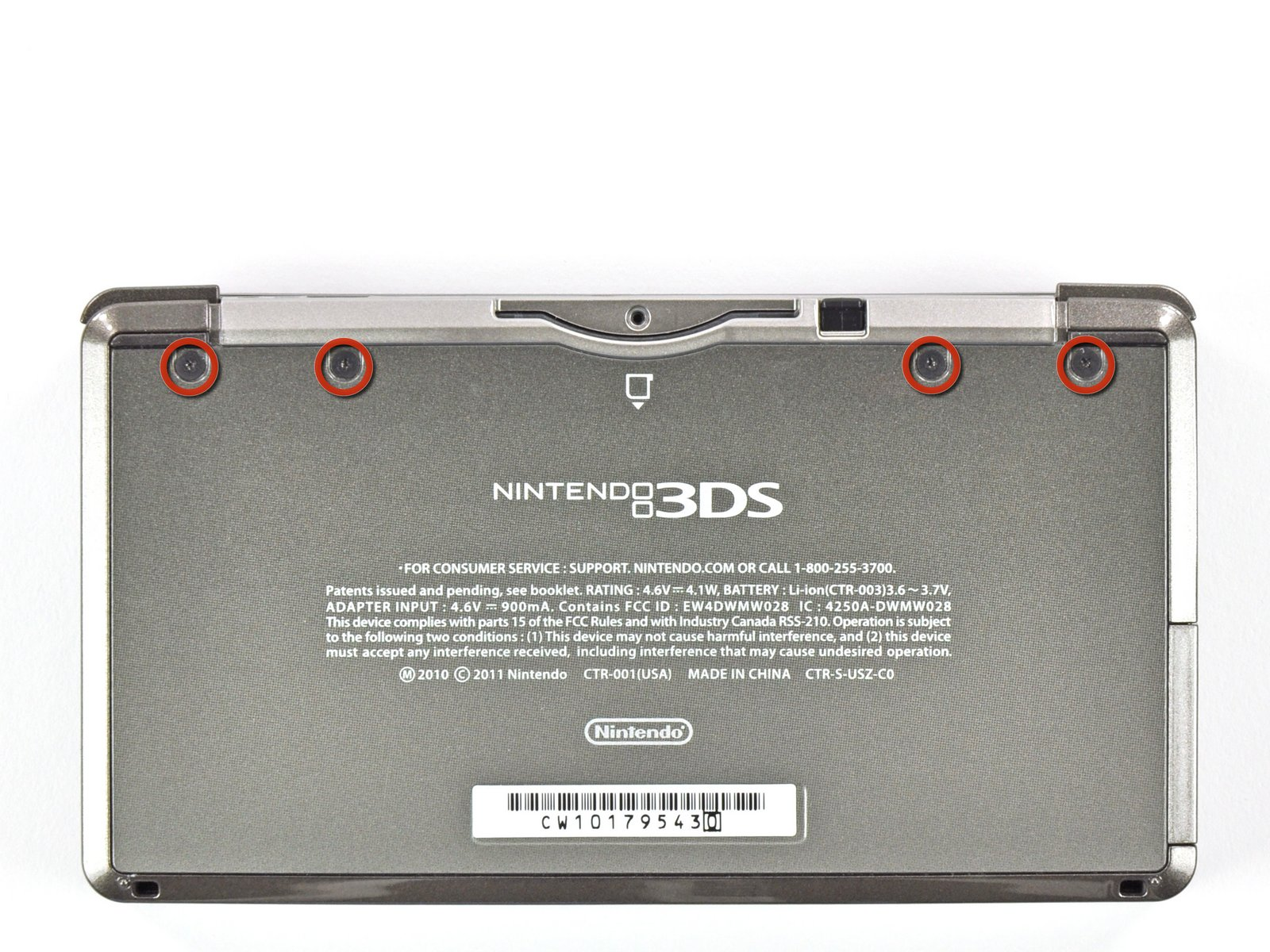
The Battery Door consists of two parts: the screw and an E-Clip
Four Battery Door Screws:
M1.4 - 0.4 X 3.5mm
4mm x 1.5mm x 3.5mm
Phillips: PH#00

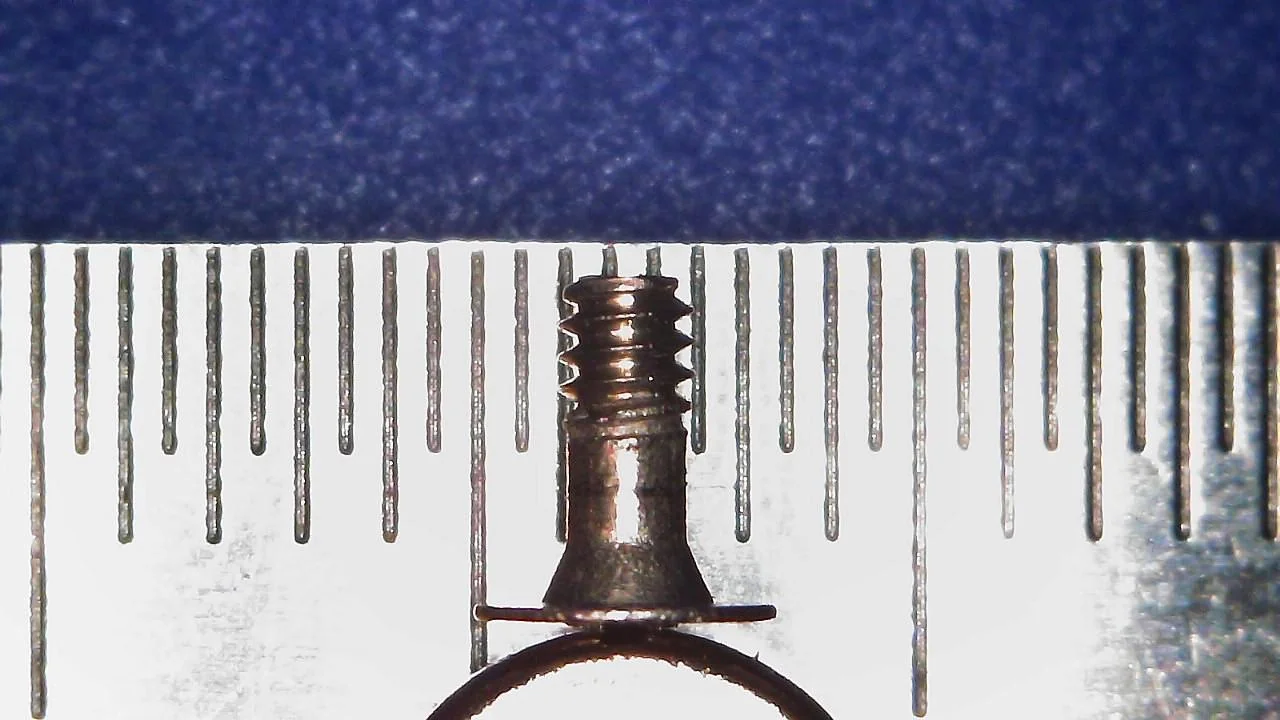
Four E-clips:
4mm Width
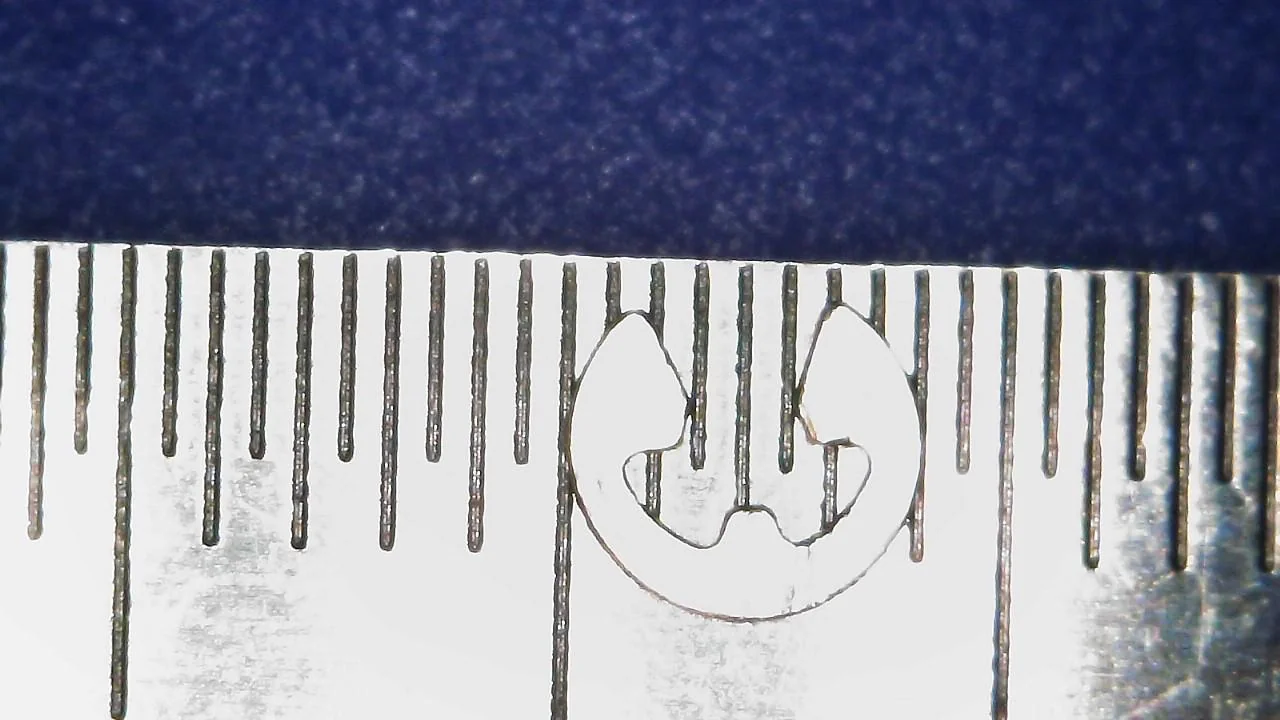
Bottom Shell
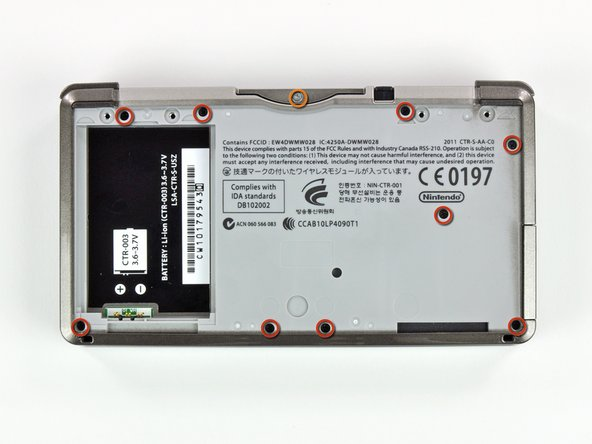
Nine Bottom Shell Long Screws:
M1.4 - 0.6 x 5.5mm
6mm x 1.5mm x 2.5mm
Phillips: PH#00

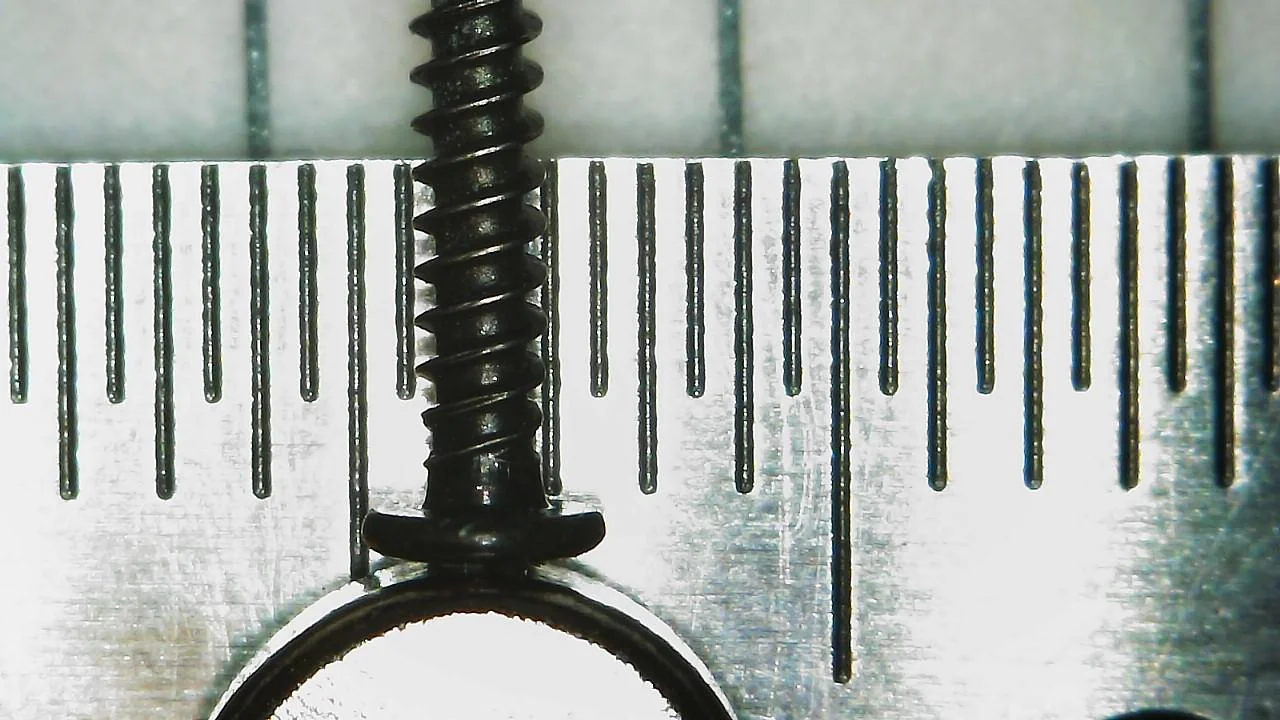
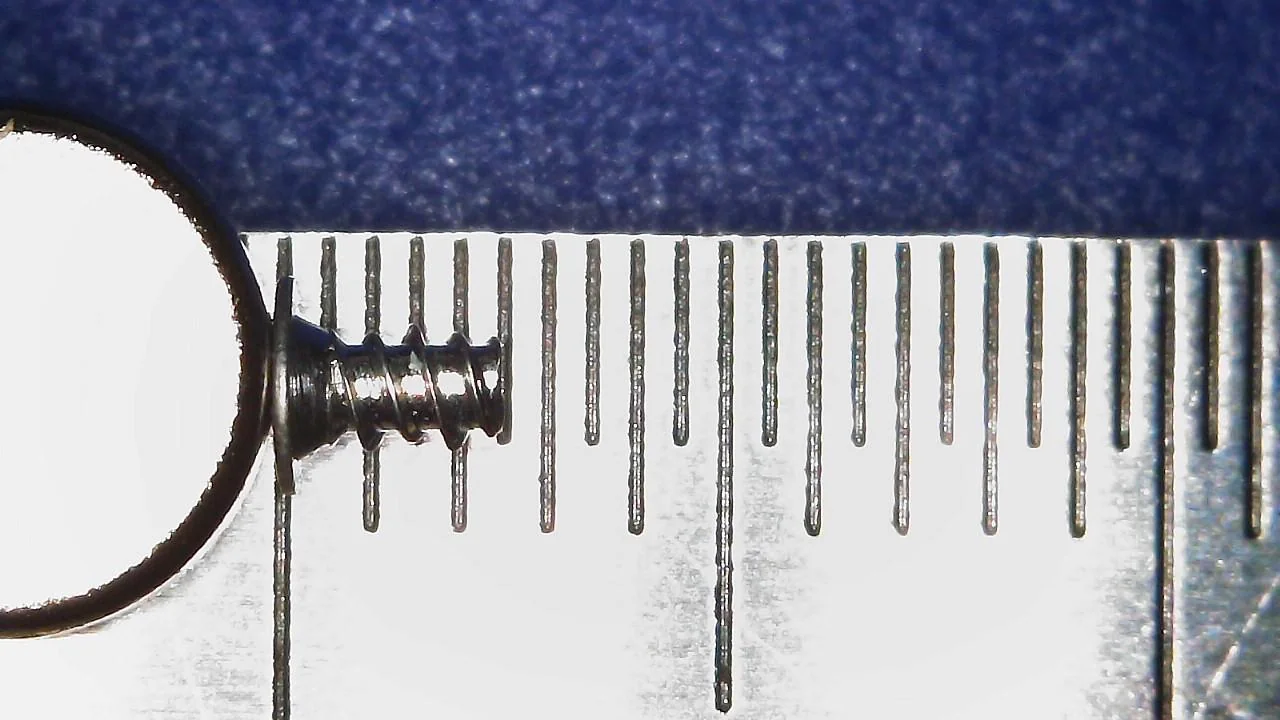
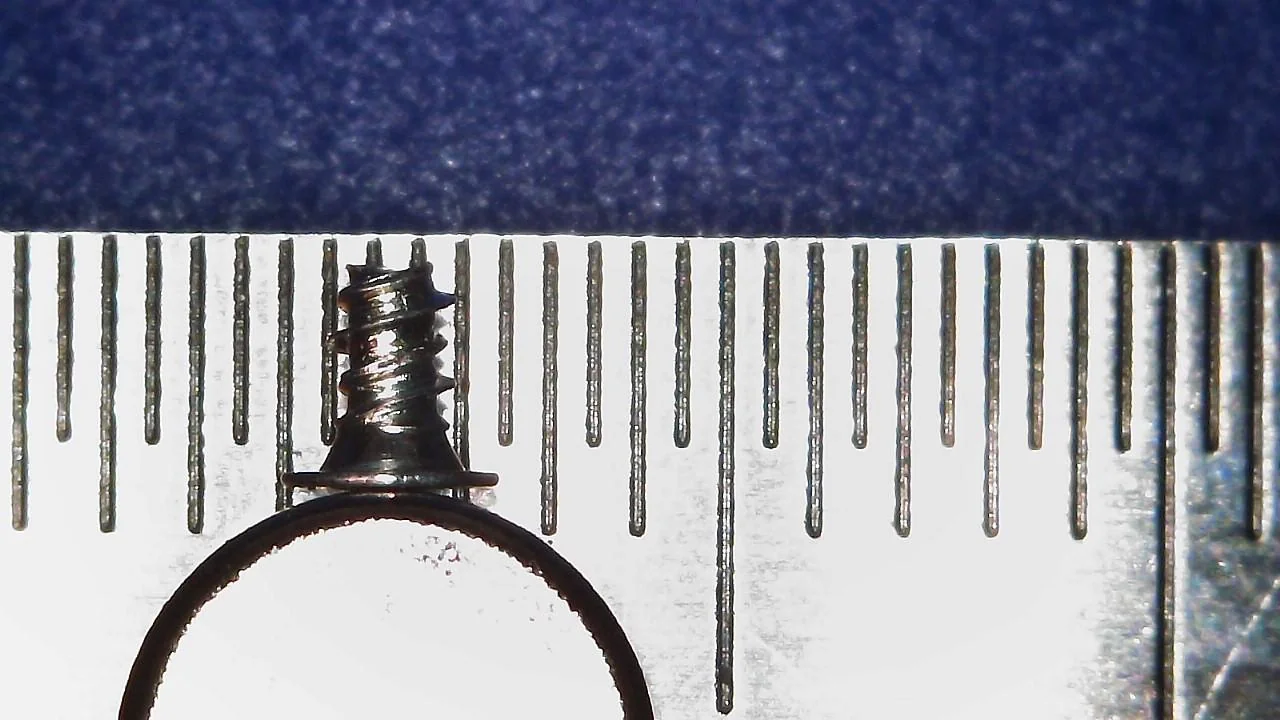
One Rear Shell Silver Screw:
M1.4 - 0.6 x 2mm
2.5mm x 1.5mm x 2.5mm
Phillips: PH#00
Circle Pad

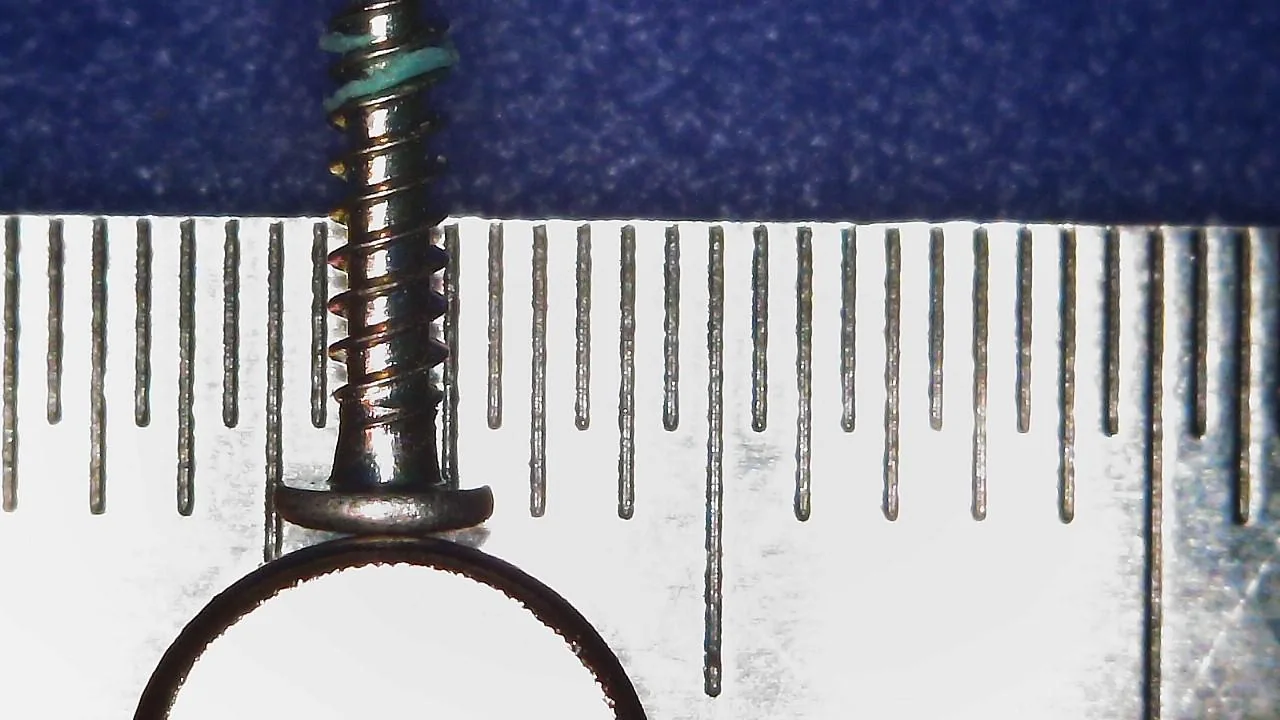
Two Circle Pad Screws:
M1.4 - 0.6 x 7mm
7.5mm x 1.5mm x 2.5mm
Phillips: PH#00

SD Card Board
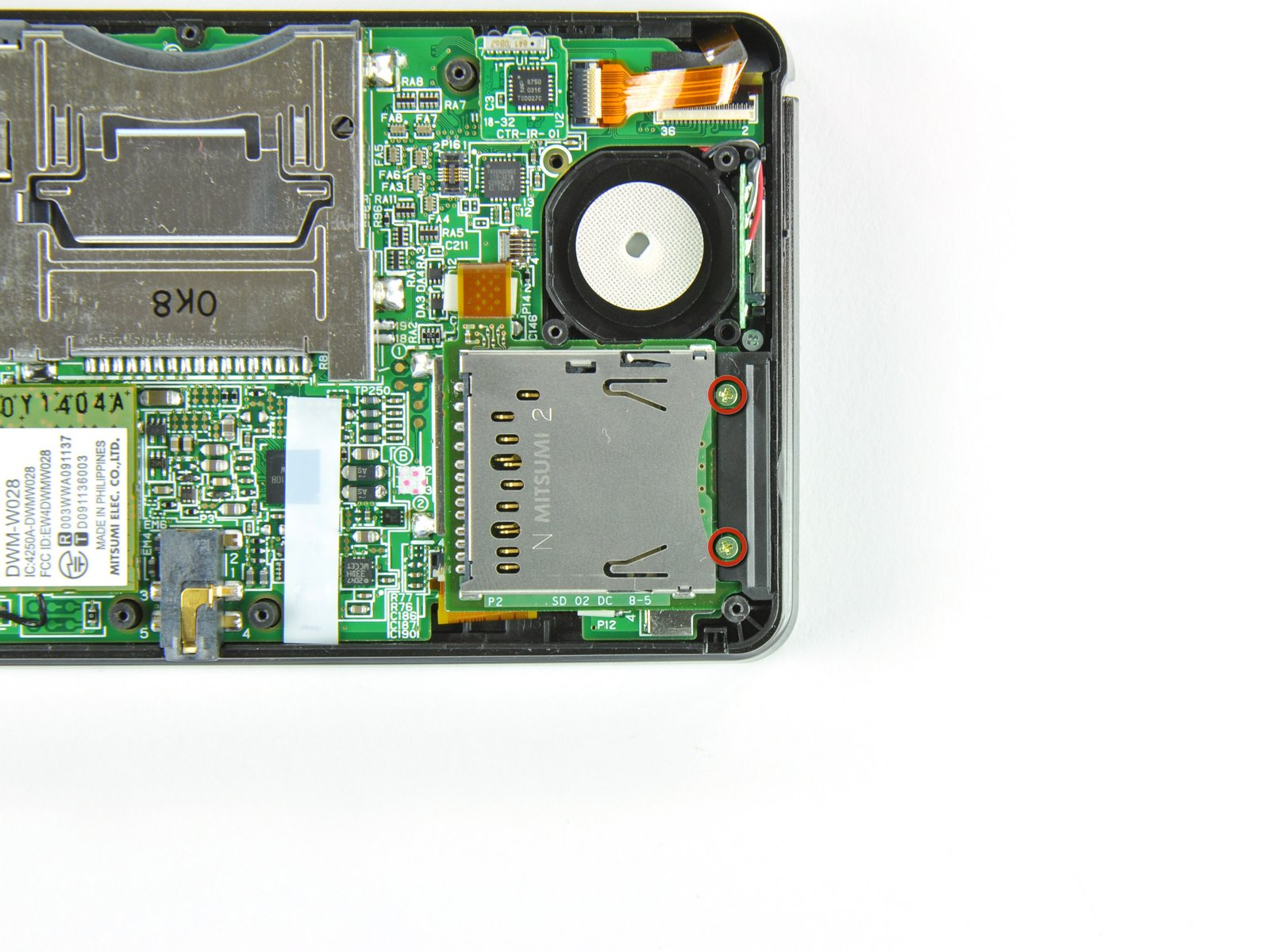
Two SD Card Board Screws:
M1.4 - 0.6 x 4mm
4.5mm x 1.5mm x 2.5mm
Phillips: PH#00


Motherboard
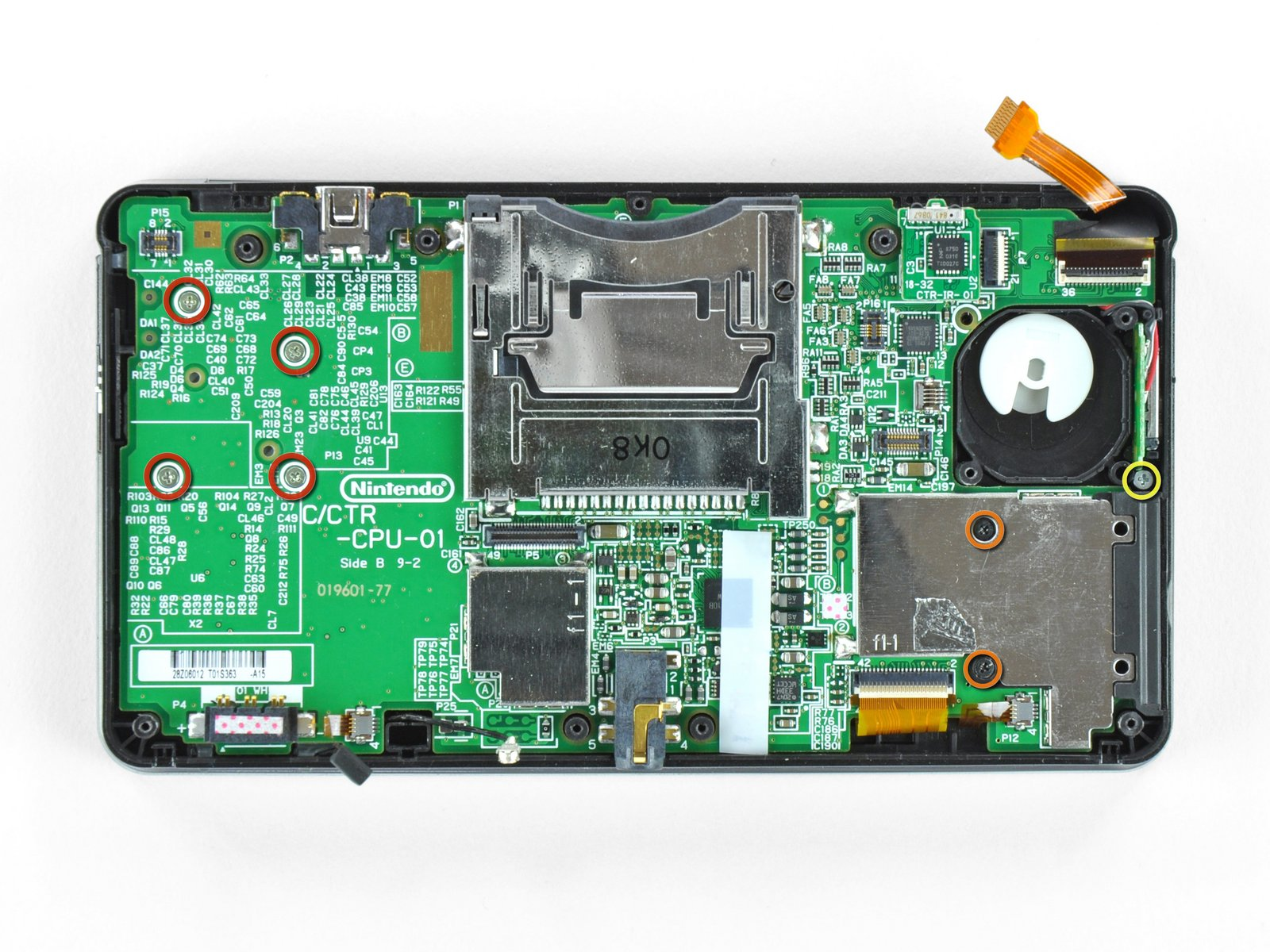
Four Motherboard Screws (Red Circle) and One Volume Slider Screw (Yellow Circle):
M1.4 - 0.6 x 2mm
2.5mm x 1.5mm x 2.5mm
Phillips: PH#00
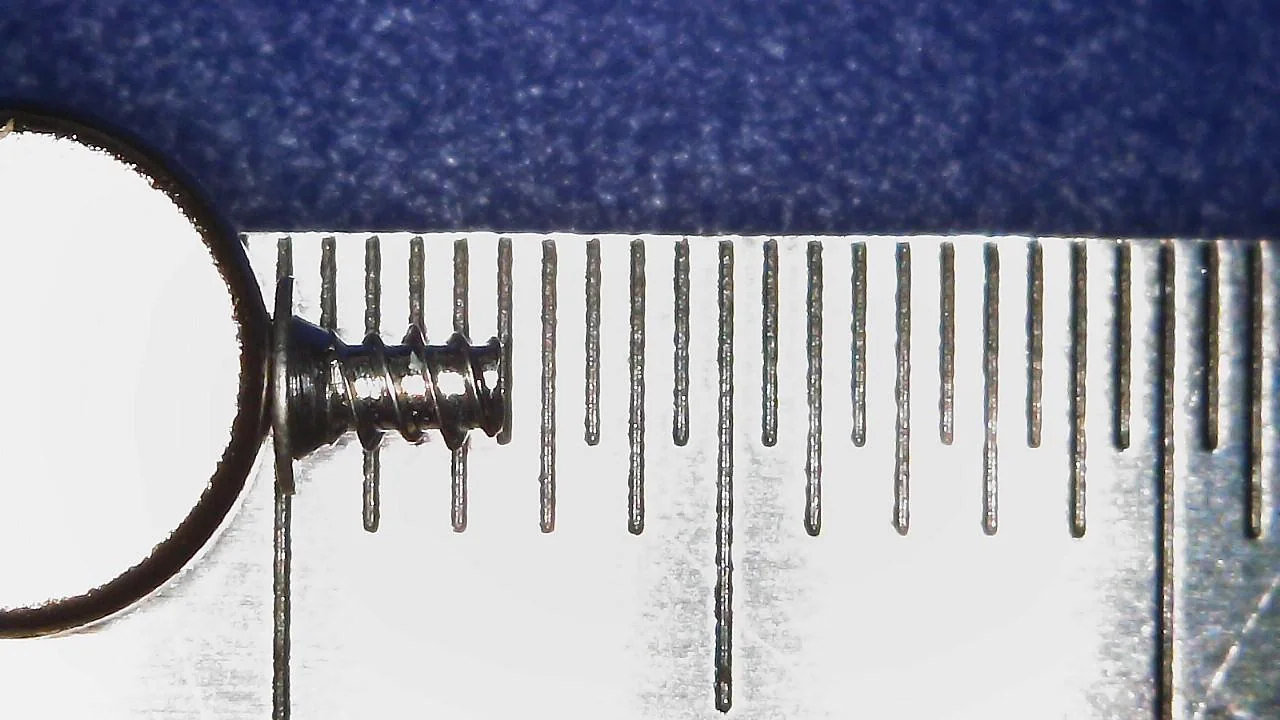

Two SD Card Backplate Screws (Orange Circle):
M1.4 -0.6 x 3mm
3.5mm x 1.5mm x 2.5mm
Phillips: PH#00

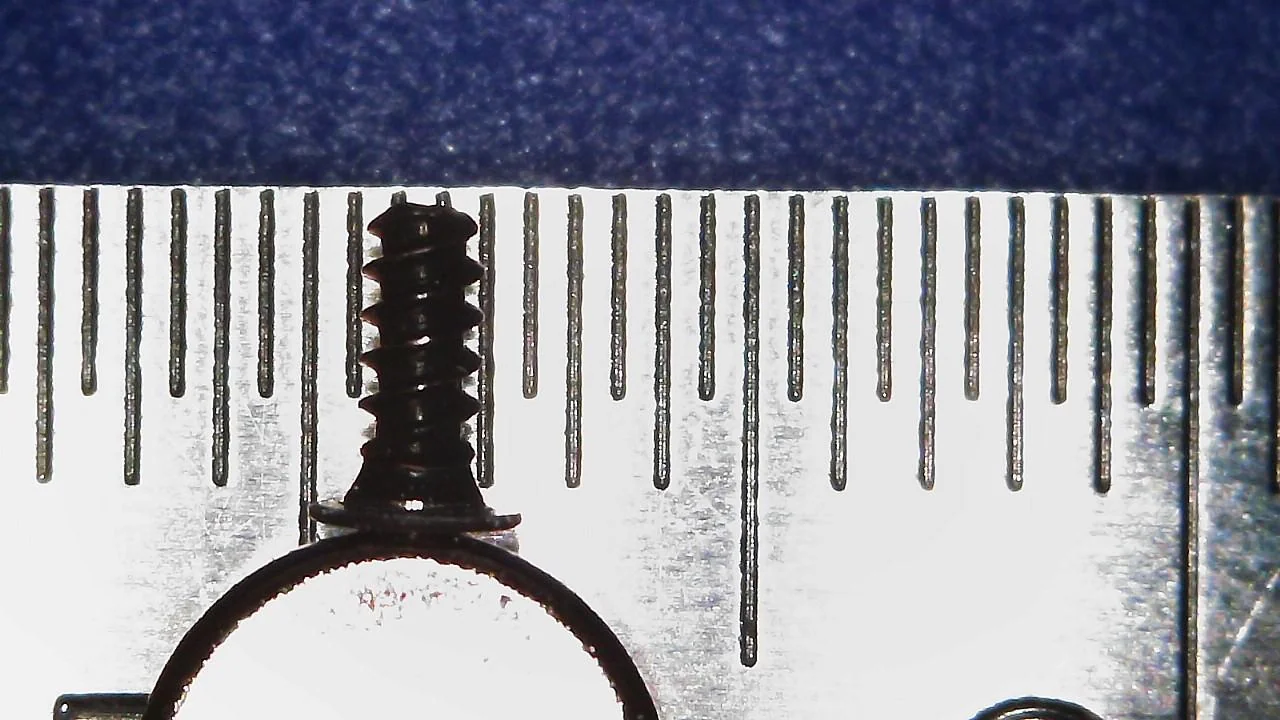
Upper Shell
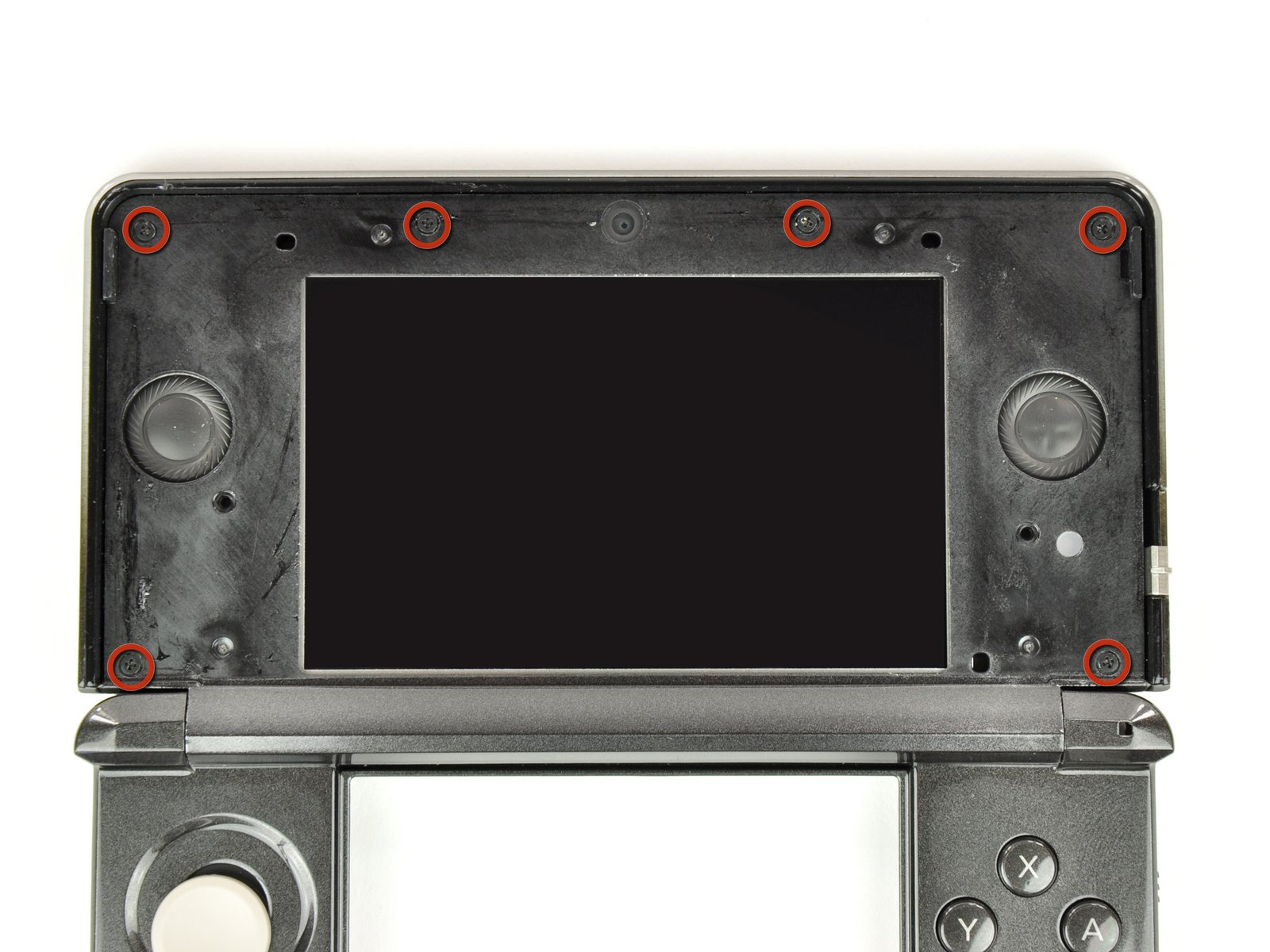
Six Upper Shell Screws:
M1.4 -0.6 x 3mm
3.5mm x 1.5mm x 2.5mm
Phillips: PH#00


3D Slider

One 3D Sldier Screw:
M1.4 - 0.6 x 2mm
2.5mm x 1.5mm x 2.5mm
Phillips: PH#00
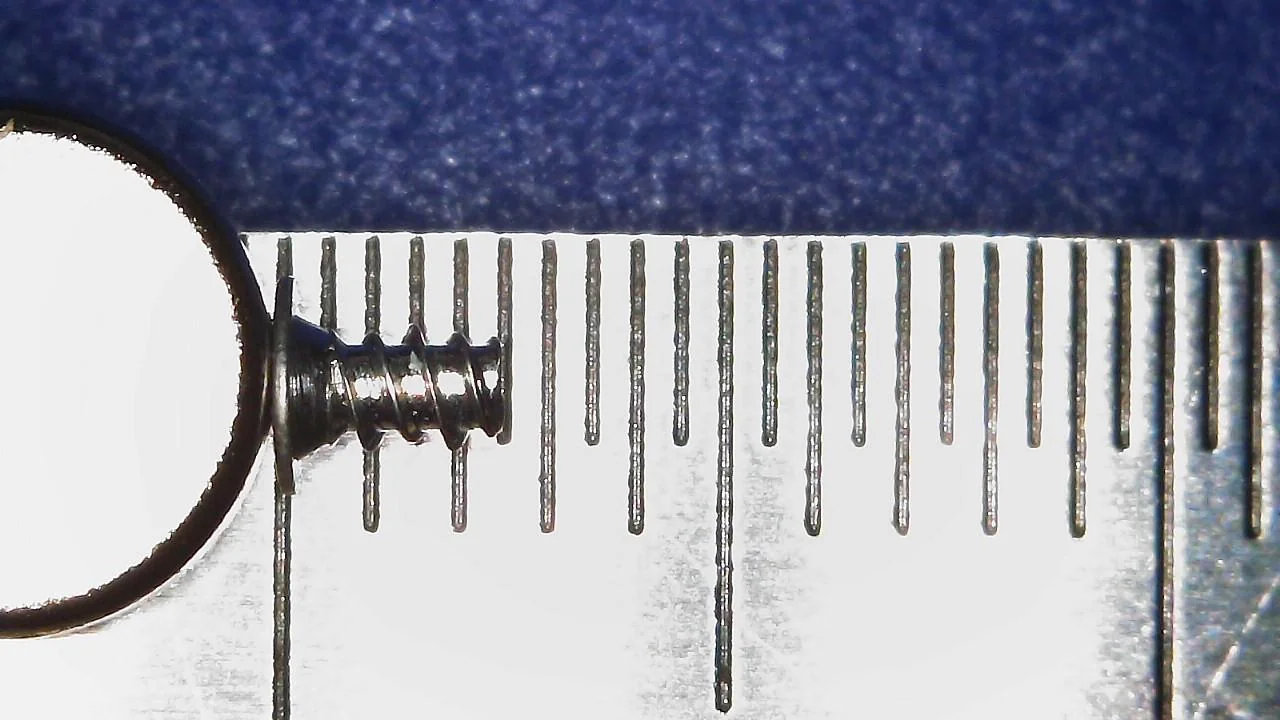

Right Shoulder Button and Battery Back Plate

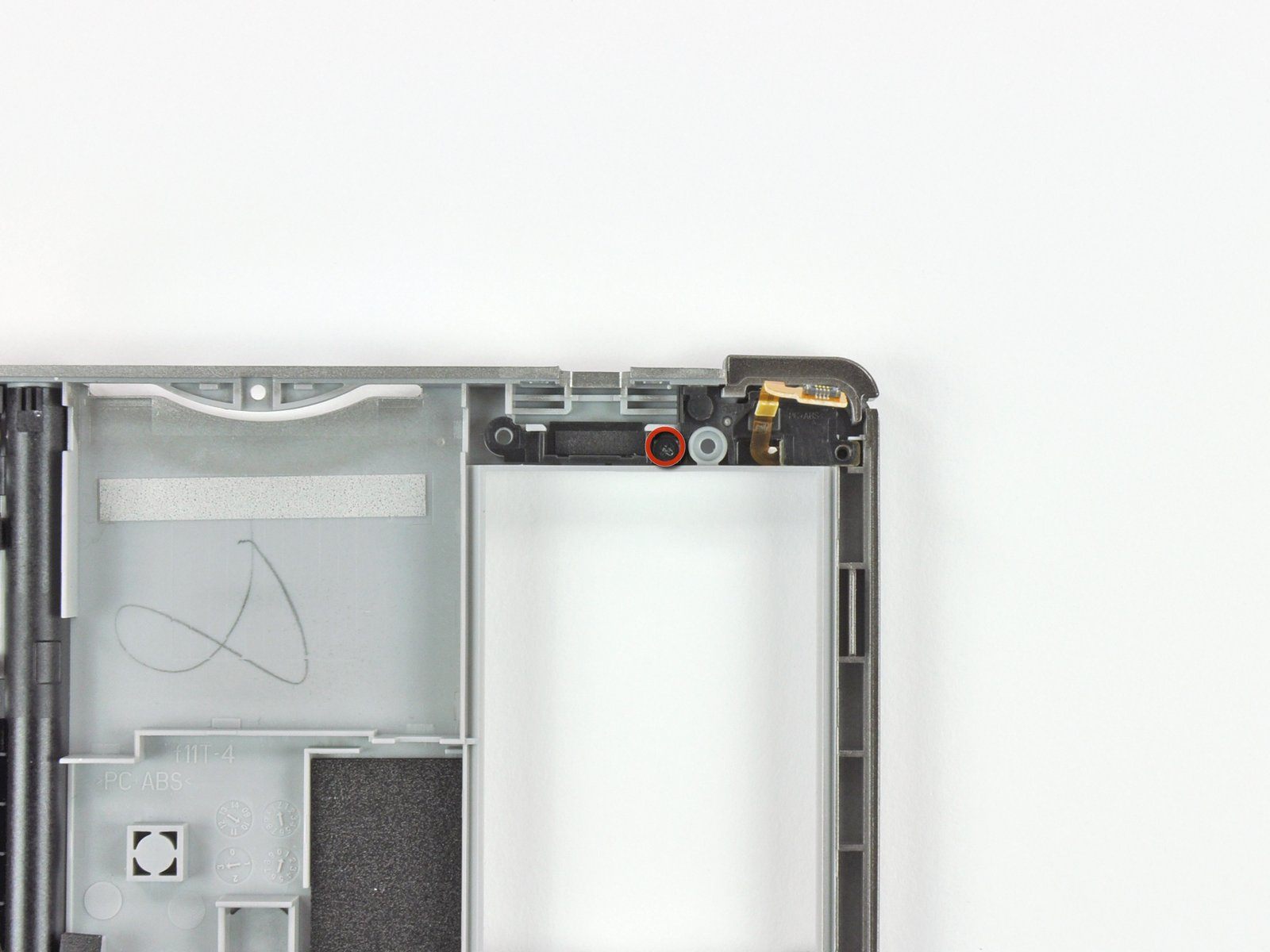
Four Shoulder Button Cover/Battery Backplate Screws
M1.4 -0.6 x 3mm
3.5mm x 1.5mm x 2.5mm
Phillips: PH#00
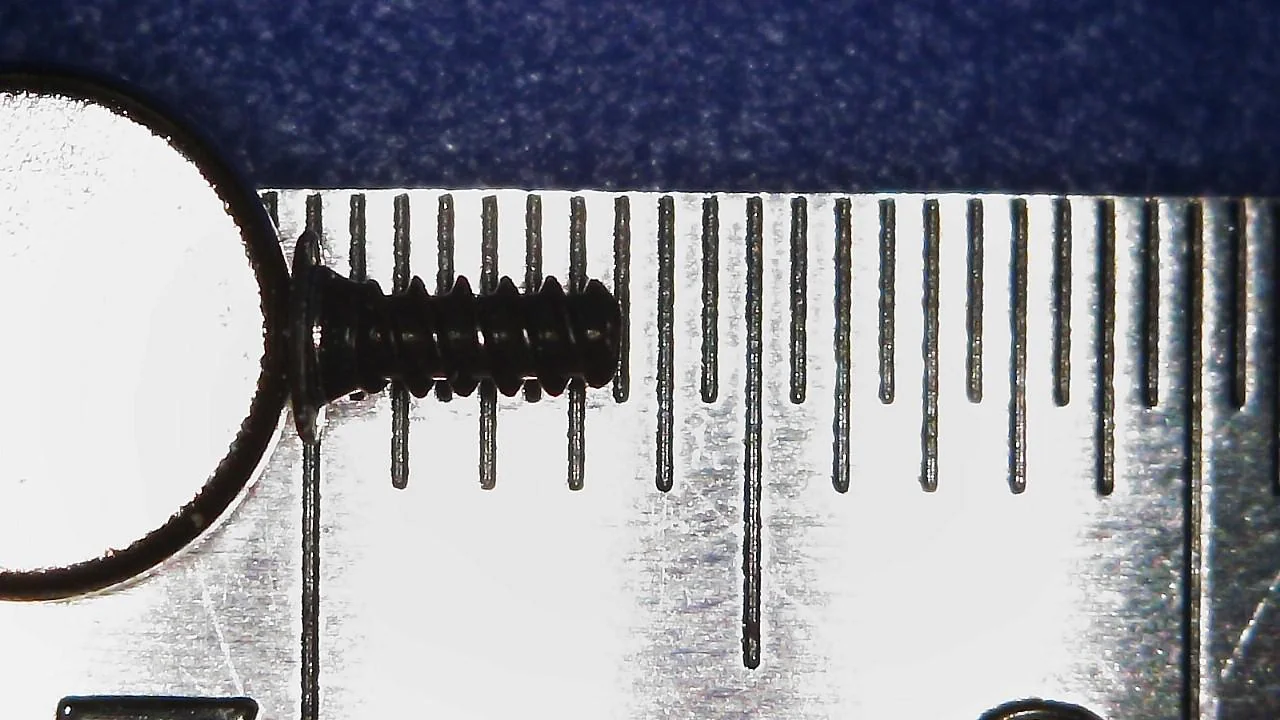
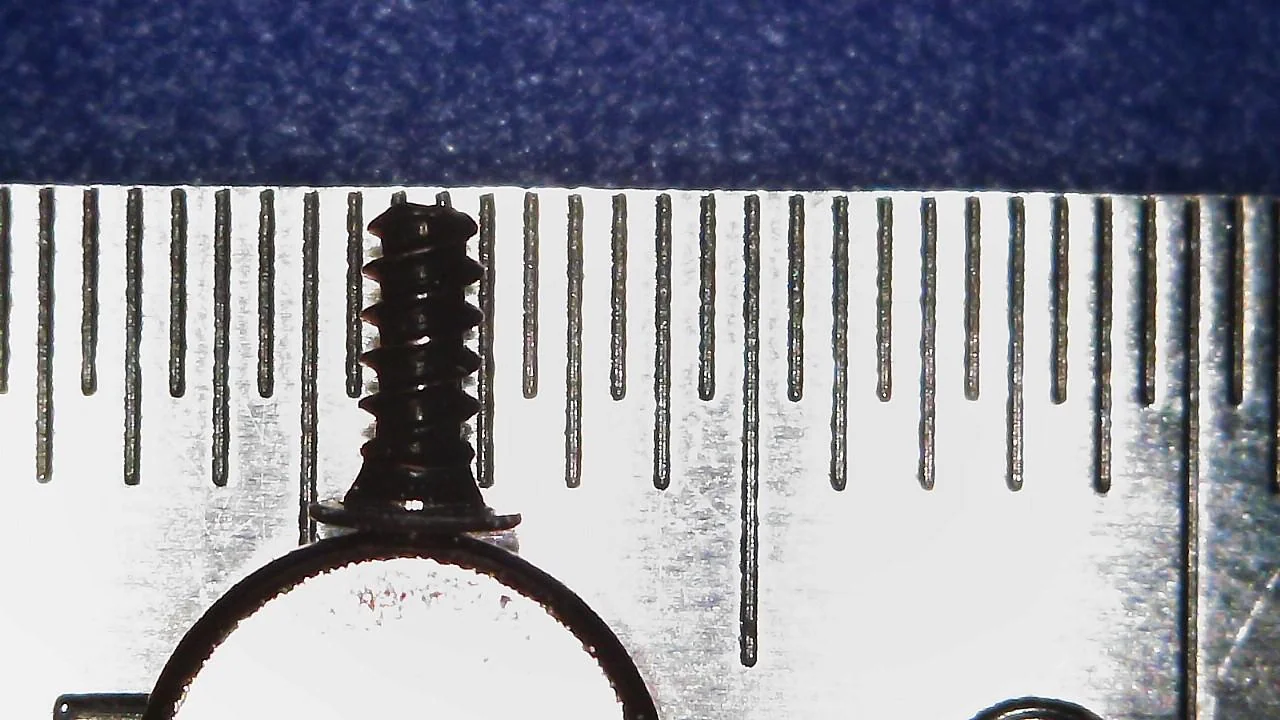
Left Shoulder Button
Three Shoulder Button Cover/Battery Backplate Screws:
M1.4 -0.6 x 3mm
3.5mm x 1.5mm x 2.5mm
Phillips: PH#00
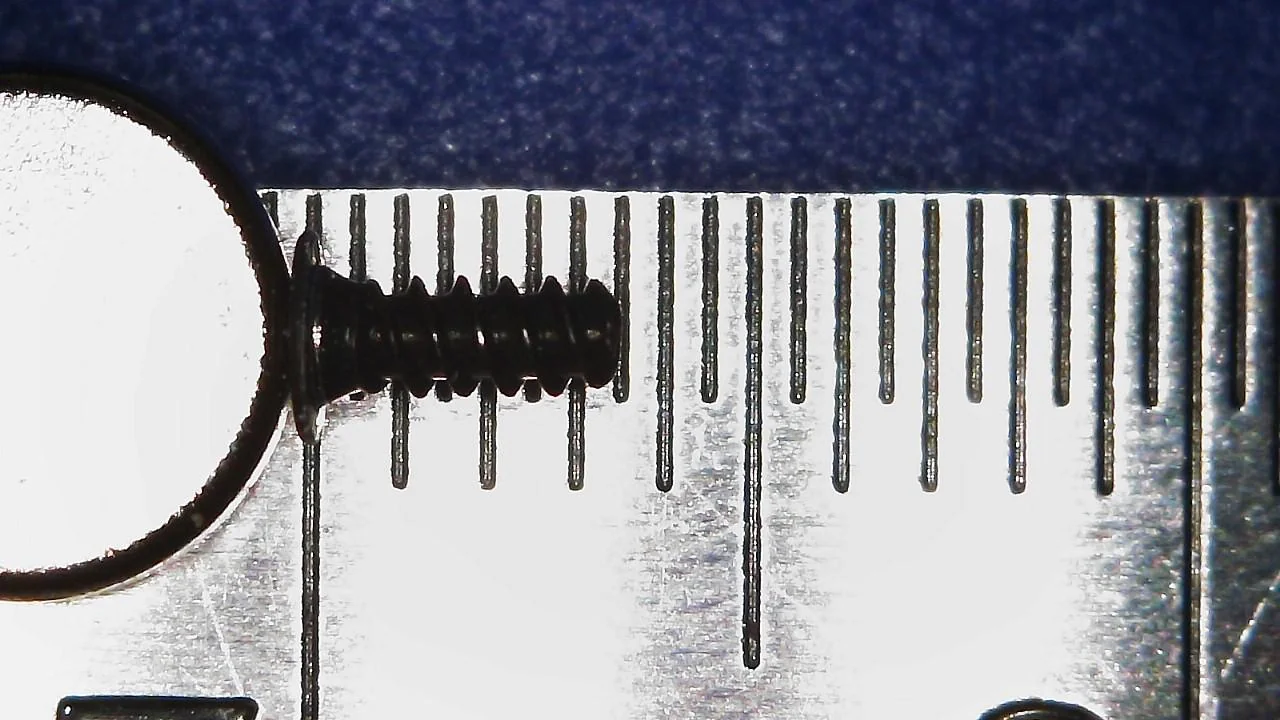

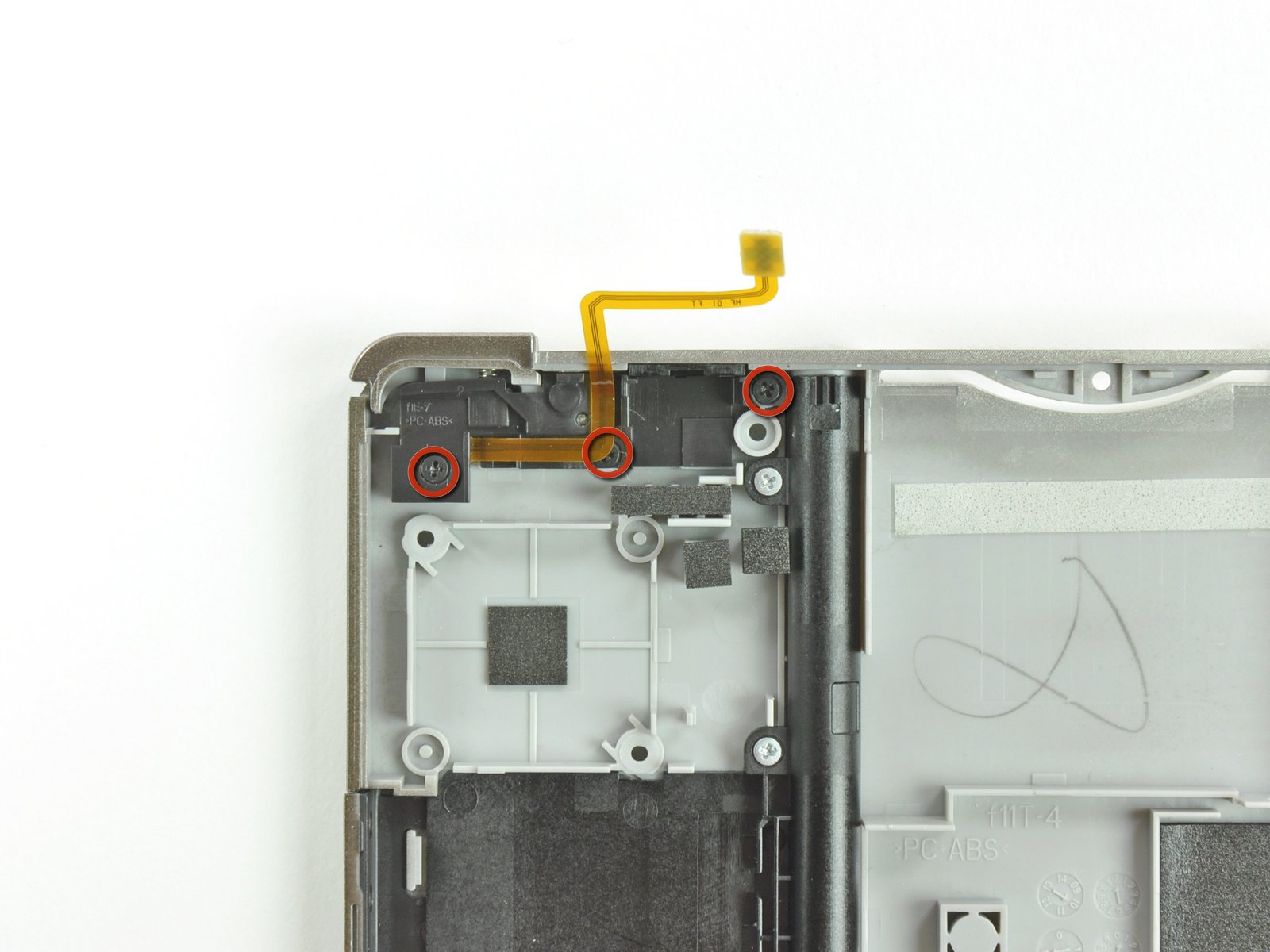
Stylus Housing
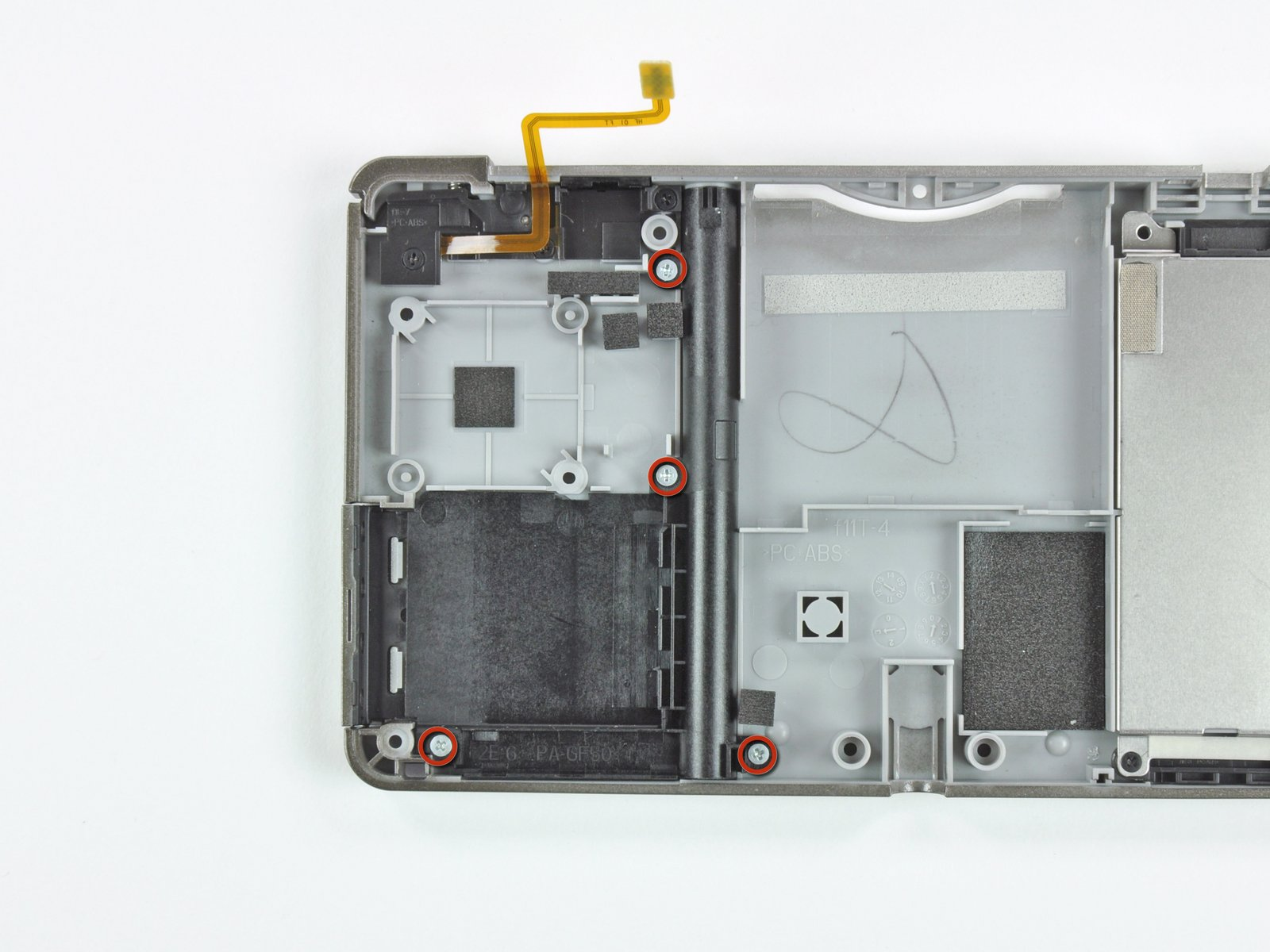
Four Stylus Housing Screws:
M1.4 - 0.6 x 2mm
2.5mm x 1.5mm x 2.5mm
Phillips: PH#00
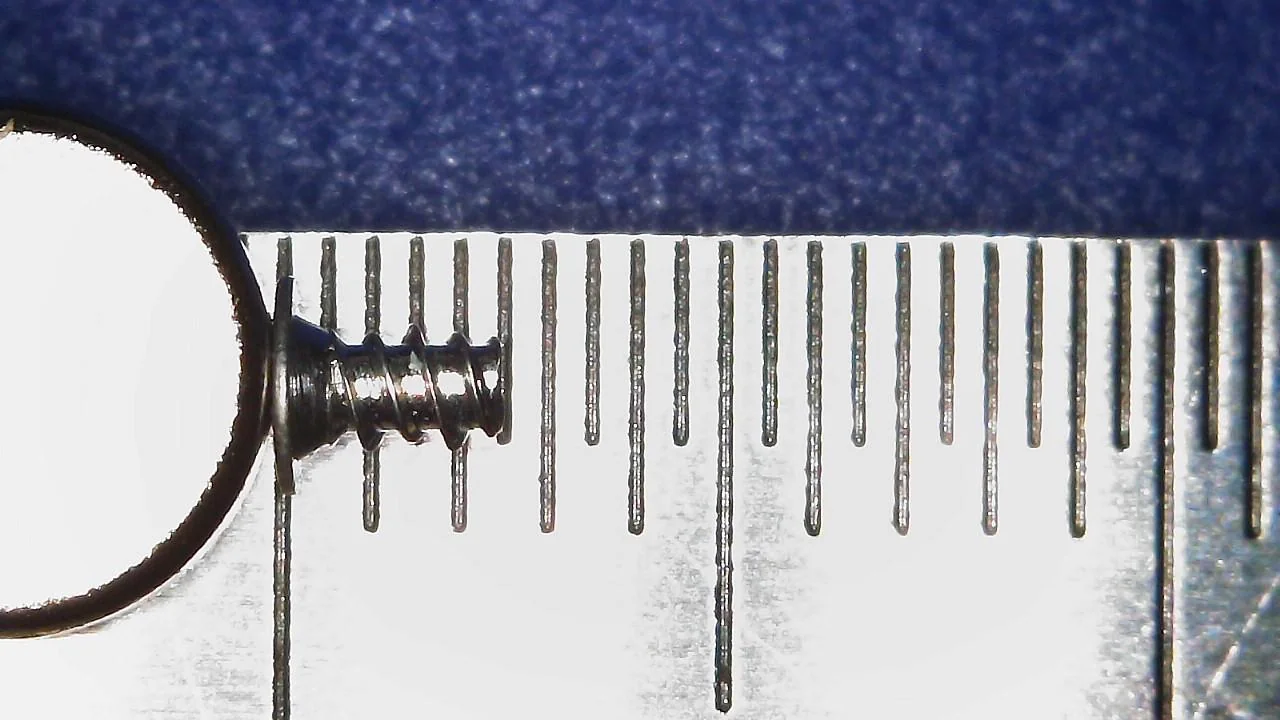
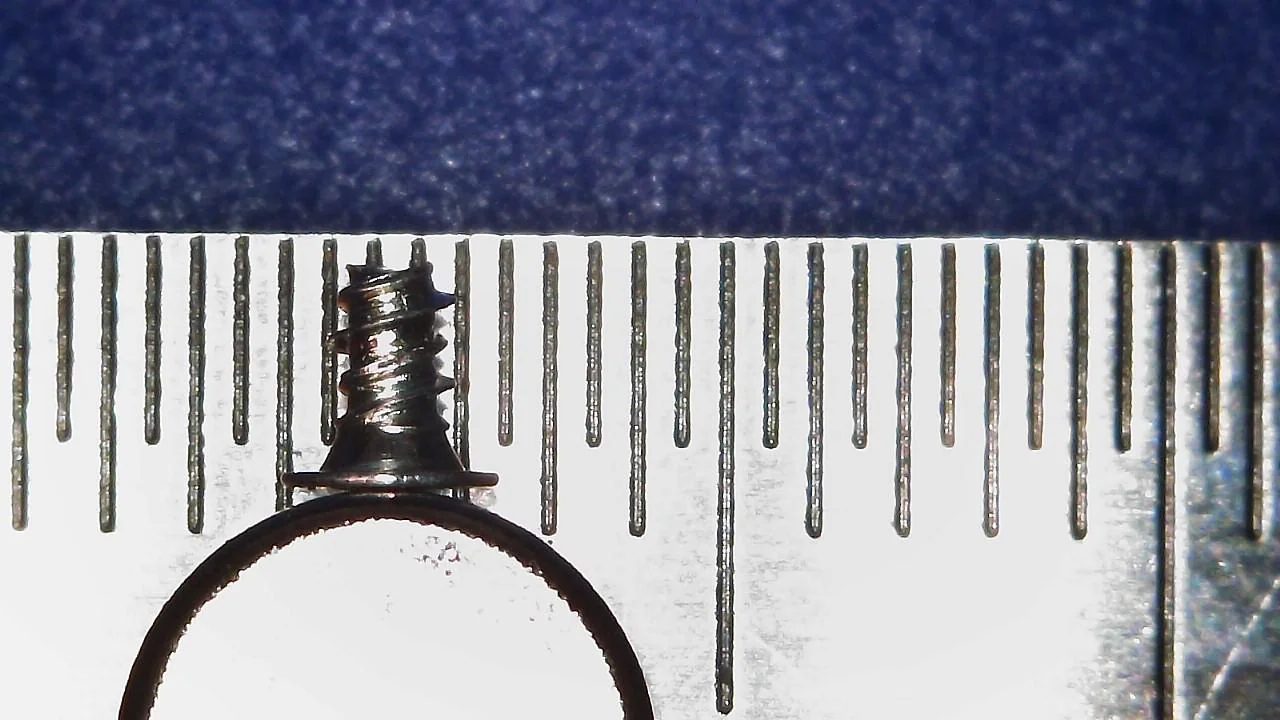
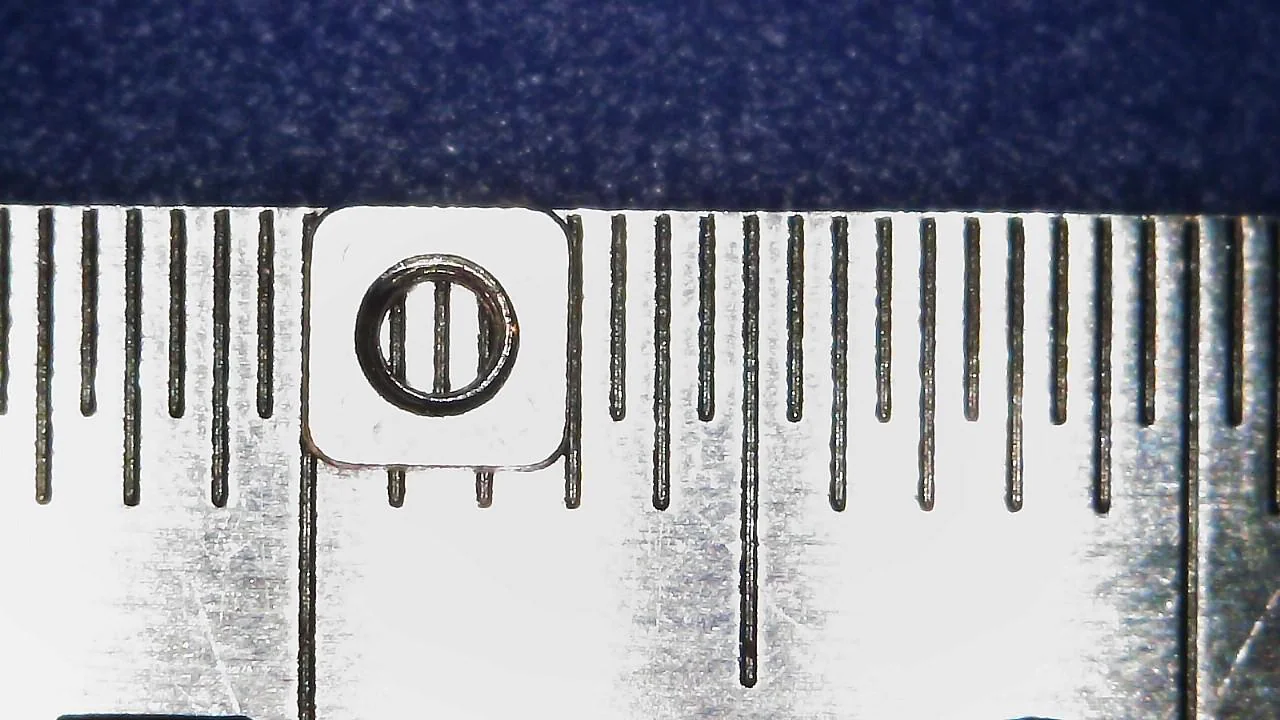
Battery Door/Backplate Nuts, Shoulder Button Springs, and Shoulder Button Posts.

Four Battery Door/Backplate Nuts:
3mm Square x 1mm thick

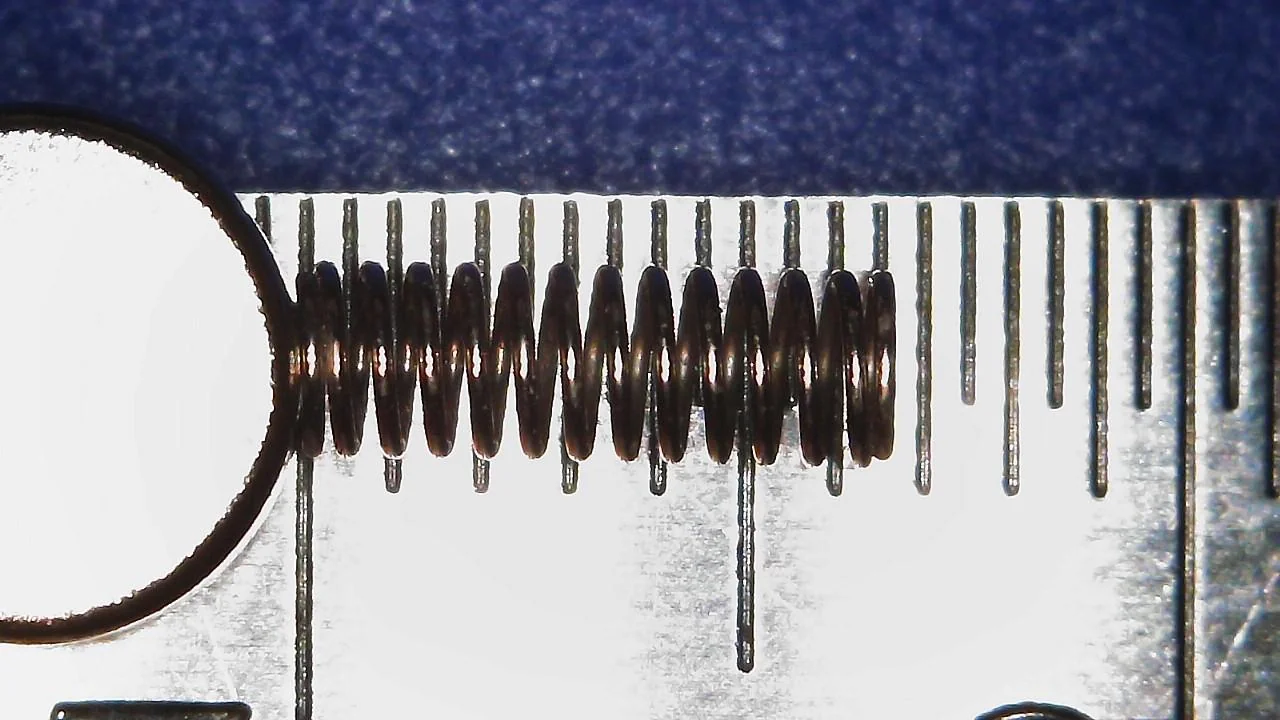
Two Shoulder Button Springs:
6.5mm Length x 2mm Diameter
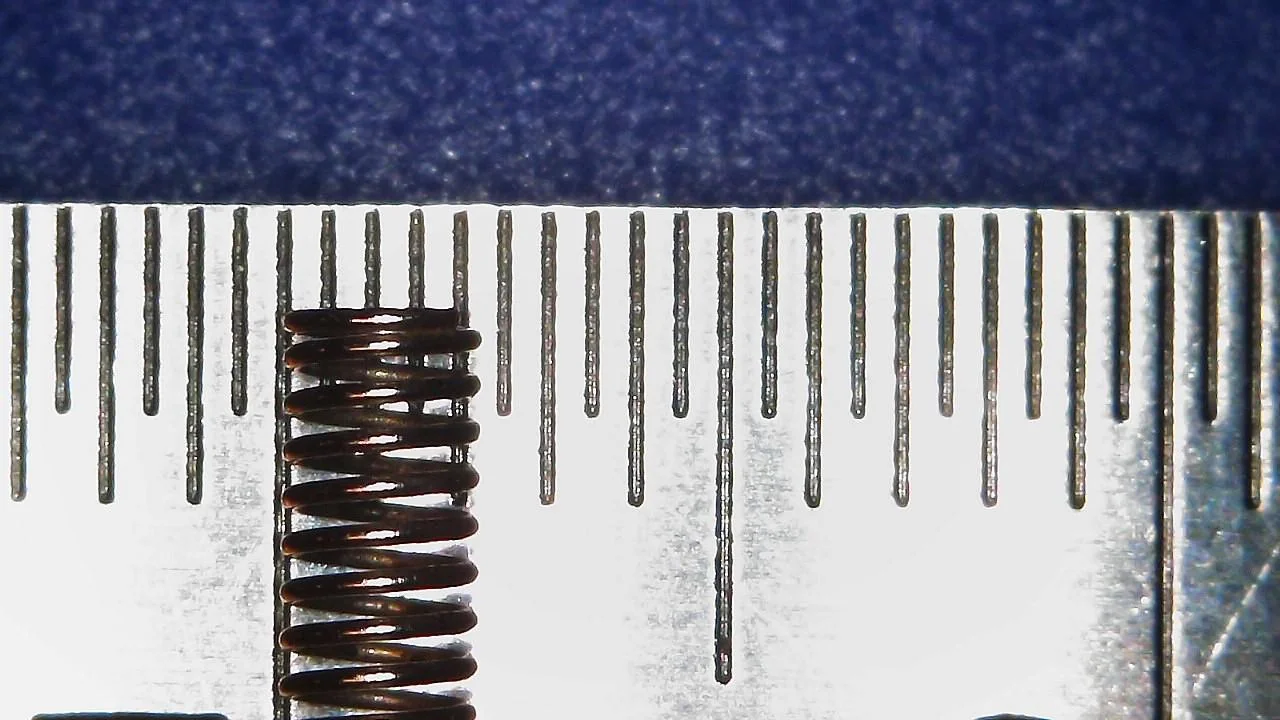
Two Shoulder Button Posts:
5.5mm Length x 1mm Diameter


Clam Shell Stoppers

(2x) Clam Shell Stoppers
9mm Long x 3.5mm Tall x 2mm Thick


I've done screw measurement posts for several consoles (listed below) including every DS and 3DS console.
I did more deeper dives into the DSi and DSi XL, pointing out any console-to-console differences.
Other posts can be found here:
- DS (Base)
- DS Lite
- DSi
- DSi XL
- 3DS (Base)
- 3DS XL
- 2DS
- New 2DS XL
- New 3DS
- New 3DS XL
Also check out my DS and 3DS Screw Repository.
How I measured these screws.
I measured the screws on a ruler with markings down to a single millimeter and a digital microscope. Measurements were taken similar to this image of measuring Thread Pitch below.
(Image Sourced from Albany County Fasteners' video, How to Measure Screws & Bolts - US & Metric Sizing | Fasteners 101)
Since I do not have specialty equipment to measure screws this small, I am forced to estimate; especially on the thread pitch itself. Take the measurements with the knowledge that it was done by someone who is a novice in screw measuring.
3DS (Base)
IFixit Guides uses Phillips #00, but I found that the #000 worked better in some cases. The IFixIt guide as a whole seems to stick to #00 in their guides, but references #000 a couple of times; like a supposed link to a #000 driver on their store page which links to a #00. May be a typo, but I digress.
The 3DS has JIS screw heads similar to the DSi and DSi XL. A Phillips driver works fine, so you don't have to order specialty tools. The heads on the nine screws for the bottom shell stripped pretty easily on me, so for those screws, I swapped to a #000. A #00 worked fine on the screws that weren't stripped.
I'll add links to an IFixIt Guide to match my terms to pictures (i.e. Motherboard Black Screw would point to the Motherboard removal step of an IFixIt guide). The screw names themselves will have a link to the picture of the screw removal with another link next to it just in case that link dies.
Screws
Screw Length x Thread Width x Head Width
2.5mm x 1.5mm x 2.5mm
Phillips: PH#00
(1x) Rear Shell Silver Screw (Step 4 Orange Circle)
(4x) Motherboard Screws (Step 18 Red Circle)
(1x) Volume Slider Screw (Step 18 Yellow Circle)
(1x) 3D Slider Screw (Setp 32)
(4x) Stylus Housing (Step 7)
M1.4 - 0.6 x 2mm
3.5mm x 1.5mm x 2.5mm
Phillips: PH#00
(2x) SD Card Back Plate Screws (Step 18)
(6x) Upper Shell Screws (Step 26)
(3x) Shoulder Button Covers Left (Step 6)
(4x) Shoulder Button Cover Right (Step 6 and 7) and Battery Back Plate (Setp 6)
M1.4 -0.6 x 3mm
4mm x 1.5mm x 3.5mm
Phillips: PH#00
(4x) Battery Door (Step 1)
M1.4 - 0.4 X 3.5mm
4.5mm x 1.5mm x 2.5mm
Phillips: PH#00
(2x) SD Card Board Screws (Step 10)
M1.4 - 0.6 x 4mm
6mm x 1.5mm x 2.5mm
Phillips: PH#00
(9x) Bottom Shell Long Screws (Step 4)
M1.4 - 0.6 x 5.5mm
7.5mm x 1.5mm x 2.5mm
Phillips: PH#00
(2x) Circle Pad Screws (Step 6)
M1.4 - 0.6 x 7mm
Other:
(4x) E-Clip
4mm Width
(2x) Shoulder Button Springs
6.5mm L x 2mm Diameter
(2x) Shoulder Button Posts
5.5mm L x 1mm Diameter
(4x) Battery Door/Back Plate Nuts
3mm Square x 1mm thick
(2x) Clam Shell Stoppers
9mm Long x 3.5mm Tall x 2mm Thick
Battery Door
The Battery Door consists of two parts: the screw and an E-Clip
Four Battery Door Screws:
M1.4 - 0.4 X 3.5mm
4mm x 1.5mm x 3.5mm
Phillips: PH#00
Four E-clips:
4mm Width
Bottom Shell
Nine Bottom Shell Long Screws:
M1.4 - 0.6 x 5.5mm
6mm x 1.5mm x 2.5mm
Phillips: PH#00
One Rear Shell Silver Screw:
M1.4 - 0.6 x 2mm
2.5mm x 1.5mm x 2.5mm
Phillips: PH#00
Circle Pad
Two Circle Pad Screws:
M1.4 - 0.6 x 7mm
7.5mm x 1.5mm x 2.5mm
Phillips: PH#00
SD Card Board
Two SD Card Board Screws:
M1.4 - 0.6 x 4mm
4.5mm x 1.5mm x 2.5mm
Phillips: PH#00
Motherboard
Four Motherboard Screws (Red Circle) and One Volume Slider Screw (Yellow Circle):
M1.4 - 0.6 x 2mm
2.5mm x 1.5mm x 2.5mm
Phillips: PH#00
Two SD Card Backplate Screws (Orange Circle):
M1.4 -0.6 x 3mm
3.5mm x 1.5mm x 2.5mm
Phillips: PH#00
Upper Shell
Six Upper Shell Screws:
M1.4 -0.6 x 3mm
3.5mm x 1.5mm x 2.5mm
Phillips: PH#00
3D Slider
One 3D Sldier Screw:
M1.4 - 0.6 x 2mm
2.5mm x 1.5mm x 2.5mm
Phillips: PH#00
Right Shoulder Button and Battery Back Plate
Four Shoulder Button Cover/Battery Backplate Screws
M1.4 -0.6 x 3mm
3.5mm x 1.5mm x 2.5mm
Phillips: PH#00
Left Shoulder Button
Three Shoulder Button Cover/Battery Backplate Screws:
M1.4 -0.6 x 3mm
3.5mm x 1.5mm x 2.5mm
Phillips: PH#00
Stylus Housing
Four Stylus Housing Screws:
M1.4 - 0.6 x 2mm
2.5mm x 1.5mm x 2.5mm
Phillips: PH#00
Battery Door/Backplate Nuts, Shoulder Button Springs, and Shoulder Button Posts.
Four Battery Door/Backplate Nuts:
3mm Square x 1mm thick
Two Shoulder Button Springs:
6.5mm Length x 2mm Diameter
Two Shoulder Button Posts:
5.5mm Length x 1mm Diameter
Clam Shell Stoppers
(2x) Clam Shell Stoppers
9mm Long x 3.5mm Tall x 2mm Thick
Last edited by KIlly728,


