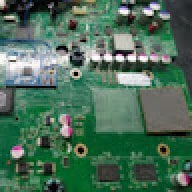
Hacking Hardware Picofly - a HWFLY switch modchip

  • Thread starter Thread starter mathew77
  • Start date Start date
  • Views Views 3,659,187
  • Replies Replies 17,050
  • Likes Likes 15
They named it PicoFly while obviously this is not Pico but Zero.

Was theoretized that it has too slow bus to be a glitching modchip. So I am very sceptical it's legit.
Providing uncutted video would be helpful.

Beside instalation looks like fire hazard on this pic. Curious if they even provide full instructions instead of just "solder here and here" and figure out mounting yourself.
Magnet wire ? Very thin material is what I was told. That’s what I practiced
Post automatically merged:

Has anyone tried making a version work for the RP2350?

Yes. And esp32-s3 I will be trying out from another developer on the rise. All of them work so far. Honestly it’s the installation process that causes the most issues. Use the right tools. Be careful. And remember if it’s your go to console that is your Daily don’t try without experience and always be prepared to take a risk of losing it. I have multiple switches with exterior damage I practice on.

Now a moment of silence. . .

RIP . To ALL the portable gaming consoles that have been Bricked, Broken, and torn apart for the Cause.
 
Last edited by KYSmooth69,
  • Like
Reactions: impeeza
>>Magnet wire is a very thin wire.


When you get older, you come across many things and conclude that it is perfectly OK to use magnet wire.
1775201394994.png


Even in the 80's one would occasionally come across something this like this :

1775201747955.png
 
Last edited by thesjaakspoiler,
  • Love
  • Haha
Reactions: ElMeteK and impeeza
Hello, I am having problems creating emummc in erista with firm 22.1..0, does anyone know how to solve it?
 

Attachments

  • WhatsApp Image 2026-04-26 at 10.27.55 AM.jpeg
    WhatsApp Image 2026-04-26 at 10.27.55 AM.jpeg
    86.5 KB · Views: 10
Hello everyone! Can anyone help me with this problem? It started after installing Picofly.
 

Attachments

  • 20260503_230804.mp4
    30.5 MB
Mariko OLED Picofly - all boot options black screen, persists after verified NAND restore


Switch OLED (Mariko, ODNX10-A1, codename Aula), Picofly modchip installed by family member.


Symptoms:


  • Hekate 6.5.2 boots fine to launch menu
  • All three launch options (Atmosphère emuMMC, Atmosphère sysMMC, Stock sysMMC) black-screen during the loading handoff
  • Holding Vol+/Vol- to bypass chip shows Nintendo logo briefly then black screen
  • Was working at some point in the recent past per family member who installed it

Specs:


  • HOS: 21.0.0 - 21.2.0
  • Burnt Fuses (ODM 7/6): 22 | 1
  • Atmosphère 1.11.1 (clean install)
  • Hekate 6.5.2

What I've already tried:


  • Wiped SD, fresh install of latest Atmosphère + Hekate. No change.
  • Restored a verified NAND backup from 11/13/2025 (when console was working) — full RAW GPP, BOOT0, BOOT1. Hekate reported successful and verified.
  • Before BOOT0/BOOT1 restore, Stock sysMMC threw "pkg1/pkg2 decryption failed - pkg1/pkg2 mismatch or old hekate." After completing BOOT0/BOOT1 restore, all three options just black screen with no error.
 

Attachments

  • preview.webp
    preview.webp
    33.8 KB · Views: 7
  • preview (1).webp
    preview (1).webp
    123.6 KB · Views: 9
That is not a picofly, though. Doesn't look like a RP204
Good day people. I need to update the chip, someone can help me with this.

View attachment 571677

It looks like this older version of the hwfly modchip (before they also cloned the picofly) :
https://www.chipeinbau.de/produkt/nintendo-switch-hwfly-modchip/

You need to either the USB flat cable or it seems you can also update the firmware (not the bootloader) with some tools :
https://github.com/Pheeeeenom/firmware

Proceed with caution as the manual above might be outdated and can brick your modchip.
Don't update unless you really have a good reason
 
  • Like
Reactions: bf3itu and Nephiel
I needed to disassemble my own OLED to diagnose a board repair I was doing on a different OLED, so I thought I would post my own picofly install while I had mine open, as well as the repair. I used a trimmed RP2040-Zero with a kamikaze drill for DAT0 and a single rear mosfet, and relocated the status LED to the light sensor area, so you can see the LED through the light sensor window.

PXL_20260514_174102217.jpg
PXL_20260514_175409060.jpg


as for the repair, it was from a lot of boards that were all failed kamikaze attempts by a different, uh, "installer"... several of the traces going from the SOC to the EMMC were severed here. I was able to drill out the surrounding area and restore the traces along with some other rework; after successfully booting and testing all functionality, that switch passed a three day docked stress test and seems to be stable. this was my first time attempting a kamikaze repair, and I am happy I was able to do it successfully.

PXL_20260512_004522777.jpg
PXL_20260512_014422116.jpg

PXL_20260512_214305732~2.jpg
 
Last edited by vulp_vibes,
I needed to disassemble my own OLED to diagnose a board repair I was doing on a different OLED, so I thought I would post my own picofly install while I had mine open, as well as the repair. I used a trimmed RP2040-Zero with a kamikaze drill for DAT0 and a single rear mosfet, and relocated the status LED to the light sensor area, so you can see the LED through the light sensor window.

View attachment 572909View attachment 572916

View attachment 572919


as for the repair, it was from a lot of boards that were all failed kamikaze attempts by a different, uh, "installer"... several of the traces going from the SOC to the EMMC were severed here. I was able to drill out the surrounding area and restore the traces along with some other rework; after successfully booting and testing all functionality, that switch passed a 24 hour docked stress test and seems to be stable. this was my first time attempting a kamikaze repair, and I am happy I was able to do it successfully.

View attachment 572929View attachment 572931
View attachment 572933
Hey there.
Nice repair and very nice idea with the location of the stsatus LED!!!
I installed one in the right joycon, but the problem with this is, that you get some connection problems sometimes...
Is thr single rear mosfet installation working properly? I thout about it but i read that you should use a double mosfet installation...
 
Hey there.
Nice repair and very nice idea with the location of the stsatus LED!!!
I installed one in the right joycon, but the problem with this is, that you get some connection problems sometimes...
Is thr single rear mosfet installation working properly? I thout about it but i read that you should use a double mosfet installation...

hi, I'm the one who originally prototyped these LED relocation mods (OG switch (follow-up, speaker alternate), lite, joy-con), with my previous post being my first time showcasing a version for the OLED, as I didn't have a personal unit until recently. following my post about the joy-con, I wrote on how I also found connection issues, and due to the extremely narrow application of the joy-con install, I did not have the motivation to troubleshoot it, and only recommend methods that relocate the LED within the console itself.

as for the single mosfet, it has not given me any issues; you can see from the attached video in my previous post that boot times are good. double mosfet is additional insurance in the scenario of a weaker mosfet being used, less than ideal soldering, or particularly finicky consoles. a single, well soldered, suitable mosfet should be fine in most cases
 
Last edited by vulp_vibes,
hi, I'm the one who originally prototyped these LED relocation mods (OG switch (follow-up, speaker alternate), lite, joy-con), with my previous post being my first time showcasing a version for the OLED, as I didn't have a personal unit until recently. following my post about the joy-con, I wrote on how I also found connection issues, and due to the extremely narrow application of the joy-con install, I did not have the motivation to troubleshoot it, and only recommend methods that relocate the LED within the console itself.

as for the single mosfet, it has not given me any issues; you can see from the attached video in my previous post that boot times are good. double mosfet is additional insurance in the scenario of a weaker mosfet being used, less than ideal soldering, or particularly finicky consoles. a single, well soldered, suitable mosfet should be fine in most cases
never saw that before. Those LED spots are nice
 
hi, I'm the one who originally prototyped these LED relocation mods (OG switch (follow-up, speaker alternate), lite, joy-con), with my previous post being my first time showcasing a version for the OLED, as I didn't have a personal unit until recently. following my post about the joy-con, I wrote on how I also found connection issues, and due to the extremely narrow application of the joy-con install, I did not have the motivation to troubleshoot it, and only recommend methods that relocate the LED within the console itself.

as for the single mosfet, it has not given me any issues; you can see from the attached video in my previous post that boot times are good. double mosfet is additional insurance in the scenario of a weaker mosfet being used, less than ideal soldering, or particularly finicky consoles. a single, well soldered, suitable mosfet should be fine in most cases
so cool!
I love the status LED in the lite!!! working perfect.
The LED in the light-sensor is also cool, but not a big advantage over the led shining through the ventilation slot. I prefer the led in the joycon, even with some connection problems :)
Thank you so much for these cool ideas.
 
so cool!
I love the status LED in the lite!!! working perfect.
The LED in the light-sensor is also cool, but not a big advantage over the led shining through the ventilation slot. I prefer the led in the joycon, even with some connection problems :)
Thank you so much for these cool ideas.

edit: I thought I had found an alternate method without connection issues, but it seems that it is preventing the joy-con from charging.. I will continue to test things tomorrow
 
Last edited by vulp_vibes,
edit: I thought I had found an alternate method without connection issues, but it seems that it is preventing the joy-con from charging.. I will continue to test things tomorrow
I was thinking about using a gnd-pin instead of reset, but I dont know if it will create other issues if not all gnd pins of the joycon are real gnd pins and so connected to gnd....
 
  • Like
Reactions: impeeza
I was thinking about using a gnd-pin instead of reset, but I dont know if it will create other issues if not all gnd pins of the joycon are real gnd pins and so connected to gnd....


here is an updated diagram for the joy-con status LED mod which uses pin 5 (serial data console -> joy-con). I originally ruled out this pin as I assumed it would interfere with the joy-con's function, but in testing the only issue I have found is that the attach/detach animations do not play. if you wish to test it, please let me know how it performs for you and if you notice any issues.

joy-con: (any of the highlighted pads are okay to use for their corresponding color)

wiring 1.png


DIN point on the RP2040-Zero:

1688115202413.png


points to connect the DIN line from the RP2040-Zero (V1/V2, OLED):

wiring 2.png
wiring 3.png


  • Like
Reactions: twins333

Site & Scene News

Popular threads in this forum