Misc SpillPass for Raspberry Pi v1.6

  • Thread starter Thread starter JackyD
  • Start date Start date
  • Views Views 62,382
  • Replies Replies 199
  • Likes Likes 9
Greetings,

I'm very new inside PI world, when I see the spillpass I think okay I will not be anymore peasant with the MII... But at least, it doesn't work :
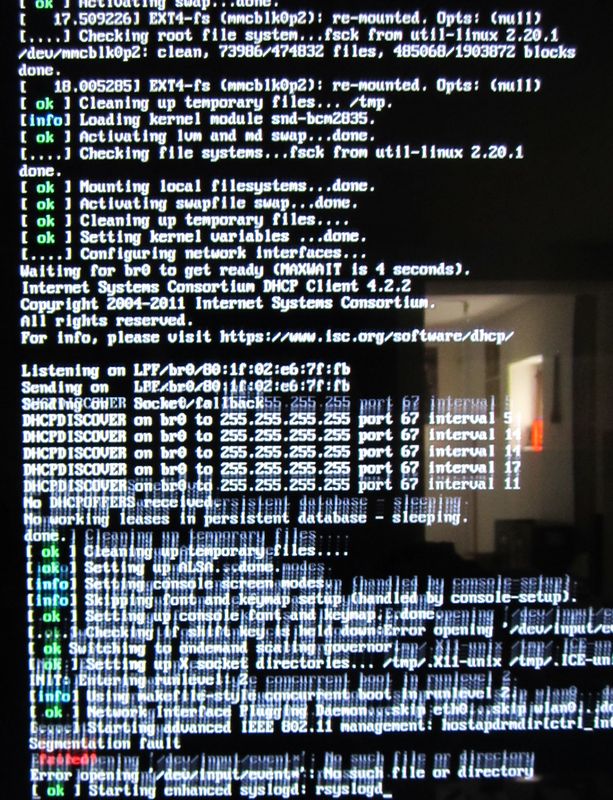
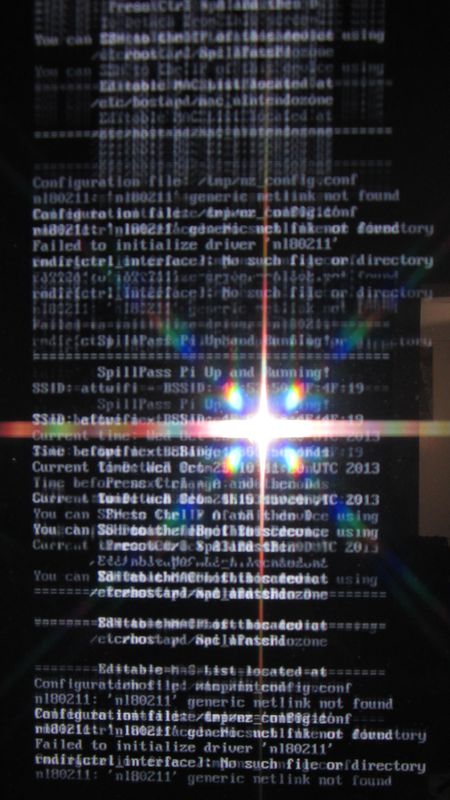
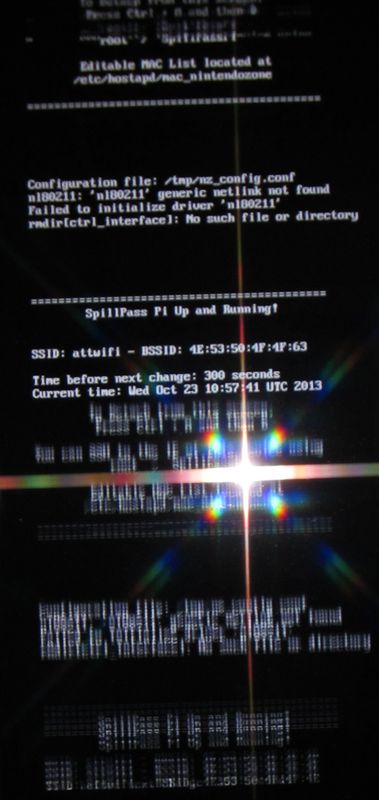
The line appear and scroll too fast, I catch this (did anyone can help me to solve this matter) :
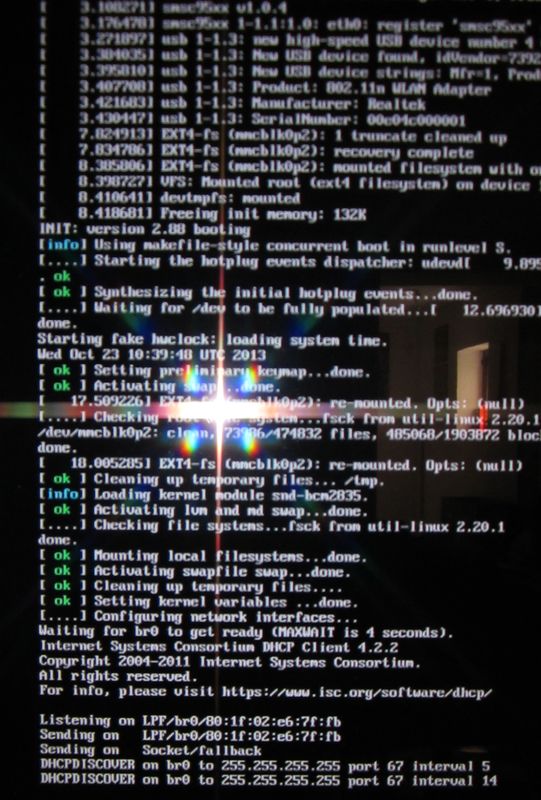
sp110.jpg
sp210.jpg
sp310.jpg
sp410.jpg
 
Greetings,

My adaptator was à N150 not a 150N...
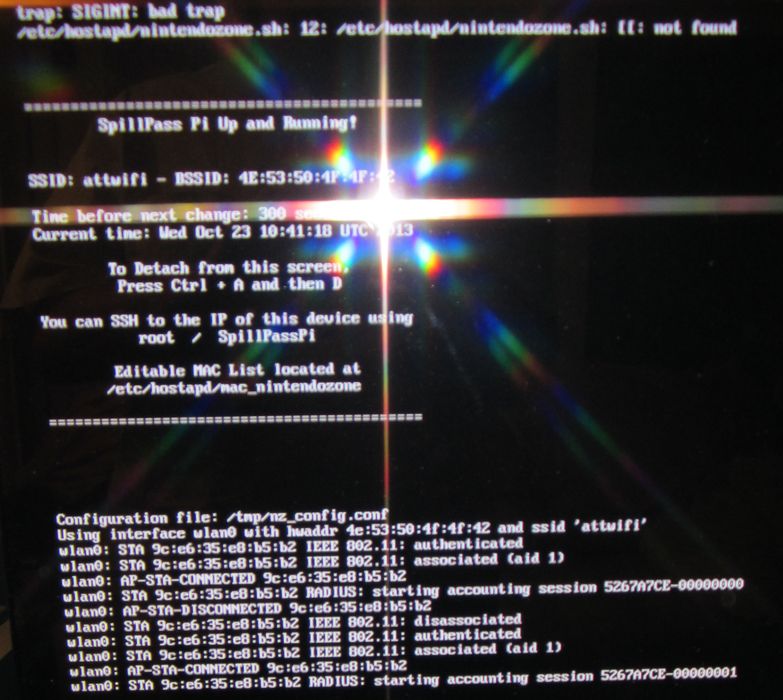
Changes with another on this time I get this message :
"Trap : SIGINT : bad trap
etc/hostpapd/nintenzone.sh: 12: etc/hostpapd/nintenzone.sh: [[:not found"
img_0110.jpg
img_0110.JPG

Sudo nano /etc/hostapd/nintendozone.sh

Code:
CONFIG_FILE=/tmp/nz_config.conf
if [ ! -p $CONFIG_FILE ]; then
    mkfifo $CONFIG_FILE
fi

And now I got only:
trap: SIGINT: bad trap
 
I've installed SpillPass-Pi on my Pi and it works fine. Every 10 minutes I get new Street Pass. But I don't get access to the Nintendo Zone. Is that normal? With my Smartphone it's the exact opposite. There I didn't get Street Pass, but access to the Nintendo Zone. The Pi use the SSID = "attwifi". My Smartphone use "NZ@McD1". I've tried to change the SSID from the PI to "NZ@McD1" at "/etc/hostapd/hostapd.conf", but unfortunately the Pi still use "attwifi". Can anybody explain me how I can change the SSID to "NZ@McD1"?
 
Did you ever post the source code mate I wouldn't mind a look.
I've been trying to set a one up all day its been driving me insane knowing how easy it should be I've hunted down various wi-fi adapters then I find out my network cable to the router was knackered, finally got it working with a new net cable then the battery died on the 3ds typical.

I've not seen it mentioned but if anyone as a WIPI they work with no extra effort that's what I'm using now thought it was worth mentioning as people may have got one with their PI.

Yeah, i kinda made a zip but never got to post it since i didnt got any reply's :)

Here's the link if ur intrested, made a simple readme file and the file comes with a couple of fixes provided by some users earlier in this topic :)
Enjoy!

WebGui v1.0
 
Hello,

i also want to change the SSID to "NZ@McD1", tried the files "/etc/hostapd/hostapd.conf" and "/tmp/nz_config.conf". And of course it didn´t work. I assume that the /tmp/ directory get the file copied from somewhere else, tried to find the location, but had no luck... How to change the SSID, please help... Connection works, but get no Hits on the 3DS with attwifi...

The second thing that i wanted to fix is the

"Trap : SIGINT : bad trap
etc/hostpapd/nintenzone.sh: 12: etc/hostpapd/nintenzone.sh: [[:not found"

but i don´t know what to do about it, the file is in the right location.. what does this error mean??

Sorry for the bad english ;-)

BTW: The LogiLink Wireless N150 USB Adapter works fine (Rev. WL0084B v.2.0), got it today here in Germany from a Local Store for 7 Euro´s....
 
I want to try this. I have a question about the wifi adapter will it work with the one in the starterkit (no Belkin brand but Edimax)

Edit

I have made one with a old DL-link sitck and its working perfectly thnx. Nice work now i finally can have a the puzzle pieces.
 
I got this working with an EDI MAX adaptor but am still having a couple issues with street tags.

Link with commands (copy paste) to get it working:
http://www.daveconroy.com/turn-your...edimax-nano-usb-ew-7811un-rtl8188cus-chipset/

Two last items to address - Remove the driver line entirley instead of putting in the rtl driver they mention out of /tmp/nz_config.conf and your hostapd config files and you can connect to attwifi successfully. Do not do this! See post below for next steps.

Although I'm connected I don't seem to be getting any tags, and I also see that I can't connect to NintendoZone. Do I need to connect to Nintendo Zone to get tags?

Also while sitting here, my /tmp/nz_config.conf file just reset itself on the mac address change putting the driver line back in and causing errors. Is there a way to address this and anyone have any other ideas what may be happening? See post below for resolution.

I also updated my 3DS to the latest the other day (before finding out about this) - I hope they haven't patched it!

Edit: I did not copy/paste the guides hostapd file, I only altered to work with the edimax which was removing the driver line to get it working.
 
Also while sitting here, my /tmp/nz_config.conf file just reset itself on the mac address change putting the driver line back in and causing errors. Is there a way to address this and anyone have any other ideas what may be happening?


I found my first issue - I had to modify the nintendozone.sh script (located in /etc/hostapd/) with the new driver. I actually did have to have the driver in hostapd and the nintendozone.sh script to get the hotspot working, I've had the Rpi up for about an hour and haven't seen the wifi adaptor stop since my changes (it was dropping after as little as 30 seconds before).

Still no access to NintendoZone however - but this could be because I fudged up the install from the other install guides out there for linux. I'm going to re-image when I get home, make the few changes I made for my wifi driver and see if it works.

Considering the driver wasn't that difficult to get running thanks to online guides, perhaps the dev behind this can make two flavors of the distro for users?
 
Maximilious, did you get this working? I have the EW-7811Un adapter and was trying to get it to work.

I followed mostly what you described on your last two post, but I kind of broke the script after editing the driver= line on the nintendozone.sh script. I tried also changing the driver line in nz_config.conf but that didn't help.

I can see attwifi using my phone, connect to it, and browse the internet. My 3DS isn't downloading any streetpasses though, so I believe something is broken.

When I first ran SpillPassPi without any modifications, the monitor shows a very fast looping of text, which I assume is what normal should look like. After configuring nintendozone.sh, the script appears to just stop. I'm not sure what else may need to be edited.

If you happen to get it working, please share. I've been documenting all the changes that appear to be working. Hopefully I can put together a tutorial on the changes that need to be made for the EW-7811Un.
 
Hey Nekkyo,

I did not get this to work - I made a new thread here but no one's responded despite a couple hundred views - https://gbatemp.net/threads/spillpa...nintendozone-connects-no-streetpasses.374599/

I am using the same wifi adaptor and expierncing the same behavior where other devices can connect including the 3DS, browse the internet, get to the nintendo zone, etc. just fine, but no streetpasses whatsoever. I kind of gave up with the SpillPass for now and may end up using a virtual machine on my computer to host the wifi. It seems that method is working pretty well for users, plus I'll be repurposing my Pi as an emulator in an SNES case once my Raspiado comes in the mail X-).
 
Got my Raspberry Pi today. I set everything up and plugged in a TP-LINK TL-WN722N wi-fi adapter. Everything worked perfectly, streetpasses came flooding in right away. :D
 
IS a way, for someone explains how-to edit the image for raspberry pi b+ works ?

It's harder to find a raspberry pi than b+ now...

Thanks.
 
I'd be happy to update the project for a b+ if someone wanted to grab me one :)
Just don't have one myself.
 
Got everything plugged in, 3DS doesn't see any access point.

I ordered http://www.amazon.com/gp/product/B004N625BE/ hoping it would be F6D4050, but #lsusb reveals that I got "Belkin Components F7D1101 v1 Basic Wireless Adapter [Realtek RTL8188SU]" instead. I read on page 3 that Realtek RTL8188CUS won't work, how about RTL8188SU?

Please update your hardware page to link to a page where it a compatible stick is still being sold (maybe the link I provided, if it can be made compatible with driver update); when I bought F7D1101, F6D4050 was not in stock, and now there is just one guy selling it for $45 used. This isn't the cheap solution you had in mind.
 
Alternate source added
Under $9 shipped.
Cool, thanks. But it looks like you just added the one that I bought to the hardware list, and I can confirm that particular stick doesn't work out of the box. (I'm probably returning it unless you say that spillpass can work with RTL8188SU chipset).

I read into it a little, it looks like I'm meant to have Ralink RT3070 compatible? Not RTL8188SU? Maybe this one? http://www.amazon.com/Protronix-802-11N-Wireless-Adapter-150Mbps/dp/B004BAN3D6/
 
Was what you received the 150N specific model F6D4050 ?
That should contain the correct chipset.
 
F6D4050 Should be the rt3070. If it is not, then that seller is selling the v2 and is not a true F6D4050.
I'll remove them

That one you linked should work without modification. I would appreciate if you let me know. I'll add it to the list.
 

Site & Scene News

Popular threads in this forum