Hacking R4 DS skins

  • Thread starter Thread starter BoneMonkey
  • Start date Start date
  • Views Views 501,538
  • Replies Replies 1,785
Woo, Everything in this skin I made from scratch, EXCEPT for the sitting green dude in the top screen.
smile.gif

I hope you people like it. I think it goes perfectly with a white or pink DS Lite. I think it would be great if they made a Katamari game for the NDS, It would work perfectly with the touch screen. Download Here
preview1es6.jpg

preview2lb1.jpg
 
Or, you could just make your own! *gasp* That works too.


Not everyones good at making their own things tho
True. I'm just saying, that's an option as well along with searching google images and deviantart. I mean hell, if I find someone else's art that I could use as icon and it looks good, I'm gonna use it (with proper credit and all)
tongue.gif

lol, yeah (wasnt snapping btw)

i suck at creating things, damn, i got Photoshop and still use paint most of the time
lol
cant figure out how to use this thing for shit
 
I tried working on Zelda MM & MC based skins however i can not make proper icons at least for the MM version so i will upload all the files in proper size with random name.

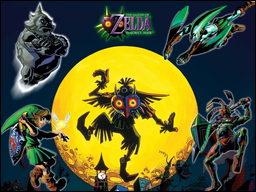
Zelda: Majora's Mask
Menu Top screen:
logoMM.png

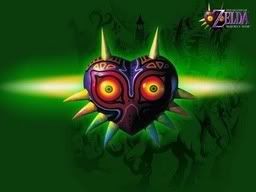
Menu Bottom screen:
rsz_mask1.jpg


backMM1.png


backMM2.png


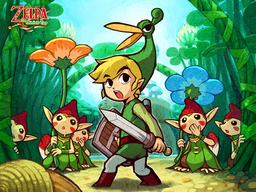
Zelda: Minish Cap
Menu Top screen:
rsz_theminishcap-noa-linkandminish1.png

Menu Bottom screen:
iconsMC.png


I am wondering if someone can finish/polish these skins off by adding icons on the second pic (rsz_mask1.jpg) and rename the skin files properly as required.
 
Here is my skin:

DS_picture.jpg


The pulsating effect the R4 does over the logos makes them look even better.
I use the windows vista style for the menu backgrounds and the transition between the dark logo screen onto the blue menus is quite cool.
If anyone is interested i will upload the files.
 
someone requested my icons
they are a mix of things i grabbed from the apple site and the white icons i got off of deviantart.

the .psd is attached.

icons

r4iconslf6.jpg
 
i opened the psd file with fireworks, or if it matters, so i dont know if this is true for you.. but the hammer/wrench icon is missing from the slot 2 circle.. everything else is fine..
 
Hi there. Here's something:

4g81839.jpg


4c1gld4.jpg
2r3fhbm.jpg


49js9w6.jpg
2ldwrkl.jpg


I don't have my R4 yet so I will not make the actual download available until I know it works. Icons by jimmac
 
Hey, egj, could you provide a link to a rar/zip of that skin? I'll use it when I get my R4 (hopefully tomorrow) cheers. Good work its nice.
 
Very nice skin egj. Simple, non-cluttered, minimalistic. Just how I like em
tongue.gif

Hey, egj, could you provide a link to a rar/zip of that skin? I'll use it when I get my R4 (hopefully tomorrow) cheers. Good work its nice.
He said he's not making the download until he can test em to make sure they show properly. But if you want, he's already posted all 4 images needed in his post. Save em from there.
 
Hi there. Here's something:

4c1gld4.jpg
Â
2r3fhbm.jpg


49js9w6.jpg
Â
2ldwrkl.jpg


I don't have my R4 yet so I will not make the actual download available until I know it works. Icons by jimmac

looks good! tested it on my R4.. the only thing i see is that the left icon needs to be a bit more left, and the right icon needs to be a bit more right in order to fit centered in the selection square..

there is a bit of banding since you are using gradients, but me like!
smile.gif
 
Cool, thanks for the comments everyone.

looks good! tested it on my R4.. the only thing i see is that the left icon needs to be a bit more left, and the right icon needs to be a bit more right in order to fit centered in the selection square..
Alright, I hope to get my R4 soon so I can fix this -- going to move the icons and see if dithering the images to 256 colors will help with the banding. Thanks for the headsup.
 

Site & Scene News

Popular threads in this forum