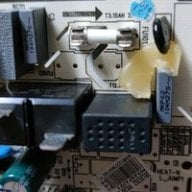
No, you actually need to do the oposite, since the current flowing from caps to mosfet(D) and mosfet to ground(S) if much higher than the current going to Gate from pico.
Edit:
On my first installs I used to "pre-bend" the wire and cut it to the exact size before soldering it anywhere. Then I would tin both ends and the middle point (1st point=1st cap, middle point=second cap, end point=mosfet) and then solder all 3 wires (D, S, G,) to the mosfet first (while the mosfet in on my working mat. Afterwards I placed the mosfet on the side of APU and the wires would be perfectly aligned to the solder points in APU. Then you just hold the wire firm in place with some silicone spudger and with quick touch of iron solder the wire to cap (it's good to add some low melt solder to cap beforehand).
I use 0.2mm enamel and it works fine. I'll suggest installing like I do:
- start by adding some solder to the cap and ground points on the apu
- cut two 17mm wires and one 10cm wire. shorter wires = harder to manage, I think 17mm is fine
- add solder on both ends of the short wires and one end of the long wire, so the insulation melts away
- add solder on the 3 points on the mosfet
- solder the 3 wires to the mosfet
- route the long wire through a hole in the apu shield frame and then place the mosfet next to the apu
- use a toothpick to add solder mask or glue to fix the mosfet in place
- solder the wires to the apu points, and make sure the solder points are not taller than the apu core
- add kapton tape on top (but make sure to not cover apu core)
see attached pic for end result (before kapton tape)
Hey guys can You tell My where the 4.7k cmd resistor is located on themariko v2 board
Post automatically merged:
Yea purple screen . O install a poco everything ok . The other day i reboot the consol no hekake direct to ofw ando after a few atemps i got purple screen
thanks , lets pray . i dont understand everything was working just fine , i reboot the console and no hekake just ofw, i tried a few more times on and off , alwys ofw and then purpple screen
It’s about that time of year again where I check in with the community to see if we can get the front page aligned with what people are interested in knowing and what...
The long awaited Grand Theft Auto VI Extended Look gameplay trailer has finally dropped on YouTube. As you all know, it had dropped 6 hours earlier on Netflix, and...
After being announced last week, the first of two broadcasts is set to go live later today with a stark focus on The Legend of Zelda and its 40th anniversary...
It's that time again folks, an update for the Switch and Switch 2, and a surprisingly big one at that! At lease for folks on the Switch 2. The most notable feature...
It is with a heavy heart that I announce the departure of our beloved Chary from the position of Chief Editor. Chary took over early 2021 and has done a wonderful job...
The second of a two-part special, a more traditional Nintendo Direct is set to air today. Unlike the Zelda Direct the contents of this one is still relatively up in...
To celebrate its 25th anniversary, XBOX has launched pre-orders for the XBOX 25th Anniversary Collection. For the occasion, the trailer below was aired.
This...
Over the weekend a number of Switch and Switch 2 related subreddits came alive with people reporting bans on their Switch 2 consoles out of nowhere. The error code...
After an accidental leaking of their review video from Linus Tech Tips last week, we somewhat knew that news on Steam's latest VR venture was imminent. Today the...
After more than a year, Mario Kart 8 Deluxe has gotten a fresh update with a focus on the Switch 2, and it's surprisingly meaty. For those Switch 2 players, they'll...
It’s about that time of year again where I check in with the community to see if we can get the front page aligned with what people are interested in knowing and what...
After being announced last week, the first of two broadcasts is set to go live later today with a stark focus on The Legend of Zelda and its 40th anniversary...
It's been something of a quiet week in the gaming space, with the deluge of big hitters trying to find their place before GTA 6 launches really kicking off next week...
The long awaited Grand Theft Auto VI Extended Look gameplay trailer has finally dropped on YouTube. As you all know, it had dropped 6 hours earlier on Netflix, and...
It is with a heavy heart that I announce the departure of our beloved Chary from the position of Chief Editor. Chary took over early 2021 and has done a wonderful job...
The second of a two-part special, a more traditional Nintendo Direct is set to air today. Unlike the Zelda Direct the contents of this one is still relatively up in...
After an accidental leaking of their review video from Linus Tech Tips last week, we somewhat knew that news on Steam's latest VR venture was imminent. Today the...
Announced a few days ago, Nintendo of America have today launched their Customer Appreciation Sale. Featuring 30% discounts across a wide range of popular first-party...
A few days ago Chary stepped down as Chief Editor after 5 wonderful years, and everyone guessed the seat wouldn't stay empty for very long. Back in 2021 I proudly...
From my post earlier this week you probably already know which game I'm talking about. Fire Emblem released yesterday to some pretty rave reviews. Looking at...