Homebrew Cover Collections - part 2

  • Thread starter Thread starter Tetsuo Shima
  • Start date Start date
  • Views Views 215,875
  • Replies Replies 488
  • Likes Likes 29
The learning curve is steep, but it's not impossible. Maybe I tried to do too many things with one single command, and I was a fool not doing a backup, before using imagemagick. Now I can't even remember what I was trying to do
Maybe if you just try to do one thing at a time (e.g. only resizing) and take some caution you can make it. I don't want to discourage you from trying, just be warned that typing or pasting commands without knowing exactly what you're doing, can be dangerous.
 
  • Like
Reactions: TRATxSTARS
Thanks :D, I may have found a novel approach to this back cover task, using batch tools and Watermark features of some free software, Faststone Photo Resizer and Image Viewer, done in a few passes to add images as Watermark "layers" on the plain background, positioned in different areas. I expect there to be some unforeseen issues when I try it!


If i can avoid using the command line approach, I will as I'd be "stabbing in the dark" too much!
 
  • Like
Reactions: Tetsuo Shima
Imagemagick is really the way to go for this type of task. Resizing, cropping or merging thousands of images can be done very quickly. It's really a wonderful tool. The documentation is sometimes not clear but you can find a lot of examples or help on forums. It's not dangerous as long you're cautious, doing backup...

Anyway, here's a GB no back covers pack (501) : https://www.mediafire.com/file/pjlhc9nxtmv6oul/GB_NoBackCover.7z/file
May need sorting a bit to remove duplicates.

Here's the shell scritpt with imagemagick commands, it could be adapted to Windows I guess :

Code:
#!/bin/bash

mkdir out

INPUTDIR="Nintendo Game Boy (2D Boxes)(WallyWonka 2.0)"
cd "$INPUTDIR"

for file in *.png
do
    filename="${file%.*}"
    convert "$file" -gravity northwest -crop 600x600+83+0 +repage -resize 514x458! -unsharp 0x1 front.png
    convert "$file" -gravity northwest -crop 83x600+0+0 +repage -resize 62x458! -unsharp 0x1 spine.png
    .././magick montage  "../Back.png" "spine.png" front.png -geometry +0+0  "../out/$filename.png"
done

Off course you need to have a 514x518 Back.png.

EDIT
I just saw your hyperspin logo on back cover idea. That could have been added too. Not too fond of the idea though, I'd prefer a screenshot maybe.
If you're really interested I can give you some hints with Imagemagick commands. Not an expert but I've made several scripts like this one (a bit more advanced). I can't help with any Windows issues though.
 
Last edited by Wiimpathy,
Hi there, thanks for your help, and offer of assistance! :D
I have managed to do the back covers using a few batch programs, one called merge to add the logos, the screenshots of the title, and gameplay in different passes.

The program can pull image 1 from folder A and merge with image 1 from folder B, combining them all in series, it looks a bit clunky and dated but it's free, and has a GUI :D haha, it's quite simple to choose the positioning and then merge them all together.

Steps include making sure the images such as the screen shots and logos all match in name and for that there was a program called fatmatch that worked a bit better for me than the fuzzyrenamer program.

I also used fastone image viewer to batch process images, cropping them all, and duplicating the front covers to be used as the back covers, adding a plain black "watermark" to overlay. This is so the merge program has the right filenames when adding the different merged assets.

I can add more detail if anyone wants to know more.
 
thank you soo much was looking for literally several hours for these just to find it in the comments of the original post

can you upload the DS spines too?? i could really use those for my wii flow
 
Ok I will upload them. :)
Honestly I was thinking nobody used them.
Nintendo DS emulation on Wii is really, really bad, at the moment.
 
thanks a bunch! :)

Yeah im hoping someone will eventually get the DS zeldas working on there, or for there to be a better hardware optimization
 
Possibly working on an SNES remastered update pack or something, idk. I've been going through the covers one by one and pretty much fixing them one way or another and adding more that wasn't there. Here's a few I did already..
When I'm finished I'll send the update pack to @Tetsuo Shima
 
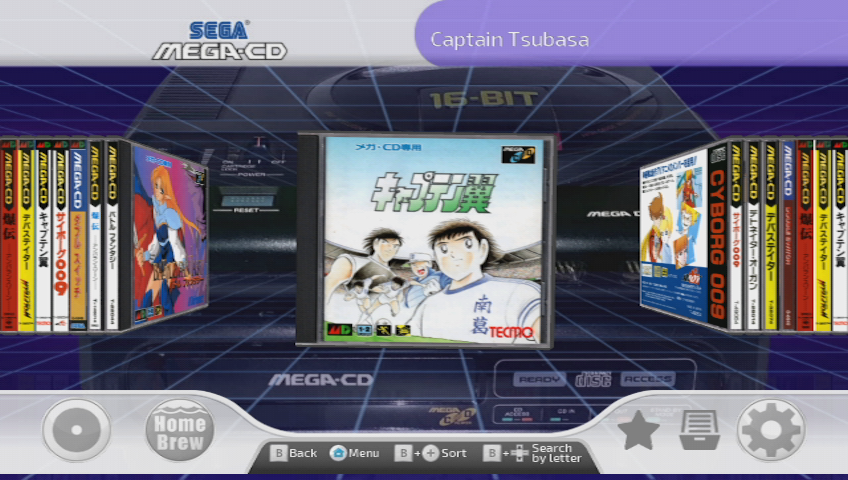
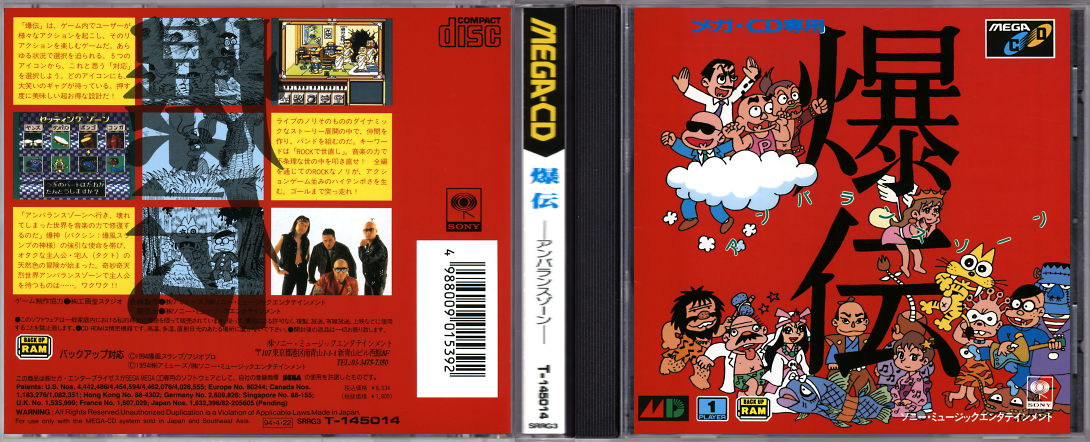
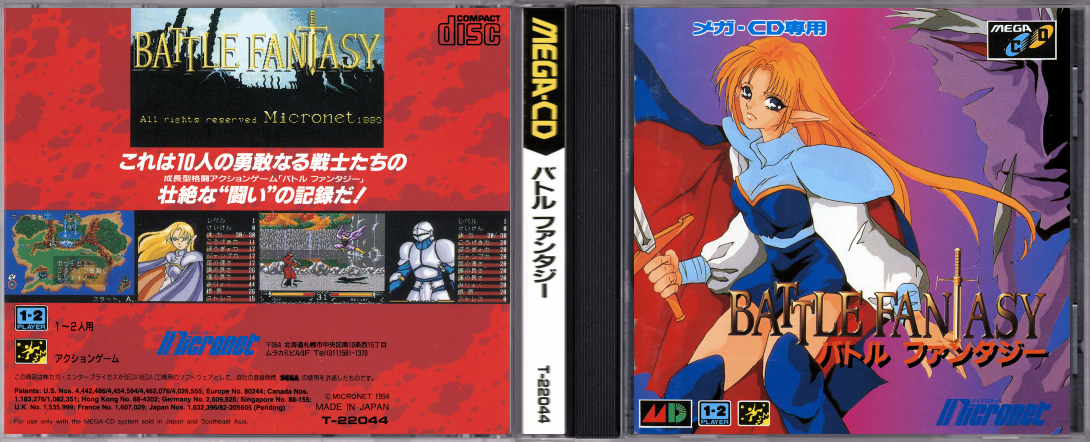
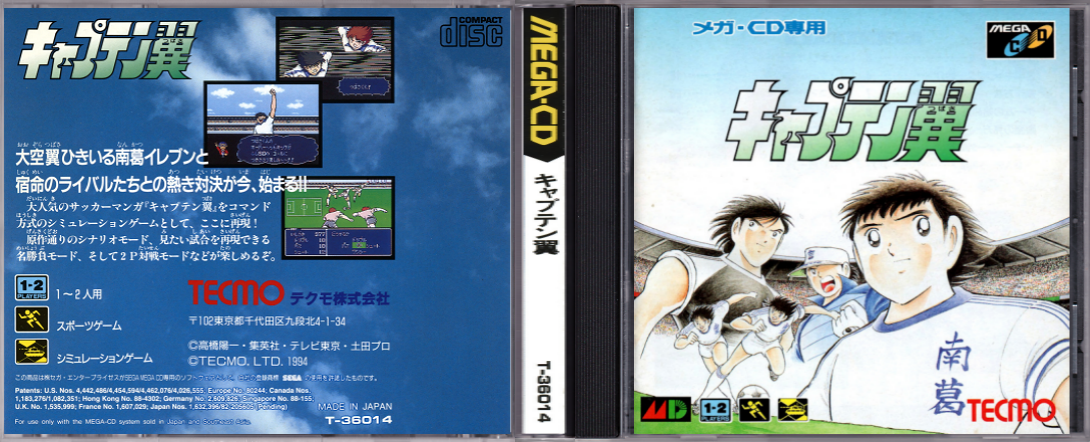
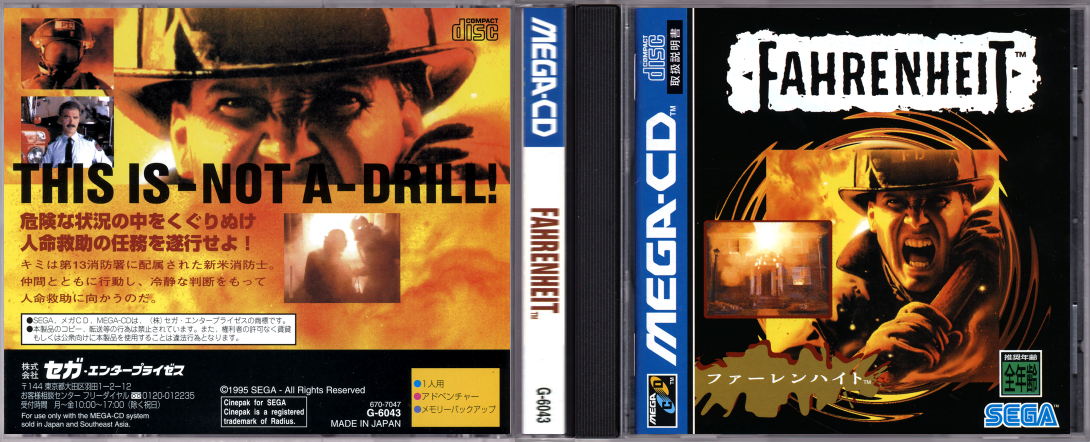
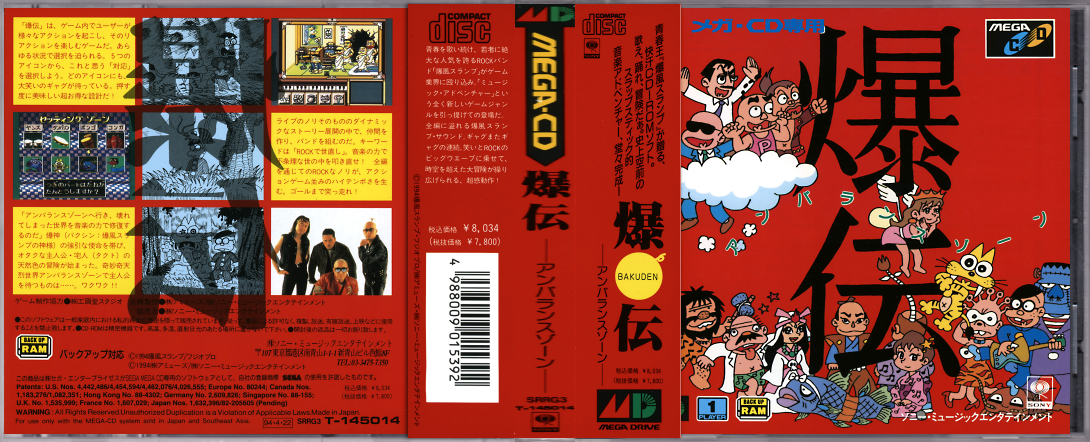
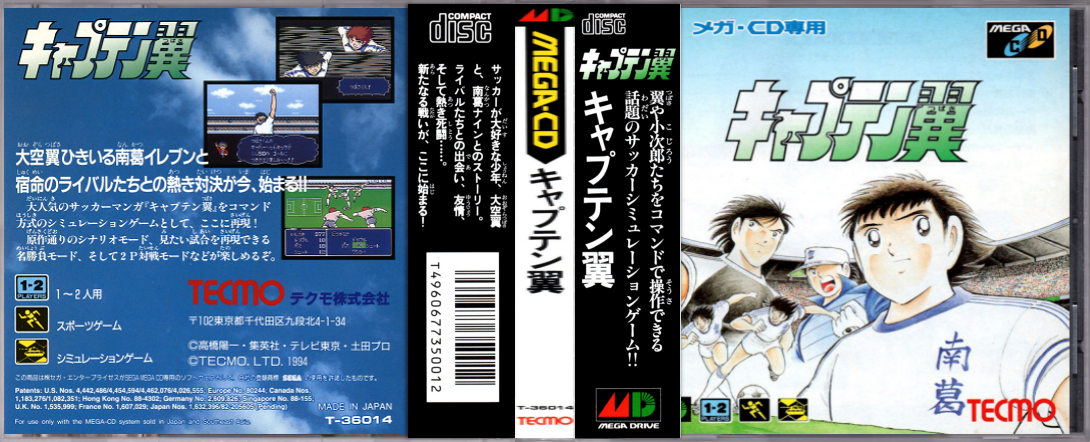
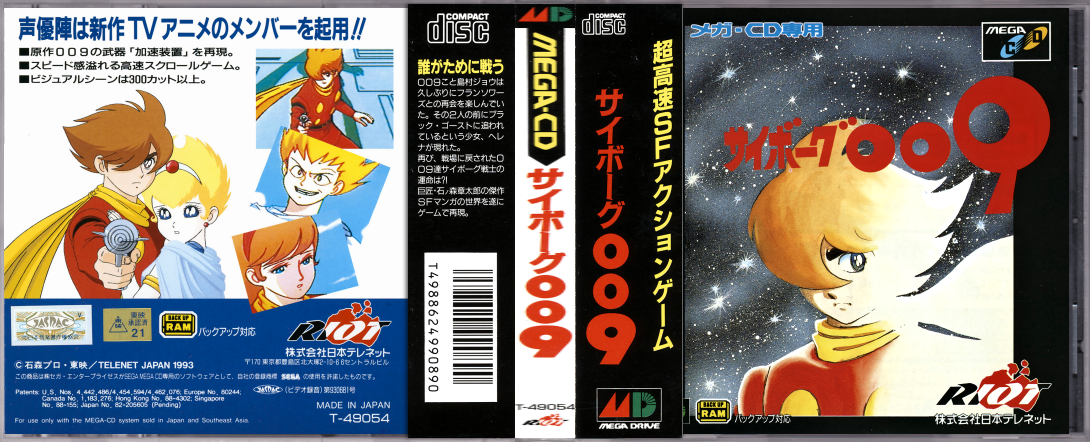
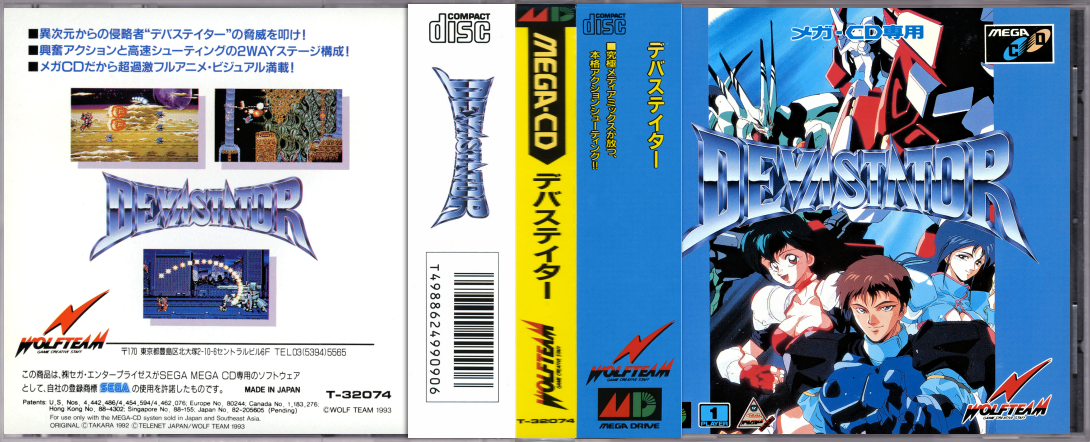
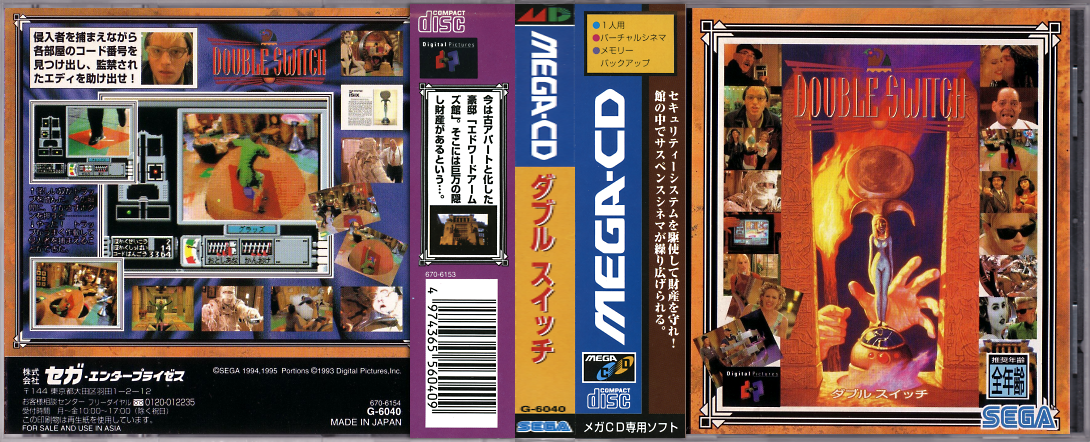
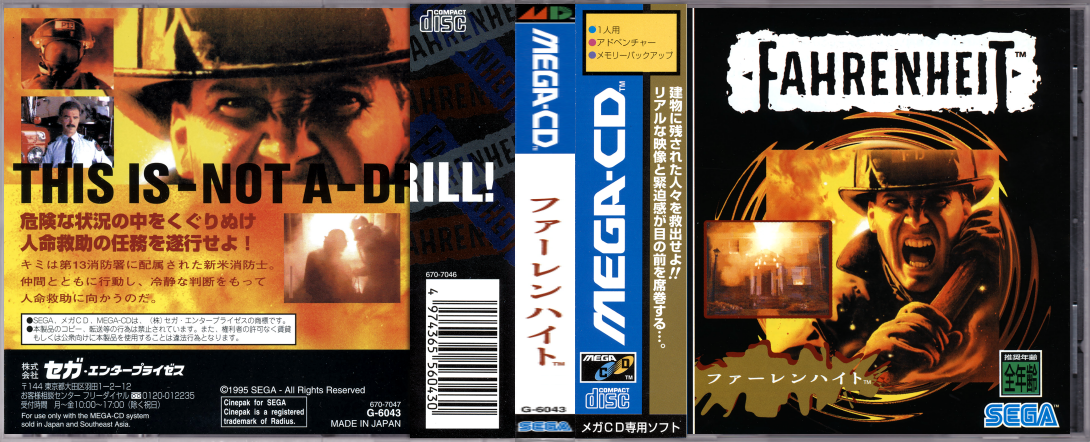
Although is not Nintendo related, I'm going to post in this thread (instead of the oldest one) a few covers for the japanese version of Mega CD (regular jewel cases).

ss-flow-mega-cd.png


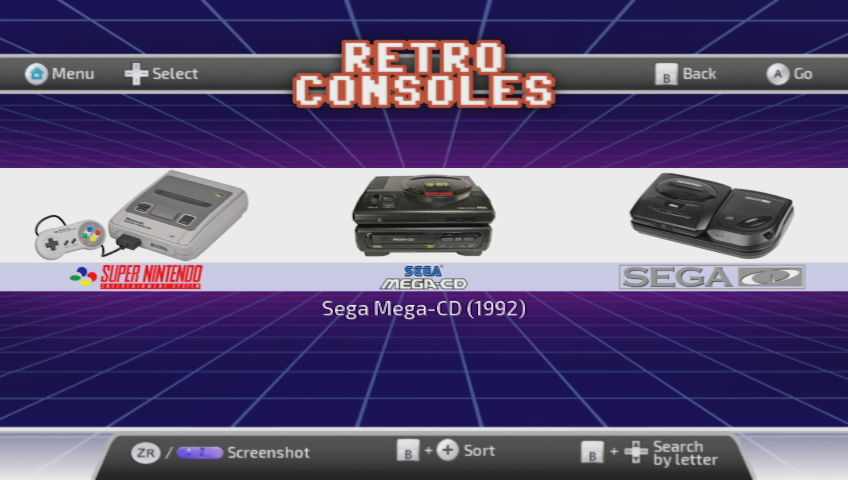
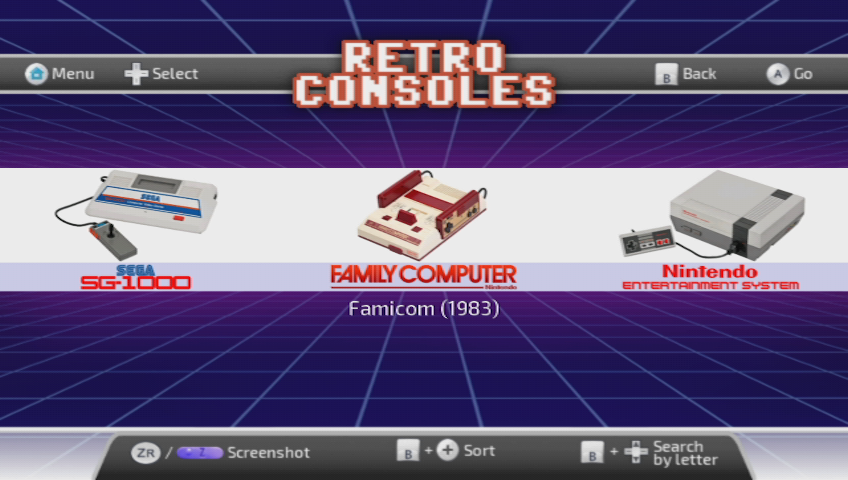
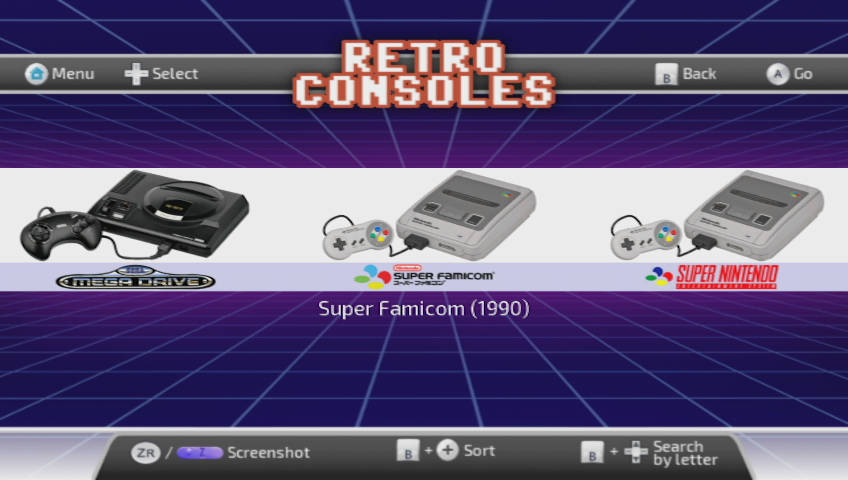
I edited the consoles.ini of Wiiflow Lite (using Tetsuo Shima's theme) with two entries for Mega CD: one for the japanese version, and other for the american (I'm using american format custom covers for the few five PAL exclusive releases). I've done the same for the NES/Famicom and the SNES/Super Famicom, but the japanese covers project for these consoles will have to wait (maybe @Hakaisha could help with the Super Famicom, because I think he started with it a while ago).

ss-consoles-mega-cd.png

ss-consoles-famicom.png
ss-consoles-super-famicom.png

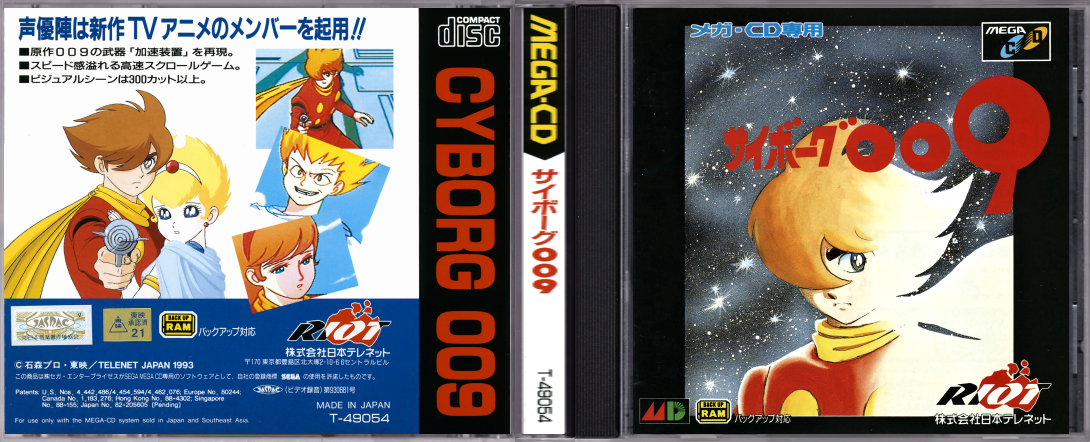
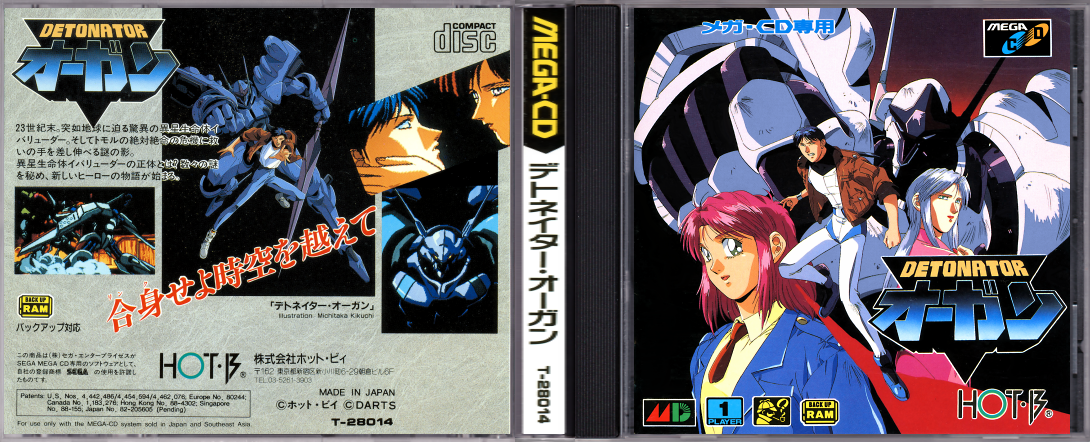
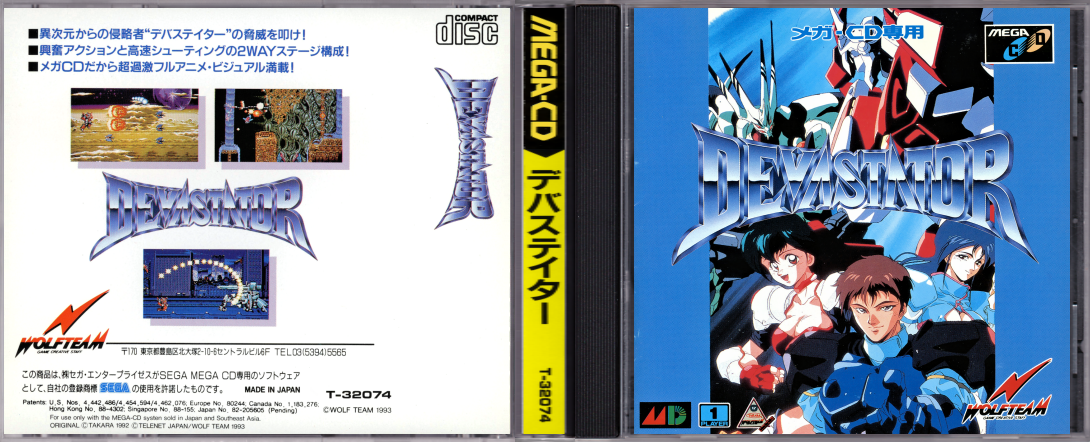
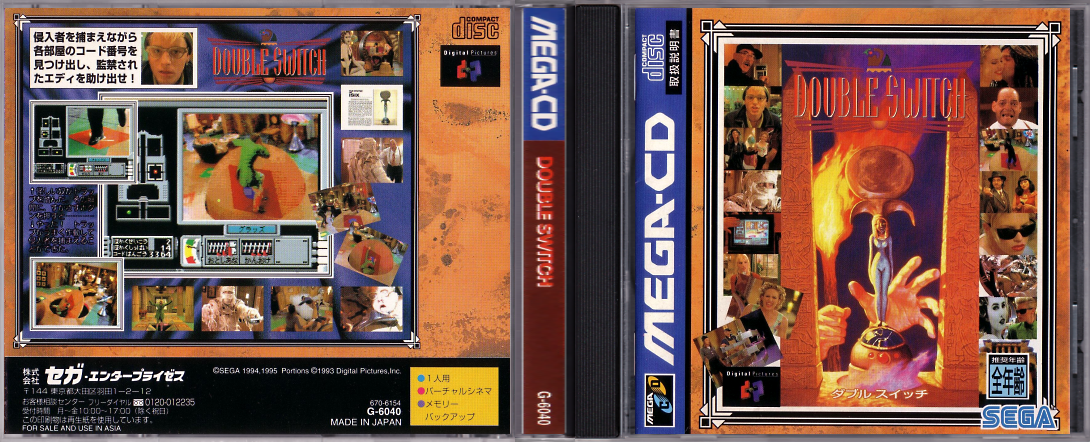
Among the list of Japanese versions of mega cd games, I'm only interested in about 30. But of that list of 30, I've only made 8 covers so far. Since I couldn't find a good template for a CD case, I scanned a case myself to make it, but I am not satisfied with the result (if someone has a photorealistic template, and would like to collaborate, please post it in this thread).

Of those 8 covers, there are 6 that have their corresponding version with the obi, in case someone prefers that version, or if in the future you can toggle between different versions of the cover (just as now you can change modes by pressing 1 and 2 ). This would be very useful for example to show the front or back spine, which in some Japanese PCE, Mega-CD or SFC games are different (usually showing the title in English or Japanese).

Bakuden-Unbalance-Zone.png
Battle-Fantasy.png
Captain-Tsubasa.png
Cyborg-009.png
Detonator-Orgun.png
Devastator.png
Double-Switch.png
Fahrenheit.png

The same as above, but with obi:

Bakuden-Unbalance-Zone-obi.png

Captain-Tsubasa-obi.png

Cyborg-009-obi.png

Devastator-obi.png

Double-Switch-obi.png

Fahrenheit-obi.png
 
  • Like
Reactions: Alexander1970
Thanks SoulSpawn, your covers are really good!! Yes, almost all of them were already made from me. I posted them long ago in the mastershoes thread, but they were not yet included inside his packs and they are now difficult to track down among 99 pages.
However it's always good to have great alternatives, specially when they are of such great quality!

I'm not seeing mastershoes on these boards from a really long time, but last time he told me that he was working on a huuuuge Mame update. i'll try to contact him to see if he still intends to update them, including yours, otherwise I will try to fill the gap here (although my mediafire account is almost full and I don't know if I'll be able to upload all of them).
 
Last edited by Tetsuo Shima,
  • Like
Reactions: Alexander1970
I have made a small discovery I would like to share, pertaining to covers. @Tetsuo Shima , @davidkun , you may find this interesting.

I noticed the commit for paletted PNG images in WFL 5.4.4's release notes, and the supplied dvdskins in wiiflow/imgs are now PNGs. So I tried experimenting with lowering the transparency of dvdskins in wiiflow/imgs. And, it actually works now! The opacity of the cover color now accurately reflects the opacity of the dvdskin.png. I have tried this in previous releases and it would always default to full opacity.

So this means we can finally have more authentic, partially-transparent Jewel Case covers!

May-09-2020-17h47m55s.png


May-09-2020-17h47m58s.png

If anyone else wants to try this out, I will supply the 50% opacity image I'm currently using:

dvdskin-greenone.png

To use it: save the above image, drop it into SD:/apps/wiiflow/imgs and it will replace dvdskin_greenone.png. Open the plugin.ini you wish to use it with, and change your cover color line to covercolor=01A300 Just make sure to Reload Cache to make it appear in CoverFlow, after you have selected the source in WiiFlow.
 
Last edited by Hakaisha,

Site & Scene News

Popular threads in this forum