



Hi,
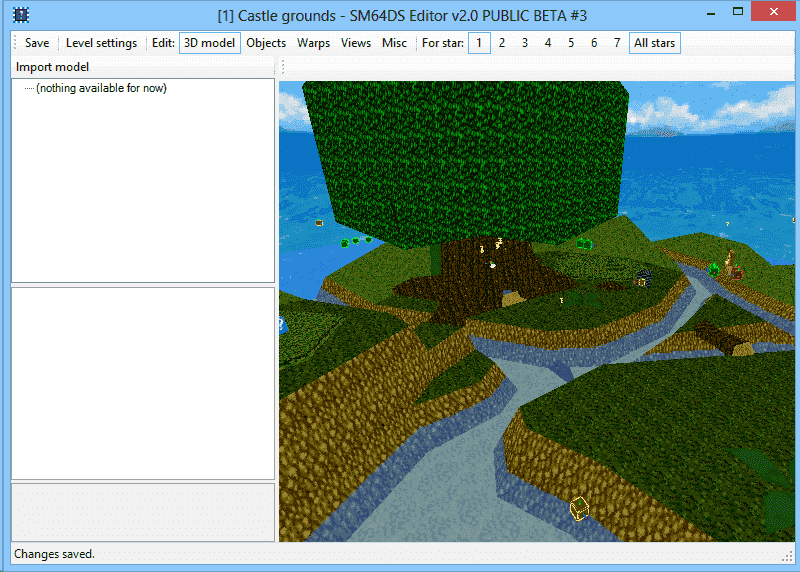
I'm trying to import custom level objects into Mario 64 DS using Kuribo's editor. The models import and display fine as in below image and can be viewed using MKDS course editor's bmd viewer. However, when I try to play it on the DS the screen just goes white as soon as I load the level.
The model is Large Leaf Forrest ripped from Mario 64 Star Road (attached).
I have tried using v2.0 beta 3 and the last version in the google code repo.
Has anyone had similar problems and was able to fix it? Any help is appreciated.
I'm trying to import custom level objects into Mario 64 DS using Kuribo's editor. The models import and display fine as in below image and can be viewed using MKDS course editor's bmd viewer. However, when I try to play it on the DS the screen just goes white as soon as I load the level.
The model is Large Leaf Forrest ripped from Mario 64 Star Road (attached).
I have tried using v2.0 beta 3 and the last version in the google code repo.
Has anyone had similar problems and was able to fix it? Any help is appreciated.



