Hacking SWITCH NOOB PARADISE - Ask questions here

  • Thread starter Thread starter APartOfMe
  • Start date Start date
  • Views Views 5,944,660
  • Replies Replies 47,866
  • Likes Likes 66
If you are able to recover your /emummc directory then it will be worth it to keep your emunand…otherwise just backup your emunand :USER/saves data and start from scratch.

First things first make sure you format your SDCard to FAT32 w/ 32K block size (non-bootable) with something like Rufus to help prevent corruption in the future.

Follow a guide and it’s a pretty short operation. Not too many shortcuts to be had.

You don’t say much about your setup so just start reading at the top here:

https://rentry.org/SwitchHackingIsEasy
Post automatically merged:


MP4 files are typically movies. You are looking for an emummc directory for your installed games. If you can’t find it with a recovery tool there’s not much else to do here but backup your emunand game saves and then format and start from scratch.

Here’s a tut that explains how to backup your emunand (if it’s available);

https://gbatemp.net/threads/recovering-games-saves-from-nand-using-nxnandmanager-and-jksv.620758/

If you are able to recover your /emummc directory then it will be worth it to keep your emunand…otherwise just backup your emunand :USER/saves data and start from scratch.

First things first make sure you format your SDCard to FAT32 w/ 32K block size (non-bootable) with something like Rufus to help prevent corruption in the future.

Follow a guide and it’s a pretty short operation. Not too many shortcuts to be had.

You don’t say much about your setup so just start reading at the top here:

https://rentry.org/SwitchHackingIsEasy
Post automatically merged:


MP4 files are typically movies. You are looking for an emummc directory for your installed games. If you can’t find it with a recovery tool there’s not much else to do here but backup your emunand game saves and then format and start from scratch.

Here’s a tut that explains how to backup your emunand (if it’s available);

https://gbatemp.net/threads/recovering-games-saves-from-nand-using-nxnandmanager-and-jksv.620758/
Ok I think this is hopeless because I cant access Hekate at all to backup emmumc so I can restore save data. My SD is corrupted. Is booting into Hekate the only way to use nxnmamager?
 
Ok I think this is hopeless because I cant access Hekate at all to backup emmumc so I can restore save data. My SD is corrupted. Is booting into Hekate the only way to use nxnmamager?
NXNandManager is a PC application. It allow you to access the hidden partition of an SDCard.
 
Ok I got it working👍 Currently i’m stuck on the “file and unmount” part. I see no unmount option anywhere, only “mount” on the nxnandmanager
If you go to File as shown in Blue here you should be able to inmount the file or disk that you mounted earlier.

827169B5-127A-417F-8797-8B12C871B7E9.jpeg

If not, please take a screenshot and show what you are seeing.
 
If you go to File as shown in Blue here you should be able to inmount the file or disk that you mounted earlier.

View attachment 342789

If not, please take a screenshot and show what you are seeing.
Post automatically merged:

I’m assuming unmount just means close drive😂 just want to be sure
 

Attachments

  • image.jpg
    image.jpg
    3.1 MB · Views: 63
  • Like
Reactions: binkinator
Post automatically merged:

I’m assuming unmount just means close drive😂 just want to be sure

My bad. I was going from memory. Memory was wrong.

Yes, you’ve got it! Close drive/file is exactly what you want to do.
Post automatically merged:

I am stuck on the guide you sent me. I am told to copy text into the bootloader/hekate_ipl.ini in my sd card, but there is nowhere to but the text because they are just normal folders
That means you need to create a file by that name and copy the contents provided into the file you just created. Make sure you don’t accidentally name it hekate_ipl.ini.txt. It must end with .ini
 
Last edited by binkinator,
It's the one before the latest, but when it works and when it doesn't work, it's the same.
You think it could have to do with the injection?
@binkinator was just wondering if maybe you had more insights. if not it's ok, i can try the new hekate payload at the very least next times i try to boot in emummc.

Still would like to find how to fix it. wonder if anyone knows something
 
@binkinator was just wondering if maybe you had more insights. if not it's ok, i can try the new hekate payload at the very least next times i try to boot in emummc.

Still would like to find how to fix it. wonder if anyone knows something
Trying it with the latest update will eliminate one potential “looping” theory…at least I’m hoping it does so I don’t have to muddle through a guesswork explanation.
 
  • Like
Reactions: Windsall
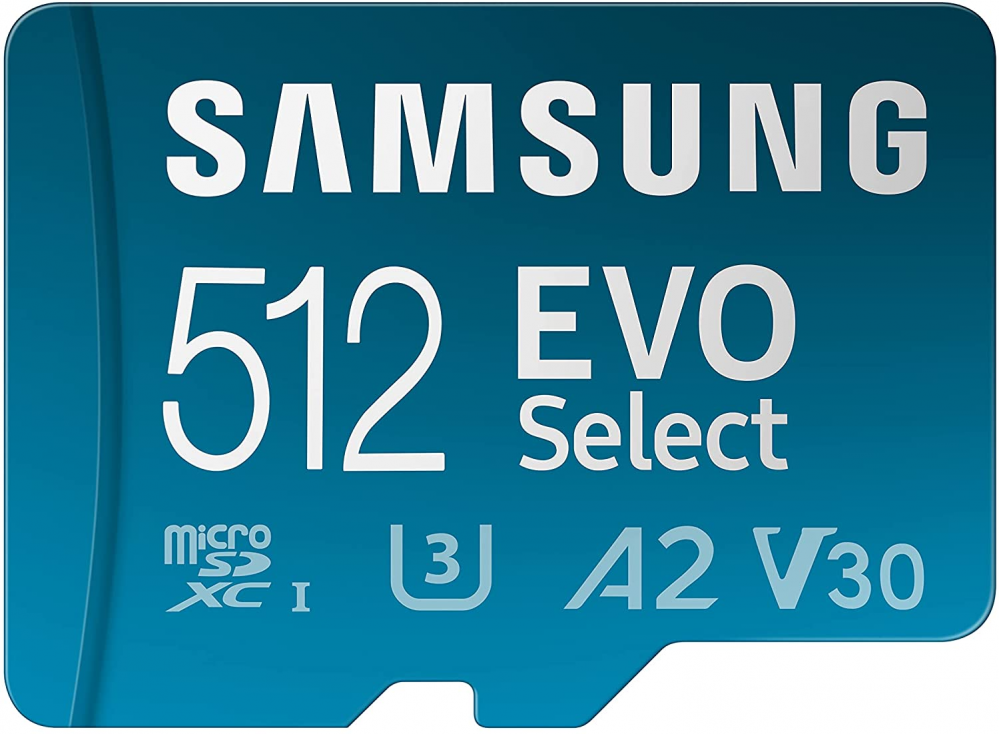
Does anyone have a Samsung Evo Select A2 512GB (it must be like the picture below, not the old white one which is different)
s-l1600.png


Or Samsung Evo Plus A2

51gbLj1q86L._AC_SL1300_.jpg


If so can you please take a screenshot of Hekate mSD speed test or just type here what Read\Write speed you get and what's the cards reported class in frequency (MHZ).
 
hi guys,
I recently updated my switch to the latest firmware/atmosphere etc. Everything went well but i've got an issue with some games. I try to launch them, i see the nintendo logo then black screen and a message saying : The software was closed because an error occurred. I've tried to restart the switch, tested several sources but nothing happens. The weird thing is that some recent games (ie Mario Kart and the latest tracks) work. Any idea?
PS: I'm using DBI and everything is fine when using the MTP.
Edit: I read that maintenance mode was the way to go, but I tried that and still no luck :/
 
Last edited by harticho,
hi guys,
I recently updated my switch to the latest firmware/atmosphere etc. Everything went well but i've got an issue with some games. I try to launch them, i see the nintendo logo then black screen and a message saying : The software was closed because an error occurred. I've tried to restart the switch, tested several sources but nothing happens. The weird thing is that some recent games (ie Mario Kart and the latest tracks) work. Any idea?
PS: I'm using DBI and everything is fine when using the MTP.
Edit: I read that maintenance mode was the way to go, but I tried that and still no luck :/
Have you updated Signpatches?
https://gbatemp.net/threads/sigpatches-for-atmosphere-hekate-fss0-fusee-package3.571543/
 
NxNandManager is tremendously useful, but is it impossible to import an extracted (and modified) save file back into the USER partition with it? Or does that require the use of Checkpoint or JKSV etc?
 
Hello, my switch won't boot normal.. i have to boot it to RCM everytime.. what can i check?
Post automatically merged:

Also, i tried installing a game with Awwoo and NS-USBloader but it says my firmware might be too old.. :( I have atmosphere with hekate... can i upgrade without losing my stuff?
 
Last edited by vballrican,

Site & Scene News

Popular threads in this forum