Hacking Troubles updating R4DS Firmware

  • Thread starter Thread starter gm50
  • Start date Start date
  • Views Views 2,095
  • Replies Replies 9

gm50

Member
Newcomer
Joined
Dec 7, 2008
Messages
5
Reaction score
0
Trophies
1
XP
63
Country
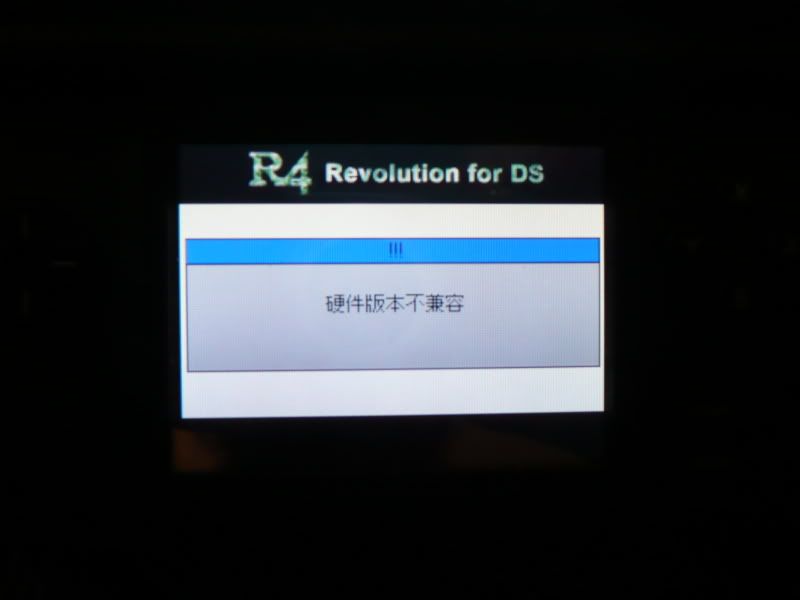
Hey all, I tried updating my R4 to v1.18 recently, and I can't bloody well get the thing to work. I tried the english version and got the following:
P1010674.jpg


Now I've no idea what language that is and I can't read it, so I've no idea what to do. I also tried with every other update available (Korean, French and Chinese) and got similar messages, only with different looking characters. Anybody know why my R4 hates me, and how I might go about fixing it?
 
You probably have a fake cart
icon3.gif


Sorry I can't be much of help, but you should take that in to account - there are dozens of cheap R4 duplicates.
 
I'm pretty sure it's real, it fits every description of what a real one looks like, but even still I suppose it could be a good fake. If I were to get another, would I be looking to go another R4, or is there a better flash card thingo out there?
 
Thanks mate, that worked. Problem is, now the menus are all in chinese. Any idea how to make it english, or am I stuck with it as is?
 
I know it's easy, I'm just a little OC, and if it's not all english, then I get annoyed. More of an appearance thing than ease of use.
 
try this first


You can change the system language with the following procedure:

1.) Go to the main menu.
2.) Touch the DS icon at the bottom of the screen.
3.) Select the pink icon, then a menu will appear. Touch the
3-D sphere to show the languages.
4.) Select "English", press the A Button, and your done!


if that fails

your might have to patch it to english

have a look here

hope this helps !


let me know how you get on
 

Site & Scene News

Popular threads in this forum