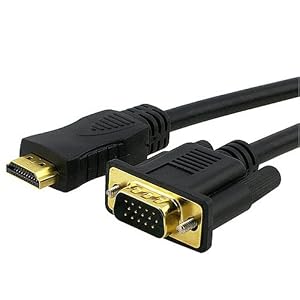
I use a DVI-HDMI adapter for my computer monitor. The adapter is female DVI and male HDMI. The adapter goes into the PS3's HDMI port, then I run a DVI cable from that adapter to my monitor's DVI port. I also dual input with my computer on my monitor, going through the VGA port. Ironically I have to convert my video card's DVI output to VGA, because I didn't have an HDMI-VGA adapter to use with my PS3. Everything seems to work fine though!
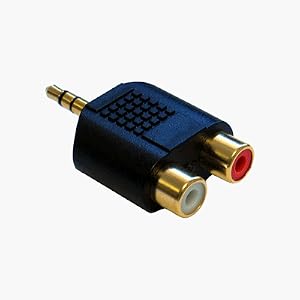
For sound, I use Sony's cable for analog output into my speakers, which has two dual analog inputs (so two sets of red & white). This is kind of cool because I can mix in my PC audio with the PS3 audio at the same time, all coming out of the same speakers. Be sure to tell the PS3, under Sound Settings, to use multiple outputs for audio; it will default to just outputting via HDMI otherwise.
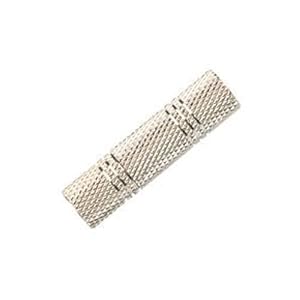
If your intended sound device (speakers, or monitor) has a more typical 3.5mm audio input (sometimes referred to as "mini-jack" or "stereo"), you can use a coupler like pictured in the original post.
Also to note about computer monitors: if you get a 16:10 aspect ratio monitor, you might have some minor scaling issues with your monitor. It all depends on the monitor and how it handles 1:1 pixel mapping. The PS3 will only output 16:9 at 720p or 1080p (480p/i ignored for this), so it is up to your monitor to handle the scaling. Some monitors will vertically stretch the image, to fit the screen. Some might even "zoom in", cutting off some of the left and right sides. Others will add black bars on the top and bottom. Black bars would be the preferred outcome because they maintain the intended aspect ratio; always a plus!
ALSO: Your monitor, for HDMI or DVI, must support an HDCP signal for the PS3 to be able to work on it. VGA adapter might bypass this (or simply not work at all), but I have no idea. Actually, I just tested HDMI-DVI-VGA, from my PS3 to my monitor's VGA input. It didn't work, either because of my setup or because the PS3 was waiting for the HDCP handshake that never came back, because of the VGA analog conversion. So I wholeheartedly recommend that you don't plan on using your monitor's VGA input for PS3; if possible, use DVI input for PS3 and VGA for your computer. HDCP can be bypassed altogether if you use Sony's component cable (which is analog), but that's a whole other story.