Hey Guys,
right now, I'm working on a replacement for the Nintendo Miiverse Applet.
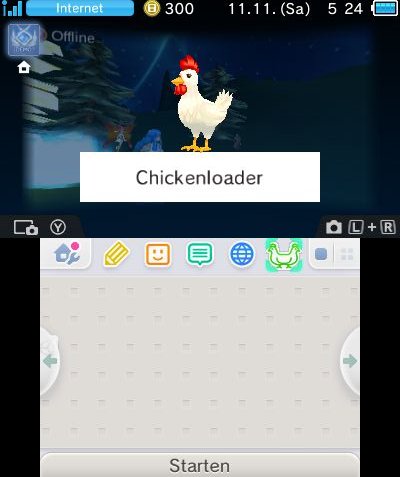
Replacing the Icon and the Banner was the first part I worked on.
You can see some example pictures here:

I've worked on a private Homebrewtool which I want to start with this Applet.
It's a combination of some different functions.
I've tried one thing to replace the Applet.
1. I've created a CIA of my Homebrew which I can perfectly boot from Home Menu itself (like a game).
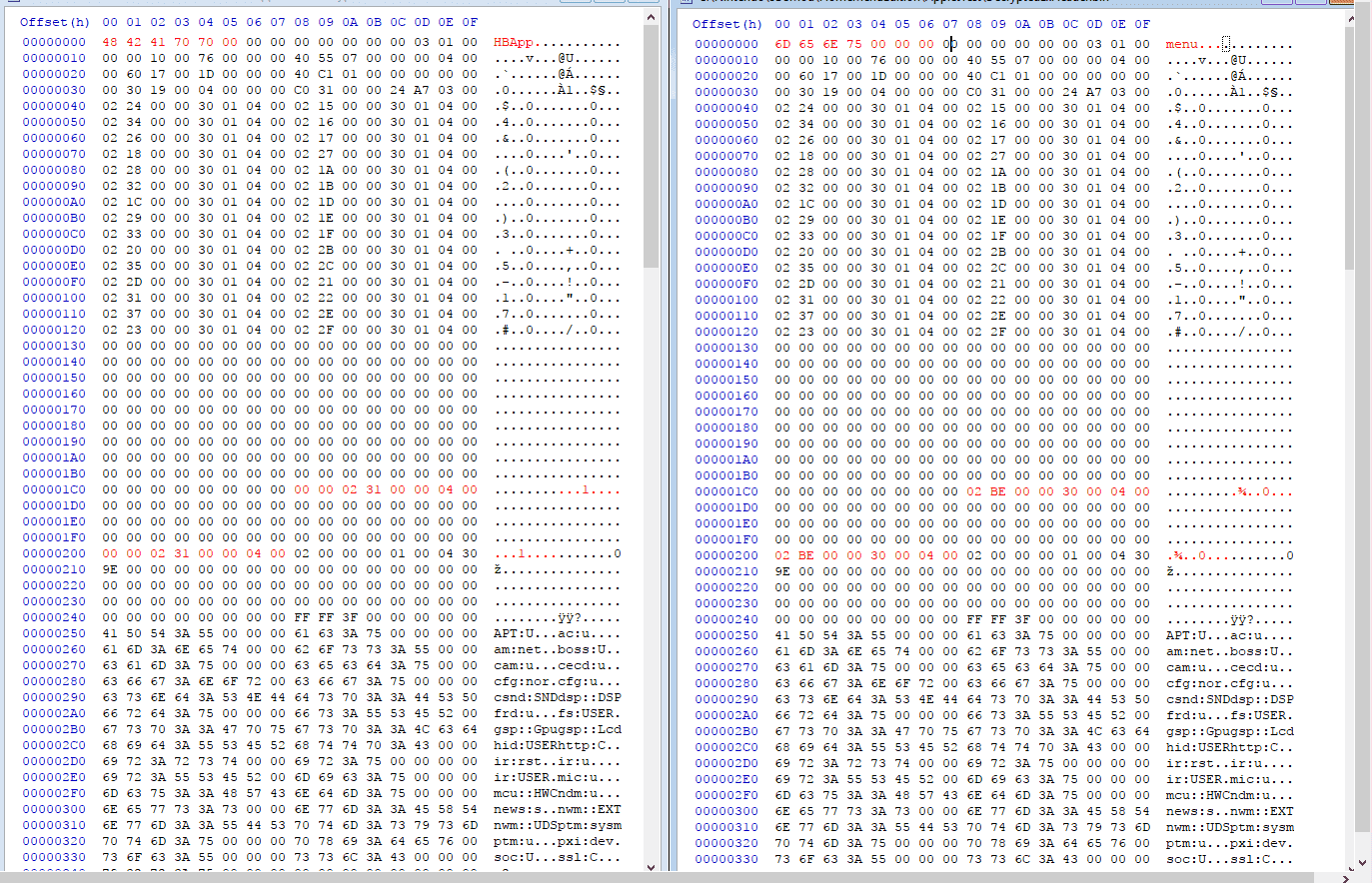
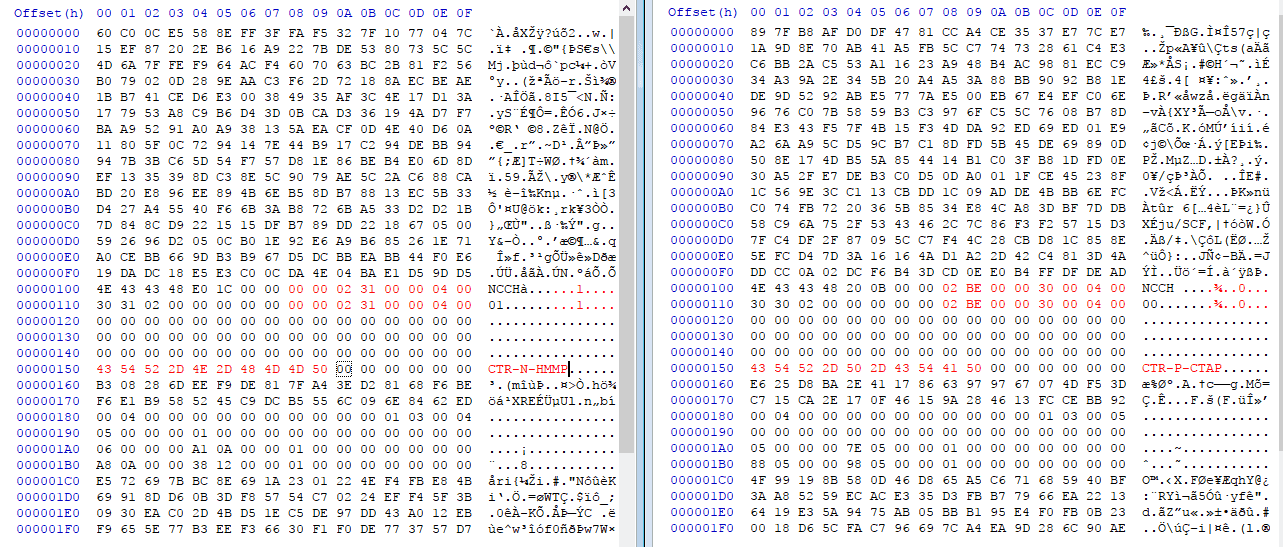
2. I've extracted the CIA, modified the DecryptedExHeader.bin and the NCCH.header and rebuilt the CIA.
3. I've encrypted the CIA with Decrypt9/GodMode9 and installed it to the NAND.
4. The Application doesn't show in the Home Menu. When I try to boot the App through the Applet Icon...:
- 4b. When I delete the Miiverse Applet (00 00 04 00 30 00 00 BE 02) it crashes instantly with the black "An exception occured" Window (because theres no app).
- 4c. When I install my Homebrew over the Miiverse Title ID, it shows "Miiverse" (it's normal) and gets stuck there (should load the homebrew shortly after).
Here are the changes I did on the CIA to install it on NAND (Left original / Right edited for NAND):
My goal is it to replace the Miiverse Applet with something else, unfortunately I'm stuck with loading a different App besides of Miiverse.
Is there a way to change the Title ID the Applet loads when clicking on the Icon?
Would be awesome if someone could help me out with the research.
right now, I'm working on a replacement for the Nintendo Miiverse Applet.
Replacing the Icon and the Banner was the first part I worked on.
You can see some example pictures here:
I've worked on a private Homebrewtool which I want to start with this Applet.
It's a combination of some different functions.
I've tried one thing to replace the Applet.
1. I've created a CIA of my Homebrew which I can perfectly boot from Home Menu itself (like a game).
2. I've extracted the CIA, modified the DecryptedExHeader.bin and the NCCH.header and rebuilt the CIA.
3. I've encrypted the CIA with Decrypt9/GodMode9 and installed it to the NAND.
4. The Application doesn't show in the Home Menu. When I try to boot the App through the Applet Icon...:
- 4b. When I delete the Miiverse Applet (00 00 04 00 30 00 00 BE 02) it crashes instantly with the black "An exception occured" Window (because theres no app).
- 4c. When I install my Homebrew over the Miiverse Title ID, it shows "Miiverse" (it's normal) and gets stuck there (should load the homebrew shortly after).
Here are the changes I did on the CIA to install it on NAND (Left original / Right edited for NAND):
My goal is it to replace the Miiverse Applet with something else, unfortunately I'm stuck with loading a different App besides of Miiverse.
Is there a way to change the Title ID the Applet loads when clicking on the Icon?
Would be awesome if someone could help me out with the research.