Gaming 3D Cross-eye Pics

  • Thread starter Thread starter FireGrey
  • Start date Start date
  • Views Views 88,038
  • Replies Replies 82
I have a lazy eye, which prevents me from crossing my eyes to see these pictures in 3D, and the moving pics hurt my eyes. I also don't have 3D glasses.

Is there any other way I could see these in 3D?
 
Midna said:
Well, uh, no not really. :/
Of course, when the 3DS comes out.....
smileipb2.png
 
You can see 3D with lazy eyes, using side by side pictures.

have each side of the picture printed to a separate page.
use 2 mirror, which you put front of you in a V layout, each one pointing to one of the picture.

like this one
Move/rotate/align both mirror and image to mix your visions so that both image are as if it was only 1 image.


Premade Mirror glasses exists, but I have difficulties to find one in google image.
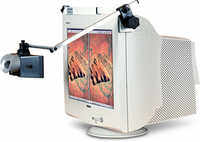
I found this one, which allow you to see the pictures side by side (no need to print to 2 pages), using 4 mirrors
http://www.lifein3d.com/stereo/screenscope-adjustable.html

4187_51054_v1.jpg

If you will have difficulties with 3DS autostereoscopie, I'm sure these kind of glasses could help too, as it extend the eyes axes.
 
DeMoN said:
More shaky pics please.
The shaky pics are cool, but I wish they animated fast enough to where the eye couldn't detect movement. I have trouble with the cross-eyed pics as well, but I do get them to work. The effect reminds me of the Virtual Boy 3D.
 
If you cannot see them cross-eye, that shaky technique can give a slight approximation of what it would like like.

I don't know how the actual 3DS photos with Metroid were made, so I would take that with a grain of salt until I really see a 3DS in action with my own eyes.

dragonb.gif


More headache ahead:
blazblu.gif


mountainbyspiritofcat.gif


3ds.gif
 
Crossing my eyes and trying to focus seems like looking left and right at the same time.
 
Wow those pictures lance posted actually look really good! Even mario kart looks really smooth and crisp. The little pictures work easier for me too, you can just 'relax' your eyes until the middle picture is in focus without having to force your eyes to be crossed.

Heres hoping you won't notice so many jaggies in 3D!
smile.gif
 
spiritofcat said:
alphajaehoon said:
arcrise4.jpg


biggrin.gif
Arc Rise Fantasia
That's a nice one!
Did you make it yourself or is it a legit screens shot?
Very nice 3D on the dragon, only problem is the on the right the dragon's wing and claw extends out past the HUD which is something to avoid when making 3D games.
The HUD should always be the closest element to the viewer otherwise you end up with objects being clipped by the HUD and that looks really bad.
I saw that happen in the Avatar 3D game on the 360. It had a mini-map in the bottom right of the screen and then had the ground extending out past it.
It's a mistake that I predict a lot of first generation 3D games will make. Hopefully they'll learn to avoid it pretty quickly though.

Yaa I made them myself thanks!
biggrin.gif
used an Nvidia 3d tool thingy
nyanya.gif
 
if cross-eye method doesn't suit you, you should try the straight-eye method (the one I'm using).

It can also be called the "see-through" method, as in fact you direct each eyes in front of you, as if you were watching at a far distance, through the image/monitor/book etc.

imagine it like this :
put your both hands in front of your head,, joining finger's extremity. Look at your computer screen, which is behind your hands, you will see a middle part between your hands.
If you do the same with 2 pictures instead of 2 hands, the middle part is the 3D part.
 
Cyan said:
if cross-eye method doesn't suit you, you should try the straight-eye method (the one I'm using).

It can also be called the "see-through" method, as in fact you direct each eyes in front of you, as if you were watching at a far distance, through the image/monitor/book etc.

imagine it like this :
put your both hands in front of your head,, joining finger's extremity. Look at your computer screen, which is behind your hands, you will see a middle part between your hands.
If you do the same with 2 pictures instead of 2 hands, the middle part is the 3D part.

Yeah I tried explaining that to sooooooooooo many people :/ but the most of them just simply don't understand even if u explain how to.
that's why I only make crosseye pics, you have more chance people understand cross eye then your method.

And for myself.. I use your method as well lol usually, but I can do both without any trouble at all or so.... you can say I have black-belt in crossing my eyes n stuff
wacko.gif
 

Site & Scene News

Popular threads in this forum