Homebrew [Tutorial] How to install 2.5 on themehax manually.

  • Thread starter Thread starter Pandaxclone2
  • Start date Start date
  • Views Views 170,325
  • Replies Replies 455
  • Likes Likes 35
781ff415bd1643fba8380aeba6339161.jpg

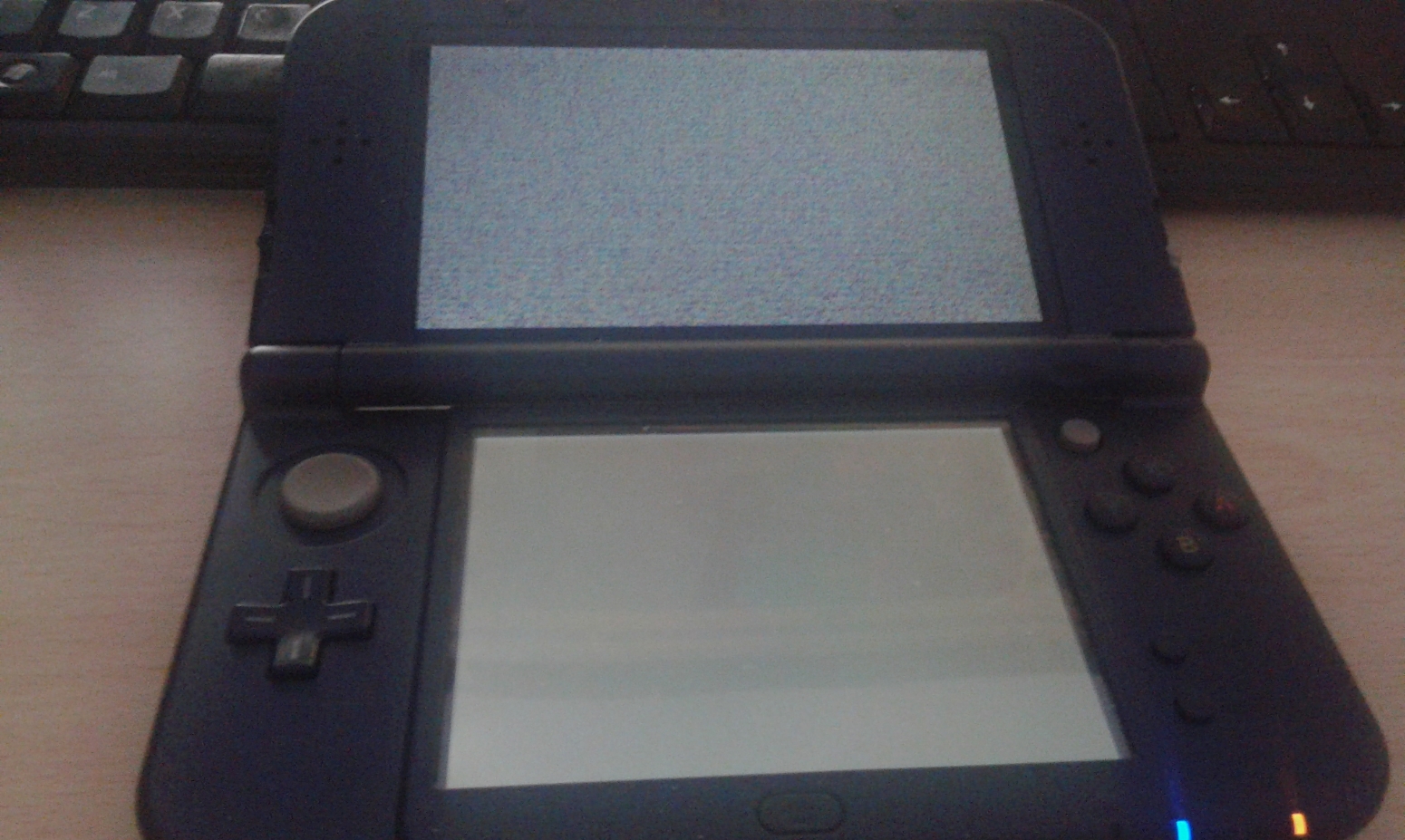
I replaced the new starter folder files in my 3DS and replaced my ropbin (themehax) to install it... But when I tried to start eshop or my AS with HANS, my n3DS crashed... I switch off my console but then, when I switch on and hold L, my n3DS get freezed... :/ Help me please
 
i have the same problem, freezing at the static screen.

i will wait for an updated themehax installer.

then i'll install it all again, trough browserhax on my 9.9 eu n3ds :)

probably wait a few days
 
781ff415bd1643fba8380aeba6339161.jpg

I replaced the new starter folder files in my 3DS and replaced my ropbin (themehax) to install it... But when I tried to start eshop or my AS with HANS, my n3DS crashed... I switch off my console but then, when I switch on and hold L, my n3DS get freezed... :/ Help me please

Yeah I get that one too and it worked previously...I don't understand...

It reworked again after a bunch of tries...That's not as reliable as I thought...

Same happens to me, try booting into homescreen then press Power button and wait until the Power off menu appears, then press Home and hold L while it's loading homescreen again.


Sorry for vertical video and quality :P
 
Last edited by Jocaru,
Same happens to me, try booting into homescreen then press Power button and wait until the Power off menu appears, then press Home and hold L while it's loading homescreen again.


Sorry for vertical video and quality :P


THANKS, this works for me too!!!!

boot into homebrew launcher with L doesnt work, :(
 
  • Like
Reactions: LordDarkNe0
Same happens to me, try booting into homescreen then press Power button and wait until the Power off menu appears, then press Home and hold L while it's loading homescreen again.


Sorry for vertical video and quality :P

Thank you for the info how now it works flawlessly :).
 
Whei switch the payload and boot file, all I get is a yellow screen? I can only boot into 2.1 atm. Help??;;
 
Last edited by code640,
for those who still cant get it to work there is also an interesting post on reddit for this:

https://www.reddit.com/r/3dshacks/comments/3q933b/jjstars_pretty_much_comprehensive_guide_to/

just follow the steps.

if you are not on a 10.2 AND a N3DS i reccomend just deleting all boot.3dsx files from your sd card and start from scratch.
Then if you installed 2.5 with browserhax and themehax, dont expect to boot to homebrewlauncher with holding L.

after installing:
1: Start the 3DS in normal mode.
2: press the power off button once.
3: press the home button, then hold L
4: it should boot into the homebrew browser now :)

This worked for me on a N3DS 9.9.0.26E
 
Last edited by intensje,
  • Like
Reactions: xixion
Well, first of all, what version are you running and what are you trying to install themehax on?

I have an old 3DS running 9.9.0.26U

Using Smea's website ( https://smealum.github.io/3ds/ )
First obtain the starter kit, and put this on the root of your SD (don't forget to also download the offline version of themehax from op, install that after the kit and confirm the file overwrite), then, obtain the otherapp payload corresponding to your version, it should be a bin file (mine was named POST5_U_20480_usa_9221.bin for example), this file goes to the root of your SD card, you should also grab the ropbin payload since we'll need it for later, it'll have the same exact name as the otherapp payload but with a (1) appended at the end, rename it to menuhax_ropbinpayload.bin

Next, turn off your 3DS' wireless capabilities, go to your browser, clear your cookies/history and back out,
use L+R to turn on the camera and scan this QR code


3dsbrowserhax_auto_qrcode.png


Confirm to launch browser, you will get an error message saying wireless communications are disabled, that's fine, now back out of your browser, turn on wireless, and go back to your browser, if your 3DS uses sliderhax, you will see a small slider on the top left corner of your screen, zoom in as much as possible while holding up left, when you cant zoom in anymore, tap the slider, and your bottom screen should flash a few colors, and if done correctly the homebrew menu should boot up allowing you to install themehax offline version (for me it was at the very bottom of the list), notice that we are not dont just yet.

Now, after all of this is said and done, the menuhax_ropbinpayload.bin file that we downloaded earlier, place it in the root of your SD card and confirm the overwrite process.

Now when booting up your 3DS, hold down the L button, and you should now boot into the Homebrew launcher menu, first thing I would try is running HANS and selecting the eshop just to confirm that everything is working as intended, or selecting the eshop app from the homebrew menu.

This is exactly what I done but instead of using a QR code I went to the website with the slider. I was taught to press the right of the slider and quickly mash A as soon as possible.
 

Site & Scene News

Popular threads in this forum