Hacking NOOB PARADISE - ask away

  • Thread starter Thread starter richglix
  • Start date Start date
  • Views Views 1,698,362
  • Replies Replies 15,247
  • Likes Likes 14
I started hacking my Wii about a week ago, and I already have a problem:
I downloaded and installed some WiiWare games with MultiModManager. When I move the games to my SD-card and try to launch a game, a message "Failed to launch" pops up. The games work fine when they are on Wii's memory and in the SD-card, but I want to keep my Wiiware and VC games in my SD-card only.
So what should I do.
My Wii is 4.3E and I currently use the IOS58.
Should I install another IOS or something...
Can someone tell me a clear step-by-step guide for what to do. Yeh I'm a noob...
Did you pirate? Cuz if you downloaded them and then installed them via MMM then it seems you downloaded a wad.

Can't help you with piracy.

Edit: Yes, first post on Page 667. Because 666 2/3 is approximately 667. Close enough!
 
u musta followed a shit guide, because good guides will have you install a patched system menu IOS to offer some extra brick protection for specific types of bricks. A patched system menu IOS would also solve the "problem" your having now. But since you want a patched system menu IOS for piracy and not brick protection, that's all I'm gonna say about it.
 
u musta followed a shit guide, because good guides will have you install a patched system menu IOS to offer some extra brick protection for specific types of bricks. A patched system menu IOS would also solve the "problem" your having now. But since you want a patched system menu IOS for piracy and not brick protection, that's all I'm gonna say about it.
And jagetzu don't look to anyone else to help, they're gonna say the same thing as XFlak.
 
Ok guys I am going to re-hack my Wii to basically update everything, but I am just wondering about these recommended Priiloader hacks in my setup guide. In this new one it recommends that I have Block Disc Updates, Block Online Updates, Replace Health Screen and Move Disc Channel enabled but with my older setup guide it recommended to also have Auto-Press A at Health Screen, Region-Free Everything and remove no copy save file protection enabled as well.

Is there a reason these last three option / hacks have been omitted from the newest setup guide ?
 
hi guys, ive instilled the recommend cIOS by Mod Mii and how do i play the backups games now. USB Loader GX see my usb and how much space it has but it doesn't see the content inside it?
 
Hi i have softmod wii homebrew 4.1 i can get wii games to work and it shows i have a gamecube game installed through priiloader using dml, but when i click on it, it says it needs a disc, i do not have a disc wii or gamecube currently, is there any way to get the gamecube game to work without having to have a wii or gamecube disc in the wii drive? the gamecube game file is on my sd card under games folder i have followed every step i just cant seem to get it to work without having a disc, surely there must be a way to get it to work with no disc in the drive? can someone please help? thanks!!
 
Hello, I have a modded Wii 4.3U.
I want to make a brick protection, I read about Priiloader but in the wiki it says that is highly recommended that I install it with unmodified IOS, that's not my case.
I have already made a backup of my NAND with bootmi.
Can I install the priiloader nevertheless? Thanks.
 
I'm not even going to waste my time watching that video

as a rule of thumb, never follow failtube tutorials, they're usually outdated and dangerous to follow. They are actually the most common way that people end up bricking their Wii's

I recommend you use ModMii (from my signature) to resoftmod your Wii from scratch.
 
Alright I will do that.
Is there a problem if the backup has 3 bad blocks and the only way to use the Priiloader is with a GC controller?
Thanks again.
 
bad blocks are okay

I think you're confusing priiloader with bootmii

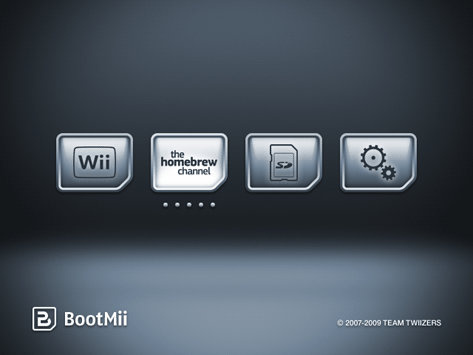
this is what bootmii looks like
bootmii_screenshot.png


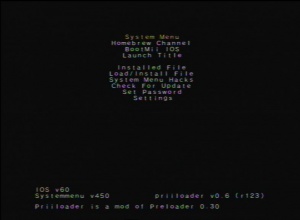
this is what priiloader looks like
300px-MenuPrincipalPriiloader.jpg


the bootmii menu can only be navigated using a gamecube controller OR the power\reset buttons on your Wii. All this will be explained to you in your custom ModMii guide when you get to that point :D
 
No, it's not what I asked :P
I already have used Bootmii (with power/reset) to do the backup.
I want to know next. For example, I installed Priiloader, and then my Wii bricked.
Now i power it and go to Priiloader, is possible to use the Wiimote or the power/reset or only the GC controller?
 

Site & Scene News

Popular threads in this forum