XCI-Cutter tool (Windows)

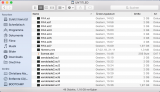
main.png


XCI-Cutter


Features:

- cuts off (trims) unused sectors
- optionally cuts in pieces (splits)
- batch processing


This tool reads the XCI-Header to determine the full cartridge-size and the actually used space.

By default, the tool checks if the sectors after the used space/gamedata are really unused (filled with FF).
It refuses to cut, if it finds any data in that area (this check can be bypassed by using "Fast Mode").

The tool can be used to restore these FF-sectors and expand XCI-files back to the full cartridge size.


@ChronoX_ compiled a list with actual datasizes over at:
https://wiki.gbatemp.net/wiki/XCI-Cutter


UPDATE 20.06.2018:
Trimmed and split games are now fully compatible with SX OS!

!!! Important Note: !!!
Dumps that were split with a version before v2.4.2,
have to be joined/uncut using that OLDER version.
And afterwards split again using the NEW version.
!!!


Download:
https://github.com/Destiny1984/XCI-Cutter/releases


Changelog:

v2.4.2:
- changed partsize to make split-dumps compatible with SX OS

v2.4.1:
- Bugfix release
fixed splitting which was broken in v2.4

v2.4:
- added "fast mode" to batch processing
(Direct trim of inputfiles / no safety checks)

v2.2:
Changes to batchprocessing:
- added recursive folder scanning (thanks to @RapidRaid aka getraid)
- add files and folders by Drag&Drop

v2.0:
- added batch processing with optional inputfile deletion

v1.5:
- fixed some exceptions
- implemented optional splitting

v1.0:
Initial Release
 
Last edited by MHDestination,
I loaded two games on my sd card and they aren't showing up in the SXOS game menu. Any ideas? I'm using exfat. The games are trimmed but I tried untrimming and nada. Now I'm going to try to split a game in to 4 gb files to see if it will detect it.

What games did you try?
Make sure to copy them to the root of your sdcard.
Cart2 games are currently not supported by SX OS and won't show up.

Does this work fine with SXOS in the same quality as before trim? I tried reading and may have overlooked but couldn't find an answer.

Yes, no difference between trimmed and not trimmed.
 
  • Like
Reactions: djricekcn
What games did you try?
Make sure to copy them to the root of your sdcard.
Cart2 games are currently not supported by SX OS and won't show up.


Yes, no difference between trimmed and not trimmed.

Dbz xenoverse2 and xenoblade2. Yes they are on the root of the sd card.
 
I used the WAIN XCI Dumper 0.0.3, to create backups of my physical games.
My microSD card is fat32 formatted and thats why I chose this option: "Dump Game Cartridge (Full with Certificate fat32 2GB Split" and it went perfectly to the end. But after putting those xci, xci1,xci2... files to the root of the microSD card I couldn't launch them with SX OS 1.1!

So I thought about merging/joining those splitted files together to one single XCI file and than use XCI Cutter to split it properly.
How can I fuse those xci files together?

Just for Info:
The games Ive dumped are FIFA 18 and Xenoblade Chronicles 2
 
Last edited by fenomeno0chris,
I used the WAIN XCI Dumper 0.0.3, to create backups of my physical games.
My microSD card is fat32 formatted and thats why I chose this option: "Dump Game Cartridge (Full with Certificate fat32 2GB Split" and it went perfectly to the end. But after putting those xci, xci1,xci2... files to the root of the microSD card I couldn't launch them with SX OS 1.1!

So I thought about merging/joining those splitted files together to one single XCI file and than use XCI Cutter to split it properly.
How can I fuse those xci files together?

Just for Info:
The games Ive dumped are FIFA 18 and Xenoblade Chronicles 2

Is the extension of the first part really .xci ?
Is has to be .xc0

Currently XCI-Cutter can only join dumps that have been split using XCI-Cutter.

You can join your WAIN dumps with tools like hjsplit:
http://www.hjsplit.org/


Dbz xenoverse2 and xenoblade2. Yes they are on the root of the sd card.
Haven't tried xenoverse, but xenoblade runs flawless for me.

I think there's something wrong with your dumps.
 
Is the extension of the first part really .xci ?
Is has to be .xc0

Currently XCI-Cutter can only join dumps that have been split using XCI-Cutter.

You can join your WAIN dumps with tools like hjsplit:
http://www.hjsplit.org/


Haven't tried xenoverse, but xenoblade runs flawless for me.

I think there's something wrong with your dumps.


Thats how my backups look

UPDATE:
Ive tried hjsplit, but the tool cant select xci files. Than I tried to rename all file to: .001, .002., .003.... but after the joining process I only get one small xci file and not the whole game. :(
 
Last edited by fenomeno0chris,
You can join your split files in Windows command line. Just navigate to the folder where they are and do like this

Code:
copy /b game.xc0 + game.xc1 + game.xc2 + game.xc3 game.xci

it will join them into one file. Tested it with a couple of my WAIN rips and then used XCI cutter to trim/recut the output (since I preferred to keep 4GB chunks rather than the 2GB WAIN made) and they still work fine in SX. Of course if you are doing this from your FAT32 SD card then make sure the last argument is a path to a location on another drive so it can fit.
 
Last edited by OrangeFlavored,
  • Like
Reactions: FahQ


Thats how my backups look

UPDATE:
Ive tried hjsplit, but the tool cant select xci files. Than I tried to rename all file to: .001, .002., .003.... but after the joining process I only get one small xci file and not the whole game. :(
you're using a Mac I think that's your first problem. Get a proper pc and stop funding crappy companies :P

--------------------- MERGED ---------------------------

I think some people are messing up their dumps buy using multiple versions of XCI cutter.


Thats how my backups look

UPDATE:
Ive tried hjsplit, but the tool cant select xci files. Than I tried to rename all file to: .001, .002., .003.... but after the joining process I only get one small xci file and not the whole game. :(

your file extensions are wrong!

They have to be .xc0 .xc1 .xc2 .xc3 ...
 
I fixed my problem, I was reading that some sd cards might be fake from amazon (where I got it) it was a sandisk 256gb card. I was reading from someone on here that just used a cheap generic microcenter microsd card and that worked fine. So I went to microcenter and got a pc to sd card adaptor and a generic 128gb microsd. I loaded the files on that and put it in my switch now SXOS sees the games. Thanks for the help.
 
Hi I have some issues with my 64gb sd card which I formatted to FAT32 (Don't want to update my console) - the cut 4gb games don't work on it, but its definitely an SD card problem because on my 32GB FAT32 card the same files work fine (tested and run fine on SX OS)..Is there any recommended tool to convert the 64gb card to a proper fat32 card? Thanks!

Just to note files less than 4gb that don't need cutting still work fine on the 64gb card, so not sure where the problem is.
 
Hi I have some issues with my 64gb sd card which I formatted to FAT32 (Don't want to update my console) - the cut 4gb games don't work on it, but its definitely an SD card problem because on my 32GB FAT32 card the same files work fine (tested and run fine on SX OS)..Is there any recommended tool to convert the 64gb card to a proper fat32 card? Thanks!

Just to note files less than 4gb that don't need cutting still work fine on the 64gb card, so not sure where the problem is.

Reformat your card with a clustersize of 32k.

You can use guiformat for that.
 
I need help with this and SMO + SX OS. Sx OS isn't finding the split files and I am on latest version of the splitter. Any help here?
 
m8 can i ask u a strange question why if i try to trimmer an already trimmered xci they cut it and it become more less in capacity?i found that because i downloaded an alredy trimmered xci and i wanted to split for fat32 sd and i see it become from 15Gb to 8 Gb and for that i tried with other xci alredy trimmed and do always the same things....if u can add an option for do only teh split with no cut is appreciated because not know if with more trimmering and cutting all that data the game work correctly i strange i can cut it more than one time
 
Last edited by dsafra,
m8 can i ask u a strange question why if i try to trimmer an already trimmered xci they cut it and it become more less in capacity?i found that because i downloaded an alredy trimmered xci and i wanted to split for fat32 sd and i see it become from 15Gb to 8 Gb and for that i tried with other xci alredy trimmed and do always the same things....if u can add an option for do only teh split with no cut is appreciated because not know if with more trimmering and cutting all that data the game work correctly i strange i can cut it more than one time

Your source file was not trimmed. 15Gb is the size of a full cartridge.

XCI-Cutter won't trim if a file was already trimmed.
Before trimming it checks, if theres empty space at the end of the dumps
and will only remove empty space.

I don't think that an option for splitting without trimming would be useful.

So if I have a scene release, it can still be trimmed right? Does this work with card2 scene dumps?

Yes! The scene releases (BigBlueBox) are full cartridge dumps. These can be trimmed.

Whether if a dump is card1 or card2 makes no difference in terms of trimming.
 
Last edited by MHDestination,
m8 myself do x2 times trimmer on same file and alwayse lowered space for me is not normal
 
m8 myself do x2 times trimmer on same file and alwayse lowered space for me is not normal
Sorry, but that's not possible.

XCI-Cutter only trims empty space (FF-sectors) and skips files without FF-sectors.


What tool did you use to perform the first trimming? That must have been incomplete.
 
always and only urs tool with latest version

can u confirm me the trimmerd size of lego incredibles is that 8.642,17 Mb

thanks
 
Last edited by dsafra,
always and only urs tool with latest version

can u confirm me the trimmerd size of lego incredibles is that 8.642,17 Mb

thanks

I haven't got a copy of that game.

But you can lookup the trimmed filesize in xci-cutter:
Open the file in xci-cutter single processing mode (not batch processing).
The field "Data size" represents the size that the file will have after trimming.
 
Last edited by MHDestination,

Site & Scene News

Popular threads in this forum