Hacking Skin Feedback

  • Thread starter Thread starter Killermech
  • Start date Start date
  • Views Views 17,822
  • Replies Replies 109
  • Likes Likes 1
Can someone tell me how well mine works?

Screenshot
previewlh8.png
Download

It's quite hard to do something other than the three button layout
frown.gif
 
tyuno123 said:
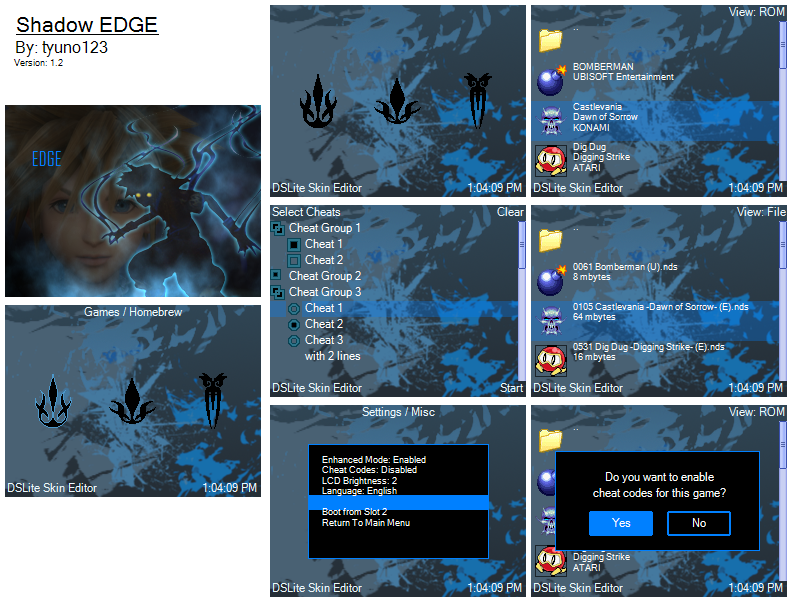
not many posts on this thread

That's because the thread title is a bit, lacking. Perhaps if we make the title "Contest skin feedback" or similar maybe it would attract more posts.

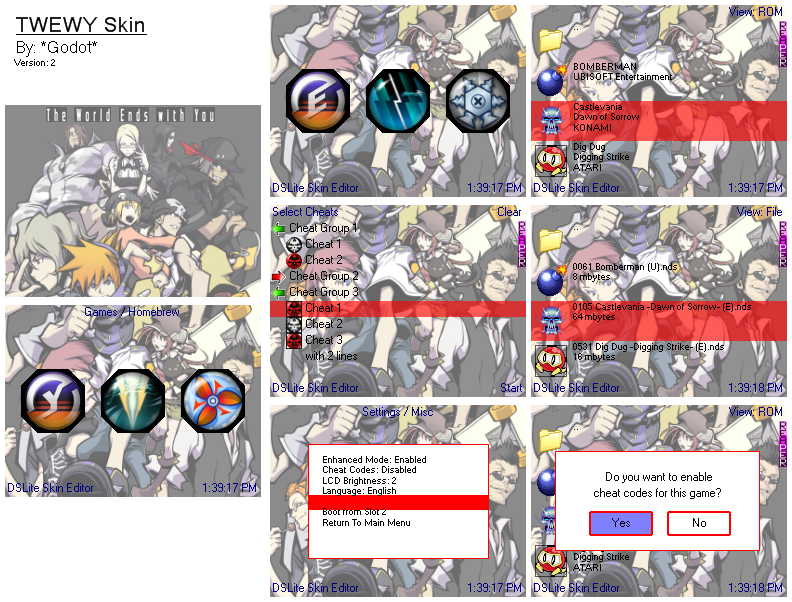
@ tokoshix, I'll admit I'm a person with fast, darting eyes, and for a moment I got lost in the cheat selection screen as your button images (the round on/off buttons) are kinda blending in with the background. Perhaps a different choice of color would be best, although I'll say I like your skin in that the choice of colors are nearly of two kinds only. A different image altogether, maybe?

@ mercluke, the cheat icons for the "swirl blue" skin need to have their transparency checked. Unfortunately though, the top and bottom texts of the touchscreen are a bit difficult to see. Perhaps black would be a nice color, as with all your skins the main menu icons are black, and work the same way amongst all of the colors.

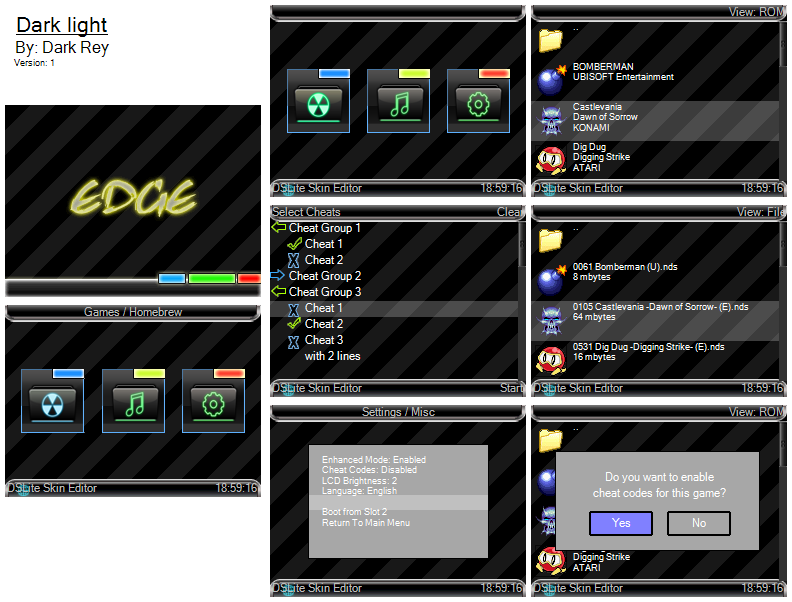
And, an update to my Portrait of EDGE skin (bumped straight to version 3 as my planned 2.5 was scrapped due to it being a minor bad update), hopefully photoshop did save the images into 16bit as I asked it to and this seems close to submission into the contest thread. Readme.txt has list of updates.

Portrait_of_edge_30.jpg

Once again above image is quality smashed to make it quick to upload.

I once again ask anyone with an Edge flash cart to test the skin as I'm confused as to why irfan lists current colors as 24bit. I guess, until I get my own Edge cart I won't know for sure the implications of irfan's information. Just to be sure I did a manual replace of the images after I saved the skin with DSLite Skin Editor. Appreciate the feedback, and hopefully this will be the final version for submission. I have this odd tendency to go into workaholic mode and try to outdo myself with something I already worked on, and I don't want to keep changing this skin, believe it or not I have the chance to turn this from a Portrait of Ruin to a Dawn of Sorrow theme to a Order of Eclesia theme lol
wacko.gif


Get Version 3.0 here
 
I put that there on purpose, if I don't, then the pin will look very screwed up. I tried to make it look geometrical, otherwise the pixels around the pins wouldn't be even
 
*Godot* said:
I put that there on purpose, if I don't, then the pin will look very screwed up. I tried to make it look geometrical, otherwise the pixels around the pins wouldn't be even

While I've seen it done with quite a few of the themes in the contest it seems not everyone has figured out the way around the transparency concerns. I did a quick write-up of a technique (in regards to Magic Pink bleed-through) over at NDSthemes.com:

TraumaHound1) Place the icons you want to use where they're supposed to go, over your existing background (it's easiest if you have each button on it's own layer so you can move them into place).

2) Using the template as a guide select the entire square area you have the button over. CTRL-SHIFT-C to copy the merged image (which should ultimately consist of your background art and your button art) then paste it into the proper place within the icons template (for on or off position and for whichever button.) Repeat for the other buttons in both of their states. Flatten the icons image and save it as a properly-named BMP.

What this does is use the entire button area for the button while giving the "illusion" of having just a circular button.

Hope that helps.
 
Actually, the button "import background" in the skin editor do what you described, import the whole square area along with the icon.
And godot, have you tried seeing it in 16 bit bmp?

EDIT: What do you mean the pixels won't be even? with that image size, nobody CAN see the pixels with naked eye. Can you provide an image with no those polygonal thingy? I need to see what you eman with "verys crewed up" since in my mind, it works wonders without those black things
 
Raestloz said:
Actually, the button "import background" in the skin editor do what you described, import the whole square area along with the icon.

And godot, have you tried seeing it in 16 bit bmp?

EDIT: What do you mean the pixels won't be even? with that image size, nobody CAN see the pixels with naked eye. Can you provide an image with no those polygonal thingy? I need to see what you eman with "verys crewed up" since in my mind, it works wonders without those black things

What I meant was that the pixels around the pins would be really visible as opposed to smooth, and I don't really know what import background really does.
 
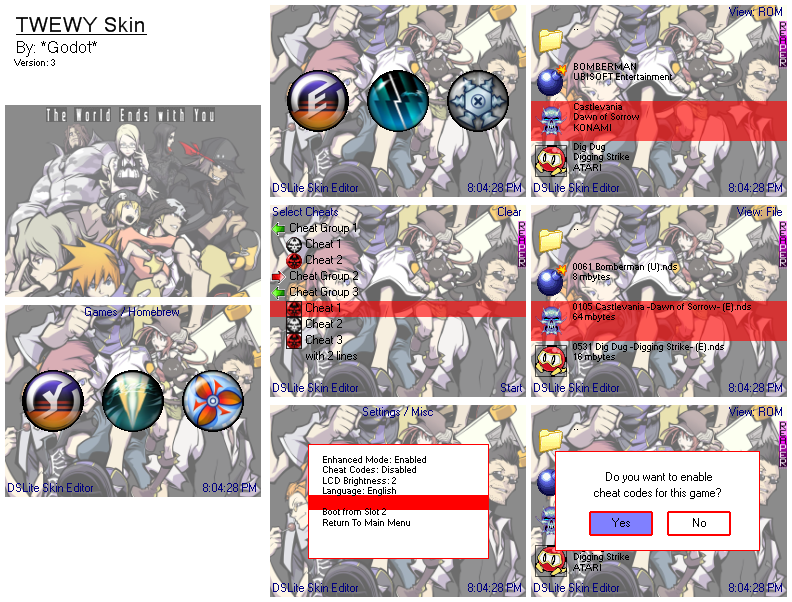
I actually made another one, exact same minus the big stop sign-shaped octagons around I guess I know what you mean by it not really mattering as the pixels will be shrunk down even more on a DS screen. Here's another revision I finished last night.

TWEWYv3.png


If you can, may someone please see what the buttons look like on the actual Edge Cart and give me feedback?
 
Here's mine... I left some icons intact (as in, default) from the skin editor, like the cheat icons. Didn't bother changing them since they looked fine (though I might if I get bored =P)
biggrin.gif


EDIT: Updated to version 1.1
smile.gif


ilemueldg-edge_sphere_DocL16.jpg


Download

Comments are appreciated. Thanks!
smile.gif
 
omegableach said:
*Godot* said:
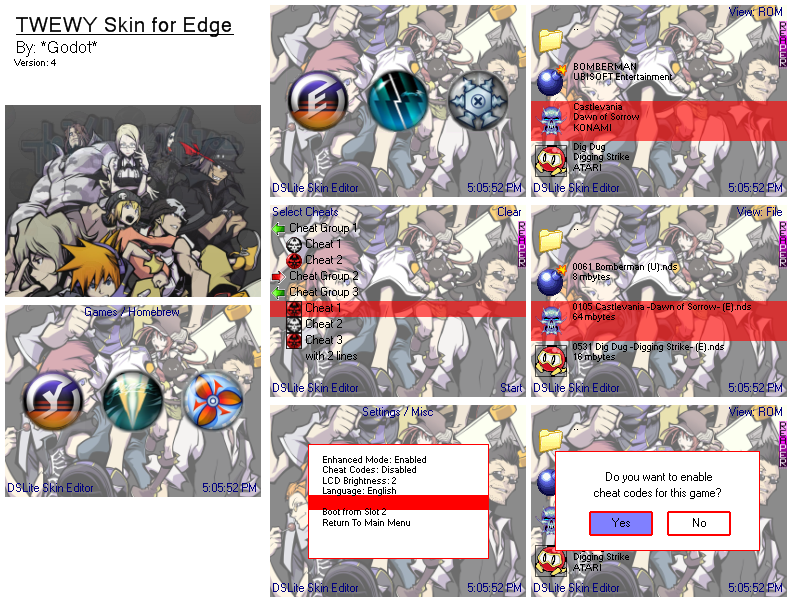
I've taken in all of your comments and finally came up with something more pleasing to the eye!

TWEWYv4.png


I bet you want this skin, huh

Enjoy!
nice, any critisism for mine???
smile.gif

Yours is good, love Bleach, watched the movie last night, lol.

You should fix the transparency on the icons, that'll make it look more snazzy.
 

Site & Scene News

Popular threads in this forum