Android Post your Android homescreen!

  • Thread starter Thread starter Excellentnuke
  • Start date Start date
  • Views Views 162,610
  • Replies Replies 1,108
  • Likes Likes 2
Phone: Lg Optimus S
ROM: Reborn ROM v2.2.4
Laucher: Nemus Launcher 0.9.9.1
snap20110907_160333.png
 
I don't know how to do them in a drop down box like everyone else but here ya go

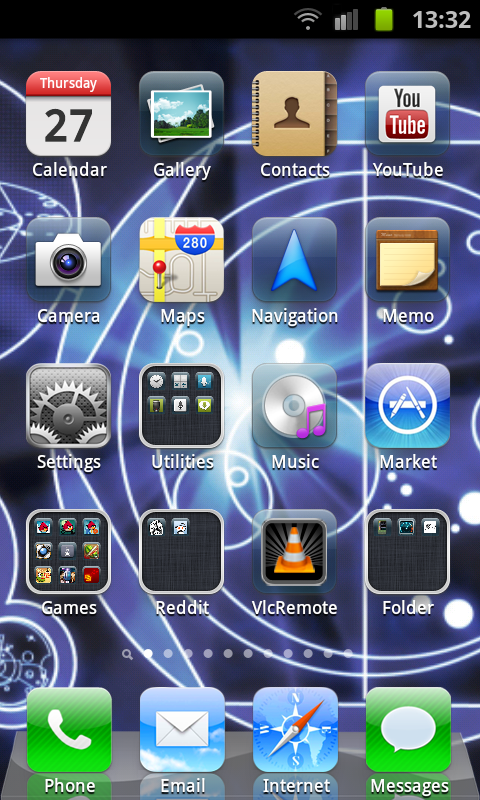
Phone: Galaxy S II
Rom: DarkysRom2


snap20110910204425.png

snap20110910204832.png

snap20110910204840.png

snap20110910204859.png

snap20110910204454.png
 
Excellentnuke said:
Sorry
tongue.gif
I fixed it
biggrin.gif
Clearly you didn't do too good of a job because I can still make out what it says :|
Well at least I know the name of the app all the android piratefags are using these days. That and I finally know what app the sticky was talking about.
 
I don't have an Android device, but if I do get one any time, I'll be making my homescreen something like this (I made this one in the Android emulator):


android%20hs.png


EDIT: If anyone is interested, it's Launcher Pro with icons and dock from: http://launcherpro.droidicon.com/ and Minimalistic Text for the time and date
 
I'm not rooted so I couldn't do nice shiny icons or replace the bottom bar *sadpanda*, but here's mine:

HTC Wildfire S (320 x 480px)
2.3.3 Gingerbread with HTC Sense 2.1

device.png


Wallpaper: ismile by Apofiss (the eyes look awesome on the phone's screen
smile.gif
)
Clock and weather: Advanced Clock Widget
Calendar widget: Simple Calendar

I tried minimalist text before I got this clock, but I really struggled to get it to look good.
 
Psyfira said:
I'm not rooted so I couldn't do nice shiny icons or replace the bottom bar *sadpanda*, but here's mine:

You don't need root for custom icons and dock. Just install an alternative launcher such as LauncherPro from the Android market. Then you can have custom icons for any shortcuts you want and you can theme the dock too. And all your widgets etc. will work with LauncherPro, although you will need to set them up again.

 
SifJar said:
You don't need root for custom icons and dock. Just install an alternative launcher such as LauncherPro from the Android market. Then you can have custom icons for any shortcuts you want and you can theme the dock too. And all your widgets etc. will work with LauncherPro, although you will need to set them up again.
Oh, I thought you need root to run alternative launchers, must've missed a trick there. Thanks, looks like I have some reading to do...
smile.gif
 
Galaxy S II

The first homescreen as it appears at the moment:
SC20110927-103545.jpeg

With default font:
SC20110927-103502.jpeg
 
Verizon LG Vortex
CyanogenMod 7.1.0.1 - Android Version: 2.3.7
Theme Chooser Theme: LunarUI Latest with Custom Dock supplied with it.
Link to the Custom Rom. This a brand new WIP rom, I (TyMiles2012) decided to speak up about the Vortex and offered to test and we're making progress!
http://androidforums.com/vortex-all-things-root/433954-rom-wip-cm7-port-vortex-vs660.html

screenshot1319496409109.png
 
HTC Desire Z/G2 (Vision)
ILWT Rom based on CM7 Nightly 249
Launcher: GO Launcher EX

I should probably explain my icons (or sometimes lack thereof)

There are actually five screens (home is the middle) with various widgets. From left to right (not shown): Music / Calendar / Home / Settings (just a set of quick settings buttons really) / Social timeline.

The status bar is rarely visible on my home screens. I have it set to hide/show when I swipe UP on my "Apps" icon. It automatically shows up when I am in another other app so I can always see the clock and notifications. And for notifications on the home screen I can swipe down anywhere on the screen and it will pull down the notification panel.

The dock bar at the bottom has three "screens" for itself as I can slide them left and right to get to them. Also, each icon has more than one function. Regular tap on browser icon (on the right) for example opens my browser (Opera Mobile in this case). Swipe up on the browser icon and it opens a Reddit app that I use. So right away, that's 8 of my most common apps used available without much clutter on my home screen.

Upon request I could post the other junk like widgets and the other docks, but oh well!

October "Autumn" Season:

Halloween Season:

Currently:

EDIT:
Ah, here's another from the ol'screenshot archive that I quite like
 
  • Like
Reactions: 1 person
I'm under my friend's plan, and we both just upgraded to Samsung Epic4G Touch's (Sprint.) Here's mine:

tumblrluh07ei0bv1r1w2nw.png

It looks more vibrant on the screen. The SAMOLED screen or w/e they call it. It's from some color wallpaper I found a while back. I'm working on doing one of my own, but for now, this is it.
 

Site & Scene News

Popular threads in this forum