Wow I really like your mockup. maybe its just me but I see the font being a little smaller for the height and weight, I could be mistaken. I think the idea is good but then what would you actually display on the bottom screen? I guess if it were to have tms, hms, locations, then the bottom screen would be very usefull. I actually just made it so the buttons are on the bottom screen for the touch of it. I figured there wasnt a point of having a ds homebrew and not have it use the touchscreen. but I still really like how yours looks.
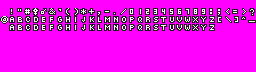
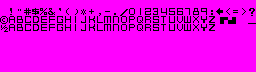
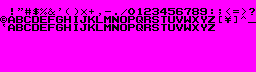
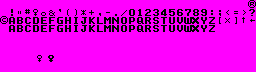
The font isn't any different xD I copy/pasted most of the letters (I think I had to make a "Y" and use "U" instead of "V")
I was imagining the bottom screen to have a totally different layout from the top. A scroll bar on the right (probably showing only the pokemon number since the name takes up quite a bit of space...although if there is lots of space at the end, then I will probably change that xD) with the "Back" button underneath. The upper left and right corners of the screen would match the L&R buttons (and swap the top pages). The main part of the screen was going to be a window with 6 buttons underneath with locations, learnable moves, teachable moves, Natures list, IV/EV calculator (including nature in calculations), and because I couldn't think of anything else, Pokemon cry. Of course, touchscreen wise, I imagined it just as tap on it to get the window active (maybe with some telltale glow or something) and blah blah, touch screen stuff is mostly a given. As for the key mapping, it took a little more thought. "A" was going to be select obviously, the cursor used in the same manner as it is in moonshell2 (when the scrollbar is active), otherwise it would be used to navigate the currently active window. "X" was to swap between the windows (instead of tapping if people don't like the touch screen), flipping the upper pages (incase of too much info) was the "Y" button, touchwise it would have been this button in the upper middle part of the screen. Pokemon cries was the Select button because I doubt people use that as much, and the Start button would bring up a smallish menu to allow non-touchscreen users to jump to the top, bottom, or go back to the start screen (as well as the option to cancel xD).
Of course the problem with my set up is that because there would be 3-ish windows (scrollbar, lower buttons, and main window), if the user misses the first time while pressing X, then they cycle through the other two to get to where they want (though I deemed that a necessary evil to fit everything in).
I actually had the entire pokedex GUI planned out in my head, like how the learnable/teachable moves would work, which was pretty much having the main window with a scroll bar and each entry having the name of the move, the base power, type, contest entry type (cute, cool, etc.), and a short description if it had an added effect (ie. quick attack always being first). If it couldn't fit every move with that setup, then I was thinking of just having the extreme basic stuff, name, base power, type and then have the d-pad control a cursor and when a move is selected, the main window changes to show the finer points of the move.
All in all, if I attempted to explain the rest of my imaginary pokedex, it would take a fairly long time, since I came up with every option that I could think of along with all of the keymaps (of course, interchangable with touch screen as well xD).
QUOTE(Ace Faith @ Apr 24 2010, 05:28 PM) I very much liked it too. Seems like it'd make a good use of the screen, but the buttons could be a bit expanded IMO. Maybe cleaning up the inteface (a bit like I made in my mockup) would make it bangin'. Just wanna point out too that I ain't a programmer at all... Graphics and music are the things I can make come to life
Question: What photo editing tool did you use for this, jurassicplayer? I try to stick to GIMP, but I have PS CS4 bought from Bolivia for about half a buck
. I do not use it as much, I find some freeware better than propietary software.






 , so just ask if you want this. Enjoy!