Hacking Nintendont

  • Thread starter Thread starter sabykos
  • Start date Start date
  • Views Views 10,170,147
  • Replies Replies 42,894
  • Likes Likes 194
Well,can anyone help me please?

Do not bump your post in this thread. Especially in the same day you posted it. If somebody knows the solution then they will post it

I can tell you every loader should be using the same ninmem.raw that Nintendont creates inside of the saves folder
 
Do not bump your post in this thread. If somebody knows the solution then they will post it

I can tell you every loader should be using the same ninmem.raw that Nintendont creates inside of the saves folder

Thanks for your reply!

I hope that FIX94 checks the Wiiflow (or is it Nintendont's?) problem about forcing 480p to PAL games.


P.S You are right about bumping my previous post. I won't do it again.
 
Not true. Swiss also supports booting games/homebrew from WODE, Wiikey Fusion, Wasp Fusion and backup discs on both GC and Wii. Home made SD gecko's are not hard to wire up either.

That is unless you're on a WiiU. Then you're screwed I guess. :/

Definitely screwed, since the Wii U doesn't have MIOS at all, meaning Swiss wouldn't even run (a bootable ISO won't work in Nintendont, or not the one I made a long time ago). :unsure:
 
Gamecube10_zps53076f3e.png
Gamecube11_zps90d18c85.png

0_0 Did I miss anything?
Just want to confirm that the Hori Fighting Stick Wii is also working fine through bluetooth.

wii hori fighting stick.jpg
 
Hey guys, been a while since I've been around. I am just curious, what is the latest revision? I have updated the lasted boot.dol as well as the xml file but it says r22 lol.
 
I have 2 questions:
Can you have global MemoryCard? The one used by Devolution works? if not there's any way to convert it?
For blutooth controllers it is needed a .inifile?

Thanks!
 
I have 2 questions:
Can you have global MemoryCard? The one used by Devolution works? if not there's any way to convert it?
For blutooth controllers it is needed a .inifile?

Thanks!
You can use a global memory card, just turn memory card setting to multi. I don't think you can use devolution memory card though. You don't need a controller.ini for bluetooth controllers.
 
Not true. Swiss also supports booting games/homebrew from WODE, Wiikey Fusion, Wasp Fusion and backup discs on both GC and Wii. Home made SD gecko's are not hard to wire up either.

That is unless you're on a WiiU. Then you're screwed I guess. :/

Apparently it doesn't work with disc backups on the Wii, and Swiss doesn't boot up in any case
 
I have 2 questions:
Can you have global MemoryCard? The one used by Devolution works? if not there's any way to convert it?
For blutooth controllers it is needed a .inifile?

Thanks!
You can do the following:
Let nintendont create a multi-memory card by enabling MULTI in the settings.
Now you will have a ninmem.raw file in the saves/ folder.

Now, the dump or memory card that you use for Devo should be something like memcard.bin, right?
Rename this one to ninmem.raw (along with the extension from .bin to .raw)

Copy that file to the saves folder that Nintendont created in your device in which you store the games and see if it loads properly.
Let me know if that works.
 
I have 2 questions:
Can you have global MemoryCard? The one used by Devolution works? if not there's any way to convert it?
For blutooth controllers it is needed a .inifile?

Thanks!

If you try what ShadowOne suggested, make a backup of the .bin file just in case. Even so, I'd first try with dolphin emu in a pc, as apparently devo's mc should be supported by the mc manager of that emulator. Then you can try to directly transfer your saves from that mc to the one nintendont created, or extract the .cgi and inject them in nintendont's mc. (If devo's mc is accepted then a direct transfer should work, i guess).
 
Does anybody know why trying to load games through Nintendont through CFG USB loader causes the system to shut down?

Also I'd like to report that Godzilla works now, no restarting after the first level
 
Does anybody know why trying to load games through Nintendont through CFG USB loader causes the system to shut down?
What version of nintendont?
What version of CFG?
At what point does the wii shutdown?
Any options not set to default in CFG?
Does the same game work if started directly from nintendont?
After the wii shuts down, if you start nintendont from the homebrew channel does it auto boot the game?

The more information you provide the more likely someone can help you.
 
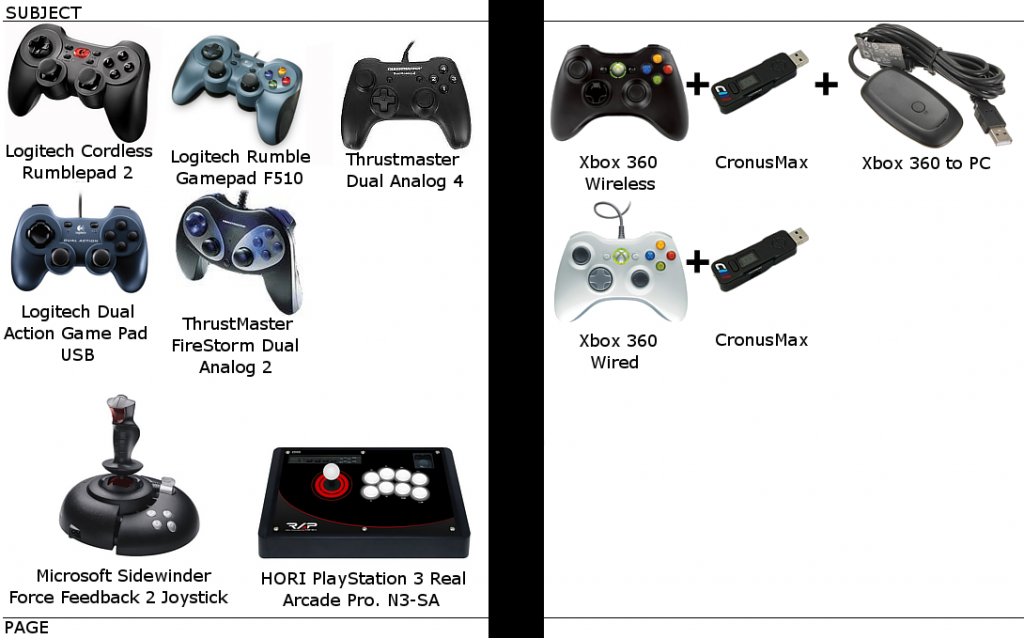
This following Bluetooth gamepads or extensions are not working:
Wii remote+Nunchuck
Wii remote+Hori Fighting Stick Wii [picture] (D-pad down stuck always pressed)
That is the same one i posted as not working when bluetooth was first put into Nintendont. It is working fine now with recent releases of Nintendont. I am also the one who confirmed that the gamestop dance pad is working with nintendont.
 
What version of nintendont?
What version of CFG?
At what point does the wii shutdown?
Any options not set to default in CFG?
Does the same game work if started directly from nintendont?
After the wii shuts down, if you start nintendont from the homebrew channel does it auto boot the game?

The more information you provide the more likely someone can help you.

CFG loader 70r75, Nintendont version 2.167. All options set to default in CFG. Starting Nintendont after it shuts down does indeed go into autoboot and it shuts down still. Works if started directly from Nintendont without autoboot. Turns off at "Init_DI...". Seems like autoboot is the thing that doesn't work.
 
CFG loader 70r75, Nintendont version 2.167. All options set to default in CFG. Starting Nintendont after it shuts down does indeed go into autoboot and it shuts down still. Works if started directly from Nintendont without autoboot. Turns off at "Init_DI...". Seems like autoboot is the thing that doesn't work.
Attach the /nincfg.bin file from booth after a good boot and after a shutdown on boot. So the working and not working configurations can be compared.
 
Just commited a small thing cause why not:
-added a bit of code to actually allow usage of a real memory card on wii when memory card emulation is turned off
-added a small compiler option in global.h, PATCHSI, if you comment out this option and recompile nintendont it will use the original gamecube pad ports instead of emulating them, allowing accessories like gba and bongos but will remove things like hid, bluetooth and return to loader
Maybe some of the other devs wants to think of a nice nintendont option for the pad thing?
 
i can vouch that real memory card works when mcemu is off, all games save normaly so even collosseum and the likes save becuase its using direct gaecube mc card stuff.
 
  • Like
Reactions: VinsCool

Site & Scene News

Popular threads in this forum