You made changes to the file from your origonal.
DPAD must be set to 1 if any of the DPAD masks are 0. I put back what you origonally posted for dpad values. Their is no way dpad up could have worked.
Check every control in HIDTest v.6 . In the file you sent RAnalog probably didnt work. which may have caused your problem.
The sticks should go from 00 (left/up) to FF (down/right) with the center being 80.
The triggers should go from 00 (not pressed) to FF (fully pressed) with the center being 80.
Crap. I forgot that I changed it back to DPAD=0 and removed the diagonals so i could play a game and never adjusted it again. I'll test with the original and post again.
You made changes to the file from your origonal.
DPAD must be set to 1 if any of the DPAD masks are 0. I put back what you origonally posted for dpad values. Their is no way dpad up could have worked.
Check every control in HIDTest v.6 . In the file you sent RAnalog probably didnt work. which may have caused your problem.
The sticks should go from 00 (left/up) to FF (down/right) with the center being 80.
The triggers should go from 00 (not pressed) to FF (fully pressed) with the center being 80.
R u trolling lol. WiiMote is Bluetooth so in no way is it HID compliant so a controller.ini is not only unnecessary but impossible to create at the moment. Get yourself an USB adapter with aGC remote or use a PS3 controller if u want to use Nintendont.
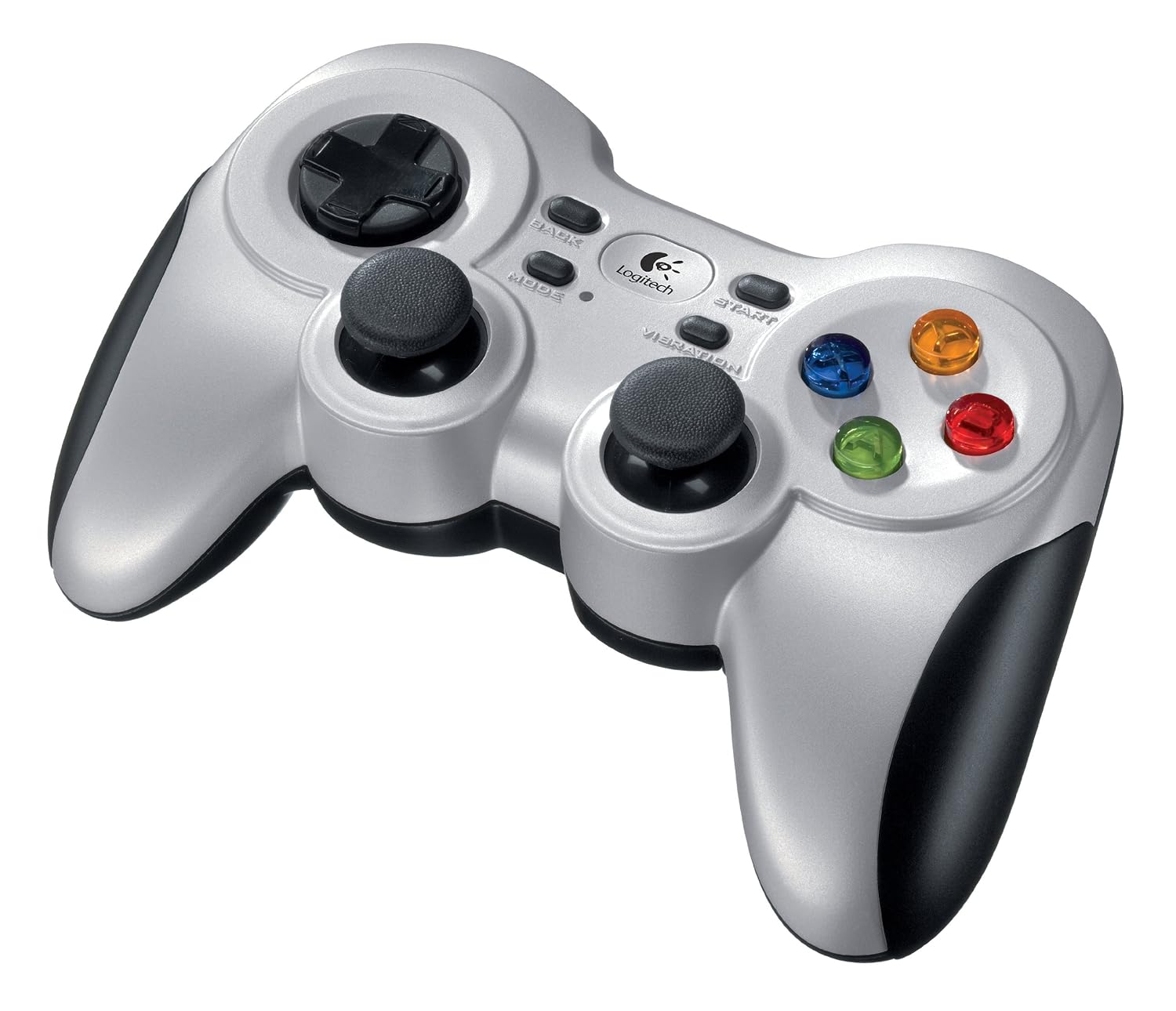
Yes, the Cordless Rumblepad 2 has it's own wireless receiver (don't know if it's 2,4 GHz). But indeed, it's not bluetooth.
Nintendont sees it as a "normal" USB HID. And for me it's wireless playing.
Yes, the Cordless Rumblepad 2 has it's own wireless receiver (don't know if it's 2,4 GHz). But indeed, it's not bluetooth.
Nintendont sees it as a "normal" USB HID. And for me it's wireless playing.
Would that be the only solution for wireless gaming unless I use Devolution?
If so, I may just get a pad like yours since my couch is a way too far away from the console.
Would that be the only solution for wireless gaming unless I use Devolution?
If so, I may just get a pad like yours since my couch is a way too far away from the console.
Can someone explain me how to configure a controller?
On HID test i cna see the numbers changing but idk how to make it in the controller.ini correct.
I tried but in Mario Kart Double Dash nothing works.
im about to have to start using nintendont on my wii u as i wont have my wii anymore and was wondering if nyko ps3 controllers worked well or not if not whats the best option for me to choose?
Hey guys, i need help to solve this problem... i am going crazy after hours trying with no success.
Objective: Be able to walk/run and use FLUDD at the same time
Problem: Analog triggers don't work properly (DualShock 3).
Question: HOW can i configure this thing right ?
Here are a few pictures to illustrate the problem:
01: L fully pressed.
02: R fully pressed.
03: L and R fully pressed.
04: controller.ini (for DualShock 3) that i am using.
05: When R is softly pressed, Mario holds both Fludd arms and can't walk.
06: When R is softly pressed until the max possible Mario still can't move but Fludd squirt water (without difference in water pressure).
I've already tried to change L and R analog values to 18 and 19 but the result is the same of picture 05, Mario holds both fludd arms and can't walk, no water going out fludd no matter how much the analog buttons are pressed... i also have a DualShock 4 and the behavior was the same using another controller.ini, the only exception was rumble, which is working fine with DS3 but not with DS4.
Does anyone knows what is wrong with my controller.ini ?
http://www.seisatek.com/index.php?kk_seccion=producto&id=102
I just bought this gamepad, it is Plug and Play, and works with Windows without any driver, could it work with Nintendont? I'm asking because I can't get my money back if I use the controller.
After being announced last week, the first of two broadcasts is set to go live later today with a stark focus on The Legend of Zelda and its 40th anniversary...
The PlayStation 5 scene has received a massive breakthrough with the public release of Relapse, a new exploit chain developed by Nathan Fargo in collaboration with...
It's that time again folks, an update for the Switch and Switch 2, and a surprisingly big one at that! At lease for folks on the Switch 2. The most notable feature...
The 2007 Nintendo Wii classic Super Mario Galaxy has reportedly been 100% decompiled by the SMGCommunity under the project codename Petari, and now a standalone PC...
It's that time again. Prepare your Switch updates! Or prepare to forgive your sister's nephew's dog for updating your Switch a few weeks ago. Atmosphere v1.12.0 has...
The second of a two-part special, a more traditional Nintendo Direct is set to air today. Unlike the Zelda Direct the contents of this one is still relatively up in...
After an accidental leaking of their review video from Linus Tech Tips last week, we somewhat knew that news on Steam's latest VR venture was imminent. Today the...
Are you tired of waiting for Nintendo to release a definitive version of their GameCube classic on a console that's sold more than four units? Then step right up! A...
Over the weekend a number of Switch and Switch 2 related subreddits came alive with people reporting bans on their Switch 2 consoles out of nowhere. The error code...
Announced a few days ago, Nintendo of America have today launched their Customer Appreciation Sale. Featuring 30% discounts across a wide range of popular first-party...
After being announced last week, the first of two broadcasts is set to go live later today with a stark focus on The Legend of Zelda and its 40th anniversary...
It's been something of a quiet week in the gaming space, with the deluge of big hitters trying to find their place before GTA 6 launches really kicking off next week...
The in-progress Switch port of the 2013 Rockstar Games Grand Theft Auto V has been forced to end progress after Take-Two Interactive has threatened legal action...
Are you tired of waiting for Nintendo to release a definitive version of their GameCube classic on a console that's sold more than four units? Then step right up! A...
After an accidental leaking of their review video from Linus Tech Tips last week, we somewhat knew that news on Steam's latest VR venture was imminent. Today the...
The second of a two-part special, a more traditional Nintendo Direct is set to air today. Unlike the Zelda Direct the contents of this one is still relatively up in...
Announced a few days ago, Nintendo of America have today launched their Customer Appreciation Sale. Featuring 30% discounts across a wide range of popular first-party...
A few days ago Chary stepped down as Chief Editor after 5 wonderful years, and everyone guessed the seat wouldn't stay empty for very long. Back in 2021 I proudly...
From my post earlier this week you probably already know which game I'm talking about. Fire Emblem released yesterday to some pretty rave reviews. Looking at...
A court has ordered Reddit r/SwitchPirates moderator James Williams (of ArchBox fame) must pay Nintendo $4.5 million in a default judgment for copyright infringement...