Hacking NeoGamma Thread

  • Thread starter Thread starter WiiPower
  • Start date Start date
  • Views Views 1,457,340
  • Replies Replies 1,198
  • Likes Likes 3
GC backup launching has 3 requirements:
1. a cIOS is installed(of course)
2. a cMIOS is installed
Only way until now is a cMIOS installer, in the latest installer from WiiGator you have 2 options: 1. Select what will be installed(see below) and 2. what MIOS version to use as a base, don't know which one is the best, v4 or 5 is Action Replay compatible, the later ones might have some compatiblity fix(from nintendo! if retail works, it won't help backups)
3. a launcher
I really recommand using WiiGator's GC backup launcher as it has the best compatiblity and it works with both cMIOS install options. The other option is disc channel(with cioscorp or rebooter) or Gamma/NeoGamma and requires the bigger install of the cMIOS.


PS: The installation of a cMIOS might affect running of GC retail discs as it overwrites the MIOS.
 
WiiPower said:
GC backup launching has 3 requirements:
1. a cIOS is installed(of course)
2. a cMIOS is installed
Only way until now is a cMIOS installer, in the latest installer from WiiGator you have 2 options: 1. Select what will be installed(see below) and 2. what MIOS version to use as a base, don't know which one is the best, v4 or 5 is Action Replay compatible, the later ones might have some compatiblity fix(from nintendo! if retail works, it won't help backups)
3. a launcher
I really recommand using WiiGator's GC backup launcher as it has the best compatiblity and it works with both cMIOS install options. The other option is disc channel(with cioscorp or rebooter) or Gamma/NeoGamma and requires the bigger install of the cMIOS.


PS: The installation of a cMIOS might affect running of GC retail discs as it overwrites the MIOS.
Well, I've got Neogamma. And ideally I'd like to boot through either the disc channel or wii backup (neogamma) channel - whichever's safest I'll go with.

What'd you recommend for GC backups of those 2.

TBH, there's only gonna' be about 10 GC backups I'll make, & they're gonna' be the typical stuff; Mario, Zelda etc.
So assuming most of those're working well enough I'll be happy with more limited compatibility.
 
WiiPower, I have one (possibly) dumb question...

Do I need to do something to use the alternative .dol method? I mean... put an alternative .dol in some folder of the SD card? It's the only point I'm lost with your loader (the best, IMO).
 
Arthas-Sama said:
WiiPower, I have one (possibly) dumb question...

Do I need to do something to use the alternative .dol method? I mean... put an alternative .dol in some folder of the SD card? It's the only point I'm lost with your loader (the best, IMO).

If you load the .dols from the disc directly and use cIOSrev14, you do not need anything special. If you can't or don't want to use cIOSrev14, you might need NeoGamma R6.

But whatever you do, NeoGamma is not compatible with cIOSrev15.
 
While using Neogamma R7 IOS249 (Rev 14) I connect my hard drive to the back of the Wii in the far left slot (looking from the front of the Wii) and then go in to load a game through USB and it doesn't detect the hard drive. Just keeps trying but never connects. I have the hard drive partitioned with WBFS but it won't recognize the drive. Funny thing is it has recognized it on occasion and actually played a game but now it seems like nothing I do can get it to recognize...anyone with any ideas? Maybe I'm doing something wrong.
 
WiiPower said:
Arthas-Sama said:
WiiPower, I have one (possibly) dumb question...

Do I need to do something to use the alternative .dol method? I mean... put an alternative .dol in some folder of the SD card? It's the only point I'm lost with your loader (the best, IMO).

If you load the .dols from the disc directly and use cIOSrev14, you do not need anything special. If you can't or don't want to use cIOSrev14, you might need NeoGamma R6.

But whatever you do, NeoGamma is not compatible with cIOSrev15.

I'm using cIOSrev14 (I didn't try the rev15 because of all the incompatibilities with your loader [and some others]). Thanks =)
 
It would be good and more idiot proof if when loading a game by disc that was an alt-dol game (one that NEEDS to have alt-dol loaded) it automatically loaded the alt-dol from disc. Obviously this wouldn't be good for games with multiple alt-dols, but it would help with some of them.

It would need hard coding the games ids into the source etc, but the n00b users wouldn't need to worry about they games at least.
 
well i have a problem with the multi iso creator. I have a bunch of gamecube games and i made them to one iso. I loaded them up on neogamma r7 and there all black and white
blink.gif


please help


Drew
 
Hi I just now installed homebrew channel through hackmii and bannerbomb, I have a modchip so all I installed was the homebrew channel, I skipped bootmii and dvdx. But now when I try to run neogamma R7 it stalls at "loading negamma 52%" in the wii homebrew channel, anyone know if it requires more dependencies or something?
 
Nyutan said:
Concept211, Could you also make a forwarder channel for Neogamma with the same graphics?
smile.gif

Hey Nyutan,

I'm a partial newb to wii softmodding so you're gonna have to explain to me what a forwarder channel is. How is it different from a standard channel? And do you happen to know how to modify it using CustomizeMii?
 
Concept211 said:
Nyutan said:
Concept211, Could you also make a forwarder channel for Neogamma with the same graphics?
smile.gif

Hey Nyutan,

I'm a partial newb to wii softmodding so you're gonna have to explain to me what a forwarder channel is. How is it different from a standard channel? And do you happen to know how to modify it using CustomizeMii?

A forwarder channel points to a boot.dol location on an SD card. in this example It'd be.. "SD:/apps/neogamma/boot.dol" I believe there's a guide to making Forwarders of all types here *Link Snipped*
Edit: Scratch that. That's for ISO forwarders.. Let me find the correct guide... Here it is http://gbatemp.net/index.php?showtopic=114165

Edit2: If anyone has a better information source than me, Give it to Concept211, I like his art for NeoGamma
smile.gif
 
Also, can anyone give me more information about the "Rebooter" feature in NeoGamma? I'm not quite sure how it works or what it's supposed to do.
 
its supposed to let you boot the game from the disk channel i believe, and move and stuff like that i would say its useless if you have preloader but if you have only the system menu then is comes in handy sometimes i dont use it i rather use startpatch or preloader
 
Gangsta said:
well i have a problem with the multi iso creator. I have a bunch of gamecube games and i made them to one iso. I loaded them up on neogamma r7 and there all black and white
blink.gif


please help


Drew

Sounds like you had the wrong region selected. By default, PAL is always selected when I run MultiISO Creator. I have to select NTSC. I've missed this a few times and had that black and white rolling effect happen.
 
Someone HELP!!!!!!!!!!!!!!!!!!!!


im keep getting error 721!

im using 4.2

is there any solution??????
 
Concept211 said:
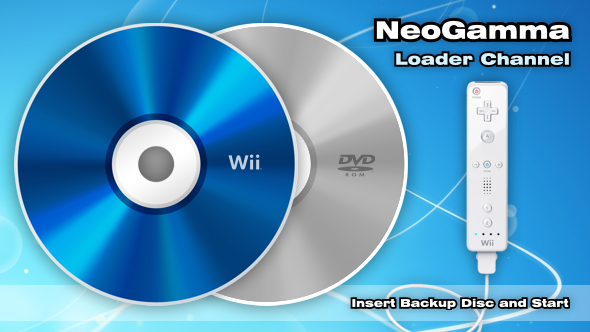
Since I couldn't find any downloads for a custom channel using the latest NeoGamma R8 Beta 12, I went ahead and created my own along with custom banner, icon, logo, etc. Let me know if you installed it and if you have any problems. Enjoy!

Download: NeoGamma R8 Beta 12 Channel

8705-NeoGamma_Banner.png


8705-NeoGamma_Icon.png


8705-NeoGamma_Logo.png

Doesn't work for me. downloaded twice, can't read info on info 2 or whatnot. crap 2.4b doesn't like the wad either. perhaps an upload problem?
 

Site & Scene News

Popular threads in this forum