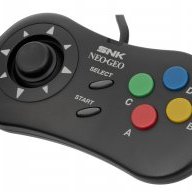
Official hakchi2 - NES Mini very simple pimp tool

keithelmcity

Well-Known Member
Newcomer
Joined
Feb 20, 2017
Messages
57
Trophies
0
Age
48
XP
59
Country
United States
Is the guide i send you not clear enough ? Let me know so i can help you.


Verzonden vanaf mijn iPhone met Tapatalk
i tried, i screwed summing up you dont just have the .hmod file already set up do you ? I have no idea what i did wrong i followed step by step ill try again i have no idea where i messed it up
 

LuckY07

Well-Known Member
Member
Joined
Mar 6, 2017
Messages
172
Trophies
0
Age
41
XP
93
Country
United States
i tried, i screwed summing up you dont just have the .hmod file already set up do you ? I have no idea what i did wrong i followed step by step ill try again i have no idea where i messed it up

This is why I ALWAYS make a full backup of my Hakchi folder before I do anything, even syncing games.. just in case something goes wrong.

If you haven't tried it yet, you might want to uninstall ALL your modules, then install them all back.. and I would also redo the setup for your MAME2003 core (removing the folders, bios you created).
 
  • Like
Reactions: youngtune27

keithelmcity

Well-Known Member
Newcomer
Joined
Feb 20, 2017
Messages
57
Trophies
0
Age
48
XP
59
Country
United States
This is why I ALWAYS make a full backup of my Hakchi folder before I do anything, even syncing games.. just in case something goes wrong.

If you haven't tried it yet, you might want to uninstall ALL your modules, then install them all back.. and I would also redo the setup for your MAME2003 core (removing the folders, bios you created).
i agree i wish someone would just make all the hmod's and had them ready for use i stead of all this copy, past , rename ect

is everyones user_mods folder a complete mess?
 
  • Like
Reactions: LuckY07

LuckY07

Well-Known Member
Member
Joined
Mar 6, 2017
Messages
172
Trophies
0
Age
41
XP
93
Country
United States
i agree i wish someone would just make all the hmod's and had them ready for use i stead of all this copy, past , rename ect

is everyones user_mods folder a complete mess?

I agree with you. I really wish they would package some of the extra cores right in like they did with SNES/Genesis/etc..

It would probably cut down on some of the noise the developers are having to deal with when it comes to errors etc since the install of those
modules would be much more streamlined. The part I don't like is the numerous ways to accomplish something like setting up a Neo Geo module.
 
  • Like
Reactions: keithelmcity

NESjimbo

Well-Known Member
Member
Joined
Feb 26, 2017
Messages
379
Trophies
0
Age
39
XP
179
Country
United States
Does anyone know how to add the two-player versions of the simpsons or TMNT? I'm using the FBA core. Thanks.
You need to find and download the "child" ROM to add it to the "parent" ROM.

The parent ROM is the 4-player World version called tmnt.zip. Find the 2-player variant, which is the Oceania 2-player file, called tmnt2po.zip. Extract both zip folders. Re-zip all the files together into a new zip, and name that tmnt2po.zip. Then add to Hakchi, and you'll have the 2-player version. You follow the same process with any other 4-player game that has a 2-player variant. I've done that with TMNT, The Simpsons, and Sunset Riders all successfully.

Be sure the name of the new ZIP folder is the same as the "child" ROM that is the 2-player version. If you keep the original name (as in tmnt.zip), MAME will not recognize the new files, and it will be 4 player.

Why would you be using the FBA core for TMNT? That runs on MAME2003.

 
Last edited by NESjimbo,
  • Like
Reactions: DR1001

LuckY07

Well-Known Member
Member
Joined
Mar 6, 2017
Messages
172
Trophies
0
Age
41
XP
93
Country
United States
You need to find and download the "child" ROM to add it to the "parent" ROM.

The parent ROM is the 4-player World version called tmnt.zip. Find the 2-player variant, which is the Oceania 2-player file, called tmnt2po.zip. Extract both zip folders. Re-zip all the files together into a new zip, and name that tmnt2po.zip. Then add to Hakchi, and you'll have the 2-player version. You follow the same process with any other 4-player game that has a 2-player variant. I've done that with TMNT, The Simpsons, and Sunset Riders all successfully.

Be sure the name of the new ZIP folder is the same as the "child" ROM that is the 2-player version. If you keep the original name (as in tmnt.zip), MAME will not recognize the new files, and it will be 4 player.

Why would you be using the FBA core for TMNT? That runs on MAME2003.

This might be a stupid question, but what's the difference between 2 vs 4 player? Can't you just play 2-player on the 4-player edition? Or is the game itself somehow different?
 

NESjimbo

Well-Known Member
Member
Joined
Feb 26, 2017
Messages
379
Trophies
0
Age
39
XP
179
Country
United States
Some 4-player games, like TMNT, Simpsons and Sunset Riders have no player select option, so player 1 is always Leonardo, player 2 is always Mikey, for example. That can be a pain if you want to play as a different character on MAME. By changing it to 2-player, you are now able to choose any character as player 1 or 2.
 
  • Like
Reactions: LuckY07

sromeroi

Active Member
Newcomer
Joined
Mar 4, 2017
Messages
42
Trophies
0
Age
44
XP
80
Country
You need to find and download the "child" ROM to add it to the "parent" ROM.

The parent ROM is the 4-player World version called tmnt.zip. Find the 2-player variant, which is the Oceania 2-player file, called tmnt2po.zip. Extract both zip folders. Re-zip all the files together into a new zip, and name that tmnt2po.zip. Then add to Hakchi, and you'll have the 2-player version. You follow the same process with any other 4-player game that has a 2-player variant. I've done that with TMNT, The Simpsons, and Sunset Riders all successfully.

This worked for me for TMNT 1 & 2, but not for Sunset Riders ... there are several versions available (ABD, EAD...) and when I "finish" building my zip file (example: mixing ssriders.zip and ssrdrubc.zip, with all files as ssrdrubc.zip), my Desktop mame don't even list the game as "Available"... :-?
 

chillmodious

Well-Known Member
Member
Joined
Jan 11, 2017
Messages
218
Trophies
0
Age
42
XP
104
Country
United States
Same issue here with DKC, visuals are terrible. I'm going to try snes9x2010 and snes9x2002 core and see if that give better visuals. If you use snes9x2010 just don't save any game and there are no problems with that core, is if you save just see you don't go above the 300MB space.

That I knew, but how do I re-enable the saves? Use older version of 2010 core?

I am using hakchi2.13e with version 0.4 of pcm's hmod file. That version (0.4) allows you to install the original snes9x2010 core and utilize save states (albeit with the 5MB bug). The next version changed the default SNES core to snes9x2005. The differences with the two cores are highly noticeable to me, and I suspect most purists would not be happy with snes9x2005. I have 60 SNES games (on top of 224 NES and 16 Game Boy) with 142/300MB used on my system, so I am not bothered by the save state constraint. Also, I wouldn't be saving more than 10 (at the absolute most) SNES games at any given time, so the choice of cores was a no-brainer for me.
 

HeisenMack

Well-Known Member
Newcomer
Joined
Feb 20, 2017
Messages
45
Trophies
0
Age
123
XP
59
Country
United States
You need to find and download the "child" ROM to add it to the "parent" ROM.

The parent ROM is the 4-player World version called tmnt.zip. Find the 2-player variant, which is the Oceania 2-player file, called tmnt2po.zip. Extract both zip folders. Re-zip all the files together into a new zip, and name that tmnt2po.zip. Then add to Hakchi, and you'll have the 2-player version. You follow the same process with any other 4-player game that has a 2-player variant. I've done that with TMNT, The Simpsons, and Sunset Riders all successfully.

Be sure the name of the new ZIP folder is the same as the "child" ROM that is the 2-player version. If you keep the original name (as in tmnt.zip), MAME will not recognize the new files, and it will be 4 player.

Why would you be using the FBA core for TMNT? That runs on MAME2003.
Thanks for this!

TMNT, TMNT2 and the Simpsons all run with the FBA core.
 

NESjimbo

Well-Known Member
Member
Joined
Feb 26, 2017
Messages
379
Trophies
0
Age
39
XP
179
Country
United States
This worked for me for TMNT 1 & 2, but not for Sunset Riders ... there are several versions available (ABD, EAD...) and when I "finish" building my zip file (example: mixing ssriders.zip and ssrdrubc.zip, with all files as ssrdrubc.zip), my Desktop mame don't even list the game as "Available"... :-?
Use the EBD version. The finished file name should be ssrdrebd.zip
 
  • Like
Reactions: LuckY07

sromeroi

Active Member
Newcomer
Joined
Mar 4, 2017
Messages
42
Trophies
0
Age
44
XP
80
Country
Use the EBD version. The finished file name should be ssrdrebd.zip

Didn't work for me... At least in MAME 0.178 for Windows (I test the roms there before flashing), it doesn't appear ar a valid rom and when I try to launch it, it complains about missing files... :(

Curious is Sunset Riders works on the FBA core..

Yes, it works (the 4P version, ssriders.zip) at least. I think is laggy.
 

LuckY07

Well-Known Member
Member
Joined
Mar 6, 2017
Messages
172
Trophies
0
Age
41
XP
93
Country
United States
Didn't work for me... At least in MAME 0.178 for Windows (I test the roms there before flashing), it doesn't appear ar a valid rom and when I try to launch it, it complains about missing files... :(


Yes, it works (the 4P version, ssriders.zip) at least. I think is laggy.

Thanks for the feedback on that. That's disappointing to hear it's laggy.. wonder if the MAME2003 core will be any better..
 

Beanmonger

Member
Newcomer
Joined
Mar 6, 2017
Messages
10
Trophies
0
Age
30
XP
32
Country
United States
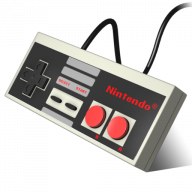
Anyone have any clever ideas for how to get an N64 controller working on the nes? I figure that an n64 to wii adapter is too much to ask for, but fortunately you can get n64 controllers with usb outputs as well, however I can't find any usb female to wii male adapters.

Edit: There are actually adapters but the manufacturer explicitly states that they aren't compatible with the NES Classic. Is it safe to assume that's only for the un-hacked version and that with retroarch you can get anything to work? Also the adapters are expensive so a cheaper solution would still be appreciated.
 
Last edited by Beanmonger,

MrTea

Well-Known Member
Member
Joined
Apr 6, 2009
Messages
339
Trophies
0
XP
413
Country
Anyone have any clever ideas for how to get an N64 controller working on the nes? I figure that an n64 to wii adapter is too much to ask for, but fortunately you can get n64 controllers with usb outputs as well, however I can't find any usb female to wii male adapters.

Edit: There are actually adapters but the manufacturer explicitly states that they aren't compatible with the NES Classic. Is it safe to assume that's only for the un-hacked version and that with retroarch you can get anything to work? Also the adapters are expensive so a cheaper solution would still be appreciated.
Not an adapter but the n64 Bluetooth 8bitdo pads would work fine on the nes mini... https://www.amazon.co.uk/8Bitdo-Bluetooth-Controller-Nintendo-Electronic/dp/B01M1KP9GT
 
  • Like
Reactions: heygravity

blogness

Member
Newcomer
Joined
Feb 26, 2017
Messages
23
Trophies
0
Age
39
XP
63
Country
United States
I tried searching but couldn't come up with the post with the instructions...
What were the steps for duplicating my current Hakchi setup (games, folders, images, etc.) on another NESC?
There were some files/folders that needed to be dropped into a new Hakchi folder, just can't find the post.
Thanks in advance
 
General chit-chat
Help Users
  • No one is chatting at the moment.
  • JuanMena @ JuanMena:
    Will you give me mouth to mouth oxygen if my throat closes?
  • K3N1 @ K3N1:
    Nah the air can do that
  • K3N1 @ K3N1:
    Ask @x65943 he's trained for that stuff
  • JuanMena @ JuanMena:
    Kissing random dudes choking in celery? Really? Need to study for that?
  • K3N1 @ K3N1:
    Yes it requires a degree
  • K3N1 @ K3N1:
    I could also yank out the rest of my teeth but theirs professionals for that
  • x65943 @ x65943:
    If your throat closes, putting oxygen in your mouth will not solve anything - as you will be introducing oxygen prior to the area of obstruction
  • JuanMena @ JuanMena:
    Just kiss me Kyle.
  • x65943 @ x65943:
    You either need to be intubated to bypass obstruction or create a stoma inferior to the the area of obstruction to survive
  • x65943 @ x65943:
    "Just kiss me Kyle." And I thought all the godreborn gay stuff was a smear campaign
  • JuanMena @ JuanMena:
    If I die, tell my momma I won't be carrying Baby Jesus this christmas :sad::cry:
  • K3N1 @ K3N1:
    Smear campaigns are in The political section now?
  • JuanMena @ JuanMena:
    Chary! Chary! Chary, Chary, Chary!
  • Sonic Angel Knight @ Sonic Angel Knight:
    Pork Provolone :P
  • Psionic Roshambo @ Psionic Roshambo:
    Sounds yummy
  • K3N1 @ K3N1:
    Sweet found my Wii u PSU right after I ordered a new one :tpi:
  • JuanMena @ JuanMena:
    It was waiting for you to order another one.
    Seems like, your PSU was waiting for a partner.
  • JuanMena @ JuanMena:
    Keep them both
    separated or you'll have more PSUs each year.
  • K3N1 @ K3N1:
    Well one you insert one PSU into the other one you get power
  • JuanMena @ JuanMena:
    It literally turns it on.
  • K3N1 @ K3N1:
    Yeah power supplies are filthy perverts
  • K3N1 @ K3N1:
    @Psionic Roshambo has a new friend
    +1
  • JuanMena @ JuanMena:
    It's Kyle, the guy that went to school to be a Certified man Kisser.
  • Psionic Roshambo @ Psionic Roshambo:
    Cartmans hand has taco flavored kisses
  • A @ abraarukuk:
    hi guys
    A @ abraarukuk: hi guys