Tutorial  Updated

Region changing a DSi on NAND

1710713351804.png

(iQue cover photo since DS iQue firmwares are kinda my "thing" now lol)

This guide will walk you through region changing your DSi. You're essentially "cloning" the firmware and all files from another NAND. :!: This is a very dangerous operation :!: and I do not recommend for most people to try it. If you do not have a way to recover from a brick (eg. ntrboot), DO NOT FOLLOW THIS GUIDE

Note - you will not be able to remove unlaunch while having the region change

Prerequisites:
- SafeNANDManager to dump your NAND​
- ninfs to read NANDs​
- OSFMount to edit NANDs​
- ntrboot compatible flashcart in case you brick​
- A donor NAND backup for the region you want to install (archive.org is your friend)​
- Be an adrenaline junkie (idiot) with no concern for your DSi or the consequences of editing NAND​

Dumping your NAND:
- You will need a hacked DSi. If your DSi isn't hacked already, follow this guide.​
- Run SafeNANDManager and back up your NAND​
- Save your NAND on your computer, cloud storage, and some thumb drives. You will regret not having backups

Editing your NAND:
- Open the target DSi's NAND and delete every folder​
To open your NAND: mount your nand.bin in ninfs, then open the resulting twl_main.img with OSFMount. Make sure you enable write access for both tools.
- Open the donor NAND and copy everything to the target NAND. **You will no longer need the donor NAND**​
- Locate your launcher (somewhere in the NAND:/title/00030017/ folder)​
- Mark the launcher app as read only​
- Copy the attached unlaunch TMD to NAND:/title/00030017/484e4141/content/title.tmd
- Mark the unlaunch TMD as read only​
- Delete NAND:/Shared1/TWLCFG0.dat and TWLCFG1.dat
- Unmount twl_main.img from OSFMount, then nand.bin from ninfs​

Flashing the NAND:
- Copy your edited nand.bin to your SD card and overwrite your first backup
- Calculate the SHA1 hash of your nand.bin
- Open nand.bin.sha1 in a hex editor.​
- Replace the contents of nand.bin.sha1 with the SHA1 hash you just calculated​
- Save your edited nand.bin.sha1 and copy it back to the SD​
- Run SafeNANDManager again, but this time please select "NAND restore"​
- When complete, reboot and you're done!​


Common issues:
- My DSi worked the first time, but now I get a black screen!
You did not set the unlaunch TMD as read only. You will need to fix that or flash your original NAND backup with ntrboot
- I can't find the home menu!
You did not set the launcher as read only. You'll need to install a new copy with NTM
- I can't do updates or connect to the DSi Shop!
This is normal. You will have to restore your original NAND backup to use those again.
- Unlaunch gives me the following error: Cannot load WiFi Firmware
Your WiFi board is not compatible with the installed WiFi firmware. You'll need to update your WiFi firmware (located at NAND:/title/0003000f/484e4341/) with a version from a newer NAND.​

How it works:

The console region is defined in a file called HWINFO_S.dat. This file is console specific (contains the serial) and is signed with an unleaked key. Changing any contents will break the signature and stop your console from working.

Normally when you turn on your DSi the stage2 bootloader will check HWInfo for the Title ID of the launcher. Stage2 has trouble reading modified or different HWInfos and will fail to get the launcher TID. Thankfully stage2 was programmed to load a "backup" launcher (HNAA/484e4141) if the first one fails. This is a leftover feature from factory/prototype firmware.

Placing an unlaunch TMD in the location of the backup launcher means that stage2 will always be able to boot unlaunch, even if HWInfo is completely broken. From there unlaunch will patch the launcher to fix any HWInfo checks and allow booting another DSi's HWInfo.

It's pretty simple!


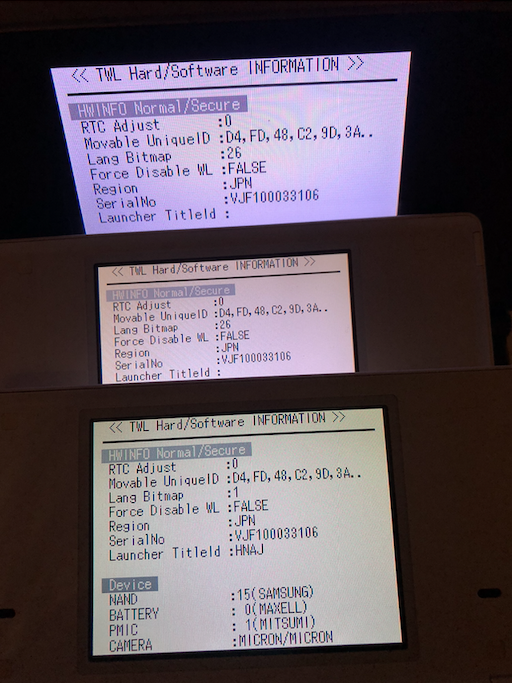
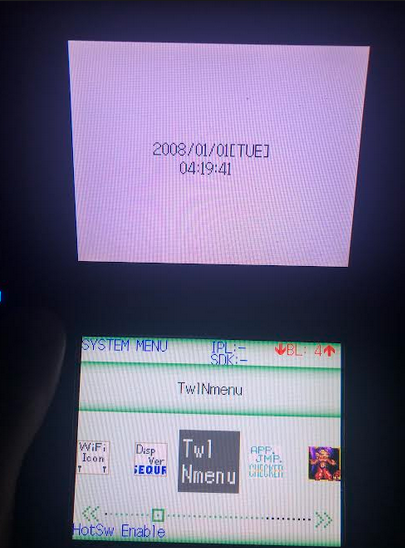
You can actually "clone" a DSi with this guide. I've cloned my dev DSi NAND to a couple other DSis. It works pretty well! (obviously no real dev support, but nice to see all the apps not getting deleted on boot like is normal for retail)

Also kinda weird having 3 consoles with the exact same serial...
1710713611438.png
1710713710428.png

Thank you for testing!
- @Dionicio3
- ArcheyChen
- stl25
 

Attachments

Last edited by rvtr,
In that case you're bricked. I'm not sure what you messed up, but something wasn't done properly.

I'll say I told you so because yeah.
View attachment 456019

You'll need to look into ntrboot for recovery.
https://wiki.ds-homebrew.com/ds-index/ntrboot
OH SHIT IM SO FUCKING DUMB
I literally reread the guide

I realized ITS THE nand.bin Your supposed to calculate not the nand.bin.sha1!!

Ill try again when i have another defective dsi
Post automatically merged:

In that case you're bricked. I'm not sure what you messed up, but something wasn't done properly
I directly caluculated the SHA1 file instead the edited nand..

Thats what i smessed up

Big "L" for me
 
Last edited by _collectorsrarity,
You'll need to open up your DSi and check the label on physical board. If you have DWM-W015 then you do not need to worry about WiFi firmware.

If you have DWM-W024 or J27H020 and want to downgrade below v1.4, just make sure to download the latest WiFi firmware with and copy the app + TMD to the following directory as "000000xx.app" and "title.tmd".
NAND:/title/0003000f/484e4341/content/

You need to make sure to enable "create decrypted contents" in NUSGet otherwise you won't get the app + TMD, just the built TAD.

If I update the Wi-Fi firmware, can I change my Wi-Fi module from J27H020 to DWM-W024? I have some DWM-W024 modules, but my DSi needs J27H020.
 
I have a bricked (i think) dsi xl with error 0000FE00, i tried ntrboot with godmode but it stucks on “mounting drive…” there is any way to make it work? Last user of it said it got this error while trying to mod it tought a r4
 
Thanks to rvtr for the tutorial.
I followed the tutorial and wanted to add something.

EDIT:
This article is all about the original version of Unlaunch, not unlaunch-installer.
(I haven't tested the tutorial with unlaunch-installer)

.
Editing your NAND:
-Donor NAND cannot have Unlaunch installed!
You need to manually delete Donor NAND's Unlaunch, or use TWLMagician.
If Donor NAND has Unlaunch, after Flashing NAND and starting dsi, there will be a black screen and a digital error. You need to use an ntrboot (magnet cart) to save the brick.
.
Flashing the NAND:
-The hash value in nand.bin.sha1 = nand.bin The sha1 hash value after deleting no$gba footer (the last 64bytes of nand.bin) , Can be calculated using GodMode9i.
-SafeNANDManager does not require sha1 files to recover NAND.
.
.
Problems I encountered:
1.If you follow the tutorial correct, but the startup software has a black screen and a white word error: "An error has occurred.Press and hold the Power Button to turn the system off", it means that there may be a problem with the donor NAND file.
For example, after changing the dsi region, an error occurred when starting the Launcher (dsi menu), and system settings could not be touched.
The solution is to replace another donor NAND.
.
2.If you change the NAND region, you cannot use NANDTitleManager (NTM v- / v0.2.0).
You need to install Unlaunch again: start twilightmenu++, and install Unlaunch. Or Use NTM v0.3.0.
.
3.If an error red screen when activating twilghtmenu++ after changing the ndsi region, Just start twilghtmenu++ once in hiyacfw (I've encountered it, but I don't know how it works).
 
Last edited by k66,
Is it possible to have a tool where we can just input a donor NAND and a target NAND and the tool checks both NANDs if they're valid before proceeding and doing all the steps above to generate a new NAND (plus its sha1 file) with the region changed?
 
Is it possible to have a tool where we can just input a donor NAND and a target NAND and the tool checks both NANDs if they're valid before proceeding and doing all the steps above to generate a new NAND (plus its sha1 file) with the region changed?
Yes, but region changing on NAND is more just showing that it can be done. People ask about it a lot and so I wanted to answer. But I wouldn't want to simplify the process with a automated tool. No matter what NAND editing on this level will be extremely dangerous. In my mind simplification == more encouragement to do it.
 
Hello all. Recently I acquired a Japanese DSi LL and tried to apply this procedure with no success. I tried with about 6 different NANDs, 3 had been modded before, but restored back to stock (removed unlaunch and all that stuff) and the other 3 are pristine/stock/never modded. In each try I only get a black screen upon reboot.

I have erased everything inside the twl_main.img, replaced it with the contents of the donor NAND, then set .app and TMD read-only with windows file explorer at a file-level, saved the work, got the hash, erased both twlcfg files, etc.

On all my NANDs, the folder NAND:/title/00030017/484e4141/content/ has another name (instead of 484e4141, has a different name-numbers)

I just don't know what is the problem... Each time, I have gone back to ntrboot and restored the original japanese NAND to try again. The only thing I haven't done is re-dump the NAND afterwards to see if the app and TMD are still there (and read-only), will do so tonight...

Any ideas?
 
On all my NANDs, the folder NAND:/title/00030017/484e4141/content/ has another name (instead of 484e4141, has a different name-numbers)
484e4141 is "backup" Launcher, you need to create 484e4141 folder.
 
  • Like
Reactions: rvtr
484e4141 is "backup" Launcher, you need to create 484e4141 folder
Exactly, finally got it going! I was creating the folder with the wrong name, a mistype. Somehow I kept creating it wrong, only when I re-read and checked each step carefully, I noticed the typo. Performed the steps on another unit and worked just fine.
 
I found an error (maybe). When I try to copy dsiware app to sd card from Data Management in settings, it throws an error. Is that possible to fix that?
 
Thank you for your guide.
I ordered a few japanese DSi XL that I want to convert to another region.
One thing I wonder however is ntrboot - I didn't know it exist for DSi 🤔
Hello,
We are contacting you regarding the tutorial you published about changing the region of a DSi via the NAND.
First of all, we would like to apologize for the inconvenience.
We followed your tutorial step by step, with assistance, as we had never performed any hack or NAND modification before. However, we are encountering several issues that we are unable to resolve.
When we delete the files NAND:/shared1/TWLCFG0.dat and TWLCFG1.dat, as indicated in your procedure, the consoles completely freeze after restoring the NAND. As soon as we launch Unlaunch, the consoles remain on a black screen (brick). As a result, we are forced to check beforehand by launching the Twilight menu. If a red error message appears when launching Twilight, it means the process has failed.
On the other hand, when we keep these two files, everything works correctly: there are no more error messages in the Twilight menu and we can launch the system without any issue.
We do not understand why deleting these files causes a complete malfunction, while keeping them seems necessary for proper system operation.
Additionally, we managed to get the consoles working mainly by adjusting certain files, but without deleting those two. However, we are still facing an issue with the internet: the connection test works, but the system update does not. Even though the consoles are already on version 1.4.5 (French TWL NAND injected), we receive an error message instead of the message indicating that no update is required.
Furthermore, we are unable to access the Nintendo DSi Shop, as we also receive an error message.
For your information, we have already encountered other issues, such as duplicated applications (camera, PictoChat, settings), which we managed to fix. We also verified that the title.tmd files in the TWL folder are set to read-only.
We would also like to mention that we have bricked several consoles, for which we kept the original NAND backups in order to restore them later. However, after several days of intensive work, we are now completely stuck.
If anyone can help us, we would really appreciate it, as we are currently unable to move forward.
Post automatically merged:

Oui, ça existe ! Je ne sais pas s'il y a des discussions à ce sujet sur gbatemp, mais vous trouverez plein d'informations et un guide épinglé sur le serveur Discord DSi Mode Hacking . De nombreux tests ont été effectués là-bas, donc je dirais que c'est le meilleur endroit pour télécharger ntrboot.

Tu as dit que tu achetais quelques DSi. Si tu comptes les revendre et les modifier, NE LES VENDS PAS. Tu écraserais les fichiers matériels nécessaires au fonctionnement de ta DSi sans modification. Désinstaller Unlaunch rendra ta console inutilisable (ou, dans ce cas, celle des acheteurs imprudents).
 
Last edited by PADY,
Bonjour,
J'ai vu votre commentaire et je voudrais vous demander si vous pouviez tout d'abord expliquer comment il est possible de désinstaller Unlaunch d'une console sur laquelle une mémoire NAND française a été injectée.
Une fois la mémoire NAND injectée, même si je désinstalle Unlaunch via l'application Twilight, le logiciel reste présent sur la console. Il ne disparaît pas car il a été écrit directement dans la mémoire NAND. La seule exception où Unlaunch peut être correctement désinstallé est lorsqu'il a été installé via un hack utilisant une carte SD. Cependant, dans ce cas, la console redémarre en japonais, avec sa configuration d'origine.
Ma question est donc la suivante : quelles sont les différences concrètes dans les fichiers système d'une console japonaise entièrement convertie en français ? Si tout est fait correctement, pourquoi les acheteurs éviteraient-ils ces consoles ? Quelles sont les différences réelles ?
Personnellement, j'ai réussi à tout faire fonctionner sauf Internet. J'obtiens un message d'erreur lorsque j'essaie d'effectuer une mise à jour système, même si la console est déjà à jour (version 1.4.5). La mise à jour a été effectuée sur la mémoire NAND française avant d'être injectée dans la console lors de la restauration.
Normalement, lors d'une mise à jour système sur une console (française ou non), un message confirmant que la console est à jour s'affiche. Or, dans mon cas, j'obtiens un message d'erreur.
Je reçois également un message d'erreur lorsque j'essaie d'accéder à la boutique Nintendo DSi. Je n'avais pas ce problème avec ma console française d'origine. Même si la boutique n'est plus active, j'aimerais pouvoir y accéder, ne serait-ce que pour retrouver le même fonctionnement qu'avec une console française authentique.
La seule différence restante que j'ai remarquée, et qui, je crois, est irrémédiable (probablement à cause du piratage), c'est que lorsque je quitte le menu de l'appareil photo ou des paramètres, la console affiche un bref éclair noir avant de revenir à un écran blanc. Sur une console d'origine, l'écran reste blanc sans cet éclair noir.
Si vous pouviez préciser ce que vous vouliez dire lorsque vous avez affirmé que les fichiers système étaient différents ou manquants, je vous en serais très reconnaissant.
Merci.
Post automatically merged:

Hello all. Recently I acquired a Japanese DSi LL and tried to apply this procedure with no success. I tried with about 6 different NANDs, 3 had been modded before, but restored back to stock (removed unlaunch and all that stuff) and the other 3 are pristine/stock/never modded. In each try I only get a black screen upon reboot.

I have erased everything inside the twl_main.img, replaced it with the contents of the donor NAND, then set .app and TMD read-only with windows file explorer at a file-level, saved the work, got the hash, erased both twlcfg files, etc.

On all my NANDs, the folder NAND:/title/00030017/484e4141/content/ has another name (instead of 484e4141, has a different name-numbers)

I just don't know what is the problem... Each time, I have gone back to ntrboot and restored the original japanese NAND to try again. The only thing I haven't done is re-dump the NAND afterwards to see if the app and TMD are still there (and read-only), will do so tonight...

Any ideas?
Hello,
I wanted to ask you, since it seems you managed to change the region of your Japanese DSi, are you able to access the Nintendo DSi Shop without getting an error message?
Also, regarding the system update, are you able to run it normally? Or if it is already updated, do you get the message saying that no update is required because the console is already on the latest version?
Thank you.
Post automatically merged:

J'ai joint des photos montrant les trois messages d'erreur auxquels je suis actuellement confronté.
Le premier problème est lié à la mise à jour du système. Bien que la console soit déjà à jour, je ne devrais normalement jamais rencontrer ce type d'erreur.
Le second problème survient lorsque j'essaie d'accéder à la boutique Nintendo : je reçois un message d'erreur lors de la tentative de connexion.
Le troisième (en rouge) apparaît dans le menu Twilight après que j'aie terminé le tutoriel complet, tout restauré et supprimé les deux fichiers requis dans le dossier shared1.
Si j'ai bien compris, lorsque cette erreur Twilight apparaît, je ne dois absolument pas lancer Unlaunch ensuite. Sinon, la console devient inutilisable et je perds complètement l'accès au menu, ce qui rend toute restauration impossible.
Cependant, si je conserve ces deux fichiers au lieu de les supprimer, Twilight fonctionne correctement et la console démarre normalement ensuite.
En gros, tester Twilight juste après la restauration me permet de vérifier si le tutoriel a fonctionné correctement et m'évite de rendre la console inutilisable via Unlaunch.
J'ai également réussi à résoudre un autre problème : j'avais des applications en double (Paramètres système, Appareil photo, PictoChat et même les jeux intégrés). J'ai pu supprimer ces doublons, probablement en modifiant certains fichiers TWL.
À ce stade, ces trois erreurs sont les seuls problèmes restants qui empêchent la console de se comporter exactement comme une DSi française entièrement originale.
Si quelqu'un a une solution ou des informations concernant ces erreurs, je vous serais très reconnaissant de votre aide.
Merci beaucoup.
 

Attachments

  • 5F270729-9C4B-4C83-8D57-BDCF23C49C9C.jpeg
    5F270729-9C4B-4C83-8D57-BDCF23C49C9C.jpeg
    1,018.8 KB · Views: 12
  • IMG_1042.jpeg
    IMG_1042.jpeg
    2.2 MB · Views: 10
  • IMG_1040.jpeg
    IMG_1040.jpeg
    3 MB · Views: 8
Last edited by PADY,
Bonjour,
J'ai vu votre commentaire et je voudrais vous demander si vous pouviez tout d'abord expliquer comment il est possible de désinstaller Unlaunch d'une console sur laquelle une mémoire NAND française a été injectée.
Une fois la mémoire NAND injectée, même si je désinstalle Unlaunch via l'application Twilight, le logiciel reste présent sur la console. Il ne disparaît pas car il a été écrit directement dans la mémoire NAND. La seule exception où Unlaunch peut être correctement désinstallé est lorsqu'il a été installé via un hack utilisant une carte SD. Cependant, dans ce cas, la console redémarre en japonais, avec sa configuration d'origine.
Ma question est donc la suivante : quelles sont les différences concrètes dans les fichiers système d'une console japonaise entièrement convertie en français ? Si tout est fait correctement, pourquoi les acheteurs éviteraient-ils ces consoles ? Quelles sont les différences réelles ?
Personnellement, j'ai réussi à tout faire fonctionner sauf Internet. J'obtiens un message d'erreur lorsque j'essaie d'effectuer une mise à jour système, même si la console est déjà à jour (version 1.4.5). La mise à jour a été effectuée sur la mémoire NAND française avant d'être injectée dans la console lors de la restauration.
Normalement, lors d'une mise à jour système sur une console (française ou non), un message confirmant que la console est à jour s'affiche. Or, dans mon cas, j'obtiens un message d'erreur.
Je reçois également un message d'erreur lorsque j'essaie d'accéder à la boutique Nintendo DSi. Je n'avais pas ce problème avec ma console française d'origine. Même si la boutique n'est plus active, j'aimerais pouvoir y accéder, ne serait-ce que pour retrouver le même fonctionnement qu'avec une console française authentique.
La seule différence restante que j'ai remarquée, et qui, je crois, est irrémédiable (probablement à cause du piratage), c'est que lorsque je quitte le menu de l'appareil photo ou des paramètres, la console affiche un bref éclair noir avant de revenir à un écran blanc. Sur une console d'origine, l'écran reste blanc sans cet éclair noir.
Si vous pouviez préciser ce que vous vouliez dire lorsque vous avez affirmé que les fichiers système étaient différents ou manquants, je vous en serais très reconnaissant.
Merci.
Post automatically merged:


Hello,
I wanted to ask you, since it seems you managed to change the region of your Japanese DSi, are you able to access the Nintendo DSi Shop without getting an error message?
Also, regarding the system update, are you able to run it normally? Or if it is already updated, do you get the message saying that no update is required because the console is already on the latest version?
Thank you.
Post automatically merged:

J'ai joint des photos montrant les trois messages d'erreur auxquels je suis actuellement confronté.
Le premier problème est lié à la mise à jour du système. Bien que la console soit déjà à jour, je ne devrais normalement jamais rencontrer ce type d'erreur.
Le second problème survient lorsque j'essaie d'accéder à la boutique Nintendo : je reçois un message d'erreur lors de la tentative de connexion.
Le troisième (en rouge) apparaît dans le menu Twilight après que j'aie terminé le tutoriel complet, tout restauré et supprimé les deux fichiers requis dans le dossier shared1.
Si j'ai bien compris, lorsque cette erreur Twilight apparaît, je ne dois absolument pas lancer Unlaunch ensuite. Sinon, la console devient inutilisable et je perds complètement l'accès au menu, ce qui rend toute restauration impossible.
Cependant, si je conserve ces deux fichiers au lieu de les supprimer, Twilight fonctionne correctement et la console démarre normalement ensuite.
En gros, tester Twilight juste après la restauration me permet de vérifier si le tutoriel a fonctionné correctement et m'évite de rendre la console inutilisable via Unlaunch.
J'ai également réussi à résoudre un autre problème : j'avais des applications en double (Paramètres système, Appareil photo, PictoChat et même les jeux intégrés). J'ai pu supprimer ces doublons, probablement en modifiant certains fichiers TWL.
À ce stade, ces trois erreurs sont les seuls problèmes restants qui empêchent la console de se comporter exactement comme une DSi française entièrement originale.
Si quelqu'un a une solution ou des informations concernant ces erreurs, je vous serais très reconnaissant de votre aide.
Merci beaucoup.
You'd better post in English on this forum.
.
Are you using this tutorial? Do you have a NAND backup?
You can restore NAND to recover everything.
Unlaunch → safenandmanager, restore NAND.
Or ntrboot(godmode9i) → safenandmanager, restore NAND.
0002.PNG
.
It is normal to be unable to use system update and DSi shop.
0000.PNG
If you want system update and DSi shop:
You need restore NAND backup, then use the DSi Language Patcher.
.
If you see duplicate Launchers and system apps at the top of the Unlaunch interface, then your donor NAND may come from a DSi that had a language patch applied.
.
After changing the DSi region, TWiLightMenu++ shows a red screen:
You can try launching TWiLightMenu++ once in hiyaCFW.
Or launch SD:/title/00030004/53524c41/content/00000000.app once.
 
Last edited by k66,
You'd better post in English on this forum.
.
Are you using this tutorial? Do you have a NAND backup?
You can restore NAND to recover everything.
Unlaunch → safenandmanager, restore NAND.
Or ntrboot(godmode9i) → safenandmanager, restore NAND.
View attachment 568725
.
It is normal to be unable to use system update and DSi shop.
View attachment 568723
If you want system update and DSi shop:
You need restore NAND backup, then use the DSi Language Patcher.
.
If you see duplicate Launchers and system apps at the top of the Unlaunch interface, then your donor NAND may come from a DSi that had a language patch applied.
.
After changing the DSi region, TWiLightMenu++ shows a red screen:
You can try launching TWiLightMenu++ once in hiyaCFW.
Or launch SD:/title/00030004/53524c41/content/00000000.app once.
 
Hello,
Thank you for your message.
I have completed the NAND restoration at the end of the process, after following the tutorial you provided (which is indeed the one I am currently using).
I would like some clarification regarding your recommendation to restore the console using the original NAND via SafeNandManager, and then use the DSi Language Patcher application.
If I understand correctly, does this mean that in order to access the internet and perform updates, I must reinstall the original Japanese NAND?
This is something I have already done. I have also installed the DSi Language Patcher application. In some cases, the update works afterward on the original Japanese NAND (which sometimes changes to version 1.4.5E and sometimes remains in 1.4.5J).
However, once I back up this NAND to my computer, modify it following the tutorial, and then reinject it into the console, the issues come back:
– no access to the Nintendo Shop,
– no ability to perform system updates.
I also tried reinstalling DSi Language Patcher after the modification, but it fails with an error message (probably because it had already been installed previously).
As I am still new to this, I would like to ask the following:
Is it actually possible, after modifying the NAND and following this tutorial, to obtain a fully functional European DSi with access to updates and the Nintendo Shop?
If so, is there a specific procedure or combination involving DSi Language Patcher that needs to be followed? At what stage should these steps be performed?
It seems that I have tried all possible methods:
– either using the SD card + camera exploit + DSi Language Patcher, which allows updates but requires booting the console using a button combination (no automatic boot via Unlaunch),
– or modifying the NAND directly using the tutorial, which allows the console to boot normally like an original system, but without access to updates or the Nintendo Shop.
Is there any solution that would allow a fully functional setup, identical to the original European donor console?
Thank you in advance for your help, and I apologize for the length of this message.
Kind regards,
 
Hello,
Thank you for your message.
I have completed the NAND restoration at the end of the process, after following the tutorial you provided (which is indeed the one I am currently using).
I would like some clarification regarding your recommendation to restore the console using the original NAND via SafeNandManager, and then use the DSi Language Patcher application.
If I understand correctly, does this mean that in order to access the internet and perform updates, I must reinstall the original Japanese NAND?
This is something I have already done. I have also installed the DSi Language Patcher application. In some cases, the update works afterward on the original Japanese NAND (which sometimes changes to version 1.4.5E and sometimes remains in 1.4.5J).
However, once I back up this NAND to my computer, modify it following the tutorial, and then reinject it into the console, the issues come back:
– no access to the Nintendo Shop,
– no ability to perform system updates.
I also tried reinstalling DSi Language Patcher after the modification, but it fails with an error message (probably because it had already been installed previously).
As I am still new to this, I would like to ask the following:
Is it actually possible, after modifying the NAND and following this tutorial, to obtain a fully functional European DSi with access to updates and the Nintendo Shop?
If so, is there a specific procedure or combination involving DSi Language Patcher that needs to be followed? At what stage should these steps be performed?
It seems that I have tried all possible methods:
– either using the SD card + camera exploit + DSi Language Patcher, which allows updates but requires booting the console using a button combination (no automatic boot via Unlaunch),
– or modifying the NAND directly using the tutorial, which allows the console to boot normally like an original system, but without access to updates or the Nintendo Shop.
Is there any solution that would allow a fully functional setup, identical to the original European donor console?
Thank you in advance for your help, and I apologize for the length of this message.
Kind regards,
I don't quite understand what you want to do.
Don't you want to: uninstall Unlaunch, update system, access DSi shop?
You cannot achieve these 3 things through this tutorial(Region changing a DSi on NAND).
.
You need:
Uninstall Unlaunch: restore NAND backup first. Then you can use 'safe' Unlaunch to uninstall/install Unlaunch.
Update system, and access DSi shop: you can use the DSi Language Patcher. It can use system update and DSi shop while you change the language.
 
Last edited by k66,

Site & Scene News

Popular threads in this forum