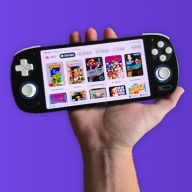
GBA DS Style — A Nintendo DS-Inspired Custom Kernel for EZ-Flash Omega & Omega DE

  • Thread starter Thread starter FrankieT19
  • Start date Start date
  • Views Views 23,542
  • Replies Replies 222
  • Likes Likes 23
Hope you all enjoy it:)
All your work on Simple has gotten me motivated to take a stab at modifying Simple a little to tweak a few things that have bothered me forever one of which is that the gbc icon is NOT a gbc it's a dmg. I went to edit the gbc icon in the resource files you included and much to my surprise it's a gbc. Do you know why it doesn't use the correct icon when complied?

EDIT: I figured it out. In ezkernelnew.c you have to edit the following:
Code:
        }
        else if(!strcasecmp(&(pfilename[strlen8-3]), "gbc"))
        {
            icon = (u16*)(gImage_icon_GBC);
        }
        else if(!strcasecmp(&(pfilename[strlen8-2]), "gb"))
        {
            icon = (u16*)(gImage_icon_GB);
for "gbc" it was "gImage_icon_GB"
Also, I found I had to edit the ngpc to ngc and string length to 3:
Code:
        }
        else if (!strcasecmp(&(pfilename[strlen8 - 3]), "ngc")) { //Neo Geo Pocket Color
            icon = (u16*)(gImage_icon_NG);
        }
 
Last edited by Merkin,
  • Like
Reactions: FrankieT19
All your work on Simple has gotten me motivated to take a stab at modifying Simple a little to tweak a few things that have bothered me forever one of which is that the gbc icon is NOT a gbc it's a dmg. I went to edit the gbc icon in the resource files you included and much to my surprise it's a gbc. Do you know why it doesn't use the correct icon when complied?

EDIT: I figured it out. In ezkernelnew.c you have to edit the following:
Code:
        }
        else if(!strcasecmp(&(pfilename[strlen8-3]), "gbc"))
        {
            icon = (u16*)(gImage_icon_GBC);
        }
        else if(!strcasecmp(&(pfilename[strlen8-2]), "gb"))
        {
            icon = (u16*)(gImage_icon_GB);
for "gbc" it was "gImage_icon_GB"
Also, I found I had to edit the ngpc to ngc like so:
Code:
        }
        else if (!strcasecmp(&(pfilename[strlen8 - 3]), "ngc")) { //Neo Geo Pocket Color
            icon = (u16*)(gImage_icon_NG);
        }

Yes it's just a simple typo luckily, thanks for flagging it. I've fixed it on my end too. I'll update the download to incorporate the fix at some point.
 
  • Like
Reactions: Merkin
Yes it's just a simple typo luckily, thanks for flagging it. I've fixed it on my end too. I'll update the download to incorporate the fix at some point.
Now that you have redone the image previews to function more like modern front ends, do you know if it would be possible to add higher resolution icons for folders and consoles without negatively affecting the original "list" view? It looks so nice now with the previews but then we have these itty bitty icons for everything. Anyways, keep up the awesome work.
 
Now that you have redone the image previews to function more like modern front ends, do you know if it would be possible to add higher resolution icons for folders and consoles without negatively affecting the original "list" view?
You definitely could do this if you wanted to. You could write a bit of code to load alternative icons when the thumbnail views are active. Although, I like the chunky pixel look so I don't have plans to change it myself.
 
  • Like
Reactions: Merkin
Question:
The updates of DS Style add all new features added in future "Simple" updates or now are independient proyects and now you gonna add features there no present in Simple?
 
Question:
The updates of DS Style add all new features added in future "Simple" updates or now are independient proyects and now you gonna add features there no present in Simple?

At this point, DS Style has added & rewritten so much that I’d consider it a separate project rather than a reskin of Simple. As a rough comparison (absolutely no reflection of how much work has gone into the projects, I mean no disrespect!), the original EZ-Flash kernel has 3024 lines of code, SimpleDE has 3491, and DS Style has 6050.

From what Sterophonick said, it also sounds like Simple is now in maintenance mode rather than actively gaining new features:

And with that, I think I would like to put this project in maintenance mode. I'll write some more documentation for the Simple-specific manual about certain plugins but other than that, I think I'm pretty much done. I wanna thank everyone who has stuck around for all this time.
— Sterophonick, 19 March 2026
 
Last edited by FrankieT19,
In case anyone wants, I redid the PC-Engine icon to be a TurboGrafx-16 instead for those of us who are in North America. It's as best I could do with 16x14 pixels.
 

Attachments

  • Like
Reactions: FrankieT19
83dd758f-ec55-4d0c-acfe-f6e68eb9afe3-1.jpg


Hi, Just tried this on my DE and it looks lovely. I do have a couple of issues though, The settings menu has an extra option that is just off-screen. Not sure why, Also Pressing select freezes the whole OS and causes the GBA to make ungodly noises like I just tried to dial up to the internet in 1995. I have the normal IMGS folder in my SYSTEM folder that worked fine under SimpleDE so not sure whats up.

Edit: My DE is a Rev A unit so runs FW5 not 7 could possibly be an issue?
 
Last edited by Auyx,
83dd758f-ec55-4d0c-acfe-f6e68eb9afe3-1.jpg


Hi, Just tried this on my DE and it looks lovely. I do have a couple of issues though, The settings menu has an extra option that is just off-screen. Not sure why, Also Pressing select freezes the whole OS and causes the GBA to make ungodly noises like I just tried to dial up to the internet in 1995. I have the normal IMGS folder in my SYSTEM folder that worked fine under SimpleDE so not sure whats up.

Edit: My DE is a Rev A unit so runs FW5 not 7 could possibly be an issue?

Please update your EZ Flash to the latest kernel and firmware before trying to install DS Style. Both Rev A and B are supported by kernel 1.06:
https://www.ezflash.cn/download/

The hidden setting you are seeing is the save backup option. You will need to momentarily disable the LEDs to change this setting. This is a space limitation of the menu, and I consider this to be working as intended, since the setting is essentially 'set and forget', not something you'd change often, if ever. It is in the readme but it's not super obvious, so sorry about that! Let me know if you get it all working:)
 
Last edited by FrankieT19,
Please update your EZ Flash to the latest kernel and firmware before trying to install DS Style. Both Rev A and B are supported by kernel 1.06 and firmware 7.0:
https://www.ezflash.cn/download/

The hidden setting you are seeing is the save backup option. You will need to momentarily disable the LEDs to change this setting. This is a space limitation of the menu, and I consider this to be working as intended, since the setting is essentially 'set and forget', not something you'd change often, if ever. It is in the readme but it's not super obvious, so sorry about that! Let me know if you get it all working:)
I did an update before I installed the theme as the instructions requested. I can try to do it again to see if that fixes it.

Edit: ok so I did a reinstall of the latest OFW and then DS style again. It booted to the new menu style with the carousel showing boxart and everything. I assume this is because i enabled boxart in the OFW before I installed DS style again. I then pressed select and it crashed with bad audio. On reboot I got the normal list menu and it crashes when I press select. I don't know whats going wrong. :(

Update: It seems editing any option in the menu also causes the crash. I think its crashing when writing to the options file for some reason.
 
Last edited by Auyx,
  • Like
Reactions: FrankieT19
I did an update before I installed the theme as the instructions requested. I can try to do it again to see if that fixes it.

Edit: ok so I did a reinstall of the latest OFW and then DS style again. It booted to the new menu style with the carousel showing boxart and everything. I assume this is because i enabled boxart in the OFW before I installed DS style again. I then pressed select and it crashed with bad audio. On reboot I got the normal list menu and it crashes when I press select. I don't know whats going wrong. :(

Update to what I said before: I just remembered that Rev A stays on FW5, but it should still be compatible with the latest kernel, so that shouldn't be the cause of the issue.

It may be that certain hardware revisions of the Omega and Omega DE don't play nicely with the new menus or UI sounds. I will upload an older version without these later, hopefully that works as a stop-gap for those affected. The annoying part is, because I can't reproduce these issues I can't troubleshoot them. All I can think to suggest is that you reformat your SD card, choosing FAT32, and reinstall both DS Style and the thumbnails pack, failing that, maybe try a different SD card. That's what I'd do first.

Edit: Sounds like something is going wrong with writing to settings, maybe a version or filesystem mismatch. Try reformatting.
 
Last edited by FrankieT19,
Update to what I said before: I just remembered that Rev A stays on FW5, but it should still be compatible with the latest kernel, so that shouldn't be the cause of the issue.

It may be that certain hardware revisions of the Omega and Omega DE don't play nicely with the new menus or UI sounds. I will upload an older version without these later, hopefully that works as a stop-gap for those affected. The annoying part is, because I can't reproduce these issues I can't troubleshoot them. All I can think to suggest is that you reformat your SD card, choosing FAT32, and reinstall both DS Style and the thumbnails pack, failing that, maybe try a different SD card. That's what I'd do first.
I tried another SD card and made sure I correctly formatted it ect to no luck. HERE is a video of the issue showing whats happening.
 
Are you sure you have a Definitive Edition? I have both a rev A and B Definitive Edition and it works on both no problems. The issues you are having sound like what happens when you try to put the DE version on an OG Omega.
 
Are you sure you have a Definitive Edition? I have both a rev A and B Definitive Edition and it works on both no problems. The issues you are having sound like what happens when you try to put the DE version on an OG Omega.
IMG-20260404-221129.jpg


Yeah its a launch DE.

Strange!

Does this version work? Version 3.3 Google Drive Link
This does not have the crashing issue with both changing options and pressing select.
 
Just posted version 5.2. This version fixes the GBC and NGPC icons - thank you Merkin for pointing this issue out and kindly providing a fix.

This does not have the crashing issue with both changing options and pressing select.
Okay, that's good to know, I'm glad it's at least working now, albeit a version with less features.

Unfortunately I can't help much more, as I can't replicate the issue on my end. Interestingly it's the exact same symptoms that occur when you try to flash the original Omega with a DE kernel, so maybe earlier Omega DEs shared more in common with the original Omega than later units.

I'd be curious to know what happens if you try to flash the original Omega version, I just tried it on my Omega DE and it seems to work, at least with a quick test of a few games, and changing a few settings. Although, you'll be losing the SET2 menu of course, and I'm sure something will break, like saving.
 
Last edited by FrankieT19,
Just posted version 5.2. This version fixes the GBC and NGPC icons - thank you Merkin for pointing this issue out and kindly providing a fix.


Okay, that's good to know, I'm glad it's at least working now, albeit a version with less features.

Unfortunately I can't help much more, as I can't replicate the issue on my end. Interestingly it's the exact same symptoms that occur when you try to flash the original Omega with a DE kernel, so maybe earlier Omega DEs shared more in common with the original Omega than later units.

I'd be curious to know what happens if you try to flash the original Omega version, I just tried it on my Omega DE and it seems to work, at least with a quick test of a few games, and changing a few settings. Although, you'll be losing the SET2 menu of course, and I'm sure something will break, like saving.
For some reason between the prerelease version you shared and 5.1, something happened where when I boot the flashcart I get a bunch of weird noises and an empty menu :S
I also made sure it was the non-DE version I am flashing.
EDIT: Same with 5.2 btw :(

 
Last edited by Lolight4,
  • Like
Reactions: FrankieT19
Is it possible to add custom folder icons for different devices, gba , ngp, ngpc , gg, gbc, gb/dmg etc similar to how gba folder shows the gba image, would be nice to group them into separate systems with a neat device icon for each one, maybe adding a custom thumb.bmp inside a folder ? ¯\_(ツ)_/¯
 

Attachments

  • IMG_6940.jpeg
    IMG_6940.jpeg
    3.1 MB · Views: 19
  • IMG_6939.jpeg
    IMG_6939.jpeg
    2.9 MB · Views: 14
  • IMG_6938.jpeg
    IMG_6938.jpeg
    3.2 MB · Views: 14
  • IMG_6937.jpeg
    IMG_6937.jpeg
    3 MB · Views: 14
  • IMG_6936.jpeg
    IMG_6936.jpeg
    3.6 MB · Views: 16
  • IMG_6935.jpeg
    IMG_6935.jpeg
    3.3 MB · Views: 11
  • IMG_6934.jpeg
    IMG_6934.jpeg
    3 MB · Views: 14
  • IMG_6933.jpeg
    IMG_6933.jpeg
    2.6 MB · Views: 13
Last edited by NotMyFakeName,
  • Like
Reactions: FrankieT19
For some reason between the prerelease version you shared and 5.1, something happened where when I boot the flashcart I get a bunch of weird noises and an empty menu :S
I also made sure it was the non-DE version I am flashing.
EDIT: Same with 5.2 btw :(


Unless I’m missing something, the only variables at play are the flash cart revision, and the SD card being used. Since I can’t test different revisions of the flash carts, let’s focus on the SD card.

I’m wondering if the latest release is incompatible with certain SD card setups, explaining the issues some people are having. How is your SD card setup? Fat32 or exfat? What capacity is it?
Post automatically merged:

Is it possible to add custom folder icons for different devices, gba , ngp, ngpc , gg, gbc, gb/dmg etc similar to how gba folder shows the gba image, would be nice to group them into separate systems with a neat device icon for each one, maybe adding a custom thumb.bmp inside a folder ? ¯\_(ツ)_/¯
That’s a good idea! I may well implement that in a future version. Thanks for the suggestion:).
 
  • Love
Reactions: NotMyFakeName
For those having issues try flashing this DE firmware. I can successfully flash this to both my Rev A and B cards. I started with a fresh clone of the latest SimpleDE and then merged DS Style Pale Blue DE and then I had Claude debug a few build warnings I was getting in ezkernelnew.c (because I cannot code myself) maybe there is something going on with other theme files.

EDIT: I have attached the debugged ezkernelnew.c too just in case that helps.
 

Attachments

Last edited by Merkin,

Site & Scene News

Popular threads in this forum