Any way to get unicorn cars for Forza Motorsport 3?

  • Thread starter Thread starter Afeohtan
  • Start date Start date
  • Views Views 14,412
  • Replies Replies 57
How can I send you my profile and save game?
Use an formatted USB drive.
Go into 'Settings/System/Storage/Hard Drive/Profiles/'. Click on your profile, select Move, and move it to the USB drive.
Now go into 'Settings/System/Storage/Hard Drive/Games and Apps/Forza Motorsport 3/'. Click on your saved game, select Move, and move it to your USB drive.
Connect the USB to your PC. You may need show hidden folders. Zip the contents, upload it somewhere like mediafire and pm me the link. Note: It doesn't matter if a password is on your profile as the purchase it's being done offline, but make sure there is no passcode on it as I won't even be able to use it at all

Thank you very much.

Is this also possible on FM4 as well?
Yes. There's no crc check on the car database in FM4. I just used the 'Racing Game of the Year Edition' (which has the final title update integrated) and modified the 'gamedb.slt'. You don't need to touch the xex. It's literally a few minutes work for FM4. FM2 is more involved. You need to add the Unicorn car data to the store and integrate TU4 into the main xex. Just making them purchasable doesn't work. I have done the FM2 Unicorns to make them part of the game. I'll post it on my YT at some point as I can't post the xex here.
 
  • Like
Reactions: Afeohtan
I'd recommend using the 'Ultimate Collection' to do this as the final title update is already integrated into the game, so it saves having to integrate this into 'default.xex'. On the regular version of FM3 you'd have integrate the title update into the 'default.xex' if you've already started the game with the title update. Also you'd need to remove the TU from '/Hdd1/Cache/'.
Grab 'gamedb.slt' from '/Media/DB/'. Make a backup, then open it in an SQL editor. Find the Unicorn cars in 'Data_Car'. Change 'IsPurchased' from '0' to '1'. Save the database and overwrite it in '/Media/DB/. Now remove the crc check for the car database from game's 'default.xex' (decrypt it first with xextool). Use any hex editor to change the final instance of 'gamedb.slt' to anything else the same length eg. 'unlock.slt'. Save and replace the game's 'default.xex' (backup the original first). Unicorn cars will now purchasable at their preset prices in the store.


If you're on an unmodded machine, you'd need to send me your profile and FM3 save like _47iscool and Resosaur did, so I can purchase the Unicorns for you. If you're already modded, just use the info above and use the FM3 Ultimate collection. Or PM me if you don't fancy taking a crack at it.
I have a modded machine, but this explanation is far beyond my reach of understanding and doing it. If you could upload Forza Motorsport 3 preset like you explained somewhere ready with unicorn cars already, so I could just download it and use it straight away that would be a real treasure. Thank you in advance
Post automatically merged:

I have a modded machine, but this explanation is far beyond my reach of understanding and doing it. If you could upload Forza Motorsport 3 preset like you explained somewhere ready with unicorn cars already, so I could just download it and use it straight away that would be a real treasure. Thank you in advance
Forza Motorsport 3 Ultimate Edition with unicorns would be the best favour ever!
 
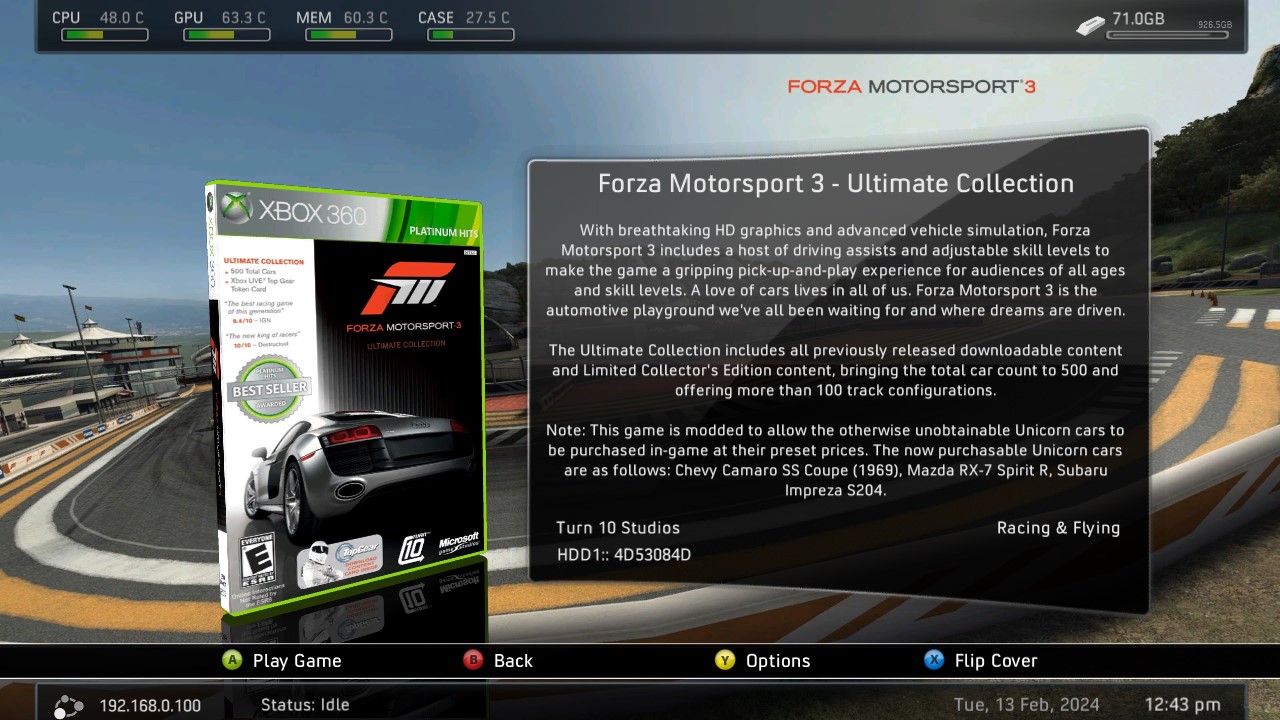
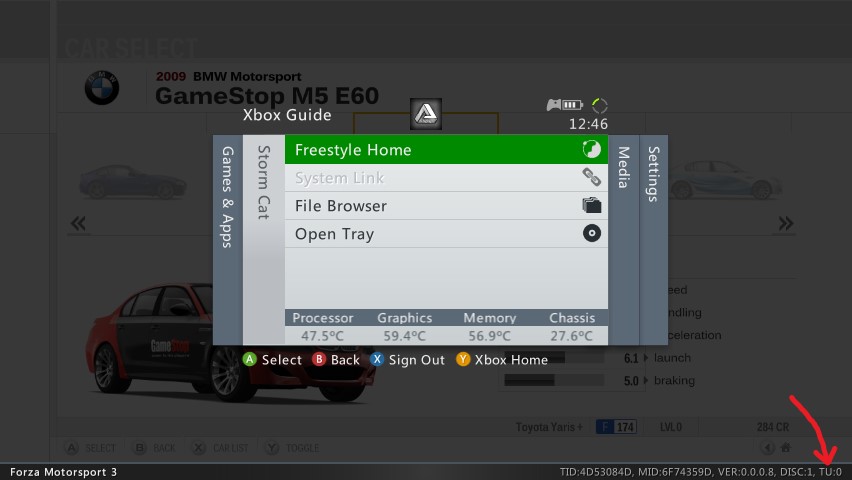
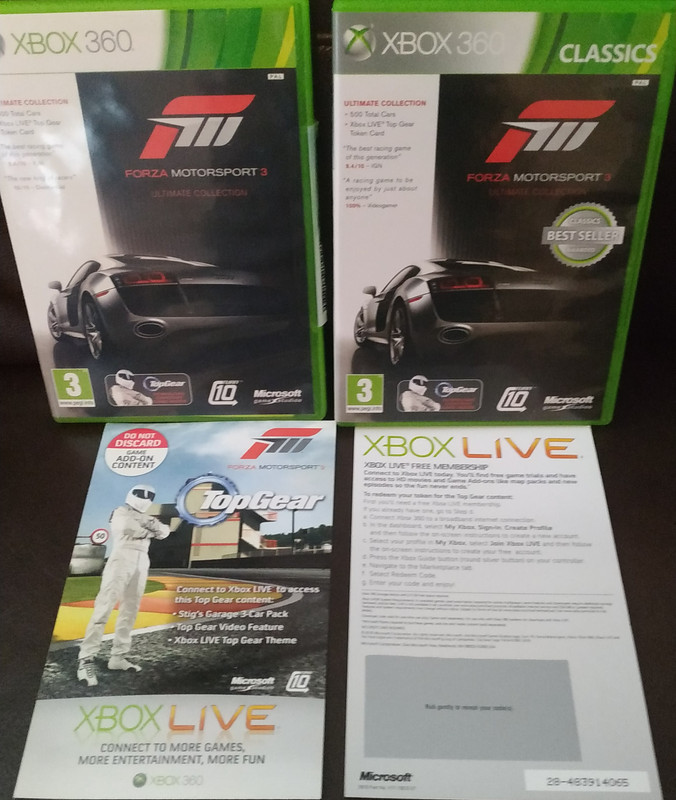
The FM3 Ultimate Collection (Media ID's '6F74359D' (US) and '4BE13908' (EU)) doesn't have Title Updates, they are integrated into the game files and XEX, same as the FM4 'Racing Game of the Year' are. The one I'm talking about shown here:
FM3-Ultimate-Collection.jpg

FM3-Ultimate-Collection-TU0.jpg


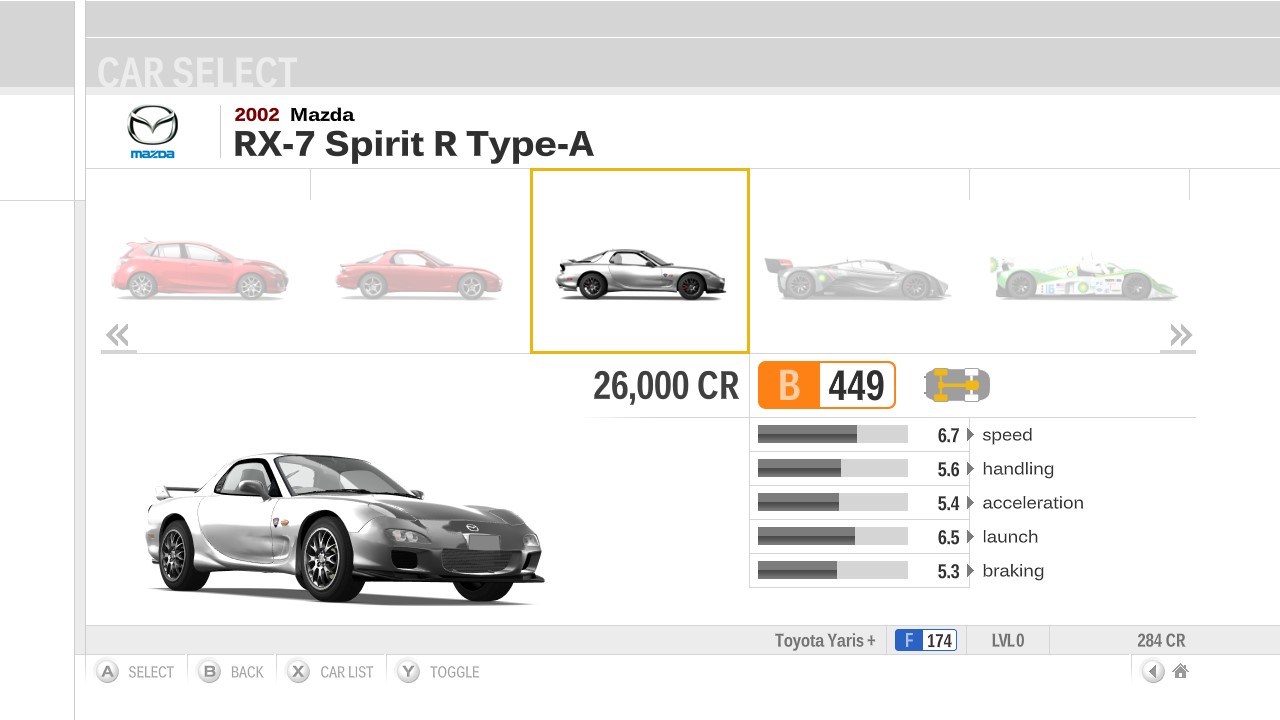
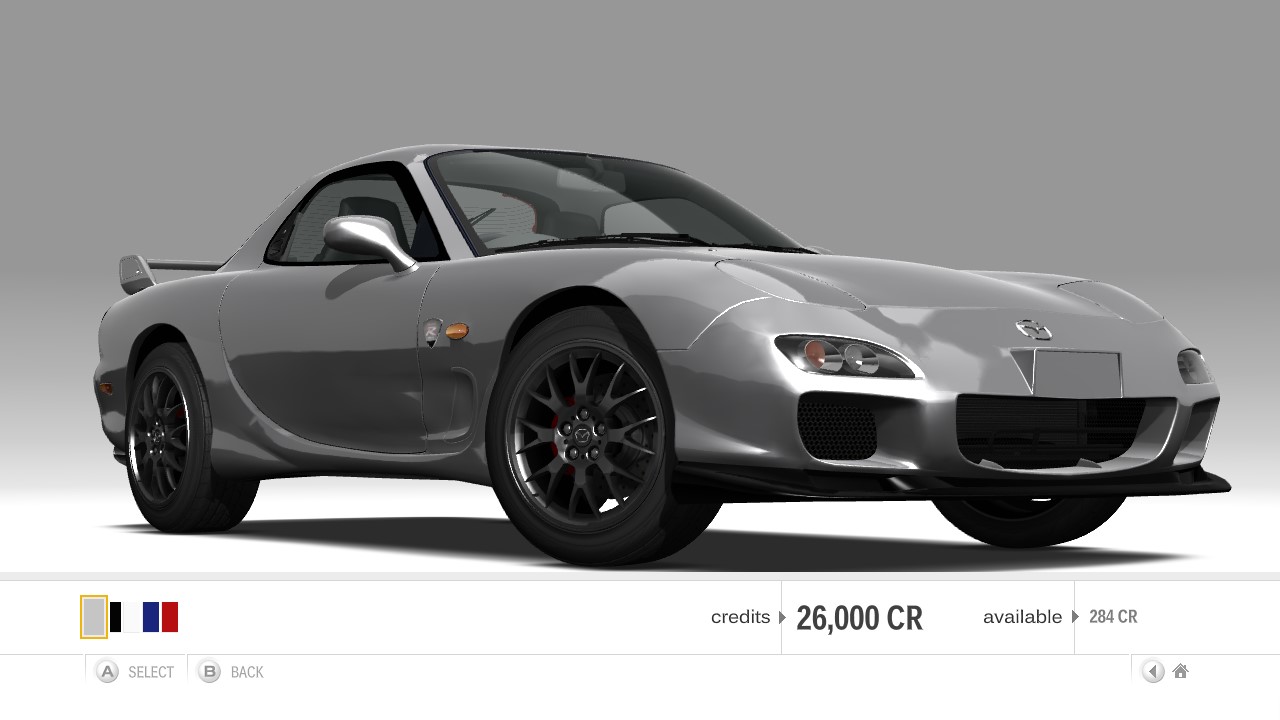
I modded the store a long time ago so these Unicorn cars could be purchased at their preset prices. You are both welcome to send me your profile and FM3 save if you want me to purchase them for you and then send them back to you. The reason I need your profile as well as your save is because there is some kind of improved tamper detection on FM3, so I can't use your save file on my profile and and change it back. it doesn't matter if a password is on your profile as ferrari roma rent dubai the purchase it's being done offline, but make sure there is no passcode on it as I won't even be able to use it at all. You can still use this profile online after the purchase of these Unicorns as I'm not modifying it or your save in any way. I'm just buying the cars from within the game. I did this years ago and still use the same profile online for FM6 and FM7. Did the same with FM2 and FM4 with no issue too.

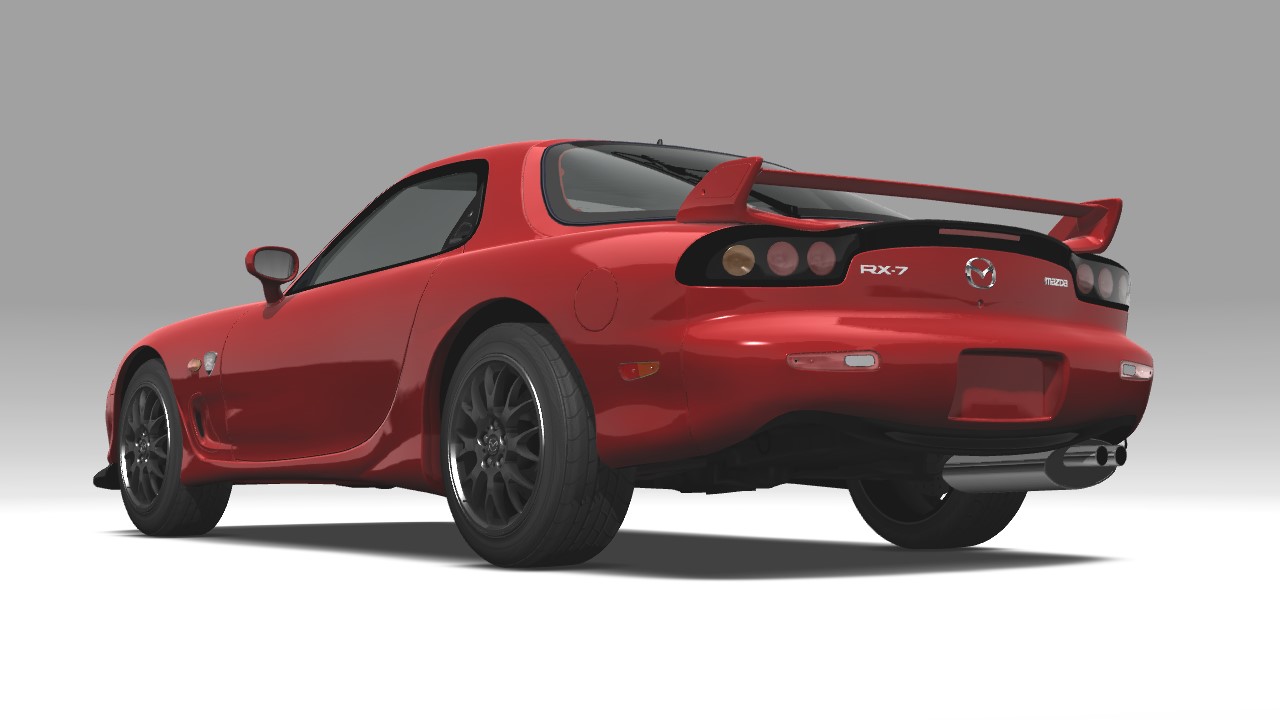
Mazda-RX-7-Spirit-R-Type-A.jpg

Mazda-RX-7-Spirit-R-Type-A-front.jpg

Mazda-RX-7-Spirit-R-Type-A-rear.jpg

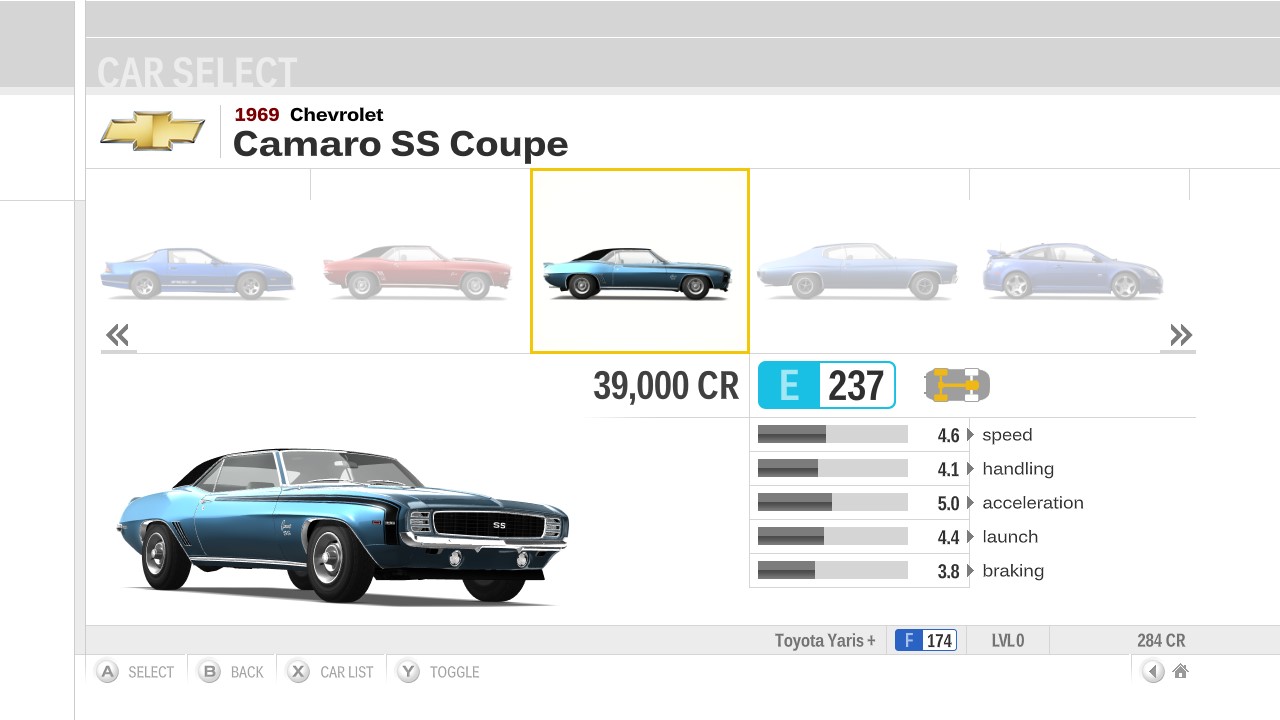
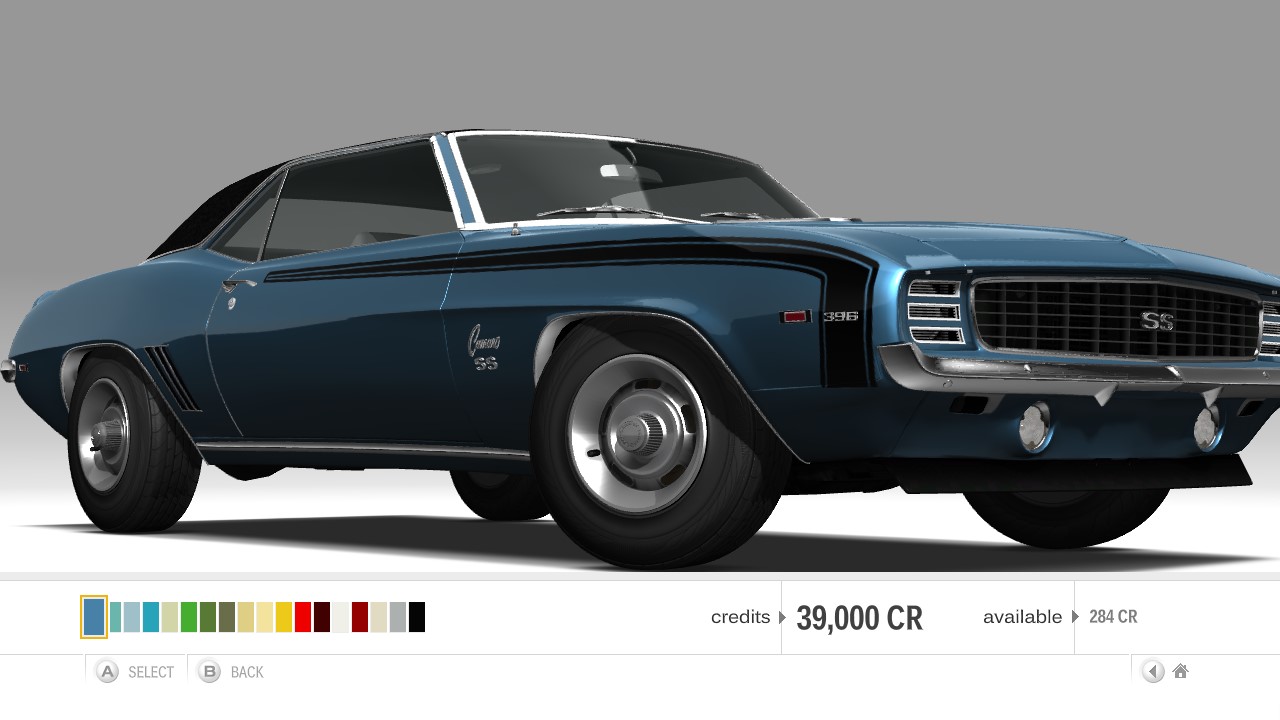
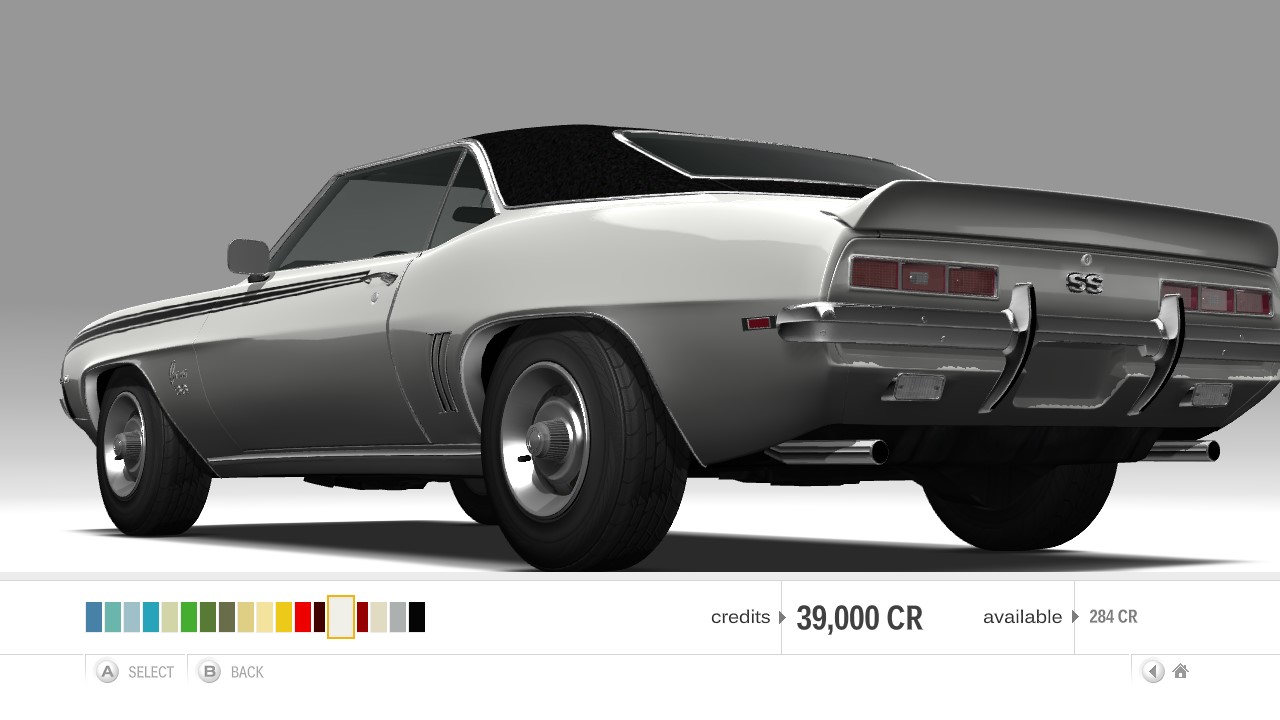
Chevrolet-Camaro-SS-Coupe.jpg

Chevrolet-Camaro-SS-Coupe-front.jpg

Chevrolet-Camaro-SS-Coupe-rear.jpg

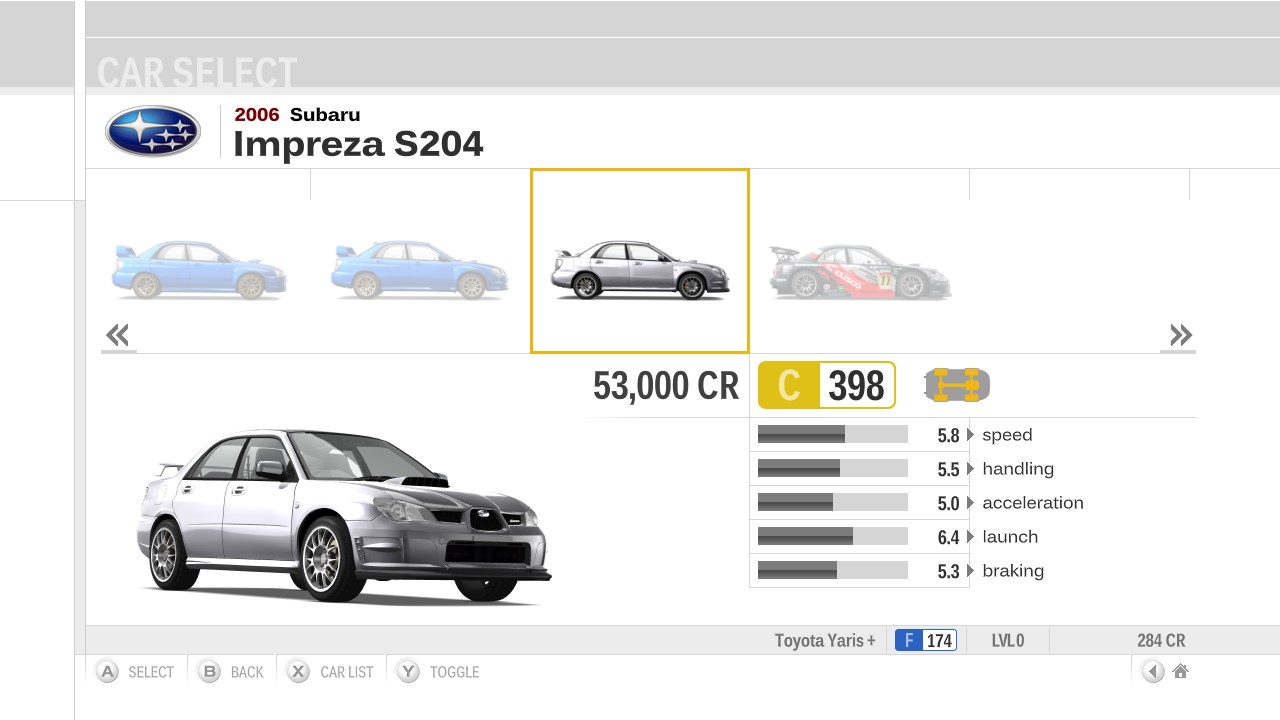
Subaru-Impreza-S204.jpg

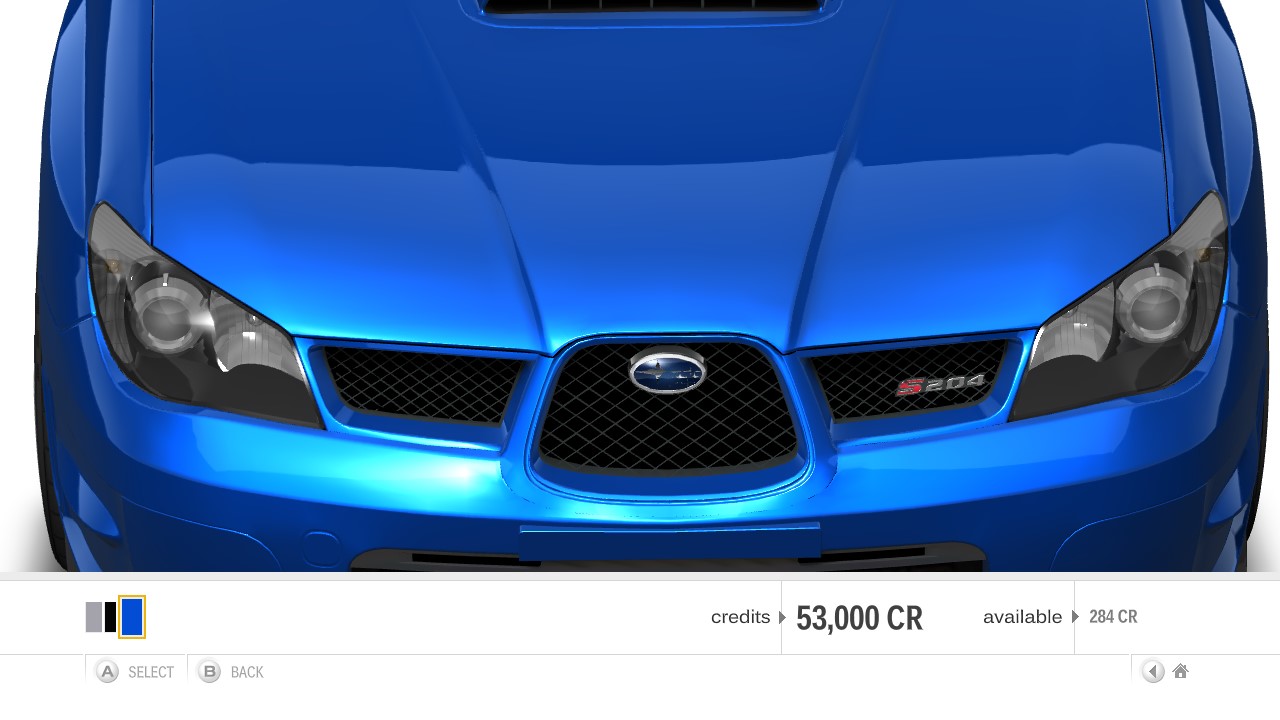
Subaru-Impreza-S204-front.jpg

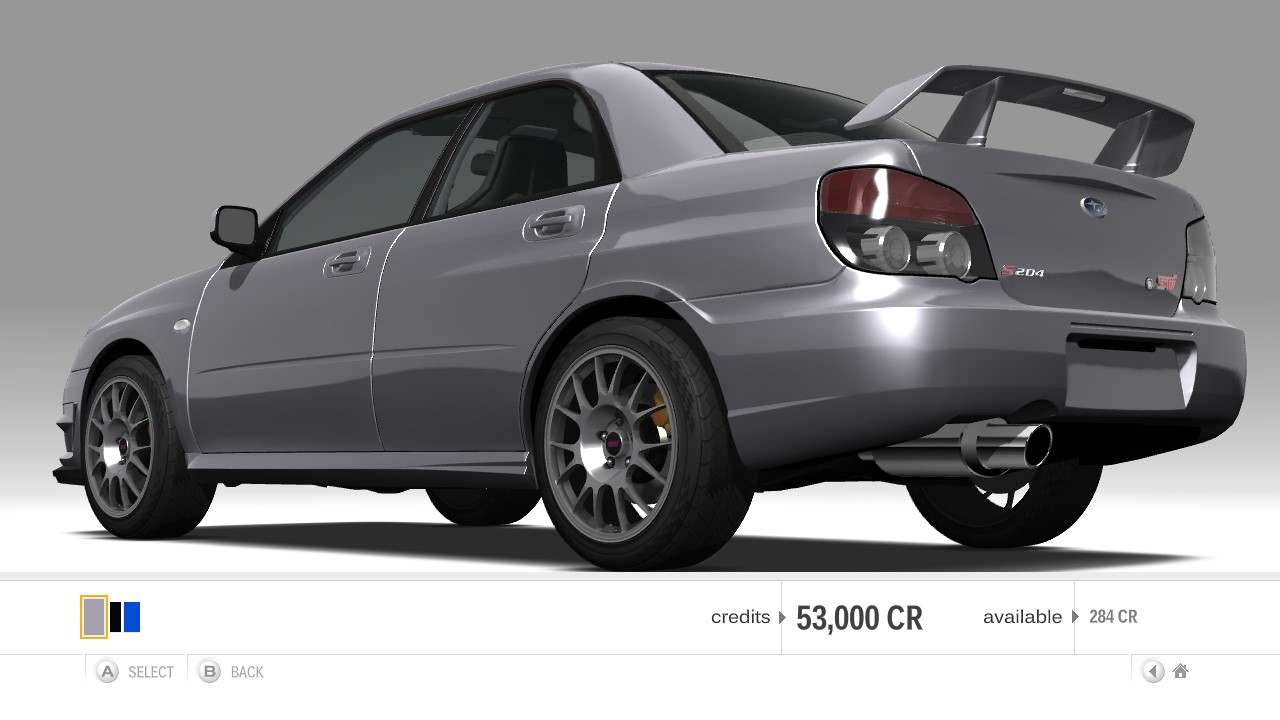
Subaru-Impreza-S204-rear.jpg

Damn, that’s some real OG stuff right there. Props for still messin’ around with FM3 and helping folks out - that’s old-school community spirit. Those unicorns hit different, man.
 
  • Like
Reactions: Gyron_Oldvic
@Gyron_Oldvic is there still a chance to ask you if you can do it again? I have an unmodified Xbox 360 E and I use the limited edition of FM3 (the one with the USB stick and key ring, to be clear). I've recovered the downloads of the various DLCs I got at the time, but I don't know if that's okay (for example, at the dealership I see the three Stig cars that were included in the Ultimate Edition).
 
Last edited by FebFenix,
I have a modded machine, but this explanation is far beyond my reach of understanding and doing it. If you could upload Forza Motorsport 3 preset like you explained somewhere ready with unicorn cars already, so I could just download it and use it straight away that would be a real treasure. Thank you in advance
Sorry about the delay in replying, I hadn't logged in since October. I can't upload retail xex's on here. Send me a PM and let me know whether you're using the PAL or NTSC version of the Ultimate edition, and I'll do my best to help you out.

@Gyron_Oldvic is there still a chance to ask you if you can do it again? I have an unmodified Xbox 360 E and I use the limited edition of FM3 (the one with the USB stick and key ring, to be clear). I've recovered the downloads of the various DLCs I got at the time, but I don't know if that's okay (for example, at the dealership I see the three Stig cars that were included in the Ultimate Edition).
Yes, no problem. Any DLC you have installed won't affect adding the Unicorns. Although I would recommend picking up a copy of the Ultimate Collection, as it will give you most of the DLC, and you'll have your 'VIP Pack' from the Limited Collector's Edition too. I'll reply to your PM now.
 
  • Like
Reactions: FebFenix
Sorry about the delay in replying, I hadn't logged in since October. I can't upload retail xex's on here. Send me a PM and let me know whether you're using the PAL or NTSC version of the Ultimate edition, and I'll do my best to help you out.


Yes, no problem. Any DLC you have installed won't affect adding the Unicorns. Although I would recommend picking up a copy of the Ultimate Collection, as it will give you most of the DLC, and you'll have your 'VIP Pack' from the Limited Collector's Edition too. I'll reply to your PM now.
Very kind @Gyron_Oldvic.
You should find everything in your PM.
 
  • Like
Reactions: Gyron_Oldvic
Hi all,
Lots of recent activity here, that's great!

I've been waiting 15+ years to get ALL cars on FM3 and after recently getting an RGH I'm so close.

At this point I'm just missing 2 sets of cars:

1) Stig Garage Pack.
@Gyron_Oldvic would you be so kind by uploading the 33MB Stig pack that your mentioned in one of your previous messages?
Online I can only find the bigger 110MB file which as you mentioned doesn't work with the Ultimate Collection.
I'm on PAL if that matters.

2) Unicorns.
I've managed to extract the gamedb.slt however these 3 Unicorns already had '1' under IsPurchased.
How is that possible? The ISO came from my physical genuine disc, installed on the console, then converted to GOD.
Anyways I've changed that to 0 then back to 1. I will try as soon as I have access to the 360 and report back.


Also just for curiosity, would you have more info about how the pre-order pack works to unlock any of the 6 cars?
Through the years I've managed to get 4 of these pre-order cars with genuine DLC card codes. When I tried my own pre-order pack I did get access to these 4 cars on the RGH console. Which means on a standard console when you used a genuine code it unlocked something within your own DLC file.
Anyways that was just for curiosity - I have used your unlock tool rom your YouTube video - huge thanks for doing this for the community!
Post automatically merged:

All right, no luck with these Unicorns so far.

I was able to repack a working GOD game with the edited gamedb.slt and edited XEX.
Second time was the charm as I wrongly edited the XEX the first time which resulted in a fatal error at launch.
The whole process was quite involved with 5 different software and unpacks/repacks, decompression/compression, edit this, edit that, command-line software - it's pushing the limits of my knowledge in this field - I'm no expert.

But sadly no Unicorns...

With my above comments about 'IsPurchased' - I will try editing the 'IsUnicorn' field instead. At this point I don't see any other field within the database that could trigger the Unicorns.
 
Last edited by Deubeuliou,
  • Like
Reactions: Gyron_Oldvic
Hi all,
Lots of recent activity here, that's great!

I've been waiting 15+ years to get ALL cars on FM3 and after recently getting an RGH I'm so close.

At this point I'm just missing 2 sets of cars:

1) Stig Garage Pack.
@Gyron_Oldvic would you be so kind by uploading the 33MB Stig pack that your mentioned in one of your previous messages?
Online I can only find the bigger 110MB file which as you mentioned doesn't work with the Ultimate Collection.
I'm on PAL if that matters.

2) Unicorns.
I've managed to extract the gamedb.slt however these 3 Unicorns already had '1' under IsPurchased.
How is that possible? The ISO came from my physical genuine disc, installed on the console, then converted to GOD.
Anyways I've changed that to 0 then back to 1. I will try as soon as I have access to the 360 and report back.


Also just for curiosity, would you have more info about how the pre-order pack works to unlock any of the 6 cars?
Through the years I've managed to get 4 of these pre-order cars with genuine DLC card codes. When I tried my own pre-order pack I did get access to these 4 cars on the RGH console. Which means on a standard console when you used a genuine code it unlocked something within your own DLC file.
Anyways that was just for curiosity - I have used your unlock tool rom your YouTube video - huge thanks for doing this for the community!
Post automatically merged:

All right, no luck with these Unicorns so far.

I was able to repack a working GOD game with the edited gamedb.slt and edited XEX.
Second time was the charm as I wrongly edited the XEX the first time which resulted in a fatal error at launch.
The whole process was quite involved with 5 different software and unpacks/repacks, decompression/compression, edit this, edit that, command-line software - it's pushing the limits of my knowledge in this field - I'm no expert.

But sadly no Unicorns...

With my above comments about 'IsPurchased' - I will try editing the 'IsUnicorn' field instead. At this point I don't see any other field within the database that could trigger the Unicorns.
Hi Deubeuliou. In the 'gamedb.slt', change 'IsUnicorn' to '0' and leave the rest as originally was when you pulled it from the disc. That should work. It's my bad, I should have originally written this. I wrote that post off the top of me head. I'd done the actual mod well over a decade earlier. I think I'd got 'IsPurchased' on the brain as I'd been messing around with something in FM2 at the time. If you still have no luck, I can sort you out via PM.
With regards to the pre-order cars, yes the DLC gets patched, the byte value depending on what combo of those cars you've redeemed. You can modify this value to get a different number and combo of cars. Obviously, you can't do this on a retail machine if the entitlement isn't there. I'm surprised it was never patched properly long before I put a patch up. Myself, I just don't think I noticed at the time as they're just existing re-skinned cars, and there was quite a bit of DLC being released. If the byte modification didn't work for something, in the case of Forza, you could just extract the DLC container and modify the relevant cars in the database to make them purchasable. Then just re-author the DLC in the SDK.
Regarding the Stig cars for the Ultimate Collection, I'll reply to your PM now and get you sorted with your missing cars.
 
Last edited by Gyron_Oldvic,
  • Like
Reactions: Deubeuliou
Very happy to report that I managed to get the Unicorns.
Massive thanks to @Gyron_Oldvic for your help with this and the Stig pack!

At last, my search is now complete. Almost feel like having no purpose in life anymore :-D

How about trying to get the Unicorns in FM2 now?!
Gyron_Oldvic if you remember anything about this one let us know haha
I've read it's a bit more complicated than FM3. Haven't tried yet.

Unicorn Chevrolet Camaro SS.jpg

Unicorn Mazda RX7 Spirit R.jpg

Unicorn Subaru Impreza S204.jpg

Stig Koenigsegg CCX.png

Stig Lexus LFA.jpg

Stig Mercedes SLS AMG.jpg


Koenigsegg I took a pic of the wrong car but you can see the CCX unlocked just next to it.
 
  • Like
Reactions: Gyron_Oldvic
Very happy to report that I managed to get the Unicorns.
Massive thanks to @Gyron_Oldvic for your help with this and the Stig pack!

At last, my search is now complete. Almost feel like having no purpose in life anymore :-D

How about trying to get the Unicorns in FM2 now?!
Gyron_Oldvic if you remember anything about this one let us know haha
I've read it's a bit more complicated than FM3. Haven't tried yet.

View attachment 559695

View attachment 559696

View attachment 559697

View attachment 559699

View attachment 559700

View attachment 559701


Koenigsegg I took a pic of the wrong car but you can see the CCX unlocked just next to it.
I'm happy for your happiness.
But, can someone help me to get them, please?
 
Sorry about the delay, I've been really busy this last month or so. I'll reply to your pm tomorrow when I get in.
Gyron_Oldvic is the best man under the sun! He helped me with the unicorns for FM3! Thank you my friend👍

If we could only be helped by someone now with the unicorns for Forza Motorsport 2. That would really be a fulfilment😀
 
  • Like
Reactions: Gyron_Oldvic
Very happy to report that I managed to get the Unicorns.
Massive thanks to @Gyron_Oldvic for your help with this and the Stig pack!

At last, my search is now complete. Almost feel like having no purpose in life anymore :-D

How about trying to get the Unicorns in FM2 now?!
Gyron_Oldvic if you remember anything about this one let us know haha
I've read it's a bit more complicated than FM3. Haven't tried yet.

Gyron_Oldvic is the best man under the sun! He helped me with the unicorns for FM3! Thank you my friend👍

If we could only be helped by someone now with the unicorns for Forza Motorsport 2. That would really be a fulfilment😀

Haha, you can be content in life now. Missing cars in FM can eat away at you 😁.
With regards to the Forza Motorsport 2 Unicorns, I added these to the dealership a while back. This was a bit more involved. It was the only Forza game I've encountered where the Unicorns had no entry in dealership within the database. So you couldn't just make them purchasable, as they didn't exist there. Luckily, all the car data for the Unicorns is contained within the database, for when they were gifted by Turn 10. So I just recreated their entries for the dealership using the exact data from the 'Data_Car' section for each Unicorn. They also work in Arcade Mode. Another issue was, the moment you added the latest title update (TU4 (which you need installed for the DLC to work)), it would obviously cause the modified database to fail the CRC check run from the TU's xexp, causing the game to throw a dirty disc error. I had to integrate TU4 into the main xex, then modify it to bypass the CRC check and look for 'media.zip' in the game's directory rather than the 'Cache' folder. You can safely remove the title update from 'Hdd1/Cache', as it's integrated now. The file in question is: 'TU_16L61VA_0000008000000.0000000000102' for the US version, 'TU_16L61VA_000000C000000.0000000000103' for the European version, and 'TU_16L61VA_000000G000000.0000000000104' for the Japanese version. It's not strictly necessary to remove it, but it's never accessed now, so redundant anyway. Before messing about with the title update, I did check to see if the FM2 Complete Collection xex had it integrated, as per FM3 Ultimate Collection and FM4 Racing Game of the Year Edition. But unfortunately the xex is identical to the standard release (Media ID: 0DF2D3F6), they just bundled TU4 (named 'title_update.bin') on the second disc and it gets renamed and copied to 'Cache' during the DLC installation. I also confirmed the Media ID's on Redump too, and there are indeed only three ID's (one per region).
I've done this in two flavours. The first version works with all saves (new and existing). This immediately makes the Unicorns available for purchase in the dealership at their preset prices, and are purchasable regardless of the region you chose when when you started the game. It also instantly unlocks them for use in Arcade Mode.
The second version is for folk who are starting the game on a fresh save and want to unlock them for purchase in the dealership via progressing your career driver level. I did this in keeping with the spirit of the game. Because the Unicorns are quite unique to their country of origin i.e. weren't really exported (bar a few Mitsubishi Lancer Evo VI TME's making it to the UK and Oz), I've made them region specific. Each Unicorn only unlocks at driver level 20 when you're playing Career Mode in their region of origin. If you wanted to buy the other two outside the region you've chosen, you would need to change region during your career, same as you would to purchase other unique cars specific to their region e.g. Chevrolet Corvette Grand Sport (North America region driver level 25), Mazda RX-7 Spirit R type-A (Asia region driver level 25), and the Lancia Stratos HF Stradale (Europe region driver level 10). With regards to the Arcade Mode, I've made them pretty easy to unlock, as they're only Class C (Chevrolet Camaro 35th Anniversary SS), and Class B (Mitsubishi Lancer Evolution VI TME and Lotus Exige Espionage) cars. The Camaro unlocks by finishing Exhibition Race 1 in 3rd or better. The Evo unlocks by finishing Exhibition Race 2 in 3rd or better, and the Exige unlocks by finishing Exhibition Race 3 in 3rd or better.

Pre-unlocked version:
--Dealership--
Camaro_35th_Anni_SS_Career.png

Camaro_35th_Anni_SS_Career_rear.png

Lancer_Evo_VI_TME_Career.png

Lancer_Evo_VI_TME_Career_rear.png

Exige_Espionage_Career.png

Exige_Espionage_Career_rear.png


--Arcade Mode--
Camaro_35th_Anni_SS_Arcade.png

Lancer_Evo_VI_TME_Arcade.png

Exige_Espionage_Arcade.png


Unlocked via progress version (for new game):
--Dealership--
Camaro_35th_Anni_SS_Career_locked.png

Lancer_Evo_VI_TME_Career_locked.png

Exige_Espionage_Career_locked.png


--Arcade Mode--
Camaro_35th_Anni_SS_Arcade_locked.png

Lancer_Evo_VI_TME_Arcade_locked.png

Exige_Espionage_Arcade_locked.png


Title Update 4 integrated into main xex:
FM2_TU4_integrated.png


I can't post the files here, so you'll have to drop me a PM. I'll probably also stick a video up on my You Tube when I get the chance.
 
Last edited by Gyron_Oldvic,
I'm happy for your happiness.
But, can someone help me to get them, please?
Sorry mate I didn't mean to gloat and disappear if that's the way you took my message :D

My plan was to share with everyone my edited ISO/GOD file(s) but I was trying to ascertain if that's allowed - which sadly it isn't.

Really glad that Gyron_Oldvic was able to help you with your save!
 
Haha, you can be content in life now. Missing cars in FM can eat away at you 😁.
With regards to the Forza Motorsport 2 Unicorns, I added these to the dealership a while back. This was a bit more involved. It was the only Forza game I've encountered where the Unicorns had no entry in dealership within the database. So you couldn't just make them purchasable, as they didn't exist there. Luckily, all the car data for the Unicorns is contained within the database, for when they were gifted by Turn 10. So I just recreated their entries for the dealership using the exact data from the 'Data_Car' section for each Unicorn. They also work in Arcade Mode. Another issue was, the moment you added the latest title update (TU4 (which you need installed for the DLC to work)), it would obviously cause the modified database to fail the CRC check run from the TU's xexp, causing the game to throw a dirty disc error. I had to integrate TU4 into the main xex, then modify it to bypass the CRC check and look for 'media.zip' in the game's directory rather than the 'Cache' folder. You can safely remove the title update from 'Hdd1/Cache', as it's integrated now. The file in question is: 'TU_16L61VA_0000008000000.0000000000102' for the US version, 'TU_16L61VA_000000C000000.0000000000103' for the European version, and 'TU_16L61VA_000000G000000.0000000000104' for the Japanese version. It's not strictly necessary to remove it, but it's never accessed now, so redundant anyway. Before messing about with the title update, I did check to see if the FM2 Complete Collection xex had it integrated, as per FM3 Ultimate Collection and FM4 Racing Game of the Year Edition. But unfortunately the xex is identical to the standard release (Media ID: 0DF2D3F6), they just bundled TU4 (named 'title_update.bin') on the second disc and it gets renamed and copied to 'Cache' during the DLC installation. I also confirmed the Media ID's on Redump too, and there are indeed only three ID's (one per region).
I've done this in two flavours. The first version works with all saves (new and existing). This immediately makes the Unicorns available for purchase in the dealership at their preset prices, and are purchasable regardless of the region you chose when when you started the game. It also instantly unlocks them for use in Arcade Mode.
The second version is for folk who are starting the game on a fresh save and want to unlock them for purchase in the dealership via progressing your career driver level. I did this in keeping with the spirit of the game. Because the Unicorns are quite unique to their country of origin i.e. weren't really exported (bar a few Mitsubishi Lancer Evo VI TME's making it to the UK and Oz), I've made them region specific. Each Unicorn only unlocks at driver level 20 when you're playing Career Mode in their region of origin. If you wanted to buy the other two outside the region you've chosen, you would need to change region during your career, same as you would to purchase other unique cars specific to their region e.g. Chevrolet Corvette Grand Sport (North America region driver level 25), Mazda RX-7 Spirit R type-A (Asia region driver level 25), and the Lancia Stratos HF Stradale (Europe region driver level 10). With regards to the Arcade Mode, I've made them pretty easy to unlock, as they're only Class C (Chevrolet Camaro 35th Anniversary SS), and Class B (Mitsubishi Lancer Evolution VI TME and Lotus Exige Espionage) cars. The Camaro unlocks by finishing Exhibition Race 1 in 3rd or better. The Evo unlocks by finishing Exhibition Race 2 in 3rd or better, and the Exige unlocks by finishing Exhibition Race 3 in 3rd or better.

Pre-unlocked version:
--Dealership--
View attachment 562056
View attachment 562057
View attachment 562059
View attachment 562060
View attachment 562062
View attachment 562063

--Arcade Mode--
View attachment 562064
View attachment 562068
View attachment 562069

Unlocked via progress version (for new game):
--Dealership--
View attachment 562075
View attachment 562076
View attachment 562077

--Arcade Mode--
View attachment 562078

View attachment 562079

View attachment 562080

Title Update 4 integrated into main xex:
View attachment 562081

I can't post the files here, so you'll have to drop me a PM. I'll probably also stick a video up on my You Tube when I get the chance.

Sorry mate I didn't mean to gloat and disappear if that's the way you took my message :D

My plan was to share with everyone my edited ISO/GOD file(s) but I was trying to ascertain if that's allowed - which sadly it isn't.

Really glad that Gyron_Oldvic was able to help you with your save!
No worries, mate👍
 
Haha, you can be content in life now. Missing cars in FM can eat away at you 😁.
With regards to the Forza Motorsport 2 Unicorns, I added these to the dealership a while back. This was a bit more involved. It was the only Forza game I've encountered where the Unicorns had no entry in dealership within the database. So you couldn't just make them purchasable, as they didn't exist there. Luckily, all the car data for the Unicorns is contained within the database, for when they were gifted by Turn 10. So I just recreated their entries for the dealership using the exact data from the 'Data_Car' section for each Unicorn. They also work in Arcade Mode. Another issue was, the moment you added the latest title update (TU4 (which you need installed for the DLC to work)), it would obviously cause the modified database to fail the CRC check run from the TU's xexp, causing the game to throw a dirty disc error. I had to integrate TU4 into the main xex, then modify it to bypass the CRC check and look for 'media.zip' in the game's directory rather than the 'Cache' folder. You can safely remove the title update from 'Hdd1/Cache', as it's integrated now. The file in question is: 'TU_16L61VA_0000008000000.0000000000102' for the US version, 'TU_16L61VA_000000C000000.0000000000103' for the European version, and 'TU_16L61VA_000000G000000.0000000000104' for the Japanese version. It's not strictly necessary to remove it, but it's never accessed now, so redundant anyway. Before messing about with the title update, I did check to see if the FM2 Complete Collection xex had it integrated, as per FM3 Ultimate Collection and FM4 Racing Game of the Year Edition. But unfortunately the xex is identical to the standard release (Media ID: 0DF2D3F6), they just bundled TU4 (named 'title_update.bin') on the second disc and it gets renamed and copied to 'Cache' during the DLC installation. I also confirmed the Media ID's on Redump too, and there are indeed only three ID's (one per region).
I've done this in two flavours. The first version works with all saves (new and existing). This immediately makes the Unicorns available for purchase in the dealership at their preset prices, and are purchasable regardless of the region you chose when when you started the game. It also instantly unlocks them for use in Arcade Mode.
The second version is for folk who are starting the game on a fresh save and want to unlock them for purchase in the dealership via progressing your career driver level. I did this in keeping with the spirit of the game. Because the Unicorns are quite unique to their country of origin i.e. weren't really exported (bar a few Mitsubishi Lancer Evo VI TME's making it to the UK and Oz), I've made them region specific. Each Unicorn only unlocks at driver level 20 when you're playing Career Mode in their region of origin. If you wanted to buy the other two outside the region you've chosen, you would need to change region during your career, same as you would to purchase other unique cars specific to their region e.g. Chevrolet Corvette Grand Sport (North America region driver level 25), Mazda RX-7 Spirit R type-A (Asia region driver level 25), and the Lancia Stratos HF Stradale (Europe region driver level 10). With regards to the Arcade Mode, I've made them pretty easy to unlock, as they're only Class C (Chevrolet Camaro 35th Anniversary SS), and Class B (Mitsubishi Lancer Evolution VI TME and Lotus Exige Espionage) cars. The Camaro unlocks by finishing Exhibition Race 1 in 3rd or better. The Evo unlocks by finishing Exhibition Race 2 in 3rd or better, and the Exige unlocks by finishing Exhibition Race 3 in 3rd or better.


I read your post and tried it myself. I extracted FM3, modified the database, imported the original profile and account into Xenia, and was able to successfully purchase the Unicorn Car.

Finally, I have one most important question remaining. I would really appreciate it if you could answer this: To use this imported save data on an unmodified Xbox 360, I assume it needs to be repackaged. What tools did you use to do that?

I understand you are a data modification service provider and have extracted, edited, and restored other people's data many times before, so I would be grateful if you could tell me how to restore the extracted save data to its original state.

Just one more question. I doubt it's possible, but I'll ask just in case. Edited gamedb.slt and default.xex cannot be used on an unmodified Xbox 360, right? Also, the game folder extracted for editing cannot be restored to the original Data0000-0042 format, right?
 
Last edited by mumum,
How can I send you my profile and save game?
I'd recommend using the 'Ultimate Collection' to do this as the final title update is already integrated into the game, so it saves having to integrate this into 'default.xex'. On the regular version of FM3 you'd have integrate the title update into the 'default.xex' if you've already started the game with the title update. Also you'd need to remove the TU from '/Hdd1/Cache/'.
Grab 'gamedb.slt' from '/Media/DB/'. Make a backup, then open it in an SQL editor. Find the Unicorn cars in 'Data_Car'. Change 'IsUnicorn' from '1' to '0'. Save the database and overwrite it in '/Media/DB/. Now remove the crc check for the car database from game's 'default.xex' (decrypt it first with xextool). Use any hex editor to change the final instance of 'gamedb.slt' to anything else the same length eg. 'unlock.slt'. Save and replace the game's 'default.xex' (backup the original first). Unicorn cars will now purchasable at their preset prices in the store.


If you're on an unmodded machine, you'd need to send me your profile and FM3 save like _47iscool and Resosaur did, so I can purchase the Unicorns for you. If you're already modded, just use the info above and use the FM3 Ultimate collection. Or PM me if you don't fancy taking a crack at it.
Gyron, my friend, I sent you a PM regarding Forza Motorsport 2 Unicorns
 
FM3 and FM4 are the best in my opinion, with FM4 being the absolute peak of the series. Unfortunately it was during Forza 3 's time Turn 10 started using money grabbing tactics against their own user base. Forza 2, they got it right with the 'Complete Collection' which contained absolutely everything on the bonus disc, even the pre-order Nissan 350Z. Not sure why they denied Europe this collection though, but fortunately all the DLC on the bonus disc is DRM-free so Euro users can just download it off the internet and use it with their PAL FM2 disc (no RGH/JTAG needed). With Forza 3 Ultimate Collection, there was absolutely no excuse not to include the VIP Car Pack. The Ultimate Collection cover states 'Original game plus all content previously released on Xbox Live'. But the VIP Pack was on Xbox live. Maybe they didn't include it in the Ultimate Collection because they were charging 800 msp, whereas the other packs were 400 msp and they thought 'well we're not giving that away', yet still went ahead and printed that statement on the cover. Another sneaky thing they did was to just remove the DLC from Marketplace without any prior warning, plus disabling certain codes (like Stig's Garage (some codes still work like the Pre-Order cars)) again without warning. I have 2 of those codes from my UC completely unused, but now useless:
Stig-garage.jpg


Another underhanded stunt they pulled was having 10 cars (including Stig's Garage) exclusive to the Ultimate Collection and not giving previous owners of of game any chance to buy them. And then adding to the insult by offering up that free sample Porsche 550 Spyder from the UC to Regular and Limited Edition owners trying to tempt them to upgrade the Ultimate Collection (basically buy the entire game again for the sake of 10 cars (well 9 because the Porsche was given away free)). Horrible tactics from Turn 10. I remember at the time quite a few people were refusing to buy Forza 4 because of the stunts Turn 10 pulled with FM3. And FM4 actually didn't sell as well despite being the superior game. If this had something to do with it, who knows.
I actually believe Turn 10 may have considered offering a DLC pack on Marketplace with the 10 Ultimate Collection exclusive cars to regular FM3 owners, but decided against it. The reason I think this is, if you poke around inside that Porsche free sample DLC, you can actually see all 10 UC cars (including Stig's Garage cars). And if you throw that same free sample DLC onto a JTAG/RGH machine and run the regular version of FM3, it unlocks all 10 UC cars. The free sample DLC (1 car (but really contains all 10 UC cars)) is 110mb, whereas Stig's Garage (3 cars) which came with the UC is 34mb, so that shows you they must have considered selling this as some kind of Ultimate Collection Car upgrade pack for regular FM3 owners. But alas, it never saw the light of day.
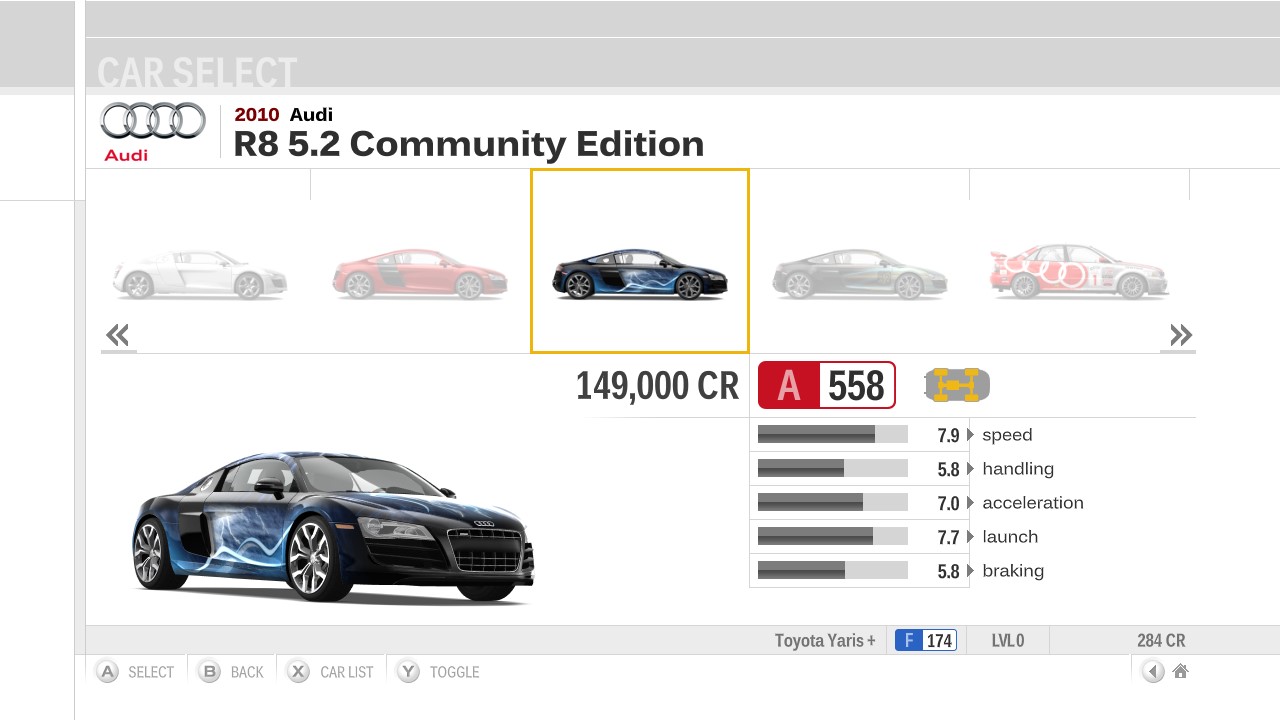
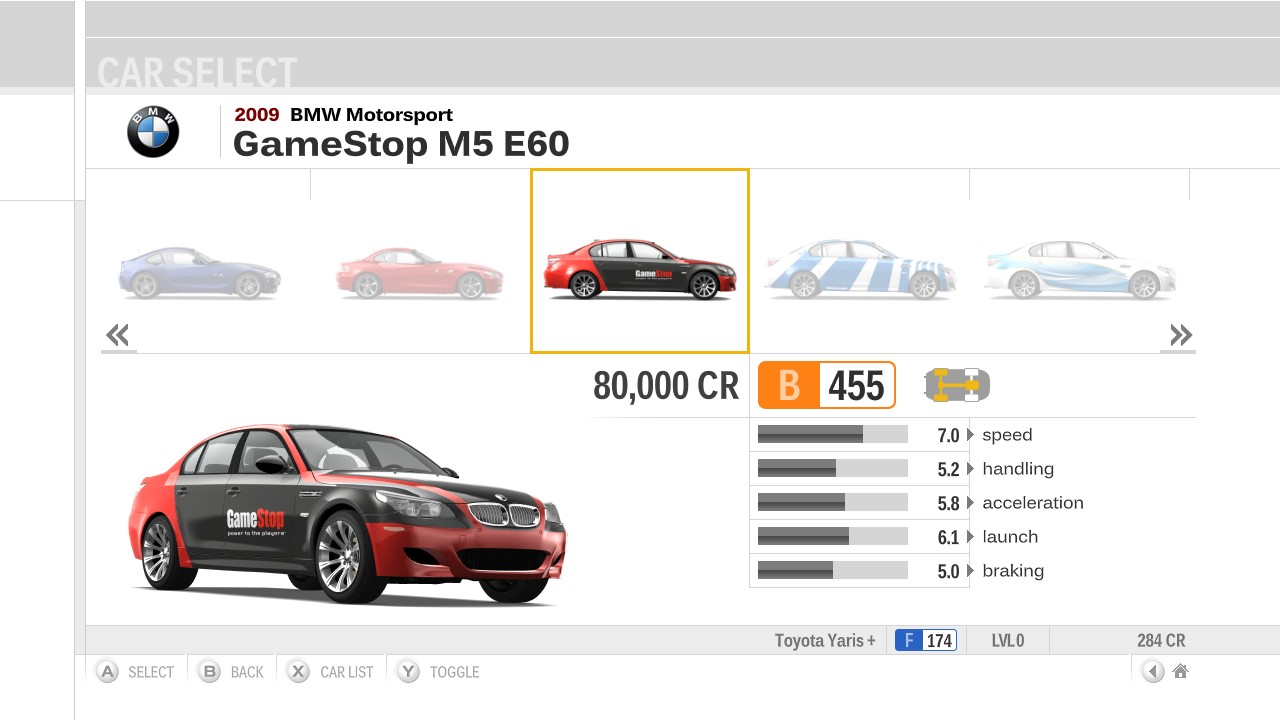
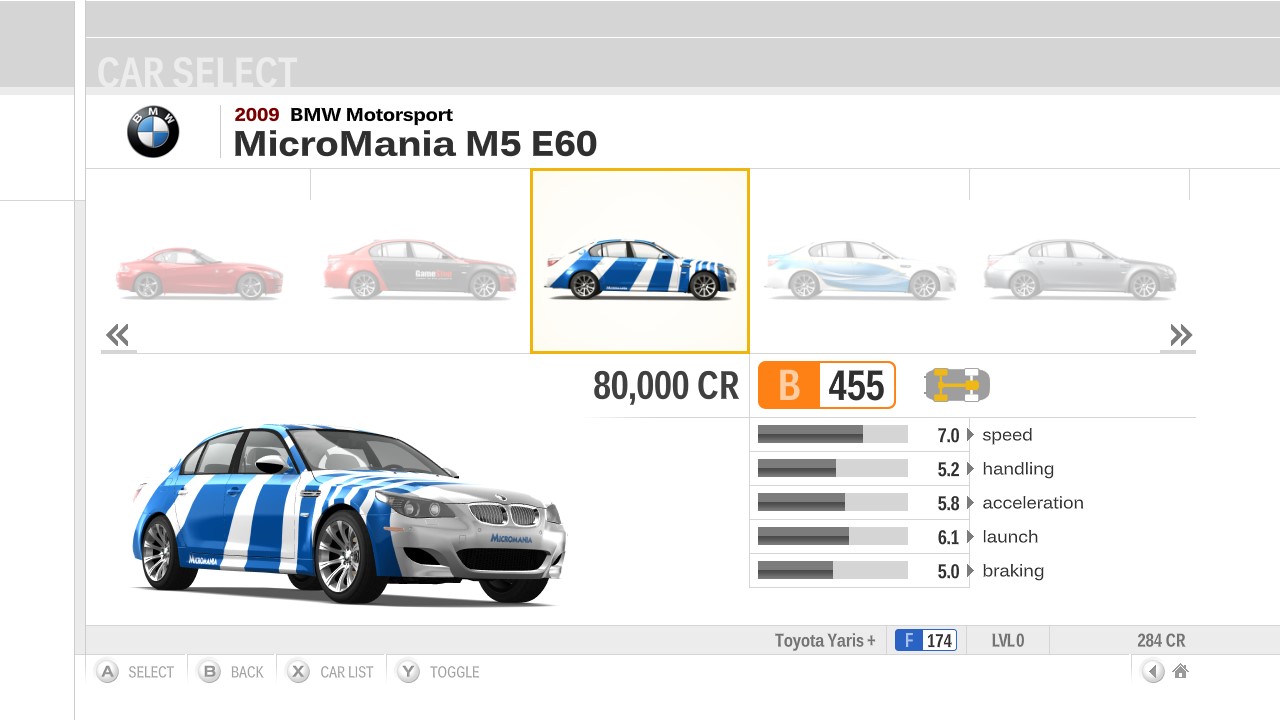
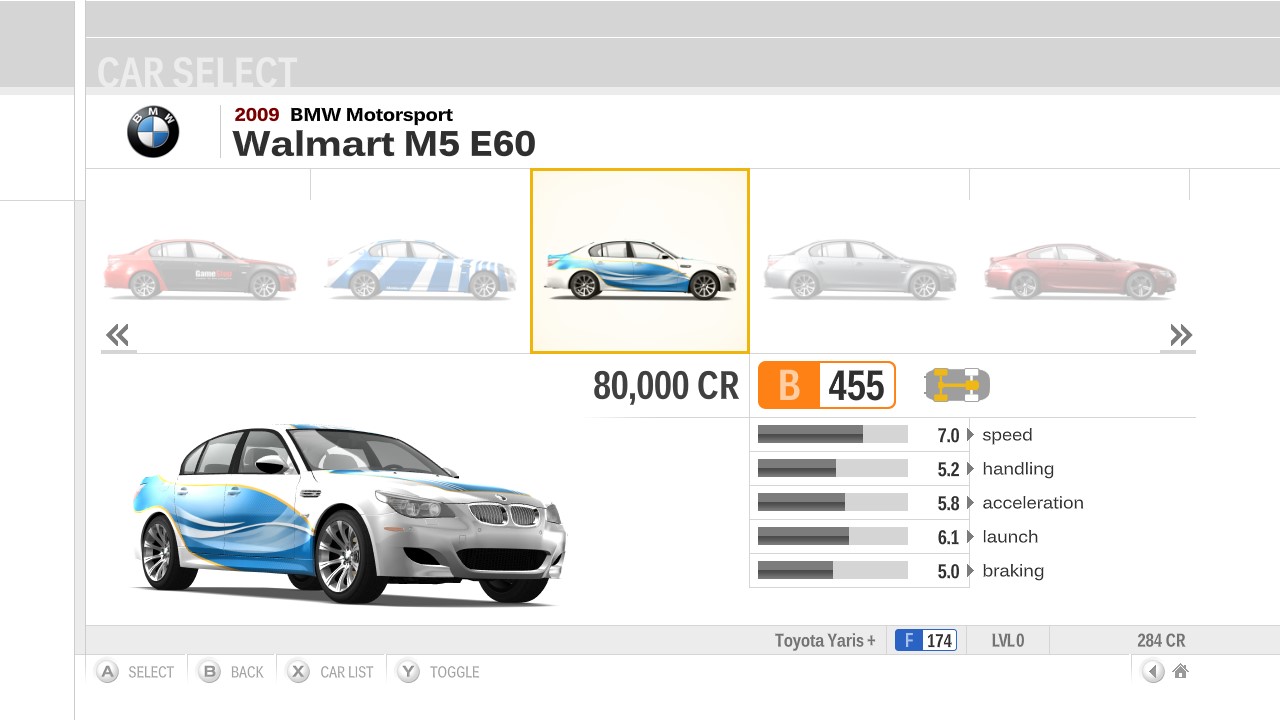
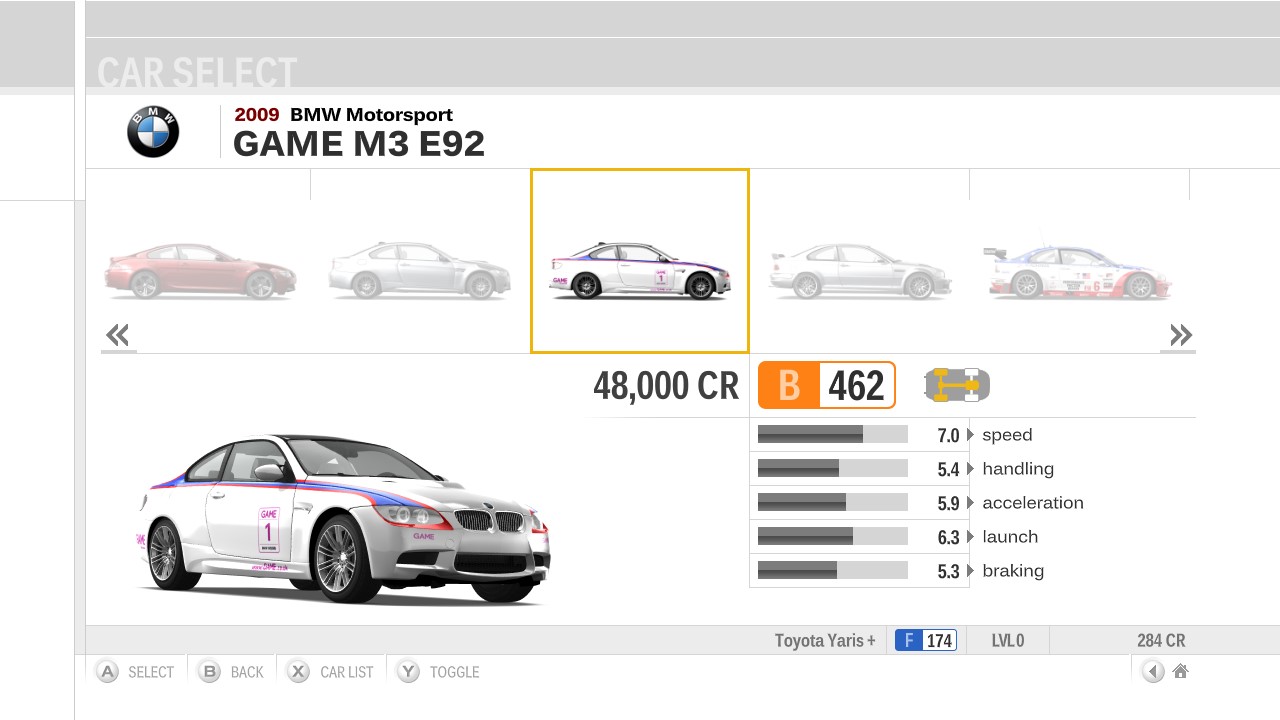
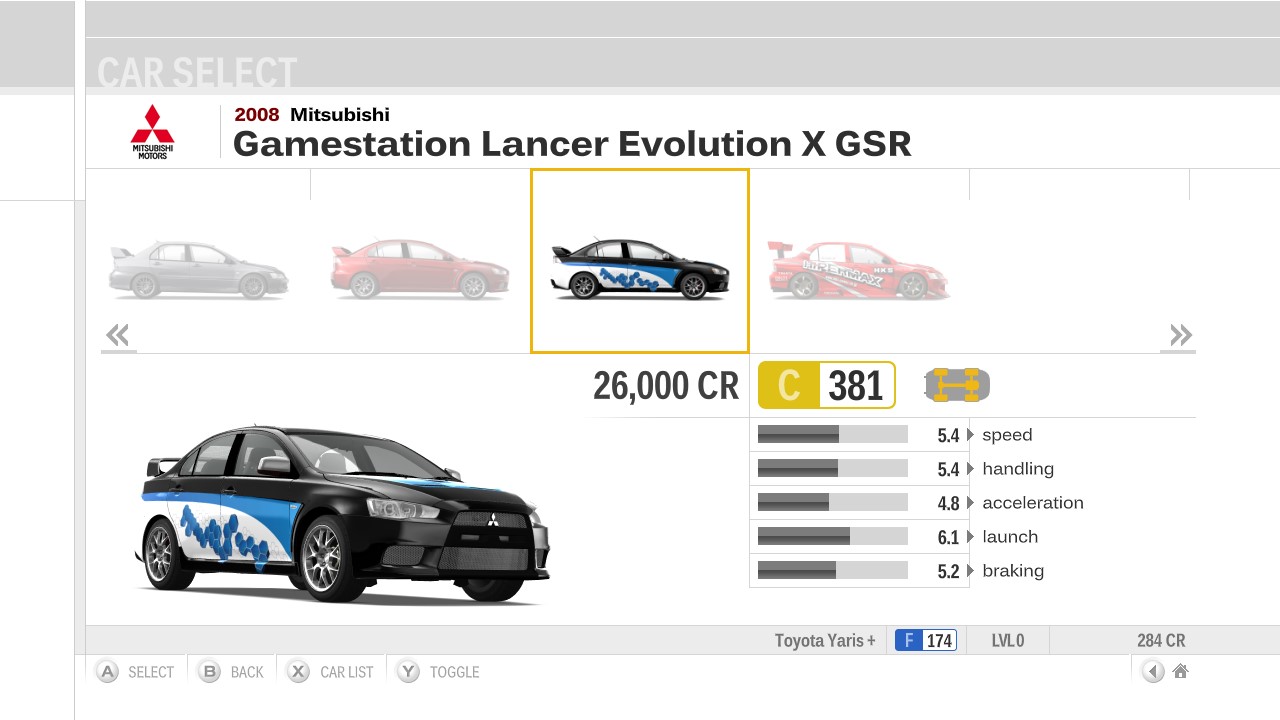
There is also the Community Choice Car Pack which wasn't on the UC, but this DLC was only released after the Ultimate Collection, so at least they have an excuse there. The 6 pre-order cars also came in a single DLC pack, but you only tended to get one out of the six depending on which store you pre-ordered the game from. The Audi Community Edition R8 5.2 FSI Quattro being the most common for pre-orders (most Limited Collector's Edition's in the US came with this). The Pre-Order pack out in the wild doesn't work properly on a JTAG/RGH machine (it would tend to only unlock either the AUDI or Walmart BMW), so I've recently fixed this pack so it unlocks all the various 6 pre-order cars:
LCE.jpg

GameStop.jpg

Micro-Mania.jpg

Walmart.jpg

GAME.jpg

Gamestation.jpg


So all in all, what is missing from the Ultimate Collection if you bought it now and played on a retail Xbox 360:
Stig's Garage Car Pack (3 cars) - unobtainable as codes no longer work
Community Choice Classics Car Pack (10 cars) - unobtainable as removed from Marketplace
VIP Membership Car Pack (5 cars) - obtainable as codes still work
Pre-Order Cars (6 cars) - obtainable as individual codes still work (although some may be very difficult to find eg. MicroMania is a French retailer). The Audi Community Edition R8 5.2 FSI Quattro is the most common for pre-orders (most Limited Collector's Edition's in the US came with this), so this would probably be the best chance finding an unused code.
Unicorn Cars (3 cars) - obtainable if you give your save and profile to someone with a JTAG/RGH machine, then transfer your save back to your retail machine
FM3 and FM4 are the best in my opinion, with FM4 being the absolute peak of the series. Unfortunately it was during Forza 3 's time Turn 10 started using money grabbing tactics against their own user base. Forza 2, they got it right with the 'Complete Collection' which contained absolutely everything on the bonus disc, even the pre-order Nissan 350Z. Not sure why they denied Europe this collection though, but fortunately all the DLC on the bonus disc is DRM-free so Euro users can just download it off the internet and use it with their PAL FM2 disc (no RGH/JTAG needed). With Forza 3 Ultimate Collection, there was absolutely no excuse not to include the VIP Car Pack. The Ultimate Collection cover states 'Original game plus all content previously released on Xbox Live'. But the VIP Pack was on Xbox live. Maybe they didn't include it in the Ultimate Collection because they were charging 800 msp, whereas the other packs were 400 msp and they thought 'well we're not giving that away', yet still went ahead and printed that statement on the cover. Another sneaky thing they did was to just remove the DLC from Marketplace without any prior warning, plus disabling certain codes (like Stig's Garage (some codes still work like the Pre-Order cars)) again without warning. I have 2 of those codes from my UC completely unused, but now useless:
Stig-garage.jpg


Another underhanded stunt they pulled was having 10 cars (including Stig's Garage) exclusive to the Ultimate Collection and not giving previous owners of of game any chance to buy them. And then adding to the insult by offering up that free sample Porsche 550 Spyder from the UC to Regular and Limited Edition owners trying to tempt them to upgrade the Ultimate Collection (basically buy the entire game again for the sake of 10 cars (well 9 because the Porsche was given away free)). Horrible tactics from Turn 10. I remember at the time quite a few people were refusing to buy Forza 4 because of the stunts Turn 10 pulled with FM3. And FM4 actually didn't sell as well despite being the superior game. If this had something to do with it, who knows.
I actually believe Turn 10 may have considered offering a DLC pack on Marketplace with the 10 Ultimate Collection exclusive cars to regular FM3 owners, but decided against it. The reason I think this is, if you poke around inside that Porsche free sample DLC, you can actually see all 10 UC cars (including Stig's Garage cars). And if you throw that same free sample DLC onto a JTAG/RGH machine and run the regular version of FM3, it unlocks all 10 UC cars. The free sample DLC (1 car (but really contains all 10 UC cars)) is 110mb, whereas Stig's Garage (3 cars) which came with the UC is 34mb, so that shows you they must have considered selling this as some kind of Ultimate Collection Car upgrade pack for regular FM3 owners. But alas, it never saw the light of day.
There is also the Community Choice Car Pack which wasn't on the UC, but this DLC was only released after the Ultimate Collection, so at least they have an excuse there. The 6 pre-order cars also came in a single DLC pack, but you only tended to get one out of the six depending on which store you pre-ordered the game from. The Audi Community Edition R8 5.2 FSI Quattro being the most common for pre-orders (most Limited Collector's Edition's in the US came with this). The Pre-Order pack out in the wild doesn't work properly on a JTAG/RGH machine (it would tend to only unlock either the AUDI or Walmart BMW), so I've recently fixed this pack so it unlocks all the various 6 pre-order cars:
LCE.jpg

GameStop.jpg

Micro-Mania.jpg

Walmart.jpg

GAME.jpg

Gamestation.jpg


So all in all, what is missing from the Ultimate Collection if you bought it now and played on a retail Xbox 360:
Stig's Garage Car Pack (3 cars) - unobtainable as codes no longer work
Community Choice Classics Car Pack (10 cars) - unobtainable as removed from Marketplace
VIP Membership Car Pack (5 cars) - obtainable as codes still work
Pre-Order Cars (6 cars) - obtainable as individual codes still work (although some may be very difficult to find eg. MicroMania is a French retailer). The Audi Community Edition R8 5.2 FSI Quattro is the most common for pre-orders (most Limited Collector's Edition's in the US came with this), so this would probably be the best chance finding an unused code.
Unicorn Cars (3 cars) - obtainable if you give your save and profile to someone with a JTAG/RGH machine, then transfer your save back to your retail machine

Good morning

Gyron, I sent you a direct message regarding Forza Motorsport 2 Unicorns.
Thank you
 

Site & Scene News

Popular threads in this forum