Status
Not open for further replies.

Team-Xecuter Releases SX OS v1.4

TX Releases Another Update To Their SX OS, with lots of nice improvements in v1.4
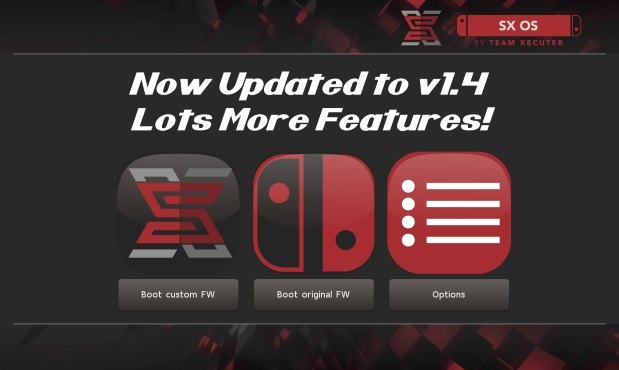
txos14.jpg

We have not heard from TX for a while, but don't worry, they back with nice new update to their SX OS, check out v1.4 below:

SX OS v1.4 Announcement
Good day, loyal users!

While we chip away at many different features for SX OS and additions to our SX hardware family we took a break to prepare an update for SX OS with some exciting new functionality and outstanding bug fixes.

Let's have a look at what's new and fixed in this release:
  • Integrated NSP installer
    With our last update we introduced the possibility of installing eShop NSP titles. However, this relied on using external tools and wasn't very user friendly. In this release we bring our own integrated NSP installer as part of our menu system. This is the neatest and easiest way of installing NSP titles, enjoy!
  • Integrated homebrew launcher
    Launching homebrew used to be done by launching NX HBMenu by holding R when entering the album. While we kept this possibility (mostly for developers), you can now also launch your favorite homebrew directly from our own menu!
  • IR / motion plus issue fixed
    A few games (like 1-2-Switch and Resident Evil) were suffering from freezes when enabling the joycon IR camera or motion controls.
  • Allow unsigned NCA
    People asked us if we could get rid of the NCA integrity checks, so we did! Custom NCA files, modified NCA files and repackaged NCA files should all work fine now.
  • Display SX OS version in menu
    To better distinguish the different versions of SX OS we introduced a small version number display in our menu.
  • LayeredFS fixes for 4.1.0
    There were certain issues with 'LayeredFS' for people on firmware 4.1.0. If you use 'LayeredFS' on that specific firmware there's good news for you: these issues have been identified and fixed!
And that's that for this release. We have quite the backlog of feature requests and todo's on our plate, but trust we'll get there!

-- Team-Xecuter - Rocking the Switch in 2018 and beyond! --
:arrow: Source: MaxConsole
 
Can confirm of 3 cases where users were banned for updating in OFW. Of note, they were also using AutoRCM. Point is, its happened now so it can happen to others.
So there isn't any way to install .nsp with a low chance of ban?
 
So there isn't any way to install .nsp with a low chance of ban?
Full nand backup before any CFW messing. stay fully offline, full nand restore before going back online.

It's hard to have piracy and online.
 
So there isn't any way to install .nsp with a low chance of ban?
If it were me, I would try to update the .NSPs offline and uninstall them before going online or just restore a NAND backup made before going online (which removes the .NSPs anyway). Also I forgot to mention those cases involved updating .XCI files, not .NSP but there has been one .NSP ban as of now.
 
So there isn't any way to install .nsp with a low chance of ban?
Think of it like this...
In order for you to download an eshop game(NSP) you need to have purchased the licence before you can install it.

By using SX OS installer or tinfoil or dev menu,You pretty much bypassing this licence.
You can delete the game,but we don't know if the switch logs all this activity(the assumption is it is logged),and even if it isn't,trace amounts of evidence would put Nintendo on your case.

They will ask the simple question, "how did this user have an eshop title installed if he doesn't own the licence for it?
Let's check the linked accounts on the device.
Only one linked account with no purchase history?must have hacked the console."

Banned.

You get where I'm going with this don't you.
At this moment in time,because we don't know what Nintendo can or can't see,there's no way to make a recommendation to stay unbanned aside from not loading ANY homebrew stuff on your Switch.That includes booting using AutoRCM
 
Last edited by PatchTuesday,
If it were me, I would try to update the .NSPs offline and uninstall them before going online or just restore a NAND backup made before going online (which removes the .NSPs anyway). Also I forgot to mention those cases involved updating .XCI files, not .NSP but there has been one .NSP ban as of now.
I've updated a lot of .xci games on the OFW and never got banned. But oh well looks like i will pass on the .nsp then.
 
Last edited by jlucasp25,
I've updated a lot of .xci games on the OFW and never got banned. But oh well looks like i will pass on the .nsp then
Same, I'll pass on the NSP stuff until I get banned, been over a month using XCI's and homebrew.
 
I've updated a lot of .xci games on the OFW and never got banned. But oh well looks like i will pass on the .nsp then
Because Nintendo can't tell you haven't purchased the XCI, they can definitely tell that you haven't purchased an NSP. Why not just download the updates the same way you downloaded the nsps?
 
The xci are only relevant to you if you like it easy drag and drop like I do. With nsp you Need to put the nsp on the SD install it and delete the nsp from the SD. Seems quite the huddle to me..

Plus 99.9% of all XCIs work and are update-able in the OS no problem (100% of every title I've tried now that LA Noire and 1-2 Switch work again)... Tried at least a dozen different NSPs and they would either not start, crash after a few mins or did something else weird. I'll stick to XCI too until they get the NSP stuff a bit more stable.
 
Perhaps dump your saved data with checkpoint homebrew. If you have a clean nand made before sx os was run,restore that if you were keeping your switch offline the entire time then update.if you don't,well then crack on.Can't take any other precautions really

IveI been online but not since installing SX. I had wifi settings erased but I did have airplane mode turned off because prior I was using the joycons wirelessly. Not sure if having joycon pairing/airplane mode off, on allowed any special tracking or not?

--------------------- MERGED ---------------------------

Full nand backup before any CFW messing. stay fully offline, full nand restore before going back online.QUOTE]

Won't this revert any game save progress back to the time of the nand backup? Or saves don't work that way?
 
1. How are people getting game updates in .nsp format that you find online? I mean, is it ripping from their own Switch or are they extracting it from some ninty server using a tool? Just curious how they get these files out into the wild, to be installed with a .nsp installer tool.
You can download any game, update or DLC yourself from Nintendo servers with CDNSP Next for PC (zero ban risk) or with FreeShop on Switch itself (very high ban risk at the moment).
I suggest anyone to do it instead of searching for shady releases on file sharing sites etc. I personally have zero issues with installing my own NSPs both with DevMenu and now SX OS.
 
If it were me, I would try to update the .NSPs offline and uninstall them before going online or just restore a NAND backup made before going online (which removes the .NSPs anyway). Also I forgot to mention those cases involved updating .XCI files, not .NSP but there has been one .NSP ban as of now.

So much messing around. I grabbed a cheap second Switch for online in the Amazon Prime sale. Much less hassle :) I guess not everyone has that luxury
 
So much messing around. I grabbed a cheap second Switch for online in the Amazon Prime sale. Much less hassle :) I guess not everyone has that luxury
On top of that, you will have to pay for online starting later this year. A Switch will still cost less overall than say 15 years of their online service assuming the price doesn't increase, but some people are pretty desperate to avoid getting banned. I'm gonna pay for it and even I have to admit its not entirely worth the money.
 
  • Like
Reactions: KhenemetHeru
Can confirm of 3 cases where users were banned for updating .XCI files in OFW. Of note, they were also using AutoRCM. Point is, its happened now so it can happen to others.

what about the people who have only used sx-os fully offline (just some offline xci gaming) nothing else, are there any reported bans for just sx-os offline xci booting? I've only used my backup switch in airplane mode no wifi, but i already feel like im banned lol. What i thought was weird was the one person using only layered fs offline nothing else and getting banned, i almost didn't believe it.
 
Last edited by josephdin,
what about the people who have only used sx-os fully offline (just some offline xci gaming) nothing else, there has to be some. I've only used my backup switch in airplane mode no wifi, but i already feel like im banned lol. What i thought was weird was the one person using only layered fs offline nothing else and getting banned, i almost didn't believe it.
Everyone who has been banned with SX OS went online with backups in some way, either through updating or online play (or even just running SX OS with an Internet connection). I have seen some people report keeping everything hacking related offline and it seems to be working for those people as of now.
 
Everyone who has been banned with SX OS went online with backups in some way, either through updating or online play (or even just running SX OS with an Internet connection). I have seen some people report keeping everything hacking related offline and it seems to be working for those people as of now.

I currently am one of those people. Haven’t done anything related online what so ever and I still have full access on my OFW. I have not messed with any layeredFS, devmenu or nsp installations yet. I’ve ran XCIs and some homebrew for cart dumping and also backed up NAND. Haven’t tried to perform any updates to any XCI files whatsoever but will be trying to install updates to said games as needed using the new installer.
 
I currently am one of those people. Haven’t done anything related online what so ever and I still have full access on my OFW. I have not messed with any layeredFS, devmenu or nsp installations yet. I’ve ran XCIs and some homebrew for cart dumping and also backed up NAND. Haven’t tried to perform any updates to any XCI files whatsoever but will be trying to install updates to said games as needed using the new installer.

gives me flashbacks to the 3ds banwave that happened last year around june i believe? Thats how i feel using my sx-os in airplane mode, however it is my 2nd switch and i expect a ban sooner or later so i will be checking periodically if i am banned, first thing i will try to do is download fortnite in ofw of course, i just started using the sx-os for a couple days so i will keep using it extensively offline for about a week and then boot into ofw and see if im banned or not, curiosity killed the cat, i spent the entire june of last year not touching my 3ds out of fear that i was banned even though i didn't get banned, a ton of people who had went online around that month were caught. I don't wanna go through it again with switch so i will be updating you guys on if i end up banned.
 
Lmao, the nsp installer is just Tinfoil with a fancy GUI, this insane.

Image source: @SimonMKWii

And yet all their work improves everything they touch. They are the first to release a polished product just about everytime.
If the devs complaining want to get paid sell your apps to TX. Its your choice to release for free or to try and cash in on your own hard work.
 
And yet all their work improves everything they touch. They are the first to release a polished product just about everytime.
If the devs complaining want to get paid sell your apps to TX. Its your choice to release for free or to try and cash in on your own hard work.
Used tinfoil, update install failed, used SX NSP installer, update install worked fine. As long as they keep stealing and improving it, i'm happy :D
 
The worst part is we still have no automatic way to delete the nsp after being installed so then you have double the space taken up until you stuff the sd card into the pc and manually remove it all.

I'm really surprised we don't have the "delete after install" option or at least a basic file manager for the sd card.
 
Status
Not open for further replies.

Site & Scene News

Popular threads in this forum