


Hi all,
I got an OG switch with Firmware 18.1.0 & Atmosphere 1.7.1.
What I did:
Any help would be much appreciated!!
Thanks in advance
I got an OG switch with Firmware 18.1.0 & Atmosphere 1.7.1.
What I did:
- Skyrim was crashing with an atmosphere error and needed to restart
- I tried to fix this by updating sys-patch to 1.5.6 thinking it would solve an issue and no it didnt help
- I actually had no idea how sys-patch was installed in the first place (might be when I was trying to install some homebrew app so i can play my own music while playing games)
- I copied the 2 folders within the sys-patch zip file (atmosphere & switch folders) onto the root of the microsd card.
- Now all my homebrew apps (that I installed via NSP generator) are broken eg. DBI and tinfoil a few others are saying "Corrupted data has been detected. Please run a check for corrupted data". When I click the button "Check" it then says "The microSD card data is corrupted."
- However the games are all working fine (only the applications arent loading)
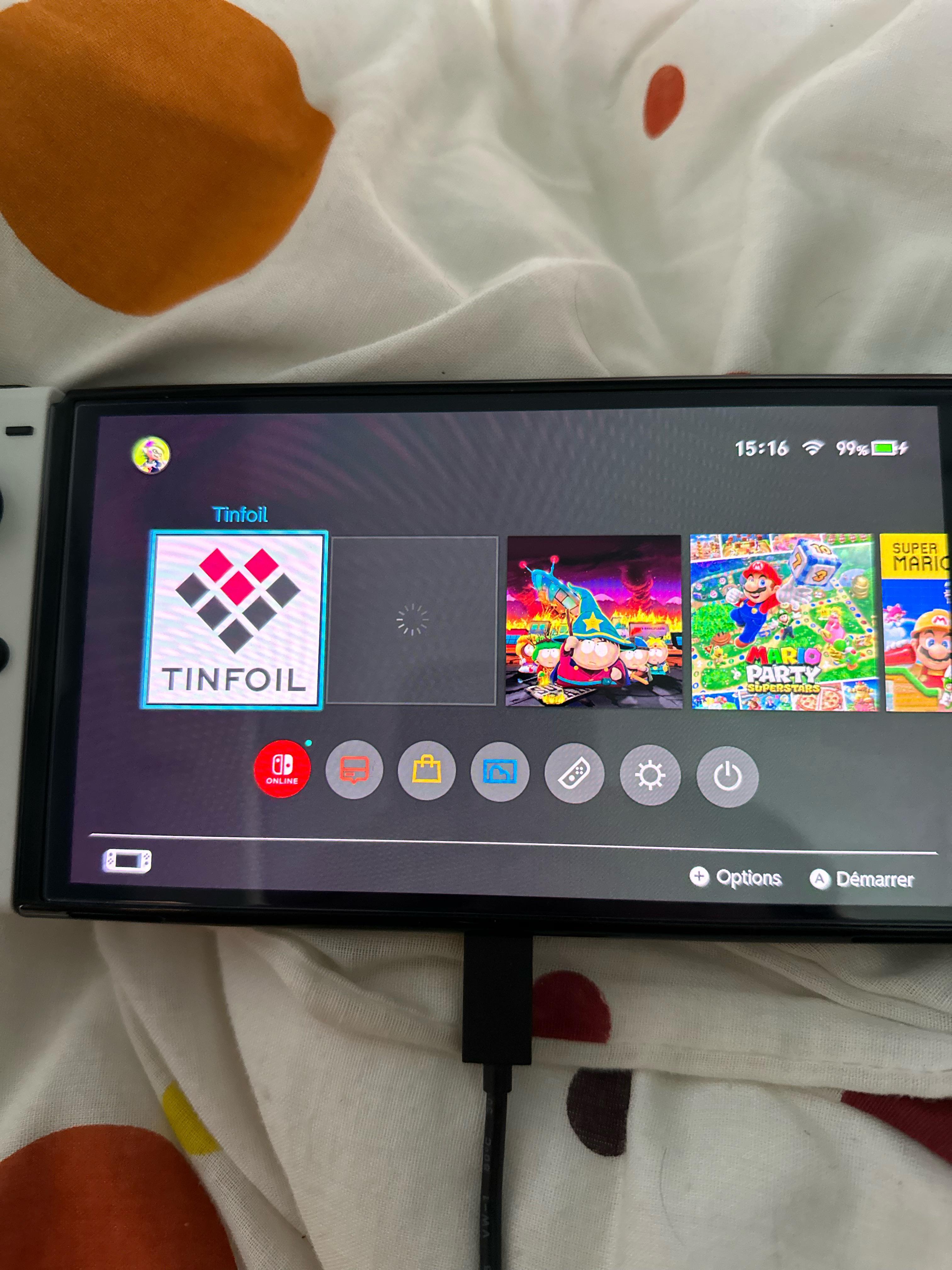
- Even when I tried to regenerate and reinstall the app NSP files using the nro file + prods.key I used previously the new apps cant seem to be installed. There are now empty loading icons would appear on the bottom of the home screen where the app icon suppose to be. And of course I cant launch the app when clicking on them....(like this picture)
- I can only delete those empty icons by deleting them via Gallery->HB menu->DBI->installed applications->delete (where the app names are displayed as "?????")
Any help would be much appreciated!!
Thanks in advance
Last edited by homersyd2,





