Hacking Blue gateway 3d/3d feature

  • Thread starter Thread starter placebooooo
  • Start date Start date
  • Views Views 3,755
  • Replies Replies 21

placebooooo

Well-Known Member
Member
Joined
Aug 9, 2013
Messages
818
Reaction score
126
Trophies
1
Age
31
Location
Philadelphia
XP
1,478
Country
United States
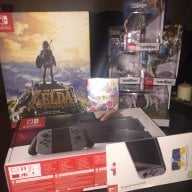
Hi guys, I'm happy to say I just received my gateway :) I have a few questions I'd like to ask, some related to the blue gateway card and others related to the 3ds itself:

1- How do I setup the blue gateway card to play ds backups? (i plan to use it for now until i get a dstwo card somewhat in a month or two)

2- How good or bad is it's rom compatibility?

And I just have 2 questions about the 3d feature on the 3ds:

3- I don't have eye problems at all, but when i ever turn on the 3d function my eyes start to feel weird a little bit so i usually keep it off. I just want to ask if this is normal or not?

4- I heard the 3d function isn't as good with all games so what games is the 3d function gonna prove best? which games do you recommend i use it on?

thnaks!

 
For 1 and 2.
I have no clue.

3. just turn the 3d up a tiny tiny bit every time
Let your eyes adjust to the 3D effect (a lot of people turned it up fully the first time whilst their eyes wheren't adjusted to it)
4. I hardly use the 3D function tho.
It's nice to occasionally play a game in 3D but it's more of a gimmick to me.
 
1. Just put the nds files and it plays just fine.
2. It is a fake wood 1.56 so you are ok. Most games will work. Otherwise ap patch.
3. I can't play for than 30 min with 3d on. Have a headache.
 
I really don't understand the "I hardly ever use the 3D" folks. I always have the 3D cranked. It doesn't bother my eyes at all to use it and it's actually a helpful feature in many games as it just makes it that much easier to judge distance... I find it extremely helpful in Super Mario 3D Land for landing some of those pixel perfect jumps or in Monster Hunter 3 Ultimate for figuring out that perfect place to stand to attack a hovering Rathian's tail w/ dual blades but still managing to stay out of the way of a back flipping tail whip. And even in the games where the 3D effect isn't game play enhancing it's at least pretty to look at and makes the game that much more immersive.

Oh... If the only thing you want a SCDS2 for is playing DS ROM's, you're probably not going to find it that much better than the blue card, it's running Wood after all. For DS ROM usage the SCDS2 only has the cheat searcher and real time saving over Wood. The only reason I would buy a SCDS2 now that you have the blue card is for the emulators and other software that are coded for the SCDS2's built in CPU, unless the features I mentioned above are critical to you. IMO, they are hardly worth the battery use of the SCDS2.
 
It's pretty simple, just put the files into the root of the micro sd card (where you put the installer) you have your blue card in. Select the fake game, then just select your file and it plays.

As far as 3d, that only works on 3ds games of course. On the first day my eyes got fatigued, but after that I'm usually fine.
 
Hi guys, I'm happy to say I just received my gateway :) I have a few questions I'd like to ask, some related to the blue gateway card and others related to the 3ds itself:

1- How do I setup the blue gateway card to play ds backups? (i plan to use it for now until i get a dstwo card somewhat in a month or two)
Very easy. Go to the Gateway 3DS website, and download the latest firmware package. They have a folder labeled R4i (Blue) or something like that. Take the contents of that folder and copy it to your micro SD's root. Please keep in mind that the blue cartridge only works up to the firmware 6.1.

2- How good or bad is it's rom compatibility?
I tested a handful of the later games and older ones, and the games worked perfectly fine, with no issues.

And I just have 2 questions about the 3d feature on the 3ds:

3- I don't have eye problems at all, but when i ever turn on the 3d function my eyes start to feel weird a little bit so i usually keep it off. I just want to ask if this is normal or not?
The 3D can definitely take time to get used to, and it's normal. In the beginning I had to strain my eyes after like 40 minutes, but now I can go for hours.

4- I heard the 3d function isn't as good with all games so what games is the 3d function gonna prove best? which games do you recommend i use it on?
The 3D is more of an effect like looking into a glass tank. It's more depthy, if you know what I mean. It's not necessarily popping "outwards" but it kind of goes inward. I'd recommend Super Mario 3D Land, Zelda Ocarina of Time, or Mario Kart 7. There's a ton more too, like Dragon Quest Monsters: Terry's Wonderland 3D but that one is in Japanese. Those games look absolutely stunning.

thnaks!
 
For the 3d question, it seems maybe you have the 3d turned up to much, you dont need to have to turned up all the way to get the 3d effect.
What i recommend is first move the slider all the way down and slowly raise it until you find a point where you can see the 3d effect and it seems natural to your eyes( IE: it doesnt make you feel cross-eyed).

I usually have mines somewhat in the middle and i get the perfect 3d effect with no problem or headaches like most people.
 
thanks for the replies everyone. One thing i noticed is that i have to reinsert the blue card and do the gateway installing thing all over again if i turn off my system. Thats not so cool. anyway around it?
 
thanks for the replies everyone. One thing i noticed is that i have to reinsert the blue card and do the gateway installing thing all over again if i turn off my system. Thats not so cool. anyway around it?


The blue card thing you mentioned is actually false. You only have to do the power on, go to Nintendo DS Profile thing and wait for reboot. If you play a DS Game though, you will have to rerun the blue card. No way around that as of right now.
 
Actually, you don't have to reinstall the exploit every time you shut the 3ds down - Just when you decide to play a DS game on it (I think?).

You do have to reactivate the exploit whenever you shut down the system though, but all you have to do for that is just go back the the DS profile, let the 3ds crash itself and restart.
 
Well if you're using a gateway then you're likely going to update your device extremely rare (if at all), in which case a cheaper cart like an actual R4i Gold with official Wood updates would play DS games fine (missing the extras the DSTwo has like cheat toggling in-game and memory search and stuff).
 
Hi guys, I'm happy to say I just received my gateway :) I have a few questions I'd like to ask, some related to the blue gateway card and others related to the 3ds itself:

1- How do I setup the blue gateway card to play ds backups? (i plan to use it for now until i get a dstwo card somewhat in a month or two)

2- How good or bad is it's rom compatibility?

And I just have 2 questions about the 3d feature on the 3ds:

3- I don't have eye problems at all, but when i ever turn on the 3d function my eyes start to feel weird a little bit so i usually keep it off. I just want to ask if this is normal or not?

4- I heard the 3d function isn't as good with all games so what games is the 3d function gonna prove best? which games do you recommend i use it on?

thnaks!

1) As others have said, just place the nds roms on the card and they'll show up in the menu.

2) Near completely compatibility.

3) It works the same as staring at those magic eye photos, your eyes aren't used to crossing that much for extended periods, the muscles are just tired it won't harm you, at worst you'll have a headache with prolonged usage.

4) I leave it off all the time, I'm not a fan of having to sit still, but supposedly it works well with Zelda OOT and Mario 3D land.
 
I really don't understand the "I hardly ever use the 3D" folks. I always have the 3D cranked. It doesn't bother my eyes at all to use it and it's actually a helpful feature in many games as it just makes it that much easier to judge distance... I find it extremely helpful in Super Mario 3D Land for landing some of those pixel perfect jumps or in Monster Hunter 3 Ultimate for figuring out that perfect place to stand to attack a hovering Rathian's tail w/ dual blades but still managing to stay out of the way of a back flipping tail whip. And even in the games where the 3D effect isn't game play enhancing it's at least pretty to look at and makes the game that much more immersive.

Oh... If the only thing you want a SCDS2 for is playing DS ROM's, you're probably not going to find it that much better than the blue card, it's running Wood after all. For DS ROM usage the SCDS2 only has the cheat searcher and real time saving over Wood. The only reason I would buy a SCDS2 now that you have the blue card is for the emulators and other software that are coded for the SCDS2's built in CPU, unless the features I mentioned above are critical to you. IMO, they are hardly worth the battery use of the SCDS2.

The people you don't understand as the "I hardly ever use the 3D" folks are the people genetically disposed to either not capable of seeing the 3D mode or to the lesser extent people that have issues viewing in the 3D mode for any period of time.
 
The blue card is just an R4i. No problems with game compatibility.

As for the 3D effect, yeah, I get eyestrain really bad after 15 minutes or so, even on a low-medium setting, so I'm starting to just leave it off. And I've had no problems making jumps in 3D Land without it. It's more of a distraction for me than anything.
 
The people you don't understand as the "I hardly ever use the 3D" folks are the people genetically disposed to either not capable of seeing the 3D mode or to the lesser extent people that have issues viewing in the 3D mode for any period of time.

Well yes, but I wasn't really talking about the people who have some physical issue preventing them from using the 3D. Rather I meant the comments like, "4. I hardly use the 3D function tho. It's nice to occasionally play a game in 3D but it's more of a gimmick to me." where no such issue exists or is at least reported.
 
2- How good or bad is it's rom compatibility?

Sorry for the necrobump, but I'd like to throw in my two cents. I'm probably at about 80% compatibility with games that worked 100% on my AK2i and Original R4 with wood. I'm getting black/white screens on: Elite Beat Agents, Bowser's Inside Story, Phantom Hourglass, KH 358/2 days, and others. They aren't patched roms, but they have been trimmed, so they are by no means "clean dumps." However, trimming roms wasn't an issue on the two carts that I previously mentioned. Anyone else having problems with DS games on their blue carts?

EDIT: GWBlueCart shows up as "Deep Labyrinth Atlus USA, Inc." if that makes a difference.
 
Hi guys, I'm happy to say I just received my gateway :) I have a few questions I'd like to ask, some related to the blue gateway card and others related to the 3ds itself:

1- How do I setup the blue gateway card to play ds backups? (i plan to use it for now until i get a dstwo card somewhat in a month or two)

2- How good or bad is it's rom compatibility?

And I just have 2 questions about the 3d feature on the 3ds:

3- I don't have eye problems at all, but when i ever turn on the 3d function my eyes start to feel weird a little bit so i usually keep it off. I just want to ask if this is normal or not?

4- I heard the 3d function isn't as good with all games so what games is the 3d function gonna prove best? which games do you recommend i use it on?

thnaks!

You'll get used to the 3D effect pretty quickly. The 3D effect is generally rather crappy in ports. Super Mario 3D Land might be a good game to test the 3D effect with, the gameplay takes advantage of the 3D effect.
 
So guys what about the latest firmware is the blue card working fine on 7.0x.

and by the way how do you see the roms on the microsd. ?

are you supposed to go to settings ds profile and go to gateway menu or sth.

could not find any info on that one.
 

Site & Scene News

Popular threads in this forum