
Hacking Hardware Repairing Switch Lite CLK/D point Pad

  • Thread starter Thread starter rash1613
  • Start date Start date
  • Views Views 5,666
  • Replies Replies 5

rash1613

Member
Newcomer
Joined
Apr 16, 2022
Messages
11
Reaction score
10
Trophies
0
Age
26
Location
New York
XP
134
Country
United States
Hello all. While trying to install the HWFLY in a lite, I accidentally ripped the CLK/D point pad. I still get a diode reading of around 550 on each side of the pad, but with the battery plugged in I get 0V on top and 0.9V on bottom. All pads to the right get 1.8V, just the CLK/D and everything to the left towards the APU get 0V. Anyone know how to go about repairing the pads?
Any help is much appreciated! Thank you

EDIT:
The top half of the CLK/D point reads about 0V to 0.07V at times. Bottom half is consistently 0.9V. Salvageable?
The top half of the C point on the right also looks ripped, 0V on top but bottom is still getting 1.8V and so are the pads between the D and C
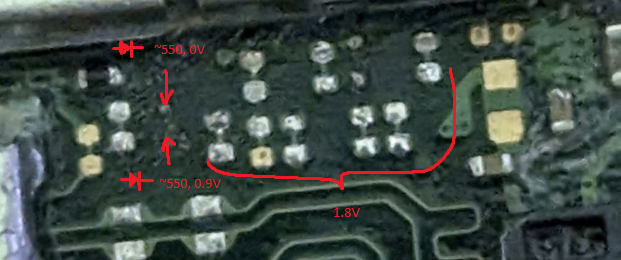
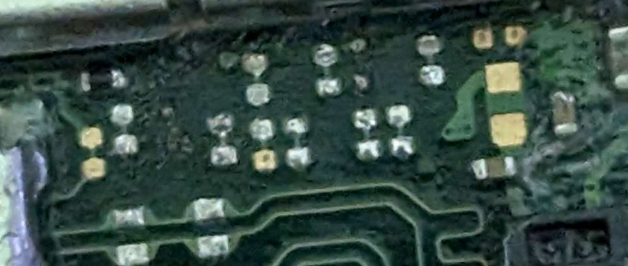
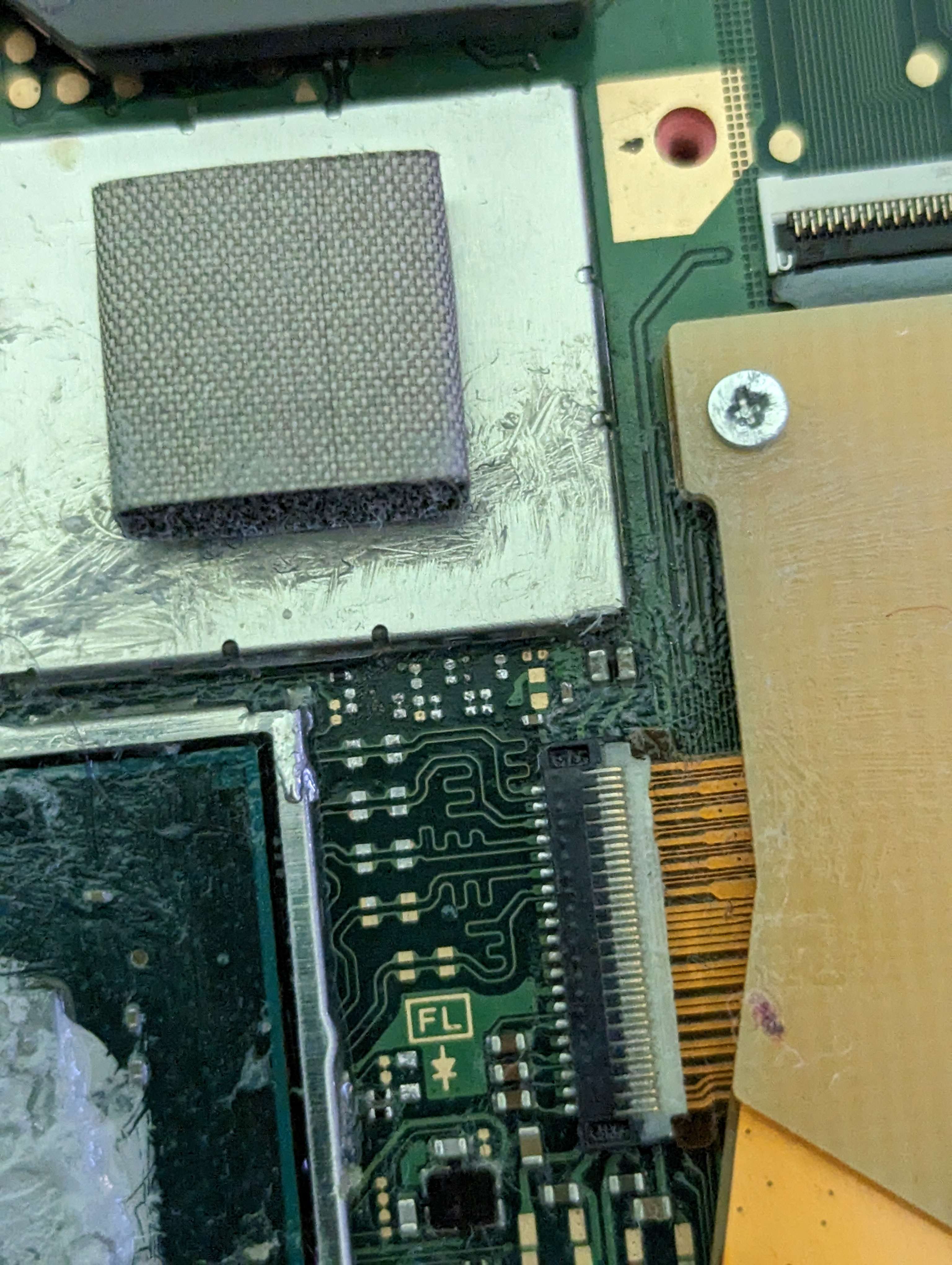
dpointlabeled.png
dpoint2.png
dpoint.jpg
 
Last edited by rash1613,
Hello all. While trying to install the HWFLY in a lite, I accidentally ripped the CLK/D point pad. I still get a diode reading of around 550 on each side of the pad, but with the battery plugged in I get 0V on top and 0.9V on bottom. All pads to the right get 1.8V, just the CLK/D and everything to the left towards the APU get 0V. Anyone know how to go about repairing the pads?
Any help is much appreciated! Thank you

EDIT:
The top half of the CLK/D point reads about 0V to 0.07V at times. Bottom half is consistently 0.9V. Salvageable?
The top half of the C point on the right also looks ripped, 0V on top but bottom is still getting 1.8V and so are the pads between the D and C


View attachment 369389View attachment 369390View attachment 369391
Did you solve it? Same problem here.
 
Hi, my current board has exactly as the same missing pads as those shown here (also due to hwfly mod 2nd time round).

Previously, it only have 1 missing pad (ie left pad) and once I bridge it to the pad on the right (which was intac before), the switch boots.

I then tried HWfly mod again but this time, the other pad (ie right pad) ripped off. There was exposed wire so I thought just bridged the 2 exposed pads so I tried by melting a "pool" of solder paste but that didn't fix it.

While doing diode test to make sure the copper are really exposed (get 0.774 and 0.65), I discover that there is a really really tiny copper exposed to ground in the middle of the 2 pads. I didn't want to scratch the middle area too much for fear of exposing the ground too much.

I have just put a small bit of pcb green mask and am going to try bridging it with a very thin wire (vs using pool of solder paste to ensure no short)

Reason why I'm sharing this (before "completing" or actual doing it) is because I'm having a REALLY HARD TIME getting the 0.1mm wire to stick to the exposed copper on the pads.

I thought I'll share this to see if others with the same problem but with better soldering skill (and with better equipments) had tried this (ie bridge the 2 pads avoiding the ground in the middle) to fix the problem.
 

Attachments

  • 20240202_154123.jpg
    20240202_154123.jpg
    2.1 MB · Views: 147
  • 20240202_142213.jpg
    20240202_142213.jpg
    1.8 MB · Views: 189
Success and works!

Just to share:
- I used green pcb mask and masked off the middle (several layers)
- Bridged the 2 points using solder paste

Switch Lite sprung back to life.

In summary, if you lose 1 or 2 or the pads as shown, make sure middle of the 2 pads are not touching ground and just bridge them.
 

Attachments

  • 20240205_162730.jpg
    20240205_162730.jpg
    566.7 KB · Views: 198

Site & Scene News

Popular threads in this forum