Hacking WiiFlow Lite

  • Thread starter Thread starter fledge68
  • Start date Start date
  • Views Views 1,032,464
  • Replies Replies 4,833
  • Likes Likes 66
thanks for testing. so when you select a plugin from sourceflow it only sorts in alpha the next time you go back to sourceflow until you choose wii or gc?

Selecting a plugin doesn't Default the sort setting to alpha.

When a plugin is selected from SourceFlow, the [B and +] button presses simply stop working. Whichever sort setting was last chosen (alpha or number) remains, when the function is broken.

Edit: Just saw your new post. Trying out the new dol now.
 
  • Like
Reactions: fledge68
Working beautifully, Fledge.

Selecting a plugin Source [BUTTON] no longer breaks the sort function for either SourceFlow or CoverFlow! I tried loading and unloading other things to see if it would finally break, and it wouldn't. Considering it fixed. Thanks!! :yaywii:

Now I'm kinda curious. Seeing SourceFlow behave more like CoverFlow. Would it be possible for WiiFlow to remember which CoverFlow/SmallFlow it last used, depending on which source_menu is currently loaded?

It would be interesting and beneficial to be able to use differently-sized art/shapes for different tiers.
 
  • Like
Reactions: kaisersozeh
Working beautifully, Fledge.

Selecting a plugin Source [BUTTON] no longer breaks the sort function for either SourceFlow or CoverFlow! I tried loading and unloading other things to see if it would finally break, and it wouldn't. Considering it fixed. Thanks!! :yaywii:

Now I'm kinda curious. Seeing SourceFlow behave more like CoverFlow. Would it be possible for WiiFlow to remember which CoverFlow/SmallFlow it last used, depending on which source_menu is currently loaded?

It would be interesting and beneficial to be able to use differently-sized art/shapes for different tiers.
Remember no. Tell wfl yes. For folder tier buttons and can add the line flow=# where # would be the flow used.
 
  • Like
Reactions: Hakaisha
Where is the command that states that NSMBW has a red cover? I want to edit it, since it doesnt look good for mods like Newer, Fallling Leaf, etc
 
Where is the command that states that NSMBW has a red cover? I want to edit it, since it doesnt look good for mods like Newer, Fallling Leaf, etc

So, it sounds like you already have red covers for some games. If you're wanting to edit any Wii game to use or disable one of the available cover colors for a certain game, you have to edit a specific ini file found in your WiiFlow folder.

First though, you should write down the game IDs of the games you no longer want to be colored red. You can determine a game's ID by checking the game's settings (click the gear button after the game is selected). The game's ID will be presented at the top of the screen in the game's Settings menu. For example, Newer Super Mario Bros ID is usually SMNE03 (You can also look these up pretty easily on GameTDB, if you prefer).

Once you have taken note of the game IDs cover colors you want to change, navigate to SD:/WiiFlow/settings and open the file named custom_titles.ini using a text editor (I recommend using Notepad++). Open it and scroll down until you find a section that looks like this (or just use Ctrl+F and type in [COVERS]:

[COVERS]
SMNE01=#FF0000FF
KMNE01=#FF0000FF
SIIP8P=#FCFF00FF

Here is how each game's custom cover color is decided. Quite simply, it's just typed out like GAMEID=#COLOR.

There are six possible colors you can choose from:

#FF0000FF=RED
#000000FF=BLACK
#FCFF00FF=YELLOW
#01A300FF=GREEN
#00E360FF=GREEN2

#FFFFFFFF=WHITE

If you want to make a Wii game's case turn back to white, it's not necessary to type in FFFFFFFF. Just backspace/delete the GAME ID's entire line from the list and that game's color will now default to white in WiiFlow.

After making the necessary changes, save the ini file and close the text editor program. When you boot up WiiFlow Lite again, you may notice the game cover's color still hasn't changed according to your changes. Press Home button and select Reload Cache. Then you should be good to go.
 
Last edited by Hakaisha,
So, it sounds like you already have red covers for some games. If you're wanting to edit any Wii game to use or disable one of the available cover colors for a certain game, you have to edit a specific ini file found in your WiiFlow folder.

First though, you should write down the game IDs of the games you no longer want to be colored red. You can determine a game's ID by checking the game's settings (click the gear button after the game is selected). The game's ID will be presented at the top of the screen in the game's Settings menu. For example, Newer Super Mario Bros ID is usually SMNE03 (You can also look these up pretty easily on GameTDB, if you prefer).

Once you have taken note of the game IDs cover colors you want to change, navigate to SD:/WiiFlow/settings and open the file named custom_titles.ini using a text editor (I recommend using Notepad++). Open it and scroll down until you find a section that looks like this (or just use Ctrl+F and type in [COVERS]:

[COVERS]
SMNE01=#FF0000FF
KMNE01=#FF0000FF
SIIP8P=#FCFF00FF

Here is how each game's custom cover color is decided. Quite simply, it's just typed out like GAMEID=#COLOR.

There are six possible colors you can choose from:

#FF0000FF=RED
#000000FF=BLACK
#FCFF00FF=YELLOW
#01A300FF=GREEN
#00E360FF=GREEN2

#FFFFFFFF=WHITE

If you want to make a Wii game's case turn back to white, it's not necessary to type in FFFFFFFF. Just backspace/delete the GAME ID's entire line from the list and that game's color will now default to white in WiiFlow.

After making the necessary changes, save the ini file and close the text editor program. When you boot up WiiFlow Lite again, you may notice the game cover's color still hasn't changed according to your changes. Press Home button and select Reload Cache. Then you should be good to go.

Damn, that answer was a lot better than I was expecting, thank you.

Now, if you don't mind being bothered again, do you know how to properly change global Nintendont settings? Since WiiFlow seems to use a different file, so for example, I have to manually deactivate Memory Card Emulation and set the Widescreen patch for every game.
 
Damn, that answer was a lot better than I was expecting, thank you.

Now, if you don't mind being bothered again, do you know how to properly change global Nintendont settings? Since WiiFlow seems to use a different file, so for example, I have to manually deactivate Memory Card Emulation and set the Widescreen patch for every game.
Thanks @Hakaisha for the great answer. i see someone's done their wiiflow homework.

as for nintendont global settings. i never added all of them to main setting>gamecube settings, sorry. so unfortunately for now you will have to manually edit wiiflow_lite.ini. in your apps/wiiflow_lite/ folder.
open it with notepad+ and scroll down to find [GAMECUBE].
set emu_memcard=0

as for widescreen. it currently internally defaults to off. so yes you will have to set it on for each game. obviously this is something i need to change. although the widesreen setting isn't recommended to be on for most games. it may cause issues with some games. wii u widescreen should be ok though.
 
  • Like
Reactions: Hakaisha
Hmmm...
I didn't find "custom_titles.ini" file
I extracted the one from the Masterpack, but that one didnt have a "[COVER]" section.
 
Hmmm...
I didn't find "custom_titles.ini" file
I extracted the one from the Masterpack, but that one didnt have a "[COVER]" section.
you will have to make it from scratch or edit the one from masterpack - add [COVER] like in hakaisha's post above.
 
@FIX94 @GreyWolf @Cyan
i'm having a problem with wiiflow code any time it uses time(). its giving me random values.
so the time in games is wrong, randomizing background songs plays the same songs in same order, screenshots are timestamped with random times.

i'm using devkitpro ppc r32 and libogc 1.8.20. i noticed gc games launched with nintendont 5.485 have the correct time. i don't know if i'm missing some #include or some other piece of code. or maybe its because i
m on windows 10 and not linux. any help would be appreciated.
 
Last edited by fledge68,
i'm having a problem with wiiflow code any time it uses time(). its giving me random values.
so the time in games is wrong, randomizing background songs plays the same songs in same order, screenshots are timestamped with random times.
The size of "time_t" changed from 32bit to 64bit so you have to update whatever code is still trying to use it as if it was 32bit.
 
The size of "time_t" changed from 32bit to 64bit so you have to update whatever code is still trying to use it as if it was 32bit.
oh so i bet that code is missing 32 bits of the value time. so it comes off as random values. ok this must be it.
 
The size of "time_t" changed from 32bit to 64bit so you have to update whatever code is still trying to use it as if it was 32bit.
ok i'm an idiot.
i don't know what i'm doing.
so time(null) now returns a 64 bit value? what are the extra bits?

so i got this line of code
/* Set proper time */
settime(secs_to_ticks(time(NULL) - 946684800));

how would i convert it to 64bit?
 
so i got this line of code
/* Set proper time */
settime(secs_to_ticks(time(NULL) - 946684800));

how would i convert it to 64bit?
Not knowing anything about what those functions are:

946684800 is a 32 bit number, but subtracting it from a 64 bit number automatically promotes (casts) it to 64 and everything should be fine (you may slightly improve performance by adding an uppercase L or two immediately after the number, to make the constant 64 bit at compile time - though the compiler should figure out anyway, if you have optimizations enabled)

Does secs_to_ticks indeed take a 64 bit number, of the appropriate signed/unsigned kind?
 
Not knowing anything about what those functions are:

946684800 is a 32 bit number, but subtracting it from a 64 bit number automatically promotes (casts) it to 64 and everything should be fine (you may slightly improve performance by adding an uppercase L or two immediately after the number, to make the constant 64 bit at compile time - though the compiler should figure out anyway, if you have optimizations enabled)

Does secs_to_ticks indeed take a 64 bit number, of the appropriate signed/unsigned kind?
I dont know. I think its part of libogc. Couldnt find it in wiiflow code.
 
What should be done (on a completely new installation) - if possible! - to combine the Wii and Gamecube lists?
 
  • Like
Reactions: Flaya
What should be done (on a completely new installation) - if possible! - to combine the Wii and Gamecube lists?
so tell me whats wrong with these lines of code:

srand(unsigned(time(NULL)));
random_shuffle(FileNames.begin(), FileNames.end());

FileNames is a vector of song titles. its supposed to randomize the order. but its the same order every time. i'm assuming the first line is like the seed value which should be different every time because time(NULL) is supposed to be different every time.

funny these lines of code are identical to what is shown on cplusplus.com - http://www.cplusplus.com/reference/algorithm/random_shuffle/
theres no error during compile and when this is compiled with devkitppc r29 and libogc 1.8.19 it runs just fine. but if i use ppc r32 and libogc 1.8.20 it doesn't run correctly. fix94 says time_t changed from 32bit to 64bit probably because of the gcc upgrade. but looking at those lines i don't see why 64bit would make any difference.

any thoughts? for now i guess i'm going back to ppc r29.
 
srand(unsigned(time(NULL)));
random_shuffle(FileNames.begin(), FileNames.end());

FileNames is a vector of song titles. its supposed to randomize the order. but its the same order every time. i'm assuming the first line is like the seed value which should be different every time because time(NULL) is supposed to be different every time.
I'm not really familiar with C++, but in regular C, a "feature" of most/all implementations is that, indeed, the random sequence is constant between launches of the program (allegedly, to simplify testing), so you need to feed srand a "random" number in the first place such as the time!

If the number ends up constant, the output of the following calls to "rand" will be the same...

...so, the questions are:

1- what is being fed to srand in the first place? (hopefully you can just display it somewhere for testing)

1 and half - what is time? something actually linked to the hardware clock, or something arbitrary (cpu cycles / number) since the start of the console/IOS/homebrew/thread?

2- is random_shuffle actually using rand, or at least its data source? (the example you linked clearly agrees)

3- is the DKPPC standard library, or whatever is providing the random functions, actually doing work conforming to the standard, or at least resembling it?

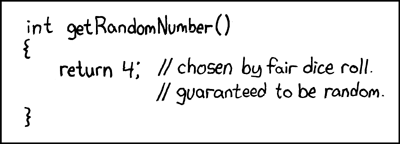
random_number.png
 
I'm not really familiar with C++, but in regular C, a "feature" of most/all implementations is that, indeed, the random sequence is constant between launches of the program (allegedly, to simplify testing), so you need to feed srand a "random" number in the first place such as the time!

If the number ends up constant, the output of the following calls to "rand" will be the same...

...so, the questions are:

1- what is being fed to srand in the first place? (hopefully you can just display it somewhere for testing)

1 and half - what is time? something actually linked to the hardware clock, or something arbitrary (cpu cycles / number) since the start of the console/IOS/homebrew/thread?

2- is random_shuffle actually using rand, or at least its data source? (the example you linked clearly agrees)

3- is the DKPPC standard library, or whatever is providing the random functions, actually doing work conforming to the standard, or at least resembling it?
random_number.png
sorry i figured you knew c++ time and srand and random_shuffle are all c++ code. if you would have look at the link i provided it would fill you in on that stuff. but nevermind. hopefully someone else will help me.
 
@FIX94 @GreyWolf @Cyan
I believe i found my fix for my time() or time_t problem. libogc has a commit on aug 26 that says 'removed unneeded time code'. that commit is not part of libogc 1.8.20 so i compiled the latest libogc (1.8.21) myself and now my time() problems are solved. seems to me someone needs to release a new version of libogc.
 

Site & Scene News

Popular threads in this forum