Hacking WiiFlow Lite

  • Thread starter Thread starter fledge68
  • Start date Start date
  • Views Views 1,032,204
  • Replies Replies 4,833
  • Likes Likes 66
But not everything moves with me when I do that- aren't some things contained in the save game file? How do I move that?
Dont worry about the save file. Thats just boot settings like which usb port, if to use a cios and which one.

@kaisersozeh you ask a lot. You remind me of spacepimp.

As for frames. I never said you had to have 8 images. You can have more or less. The number you have in the folder is the frames.

As for full screen i dont see that happening. Im not sure why they have to be 200x100 or smaller.

Oh and wiiflow lite does not have the ftp server.
 
I really like his stuff, spacepimp's. He seems to pop up everywhere I look for stuff I'm interested in. I gather you didn't like his approach? :rofl:
He's like another Abz, but without the pack!
TBH, Im quite pleased with the comparison, He seems to have done loads too, not just asked for stuff. @newo told me it's the non-programmers, artists and considered user feedback doesnt only add polish, it's a part of his creative process. As a user, just playing at the edges of coding, that's a really interesting idea. So Abz, spacepimp, spayrosam, mastershoes, and dishe Hakaisha and dozens of others. Glad to be able to be part of the wiiflow evolution.
What happened to Abz, spacepimp? They were incredibly active when i lurked?
Dont worry about the save file. Thats just boot settings like which usb port, if to use a cios and which one.

@kaisersozeh you ask a lot. You remind me of spacepimp.

As for frames. I never said you had to have 8 images. You can have more or less. The number you have in the folder is the frames.

As for full screen i dont see that happening. Im not sure why they have to be 200x100 or smaller.

Oh and wiiflow lite does not have the ftp server.

@dishe, there's a couple of other homebrew ftp options. Wiixplorer and ftpii...
@fledge68, @Hakaisha reported the number of images maxxed out at 10?

It takes 10 seconds for the boot animation to start on my setup; with or without a custom animation inserted. ^_^

Just be sure to reinstall WiiFlow Lite to Priiloader every time you make any adjustments to WiiFlow Lite's meta.xml file. The changes made will instantly reflect when booted from HBC, but the last saved configuration is used in Priiloader, regardless of the current state of the meta.xml.


The largest image size I have been able to achieve so far is 200x100, with up to 10 images used for frames of animation.

In my tests so far, anything sized smaller than 200x100 will oddly blank out the last frame in the animation sequence loop. It may also be the fact I've been using less than 10 frames in those, but 200x100 animations don't have this issue with less frames.

Seems like it's easy enough to just use a 200x100 canvas and put your smaller image in the middle, surrounded by an alpha channel transparency on the sides to compensate as a workaround for this issue.

I'm curious if it's possible to expand the maximum image size accepted. This could potentially be used for static splash screens similar to RetroPie. Larger animation frames would be interesting to try out as well.

Edit- fledge - i'm more interested in a dialogue about what's possible, feasible to do. Please dont feel I'm hassling you for features.
If spacepimp asked you to do stuff and did nothing with it, that's not my intention
 
Last edited by kaisersozeh,
I can compile!!!!!!
Unfortunately, although the examples will build, wiiflow and any other source I have stop with an error regarding 'nanosleep'
But still - dead pleased and wanted to tell someone.
 
  • Like
Reactions: dishe
I'm having difficulties getting WiiFlow Lite to play some WBFS-converted dumps.

The ISO in question is the v1.01 of Skyward Sword PAL. I've used dolphin to verify that my ISO md5sum is correct, namely ea5745a17a1a4e999b5443be839a5c6f.

I was initially having issues with the various wbfs-converting tools on Linux, and had suspected those of being responsible for the issue. However, after realising that the .wbfs files in question work in Dolphin, decided that perhaps the issue is with WiiFlow Lite itself.

The issue is: When selecting Skyward Sword from the wiiflow-lite interface, on the same frame that wiiflow-lite *would* show the banner animation in the top-right, what instead happens is an "Exception (DSI)" crash. This is with .wbfs files obtained by using Wii Backup Manager on the ISO.

I get a slightly different issue when using other wbfs tools, like "wit", "wbfs_file" and "wii backup fusion" (I'm a Linux user, and the only Windows machine in the house is old and slow). What happens here is the same "Exception (DSI)", except when loading the game, instead of when merely viewing its entry.

I'm running them from an SD card, but I don't think that's having an effect.

I think this is the correct place to report issues, since there doesn't seem to be a bug tracker at the sourceforge page. If there's any other info I can provide which might be useful, please let me know! In the meantime, I'm going to see if things work with a v1.00 PAL copy.

Edit: I probably should have also mentioned that I'm running from inside vWii on a Wii U with CBHC.

Edit 2: I'm sure it isn't too useful, but I took a photo of the Exception (DSI) when trying to view the entry (when loading the banner) for Skyward Sword PALv1.01 - https://imgur.com/a/lEKKiQ0
 
Last edited by aphirst,
Oh, well. It seems that the issue isn't isolated to the v1.01 PAL release. I have another dump of the v1.00 (alsomd5sum verified) which, after converting with Wii Backup Manager, *also* causes the "Exception (DSI)" error when the banner would display.

I wondered whether a potential cause could be that on my Wii U I have the eShop version of Skyward Sword (EUR) installed. However, after deleting that, and removing its save data, I still get the same issues. Twilight Princess however, converted to WBFS from another verified ISO-dump) works in wiiflow-lite just fine, both displaying its banner, and playing the game proper. All in all, I'm very confused.

Edit: I'm sure it isn't very useful, but here's a photo of the Exception when the banner for Skyward Sword PAL v1.00 attempts to display: https://imgur.com/a/IK196A6
 
Last edited by aphirst,
Strange. So the obvious problems could be the banner or banner sound or the cover of the game. You said the wbfs files checked out in dolphin. So maybe its the cover. Could be too big or corrupted.

Was it the iso or the wbfs files that passed your check. In other words maybe the iso is fine but when converted to wbfs something is messing up.
 
@fledge68 - In the interrim I've done some thorough investigation, and it turns out that the underlying problem was in fact WBFS conversion after all! When using Wii Backup Manager x64 in Windows x64, and and with the source ISO and target wbfs/ folder both on HDDs instead of flash/SD, the resulting WBFS files for both "versions" of Skyward Sword PAL work perfectly in wiiflow-lite and in cfgusbloader-mod.

Rather than document it fully here, I intend to make a separate thread, for reasons which will hopefully become clear.
 
  • Like
Reactions: fledge68
Hey @fledge68, could you do the ultimate fix for me and do this with your WiiFlow Lite the same as @einsteinx2 mod:

  • Remove 20 second wait before Wiiflow boots for people using SD cards only!! It checks to see if the app folder is on the SD card then checks to make sure no sections are set to USB partition, and if not, it skips mounting the USB drive completely saving about a half second or so on boot time compared to a hard drive setup and removes the 20 second timeout delay!
 
Hey @fledge68, could you do the ultimate fix for me and do this with your WiiFlow Lite the same as @einsteinx2 mod:

  • Remove 20 second wait before Wiiflow boots for people using SD cards only!! It checks to see if the app folder is on the SD card then checks to make sure no sections are set to USB partition, and if not, it skips mounting the USB drive completely saving about a half second or so on boot time compared to a hard drive setup and removes the 20 second timeout delay!
Do you only use wiiflow as a front end for emulators via the plugins?
 
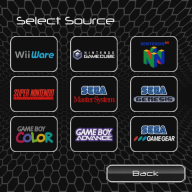
I have it setup with SD card only, using all the systems in my avatar pic. Wii, Wiiware, GameCube, N64 (nand/emunand), NES, SNES, SEGAs and Gameboys. With no USB drive attached, WiiFlow Lite shows a black screen for 15 seconds before the WiiFlow logo shows and boots up. I wouldn't mind so much if it was only on boot but every time I exit a game and go "Back to WiiFlow" I have to wait 15 seconds of black screen then 5 more seconds to reload. Einsteinx2's mod "WiiFlow Lite Einstein" has resolved this issue and he was under the impression this was added to your most recent build but I tried it last night and it is not. Just figured I'd request it since you have added other changes like his recently :) TIA
 
I have it setup with SD card only, using all the systems in my avatar pic. Wii, Wiiware, GameCube, N64 (nand/emunand), NES, SNES, SEGAs and Gameboys. With no USB drive attached, WiiFlow Lite shows a black screen for 15 seconds before the WiiFlow logo shows and boots up. I wouldn't mind so much if it was only on boot but every time I exit a game and go "Back to WiiFlow" I have to wait 15 seconds of black screen then 5 more seconds to reload. Einsteinx2's mod "WiiFlow Lite Einstein" has resolved this issue and he was under the impression this was added to your most recent build but I tried it last night and it is not. Just figured I'd request it since you have added other changes like his recently :) TIA
i'm shocked there's actually someone out there that doesn't use a USB HDD for wii games. i've heard that some wii games don't run well from SD. thats why I didn't bother adding einsteinx2's patch.

so i'm adding the patch but using a sdonly arg via the meta.xml file. will release it soon.
 
Last edited by fledge68,
  • Like
Reactions: WesMods and aphirst
i'm shocked there's actually someone out there that doesn't use a USB HDD for wii games. i've heard that some wii games don't run well from SD. thats why I didn't bother adding einsteinx2's patch.

so i'm adding the patch but using a sdonly arg via the meta.xml file. will release it soon.
I use wiiflow-lite on my Wii U in vWii mode. To avoid what I perceived to be a kerfuffle with multiple HDDs plugged in, since I'm using an HDD for the Wii U games, I decided I'd do both my GC and Wii gaming from the SD card. After my initial hurdles with WBFS conversion (see my other thread), I haven't had any issues yet. Touch wood.

I too have been frustrated by the seemingly long load times. Is it really just because of a USB HDD timeout? If you do merge this patch, will we be able to update to the builds which include it via the standard Update mechanism?
 
  • Like
Reactions: WesMods
Thanks so much :) I like the SD only setup since it has no usb sticking out for the kids to destroy lol. 128gb SD fits all the good stuff I need :)

--------------------- MERGED ---------------------------

I use wiiflow-lite on my Wii U in vWii mode. To avoid what I perceived to be a kerfuffle with multiple HDDs plugged in, since I'm using an HDD for the Wii U games, I decided I'd do both my GC and Wii gaming from the SD card. After my initial hurdles with WBFS conversion (see my other thread), I haven't had any issues yet. Touch wood.

I too have been frustrated by the seemingly long load times. Is it really just because of a USB HDD timeout? If you do merge this patch, will we be able to update to the builds which include it via the standard Update mechanism?

My other issue with this haha. I have the same setup for my WiiU as well. Plugging a USB in the top usb port on the back makes WiiFlow load instantly, even if it doesn't have any files on it. Charging my phone in the top/rear port even makes it load instantly. No USB, 15 seconds of black screen first.
 
  • Like
Reactions: aphirst
Thanks so much :) I like the SD only setup since it has no usb sticking out for the kids to destroy lol. 128gb SD fits all the good stuff I need :)

--------------------- MERGED ---------------------------


My other issue with this haha. I have the same setup for my WiiU as well. Plugging a USB in the top usb port on the back makes WiiFlow load instantly, even if it doesn't have any files on it. Charging my phone in the top/rear port even makes it load instantly. No USB, 15 seconds of black screen first.
The wiiflow code can tell right away if a usb device is attached. But the device needs to be awake. Some usb hdd are slow to wake up and spin up. So to compensate for that wiiflow waits and checks again for 20 seconds. By attaching a device wiiflow detects it right away and skips the 20 second wait.
 
The wiiflow code can tell right away if a usb device is attached. But the device needs to be awake. Some usb hdd are slow to wake up and spin up. So to compensate for that wiiflow waits and checks again for 20 seconds. By attaching a device wiiflow detects it right away and skips the 20 second wait.
I suppose there's no way for wiiflow-lite to know in advance that the attached HDD is a Wii U disk, not one with a partition table, short of the user specifying this as an option / manual config?

so i'm adding the patch but using a sdonly arg via the meta.xml file. will release it soon.
I and I'm sure many others are looking forward very keenly!

When the time comes to upload wiiflow-lite, is it sufficient just to replace the SD card files, or should the wii (vWii) save file also be deleted prior to launch?
 
try r1149!

http://www.mediafire.com/file/y1bf3657eba45im/boot.dol

-added flash screen image to appear before wiiflow wait animation. i hope the image isn't too big to cause problems with wfl.
-added 'noflash' arg for meta.xml if you don't want the flash screen image to appear. and no i can't make it load a image from a folder. it must be compiled in the code.
-added 'sdonly' arg for meta.xml for those of you that have everything on SD and hate the 20 second wait for wiiflow to search for usb devices. thanks einsteinx2!
-added meta.xml args support when wiiflow boots homebrew. meaning when a homebrew boot.dol or elf is launched the meta.xml (if exist) will be read for arguments and those args sent when the app is launched. this fixes the issue of custom wait images when changing themes.
-added spanish translation file 'spanish.ini'. thanks to ravmn for sending it to me!
-other minor changes, mainly remarks added for myself.

i take no credit for the flash screen image. credit goes to jiiwah or benjay or one of those theme makers.
add your args to meta.xml between <app> and </app> like this:

<arguments>
<arg>noflash</arg>
<arg>sdonly</arg>
</arguments>
 
try r1149!

http://www.mediafire.com/file/y1bf3657eba45im/boot.dol

-added flash screen image to appear before wiiflow wait animation. i hope the image isn't too big to cause problems with wfl.
-added 'noflash' arg for meta.xml if you don't want the flash screen image to appear. and no i can't make it load a image from a folder. it must be compiled in the code.
-added 'sdonly' arg for meta.xml for those of you that have everything on SD and hate the 20 second wait for wiiflow to search for usb devices. thanks einsteinx2!
-added meta.xml args support when wiiflow boots homebrew. meaning when a homebrew boot.dol or elf is launched the meta.xml (if exist) will be read for arguments and those args sent when the app is launched. this fixes the issue of custom wait images when changing themes.
-added spanish translation file 'spanish.ini'. thanks to ravmn for sending it to me!
-other minor changes, mainly remarks added for myself.

i take no credit for the flash screen image. credit goes to jiiwah or benjay or one of those theme makers.
add your args to meta.xml between <app> and </app> like this:

<arguments>
<arg>noflash</arg>
<arg>sdonly</arg>
</arguments>
Thanks very much for this @fledge68, can't wait to try. Game changer for me!
 
Is wiiflow lite able to read my gamecube memory card? I used it fine for usb loader gx but for some reason it wont load for wiiflow lite
 

Site & Scene News

Popular threads in this forum