Wont work either, made some truly fail mistaketry "make clean" first. Then recompile.
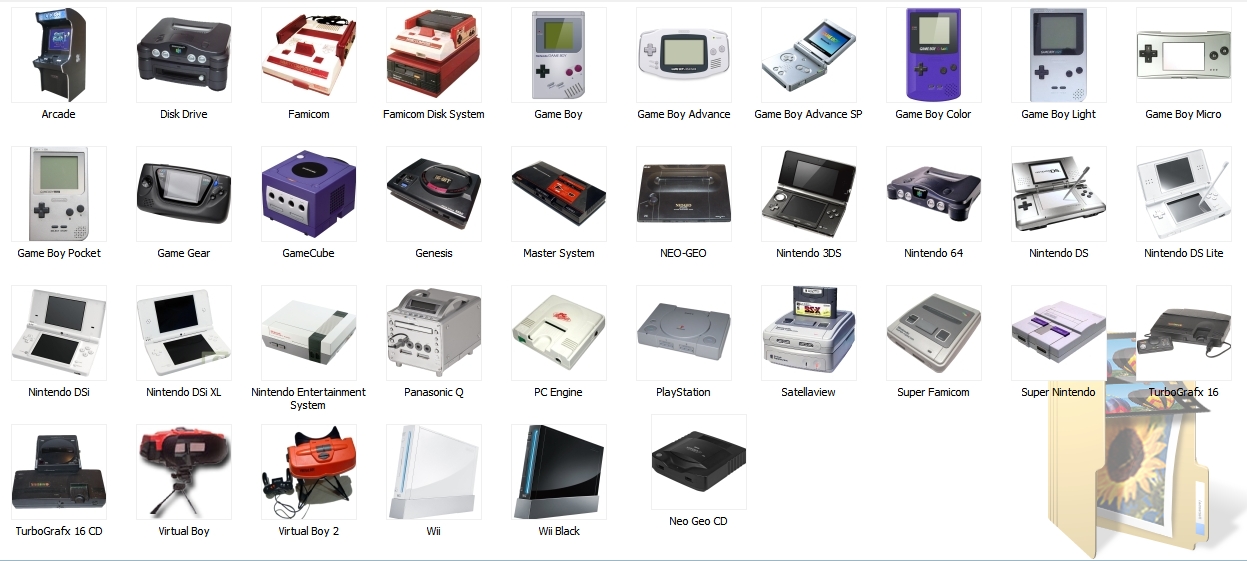
just committed r415 - new source select menu with images now. Be sure to download this rar
http://www.mediafire...2y3cwxakb92napo
it contains the source_menu folder that you put in sd:\wiiflow or usb:\wiiflow
also inside the folder is a text file with instructions but if you have any questions feel free to ask. you will no longer need the startup_menu.ini that has been replaced by the source_menu.ini in the source menu folder. for those of you that spent a lot of time setting up the old one please don't shoot me.Hopefully everyone will be happy now cause I'm tired of coding the darn thing. If you liked the text before I suggest making images with text in them.
@abdallahterro - no sorry, no old text buttons - make some button images with text and put them in place of the console images.
edit - i forgot in the setup text - to keep a button from showing set its source empty (source=)

It was just a bunch of PNG files and two text files. I'm guessing some report happy file nazi was just looking to report anything they could find. Maybe someone at MediaFire just got fired, I don't know.Hey fledge someones flagged you MF link
http://code.google.c...ce/detail?r=415
What did the file contain?
Here's the linke that [member='fledge68'] posted a couple of pages back. I assume it has the same thing. I had assumed it was the same link but it looks like this one is still up. http://www.mediafire...2y3cwxakb92napoJust got a copy of the file, cant see anything problematic in it...Hey fledge someones flagged you MF link
http://code.google.c...ce/detail?r=415
What did the file contain?
sorry - just edit that yourself - get the magic numbers from their plugin initsThank you for the source menu icons, they're awesome. Just an fyi, I noticed when I clicked on the nes and n64 icons they reset the wii. I looked at the ini closer and realized that the magic numbers were missing.
I did, thanks. Just wanted to let you know incase you ever had to update the ini further down the road. I love the pics so much more than the "old" bubbles. Thanks for all the hard work. I have three kids, a wife, and a job too so I know how time can be very hard to find these days.sorry - just edit that yourself - get the magic numbers from their plugin initsThank you for the source menu icons, they're awesome. Just an fyi, I noticed when I clicked on the nes and n64 icons they reset the wii. I looked at the ini closer and realized that the magic numbers were missing.
Mastershoes: Love all your pics! Do all of those plugins work/load the games? To split my game boy roms should I just separate gb/gbc/gba each into a folder within vbagx/roms and then make three inis with the same info except for the rom path in each?
Do you really need a separate dol for each? I had figured you'd just need different ini files that point to the right rom folder and same dol?Mastershoes: Love all your pics! Do all of those plugins work/load the games? To split my game boy roms should I just separate gb/gbc/gba each into a folder within vbagx/roms and then make three inis with the same info except for the rom path in each?
Thanks man! Yes they are all functional, except for atari 2600 & atari 7800, which are just mockups (they're both setup, so if they happen to get released, all I have to do is swap out the .dol's..- roms and covers are already setup and cached.) Once I get these where I'm happy with them, I'll post a link if anyone's interested. And yes, if you want to split up your gb/gbc/gba, you need a seperate .dol and .ini for each. here's how my .ini's look.
[PLUGIN]
magic=56424158
coverColor=666666
fileTypes=.gb
romDir=wiiflowroms/GB
dolFile=GB.dol
bannerSound=GB.ogg
ReturnLoader=
coverFolder=vbagx
displayname=GB
[PLUGIN]
magic=56424168
coverColor=666666
fileTypes=.gbc|.cgb|.sgb|
romDir=wiiflowroms/GBC
dolFile=GBC.dol
bannerSound=GBC.ogg
ReturnLoader=
coverFolder=vbagx
displayname=GBC
[PLUGIN]
magic=56424178
coverColor=666666
fileTypes=.gba
romDir=wiiflowroms/GBA
dolFile=GBA.dol
bannerSound=gba.ogg
ReturnLoader=
coverFolder=vbagx
displayname=GBA