My friend is trying to run DS roms on her R4-DS, using the latest firmware from www.r4i-sdhc.com (firmware for 1.4). Her R4 cart is a 3rd gen SDHC. She's tried several games, and each game, she gets this on the top:
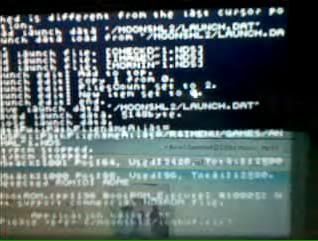
uched is different from the last cursor position
Load Launch Data '/MOONSHL2/LAUNCH.DAT'
aunch data load from '/MOONSHL2/LAUNCH.DA
BootROM.cpp:196 BooROM Execute: ~10005:
Not support commercial NDSROM file.
Application halted!!
Please refer [/moonshl2/logbuf.txt]
The top screen says this on the first 4 lines, and last 4 lines. Sorry I can't be clearer, this is for a friend, and the pic of the top screen is through webcam. She's using a DS Lite.
The bottom screen says the game can't be loaded or found and there was an application error. It completely freezes after this.
I hope this is enough info ^^;
uched is different from the last cursor position
Load Launch Data '/MOONSHL2/LAUNCH.DAT'
aunch data load from '/MOONSHL2/LAUNCH.DA
BootROM.cpp:196 BooROM Execute: ~10005:
Not support commercial NDSROM file.
Application halted!!
Please refer [/moonshl2/logbuf.txt]
The top screen says this on the first 4 lines, and last 4 lines. Sorry I can't be clearer, this is for a friend, and the pic of the top screen is through webcam. She's using a DS Lite.
The bottom screen says the game can't be loaded or found and there was an application error. It completely freezes after this.
I hope this is enough info ^^;