Hacking Supercard DStwo plug-ins

  • Thread starter Thread starter alidsl
  • Start date Start date
  • Views Views 307,333
  • Replies Replies 868
  • Likes Likes 3
And my FAQs aren't called 'Overlord's FAQs'. You can see the name of the poster just next to the topic title anyway. And it would be disrespectful for the others who helped out, too.

Although, the title should actually be 'Supercard DSTWO - Plugins', because DS2 is supposed to be written in caps.
 
Oh, I see why...

Overlord Nadrian said:
Although, the title should actually be 'Supercard DSTWO - Plugins', because DS2 is supposed to be written in caps.

But isn't Supercard supposed to be SuperCard? And Plugins supposed to be Plug-Ins?
 
SNEmulDS is a go and Duke3DS is a 'Piece of Cake' on the DSL! (Duke3DS is mispelled as 'Duke3D' in the .ini. I changed mine to 'Duke3DS'; I'd suggest doing the same)

I want to make some .bmps but I'm confused as to how... Can anyone give me step-by-step instructions?
 
It depends on the graphics package you'll use - as long as it does 'layers' (I usually use PaintShopPro or GIMP, but it depends if I'm in work or home)

> Download one of the template icons on first post (traitor's psd's)
> Load it into your chosen package
> Load in a graphic you want to use for the 'middle' of the icon - preferably 32x32 pixels in size (so you may need to crop/resize etc)
> Copy and paste as a SEPERATE/NEW layer the 32x32 graphic into the template icon
> Use the graphic package to rearrange the layers so that the 'template' is 'above' the 32x32 icon
(You may need to 'move' the 32x32 layer until it fits the hole in the upper layer)
> In GIMP: select save as > choose a name to call it e.g.'Tester.bmp' > click [Save] > choose 'Advanced Options' > select 16-Bit 'X1 R5 G5 B5' > [Save]
That's it... you've created a suitable graphic for use as a 'plugin'
 
CannonFoddr said:
It depends on the graphics package you'll use - as long as it does 'layers' (I usually use PaintShopPro or GIMP, but it depends if I'm in work or home)

> Download one of the template icons on first post (traitor's psd's)
> Load it into your chosen package
> Load in a graphic you want to use for the 'middle' of the icon - preferably 32x32 pixels in size (so you may need to crop/resize etc)
> Copy and paste as a SEPERATE/NEW layer the 32x32 graphic into the template icon
> Use the graphic package to rearrange the layers so that the 'template' is 'above' the 32x32 icon
(You may need to 'move' the 32x32 layer until it fits the hole in the upper layer)
> In GIMP: select save as > choose a name to call it e.g.'Tester.bmp' > click [Save] > choose 'Advanced Options' > select 16-Bit 'X1 R5 G5 B5' > [Save]
That's it... you've created a suitable graphic for use as a 'plugin'
QUOTE(alidsl @ Jun 14 2010, 11:07 AM) Gimp doesn't support Psd's

Could anyone upload it as an Xcf??

All I have is Paint.NET and it won't load the file.
And PaintShopPro costs money and GIMP doesn't even load the file...
Paint.NET won't even load an .xcf.
 
Maybe in gif then or png or bmp
unsure.gif
 
alidsl said:
Maybe in gif then or png or bmp
unsure.gif

That's what I'm thinking. Mainly as a .bmp.

SNEmulDS and Duke3DS work as a plug-in on the DSL.
So does NDS Backup Tool FTPd and SavSender on the DSL.
 
alidsl said:
Gimp doesn't support Psd's...Could anyone upload it as an Xcf??
[BnC said:
MissingNo.]All I have is Paint.NET and it won't load the file.
And PaintShopPro costs money and GIMP doesn't even load the file...Paint.NET won't even load an .xcf.

Erm.. I'm afraid GIMP DOES load PSD files. It does say so on the GIMP introduction page (look near the bottom of the page for file formats)
QUOTE
File Handling
  • * File formats supported include bmp, gif, jpeg, mng, pcx, pdf, png, ps, psd, svg, tiff, tga, xpm, and many others
    * Load, display, convert, save to many file formats
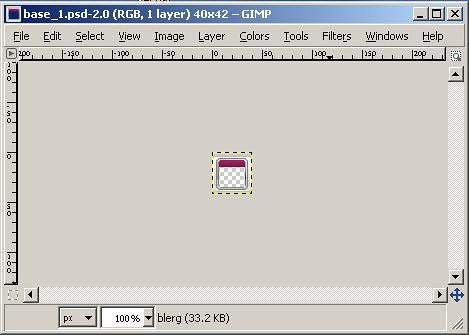
You may get an error message like 'Calling Error for procedure 'Plug-in-metadat-decode.xmp...' but the graphics still gets loaded in (but that could be because of my version - I use portableapps.com GIMP)
4700848457_0183ee109c.jpg

Notice the titlebar up top
 
CannonFoddr said:
alidsl said:
Gimp doesn't support Psd's...Could anyone upload it as an Xcf??
[BnC said:
MissingNo.]All I have is Paint.NET and it won't load the file.
And PaintShopPro costs money and GIMP doesn't even load the file...Paint.NET won't even load an .xcf.

Erm.. I'm afraid GIMP DOES load PSD files. It does say so on the GIMP introduction page (look near the bottom of the page for file formats)
QUOTE
File Handling
  • * File formats supported include bmp, gif, jpeg, mng, pcx, pdf, png, ps, psd, svg, tiff, tga, xpm, and many others
    * Load, display, convert, save to many file formats
You may get an error message like 'Calling Error for procedure 'Plug-in-metadat-decode.xmp...' but the graphics still gets loaded in (but that could be because of my version - I use portableapps.com GIMP)
4700848457_0183ee109c.jpg

Notice the titlebar up top

My bad.
biggrin.gif
Thankies...
 
[BnC said:
MissingNo.]
Overlord Nadrian said:
Although, the title should actually be 'Supercard DSTWO - Plugins', because DS2 is supposed to be written in caps.But isn't Supercard supposed to be SuperCard? And Plugins supposed to be Plug-Ins?Supercard or SuperCard, doesn't matter. No idea about the correct spelling of plugins though.QUOTE([BnC]MissingNo. @ Jun 14 2010, 07:51 AM)
SNEmulDS is a go and Duke3DS is a 'Piece of Cake' on the DSL!
laugh.gif


Also, please don't double post next time, there's only a 3h difference between your post times. Even if they handle different subjects
wink.gif
 
PokesavDS currently doesn't work unless on the root, I will put it on the first post but put DSL/DSi in red

Thanks guys keep them coming
smile.gif
 
Yep - I've noticed that as well - I've done an icon & uploaded a new version @ http://filetrip.net/f11920-DSTwo-DSLibris-Plugin-1-01.html

Also I can also confirm that DSLibris also runs as a plugin on a DSi as well (only tried the 'quick start' guide though - which incidentally the [start] and [select] instructions are the wrong way round
laugh.gif
) - the only thing I've noticed is when starting up you tend to get a lot of green text show up
 

Site & Scene News

Popular threads in this forum