If both of you are from the US, according to the flags by your usernames, then how in the hell could you get an eShop code from a wildly different region?
If both of you are from the US, according to the flags by your usernames, then how in the hell could you get an eShop code from a wildly different region?
Miiverse Custom Image Tool (MCIT) Making it easy to post custom images to Miiverse! I was looking for a way to post any image I wanted on Miiverse.
However, I couldn't find an easy way to do this.
So I decided to make my own!
This is a custom CIA that spoofs the TitleID of the game and shows an image from the SD card. It could be improved, but it works fine for now.
Currently, the only game supported is Mario Kart 7. This is because I can't find enough data to get anything else to work; see the README for more details.
The basics on how to use this:
Download the files and put the index.lua file on your SD card root.
Install the modified CIA.
Put a PNG image on your SD card root. Name it 'image.png'.
Run the application.
Hit the Home button at the right time to open the home menu.
Enter Miiverse.
Post your custom image.
For more information, see the README below.
Hello!
If you're reading this, then you're probably here to try out my Miiverse Custom Image Tool.
It's currently in an early state, so don't expect too much from it yet.
Right now the only game that has working custom screenshots is Mario Kart 7.
This is because MK7 is the only game I could find a good .rsf file for.
If you can find some RSF data on games like SSB4 or AC:NL, send it to me ASAP!
...Otherwise, this is the only game that is currently inside this pack.
You'll need a <=9.2 3DS with a custom firmware, and probably an EmuNAND as well.
If you want to know how to use it, here's a quick rundown:
Step 1. Drag index.lua to the root of the SD card.
Step 2. Use FBI or any other 9.x CIA manager to install the MCIT CIA. (This will overwrite any copy of Mario Kart 7 currently installed on your 3DS, so be warned.)
Step 3. Get a 400x240 PNG file to upload to Miiverse. Place it on the root of your SD card and name it 'image.png'.
Step 4. Run the app from the section of your 3DS you want to post a custom picture from.
The image should show up on both of your screens, and will blink on-and-off every few frames.
Step 5. Hit the HOME button. The Home Meny should open.
Step 6. Tap the Miiverse icon. Wait for it to load.
Step 7. If you did everything right (which really isn't all that hard), the home page of Miiverse should ask you if you want to make a Play Journal entry about your screenshot.
From here, just make your post and watch the users' reactions!
Something to note: the noise that plays when you look at the application from the Home Menu was corrupted in the conversion progress. Be ready for a few loud beeps. This will (hopefully) be fixed in v1.1.
=-=-=Version Changelog=-=-=
v1.0.1
-Fixed the flashing error. Now you don't have to worry about hitting HOME repeatedly.
-Fixed the shutdown issue. Closing it from the outside is no longer broken.
-Updated the default image. The previous one was a last-second idea made in MS Paint.
v1.0
-Initial release.
-image.png loaded from SD card; repeatedly flashes on/off.
-Can't close the app from the outside.
Thanks for reading this page. It's nice to know that someone cares about the instructions.
As explained in the README: if you have any improvements to make or data to add, post it here as soon as you can and I'll do my best to add it to the program.
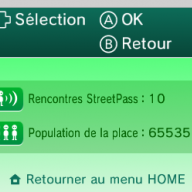
And here's a little proof of concept if you don't believe me:
Warning: You CAN (and probably WILL) be BANNED for this. Make sure you backup anything useful on your Miiverse account! (You won't be banned from anything else, though. Online play and eShop is still usable!)
Credit goes to:
-Rinnegatamante - developing LuaPlayerPlus
-Arian Kordi - teaching me how Miiverse hacking worked
That's all I have to say about this program. I hope you find it to be useful!
It’s about that time of year again where I check in with the community to see if we can get the front page aligned with what people are interested in knowing and what...
WiiCompiled is a new project that lets PC gamers play Mario Kart Wii natively on PC without emulation. Using static recompliation to convert the code into native PC...
The long awaited Grand Theft Auto VI Extended Look gameplay trailer has finally dropped on YouTube. As you all know, it had dropped 6 hours earlier on Netflix, and...
After being announced last week, the first of two broadcasts is set to go live later today with a stark focus on The Legend of Zelda and its 40th anniversary...
Thanks to the recent decomplication efforts; The Minish Cap 3DS brings the Game Boy Advance classic Zelda title to your 3DS.
The port takes full advantage of the 3DS...
In the wake of Sony's shift to a digital-only ecosystem within the next year, Xbox have today announced a surprising scheme. Aiming to offer physical buyers the same...
It is with a heavy heart that I announce the departure of our beloved Chary from the position of Chief Editor. Chary took over early 2021 and has done a wonderful job...
It's that time again folks, an update for the Switch and Switch 2, and a surprisingly big one at that! At lease for folks on the Switch 2. The most notable feature...
The second of a two-part special, a more traditional Nintendo Direct is set to air today. Unlike the Zelda Direct the contents of this one is still relatively up in...
To celebrate its 25th anniversary, XBOX has launched pre-orders for the XBOX 25th Anniversary Collection. For the occasion, the trailer below was aired.
This...
It’s about that time of year again where I check in with the community to see if we can get the front page aligned with what people are interested in knowing and what...
After being announced last week, the first of two broadcasts is set to go live later today with a stark focus on The Legend of Zelda and its 40th anniversary...
It's been something of a quiet week in the gaming space, with the deluge of big hitters trying to find their place before GTA 6 launches really kicking off next week...
In the wake of Sony's shift to a digital-only ecosystem within the next year, Xbox have today announced a surprising scheme. Aiming to offer physical buyers the same...
The long awaited Grand Theft Auto VI Extended Look gameplay trailer has finally dropped on YouTube. As you all know, it had dropped 6 hours earlier on Netflix, and...
It is with a heavy heart that I announce the departure of our beloved Chary from the position of Chief Editor. Chary took over early 2021 and has done a wonderful job...
The second of a two-part special, a more traditional Nintendo Direct is set to air today. Unlike the Zelda Direct the contents of this one is still relatively up in...
Announced a few days ago, Nintendo of America have today launched their Customer Appreciation Sale. Featuring 30% discounts across a wide range of popular first-party...
A few days ago Chary stepped down as Chief Editor after 5 wonderful years, and everyone guessed the seat wouldn't stay empty for very long. Back in 2021 I proudly...
After an accidental leaking of their review video from Linus Tech Tips last week, we somewhat knew that news on Steam's latest VR venture was imminent. Today the...