Homebrew Problem with ThemeHax (help please)

  • Thread starter Thread starter lolbreon
  • Start date Start date
  • Views Views 1,413
  • Replies Replies 4

lolbreon

New Member
Newbie
Joined
Oct 27, 2015
Messages
1
Reaction score
0
Trophies
0
Age
30
XP
71
Country
Serbia, Republic of
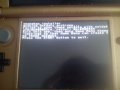
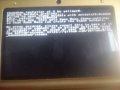
Sorry, me need a help. I a use BrowserHax and can not install ThemeHax 2.1. I ran into a problem "Failed to open theme extdate..."
I have used as an official version 1.2 of the installation and offline version 1.2. The result is the same.
27681-5e184d8dea0f890392d4f6c02af1c16c.jpg

(problem offline version)
27682-35a9f13906c3066a6d643669d38cd470.jpg

and official version

P.S.
Sorry my english .__.
 

Attachments

  • DSC_0110.jpg
    DSC_0110.jpg
    449.1 KB · Views: 272
  • DSC_0109.jpg
    DSC_0109.jpg
    440.7 KB · Views: 260
The official one tells you exactly what you needed to do: go to the Home Menu, and go to "Change Theme" first. This creates the theme-management information (aka theme extdata).
 
I can't quite see your pictures, but based on the error you described, you need to set a theme (one of the colored ones work, just not the default white) and try again.
 
Sorry for hijacking this thread, but I'm having problems with themehax too.

the launcher is there
the payload is on the root of my card (named "ropbinpayload_menuhax_E19456_new3ds.bin")
the theme is set to red

still, it tells me "Failed to download the actual payload with HTTP" among other things.

any ideas please?

----------------------------------------------------------------------------------------------------------------------
Made it work, the problem was resolved after deleting the themehax launcher from the starter pack and using the offline launcher instead.
 
Last edited by Paseek,
Sorry for hijacking this thread, but I'm having problems with themehax too.

the launcher is there
the payload is on the root of my card (named "ropbinpayload_menuhax_E19456_new3ds.bin")
the theme is set to red

still, it tells me "Failed to download the actual payload with HTTP" among other things.

any ideas please?

----------------------------------------------------------------------------------------------------------------------
Made it work, the problem was resolved after deleting the themehax launcher from the starter pack and using the offline launcher instead.

thats the same problem i had, use the offline installer in this thread
http://gbatemp.net/threads/tutorial-how-to-install-2-5-on-themehax-manually.400784/
 

Site & Scene News

Popular threads in this forum