Hacking Nintendont Controller-Configurations

  • Thread starter Thread starter Excelsiior
  • Start date Start date
  • Views Views 571,967
  • Replies Replies 901
  • Likes Likes 4
Im having issues with setting up my nvidia shield controller with nintendont

i have everything but the sticks working, but here is the problem:

the offsets: 00 80 00 80 00 80 00 80
the 80 are the sticks, in order sx sy cx cy. But, the offsets are wierd. the first 00 is offset 9. the last 80 is offset 10. The last 80 is cy, so that works. but what the heck about the other ones?
 
Can we get a list of all the keys/options for controller.ini? I don't know if there's an option to use the unused L button that most controllers have as a modifier for the L/R analog controllers, much like the Wii Classic Controller's controls.
 
Last edited by Devnol,
  • Like
Reactions: Devnol
First of all, this appears to be for the Wii U. Second, what does this map the keys to? I asked if there is a list of all the configuration options for the HID_Test program.
 
First of all, this appears to be for the Wii U. Second, what does this map the keys to? I asked if there is a list of all the configuration options for the HID_Test program.

Hmm… I thought that HID-to-Vpad and Nintendont used the same config format due to using the same controller patcher. But it seems they don't. You can find examples of the config files to edit at https://github.com/FIX94/Nintendont/tree/master/controllerconfigs

I am not sure what you mean by 'configuration options FOR HID_Test' - HID Test lets you FIND OUT what values to put in the config - the byte position / offset and the value it takes when you press a button. The names on the left side are the GC buttons that are sent when your controller sets the specified byte to the specified value.

The Nintendont config file has a shorter format than the ones I've used for HID-to-Vpad - not prefixing the hexadecimal numbers with 0x, and giving only the byte position for analog axes.

The only complicated things will be:

the d-pad mode - whether up, down, left and right have values that add up for diagonals - DPAD=0
or whether there are eight values for all the cardinal and diagonal directions - DPAD=1

the digital shoulder buttons - I'm not confident I understand this, but there aren't too many possible things to change - maybe you could have a go and report back what seems to work?
The version history for 2.147 and 2.158 (see e.g. http://www.wii-info.fr/download-938-nintendont-backups-gamecube-sur-sd.htm) says that digitalLR=1 lets you assign full presses with L= and R= and use the ZL button as a modifier to make them half presses, while digitalLR=2 is for controllers that have analog triggers but you need to set a threshold for when the GC's final click should register. There also seem to be separate entries for Lanalog and Ranalog for half presses.
 
does anyone have any configs for fake knock off Wii U pro controllers? or is it not supported by Nintendont at all?

the controller works with Wii U games, but in vWii mode it syncs but only is able to use the Home button (dpad, analog or other buttons do nothing). I don't know which one I have exactly, but it's the one without a Wii U logo.

I wish official ones were cheaper...
 
Is it not possible to use a wiimote attached to a Wii Wheel? I read something about if you don't have anything attached to your Wiimote it gets disabled and that's what happens I get 4 solid lights on it and can't use it.

I guess it would have to support motion controls for the wheel to work right so I kinda doubt it.
 
Last edited by Jayinem81,
Having trouble getting my 3rd party switch wired controller to work. It works with HID to VPAD but not nintendon't.

[Faceoff Wired Pro Controller]
VID=0E6F
PID=0180
DPAD=1
B=0,2
A=0,4
X=0,8
Y=0,1
Z=0,20
L=0,40
R=0,80
Polltype=1
DigitalLR=0
Power=1,1
S=1,2
LAnalog=1,4
RAnalog=1,8
Up=2,0
RightUp=2,1
Right=2,2
DownRight=2,3
Down=2,4
DownLeft=2,5
Left=2,6
UpLeft=2,7
StickX=3
StickY=4
CStickX=5
CStickY=6
 
Last edited by SyrusHedgie,
Can someone help me? I'm using the two-port Mayflash adapter (Model W013) and an original GC control. I open vWii and LoaderGX normally. I start playing Super Mario Sunshine or any other game. And randomly, the controller loses the commands for a few milliseconds, or else if I'm running and I release the lever, the character keeps running a few seconds after I release the commands. I have already changed several versions of Nintendond, but they all happen to have the same problem. Is this because of the adapter that only has one USB? Does anyone use this adapter and work without these problems?
 
Hi guys, i want to use my wii for playing N64 with my friends. I bought N64 controller with USB. What i have to do to make em run? Nintendont is alrdy running perfectly. I want to use them over 1 USB Slot, where is an adapter which is making 4 out of 1.
My Wii doesnt find the controller.
I read alrdy that i have to activate USB first, but where can i do it?
I also downloaded a lot of .ini Datas, but i dont know the right was between it.

Please help me =)
 
Hi guys, i want to use my wii for playing N64 with my friends. I bought N64 controller with USB. What i have to do to make em run? Nintendont is alrdy running perfectly. I want to use them over 1 USB Slot, where is an adapter which is making 4 out of 1.
My Wii doesnt find the controller.
I read alrdy that i have to activate USB first, but where can i do it?
I also downloaded a lot of .ini Datas, but i dont know the right was between it.

Please help me =)
there is no usb activation, nintendont also isnt an n64 emulator, all you can play is the zelda collectors n64 ports on nintendont, usb controllers need ini files made for them, nintendont has some ini files for some standard controllers, but im guessing that isnt one, you probably have to make your own ini file.
 
Hi, I'm trying to configure a third party PowerA PS3 controller. It shows up in HID Test, but it appears that literally every button except start and select are analog buttons, the values changing depending on how hard I press them. Do I just put in the offset for them, then? Along with that, I'm using a USB Stick as my Wii's SD Slot doesn't work, and I can't get it to pick up the controller.ini at all.
 
there is no usb activation, nintendont also isnt an n64 emulator, all you can play is the zelda collectors n64 ports on nintendont, usb controllers need ini files made for them, nintendont has some ini files for some standard controllers, but im guessing that isnt one, you probably have to make your own ini file.

Sorry im using NOT64 as emulator. I only read like 10 pages of this Thread, cause i cant believe that noone else wanna play with a N64 controller.
But i didnt find an USB N64 .ini.

So u say if i make my own .ini, it will work over USB with 4 Controllers the same time?

Thanks a lot.
 
Sorry im using NOT64 as emulator. I only read like 10 pages of this Thread, cause i cant believe that noone else wanna play with a N64 controller.
But i didnt find an USB N64 .ini.

So u say if i make my own .ini, it will work over USB with 4 Controllers the same time?

Thanks a lot.
not64 doesnt support usb controllers, and this is only for nintendont so that serves you for nothing. if you wanted to use a n64 controller on not64/wii64 you should have bought those that connect to the wiimote, almost no homebrew apps support usb controllers besides like nintendont and devolution you need to get this one for n64 controller on wii/wiiu

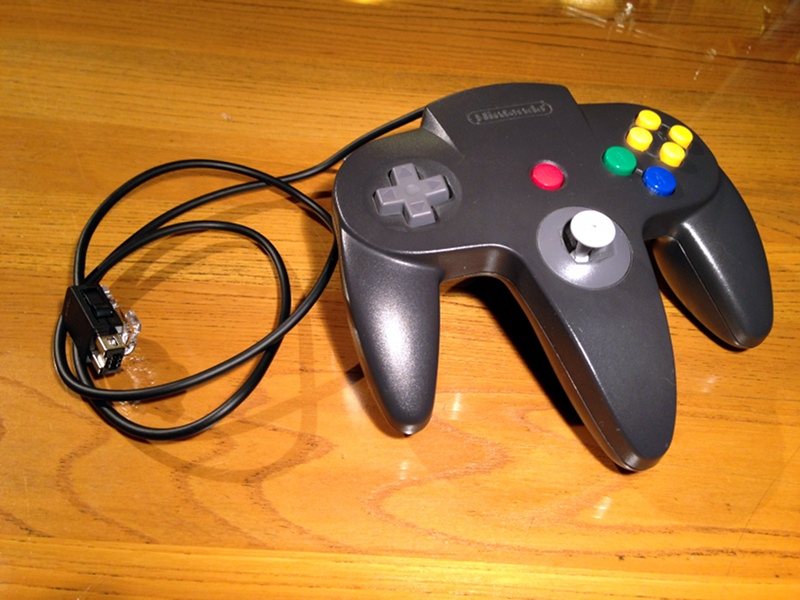
n64_controller_mod_2.jpg
 
not64 doesnt support usb controllers, and this is only for nintendont so that serves you for nothing. if you wanted to use a n64 controller on not64/wii64 you should have bought those that connect to the wiimote, almost no homebrew apps support usb controllers besides like nintendont and devolution you need to get this one for n64 controller on wii/wiiu


ok, thanks for ur quick answer! where can i buy this controller? what i have to search for?
 
Wow ok, thats expensive :D i thought there is a cheaper solution =/
use a regular controller lol, n64 is not famous for its controllers, heck i fell mkuch better using the gc controller for n64 games than my n64 controller lol, much better button placement and 10 times better analog stick.
 
use a regular controller lol, n64 is not famous for its controllers, heck i fell mkuch better using the gc controller for n64 games than my n64 controller lol, much better button placement and 10 times better analog stick.

yeah, but its about the nostalgia. :-)
 

Site & Scene News

Popular threads in this forum