Nintendo Switch OLED no display on Handheld mode

  • Thread starter Thread starter supertaco
  • Start date Start date
  • Views Views 8,365
  • Replies Replies 19

supertaco

Active Member
Newcomer
Joined
Mar 18, 2016
Messages
29
Reaction score
1
Trophies
0
Age
42
XP
442
Country
Mexico
Hi, i have a previously (tried) repaired switch oled with changed FPC Module, but was missoldered and the pins wasn't right aligned. Obviously no display. On dock the console can be used and played, charge in dock mode. I've changed the FPC and soldered well aligned and still no display and no touch on the handheld mode. The display/touch works well because i've tried it with another motherboard. I've looked for schematics for the oled and nothing. Has anyone had the same problem? Any ideas?
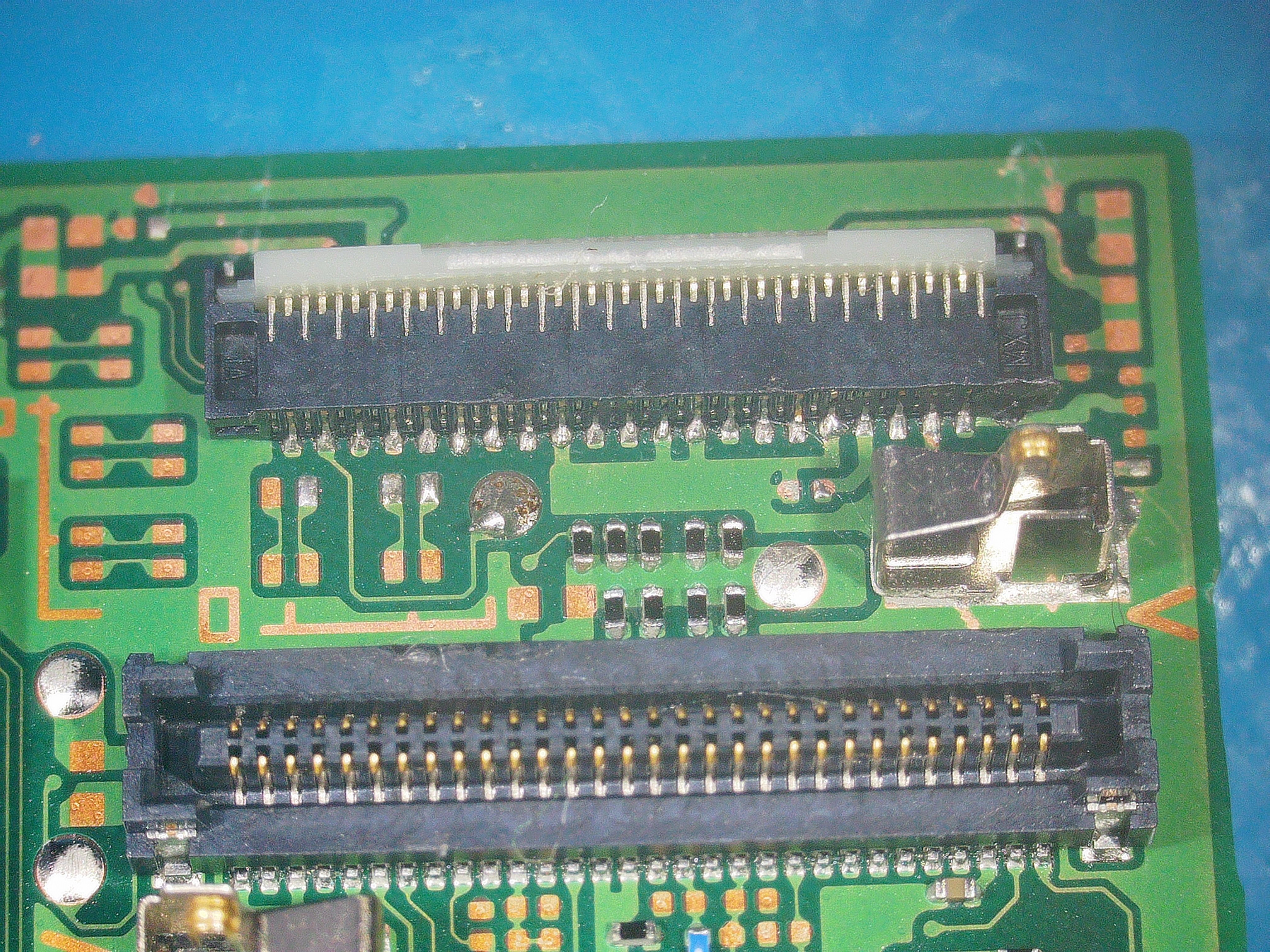
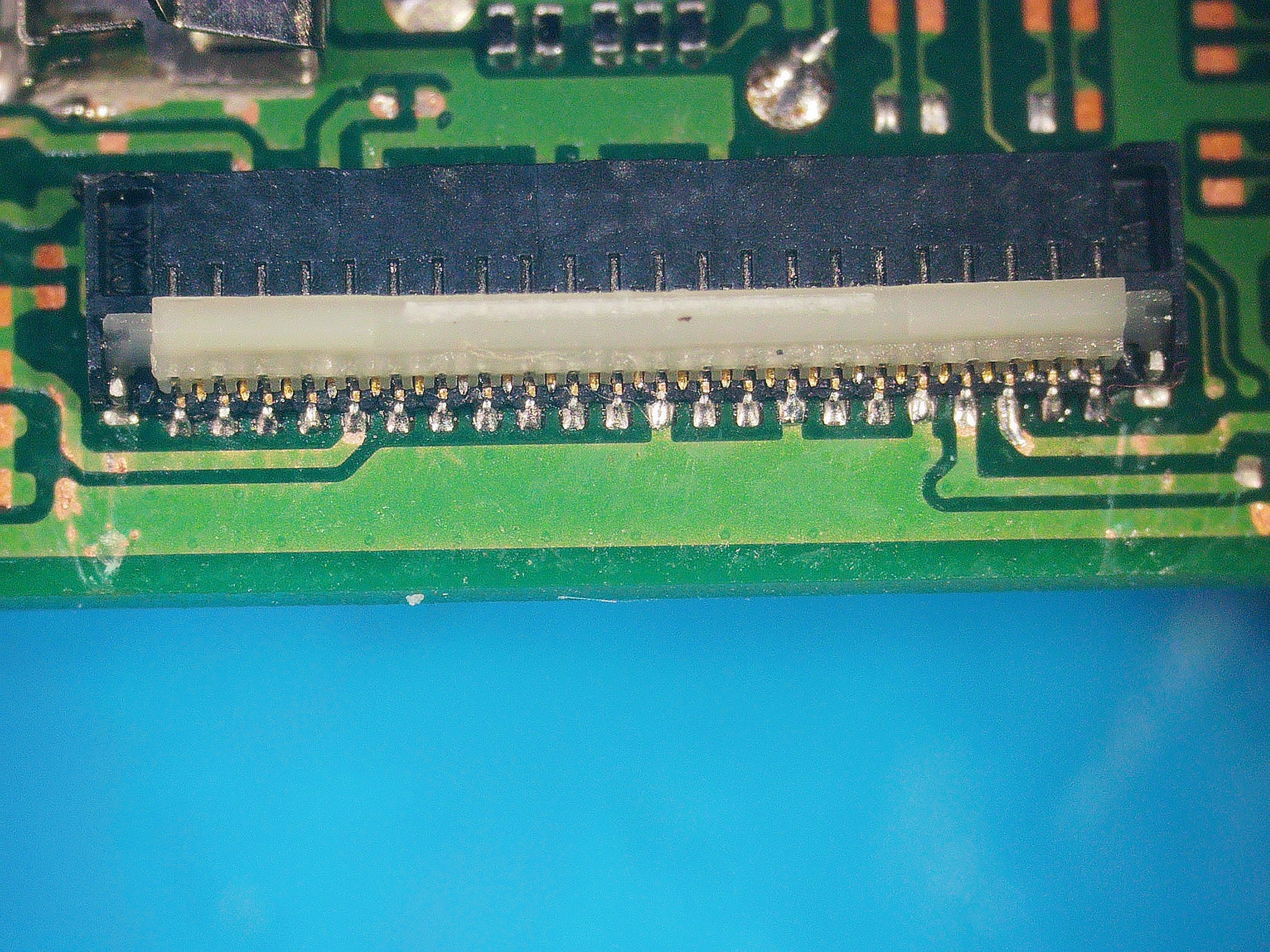
2023_1203_051033_023.JPG


2023_1203_051138_024.JPG
 
Recheck your pins if they have solid connection. You need to go over them one by one. Also check inside the connection if there's missing pins.
 
Recheck your pins if they have solid connection. You need to go over them one by one. Also check inside the connection if there's missing pins.
Hi. I've already done that. The FPC connector is new and have a solid connection. There's no video ic or touch ic?
 
Hi. I've already done that. The FPC connector is new and have a solid connection. There's no video ic or touch ic?
I think your problem is your connector. Could be your diode or you driver but I doubt it. These chips are on the opposite side sitting below the eMMC.
 
COMPARE your connector pin diode reading when LCD flex connected.
RED PROB on GROUND
Thank you! I'm going to check the console.
Post automatically merged:

I think your problem is your connector. Could be your diode or you driver but I doubt it. These chips are on the opposite side sitting below the eMMC.
The fpc? It's new. I have another, but I don't think that's the problem. How can i test that diode or driver?
 
I don't have board view files but this website with the board layer pictures might be helpful :
http://balika011.hu/switch/lite/
(this site loads in Chrome; in other browsers the keys might not work)
Post automatically merged:

With a multimeter in diode mode you should get the approximate values that are in the picture that @jkyoho just sent.

Did it work before you got it for repairs ?
The (previous) owner might have broken something else or knocked of some other component.
I see some big scratches on the last picture so that is usually not a good sign.
And inspection of the board might reveal some other missing components.

One silly trick is to push down on the connector with moderate force.
Careful not to damage anything by pressing too hard.
Also check with a flashlight if the LCD is working and maybe the backlight is failing.
If you see some blackish glow then your backlight is working.
 
Last edited by thesjaakspoiler,
Thank you! I'm going to check the console.
Post automatically merged:


The fpc? It's new. I have another, but I don't think that's the problem. How can i test that diode or driver?
New doesn't mean its clear from fault. I do believe your FPC connection is at fault here. But in case your components are faulty you can check the diode values of these against a good board. This is the driver ic responsible for display.
 

Attachments

  • display.jpg
    display.jpg
    104.3 KB · Views: 241
  • Like
Reactions: supertaco
I don't have board view files but this website with the board layer pictures might be helpful :
http://balika011.hu/switch/lite/
(this site loads in Chrome; in other browsers the keys might not work)
Post automatically merged:

With a multimeter in diode mode you should get the approximate values that are in the picture that @jkyoho just sent.

Did it work before you got it for repairs ?
The (previous) owner might have broken something else or knocked of some other component.
I see some big scratches on the last picture so that is usually not a good sign.
And inspection of the board might reveal some other missing components.

One silly trick is to push down on the connector with moderate force.
Careful not to damage anything by pressing too hard.
Also check with a flashlight if the LCD is working and maybe the backlight is failing.
If you see some blackish glow then your backlight is working.

it wasn't working when i got it. I still doesn't check the values bcause i need sharper tips for the multimeter (or sharpen mine). The previos owner surely broke something and i need to check it. I bought for a couple of bucks because the previos owner thought that it wasnt working, but it does in dock mode. About the scratches, the line isn't broken. The console is a OLED, so it hasn't backlight. Thank you for your help!

Update: I tested the LCD with the multimeter, and compared with the values that jkyoho told me. They are the same or the variation is very low. I'm going to order some of this from Ali and see if it gets fixed.

1705084286441.png
 
Last edited by supertaco,
it wasn't working when i got it. I still doesn't check the values bcause i need sharper tips for the multimeter (or sharpen mine). The previos owner surely broke something and i need to check it. I bought for a couple of bucks because the previos owner thought that it wasnt working, but it does in dock mode. About the scratches, the line isn't broken. The console is a OLED, so it hasn't backlight. Thank you for your help!

Update: I tested the LCD with the multimeter, and compared with the values that jkyoho told me. They are the same or the variation is very low. I'm going to order some of this from Ali and see if it gets fixed.

View attachment 413585
so what is the result?
 
Hello,
I have similar issue. My oled switch was working for many months and now I have a black screen. I can hear sounds and the touch screen works, but the screen is black. The picofly still works, because I can start it and see the screen inn docking mode.

Because it worked before it cannot be the connector, but nevertheless I check the connector under a microscope and it works good. I also check each pin of the connector with a multimeter and I'm getting similar values as in the picture above.

I would like to check the driver ic and the diode. But I do not know which values it should have and which pins I should measure. Can please somehow help me with it and share those values and pins.

I atteched a picture with values of my ic, and the 6 testpoint belowe the ic. It could be that 0 is GND and vice versa. The writing on the chip says it is a PF3I
 

Attachments

  • PF3I.png
    PF3I.png
    662.9 KB · Views: 201
Last edited by molys,
Wow I also have this issue with my oled switch! Everyting works except for the screen. When docked it shows up on the tv and when not docked and I touch the screen I hear sounds so also touch is working.

What can it be..
 
Strange - i am in the same boat. (Connector is fine - got the switch with this fault and it was never opened before).
Did anyone remove the display component yet and looked at the chips on the back? If nothing is to be found on the board it got to be somewhere else.

Sadly I don‘t have a spare oled to test if the display is really the issue. Those are really expensive, so not a „I will just try it“ purchase.

If some one has any new ideas beside the diode readings please post it here.
 
Did anyone find a result for this fault it's literally driving me mad.

I have 3 screen all known working.

I've swapped the DOS04/PF3I IC from known working boards still can't find a fault nothing shows on thermal cam

Changed the FPS connector

Still nothing if anyone could point me in the right direction it would be much appreciated
 

Site & Scene News

Popular threads in this forum