the only way to use DLC for now is per game, du so hacks with pygecko to force the game to load other tracks in MK8 or other characters in Smash4. (and DLC need to be dumped first, decryption keys for those are unknown yet)
I don't have experience with Smash4 mode, but miiverse from smash4 instead of your game would be loaded in that mode I guess.
Sorry, I'm basically a newbie to loadliine.
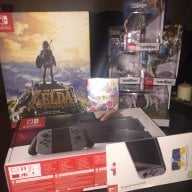
Just started using it to keep my Twilight Princess sealed in box.
Hopefully at some point dlc (purchased or dumped) will finally be able to work through loadliine. (this most likely will require isou it seems)
I was also thinking that running loadliine through smash might get screen shots to work but wanted to see if their was any alternatives.
Okay I updated wiiu.rapidraid.de. It now has (like @Cyan suggested) the Homebrew Loader in it, aswell as the PadCon option (suggested by @Purple_Shyguy) .
And again if there are any problems or suggestions, please tell me
Do ppl know if there are downloadable updates available for mario kart 8. do i need to use nuusgrabber to get them or are they available anywhere else???(no need to say where) and wd i use loadiine or pygecko to run them. thanks for all assistance. am reletively new to wiiu....
Do ppl know if there are downloadable updates available for mario kart 8. do i need to use nuusgrabber to get them or are they available anywhere else???(no need to say where) and wd i use loadiine or pygecko to run them. thanks for all assistance. am reletively new to wiiu....
Yes, updates are available. JNUSTool (I think it's called) should get them for you. Be aware that you can use the updates only if you're using Smash mode to launch Loadiine. If you launch from MiiMaker, don't update. The game won't start otherwise. And also, be prepared for a Wii U crash when you exit the game (known issue).
Do ppl know if there are downloadable updates available for mario kart 8. do i need to use nuusgrabber to get them or are they available anywhere else???(no need to say where) and wd i use loadiine or pygecko to run them. thanks for all assistance. am reletively new to wiiu....
Their are definitely updates available for MK8. (Alot actually, but you only need to download the latest)
Using Nusgrabber would be your best bet to getting the update file and decrypt the update with Cdecrypt.
(Their are programs available that combine both in one, look for the NEWNusGrabber thread)
Once the update is decrypted, copy the new contents in (Code,Content,Meta folders) to the (Code,Content,Meta folders) of the rip you're using for loadiine.
EDIT:
Ninja'd
But Jnustool is another program that combines both Nus and Cdecrypt as well, so try both programs to see which works best for you.
I'm upgrading my self-hosted exploit setup from V4 but it's not showing my games. Downloaded the latest v.02 from Github.
The only fix I could find is placing the meta folder along with code and content, but one of my games includes this folder and it's not showing up anyways. All games worked fine in V4. All folders are also named according to the guide with (titlename) (ID)
Any ideas what I should try?
Seeing how Loadiine is able to load Virtual Console titles too (and injected ones also), I was wondering if we could have an option to stretch the image to fit the entire screen?
Having the original 4:3 output tends to be a nuance in certain titles, mostly N64 and DS, since some N64 games do have Widescreen native settings in-game, but seeing how Nintendo locked the damn resolution, we cannot enjoy such wonder.
I did manage to change the DS resolution by changing the "configuration_cafe.json" file with the following code almost at the end:
That code changes the screen setting for Upper Screen in TV and Lower Screen in Gamepad to fill the entire screen.
The important part there is changing the "upper" part to 1280x720 (TV res) and the "lower" to 854x480 (Gamepad's res).
It originally had offsets and different resolutions to match the original DS ones.
Unfortunately, the N64 doesn't have anything of that sort, and I'm afraid the resolution is locked up inside the RPX file.
How feasible would an option to change the output setting be in Loadiine?
I have one question:
great stuff m8 very impressive...
Seeing how Loadiine is able to load Virtual Console titles too (and injected ones also), I was wondering if we could have an option to stretch the image to fit the entire screen?
Having the original 4:3 output tends to be a nuance in certain titles, mostly N64 and DS, since some N64 games do have Widescreen native settings in-game, but seeing how Nintendo locked the damn resolution, we cannot enjoy such wonder.
I did manage to change the DS resolution by changing the "configuration_cafe.json" file with the following code almost at the end:
That code changes the screen setting for Upper Screen in TV and Lower Screen in Gamepad to fill the entire screen.
The important part there is changing the "upper" part to 1280x720 (TV res) and the "lower" to 854x480 (Gamepad's res).
It originally had offsets and different resolutions to match the original DS ones.
Unfortunately, the N64 doesn't have anything of that sort, and I'm afraid the resolution is locked up inside the RPX file.
How feasible would an option to change the output setting be in Loadiine?
I'm upgrading my self-hosted exploit setup from V4 but it's not showing my games. Downloaded the latest v.02 from Github.
The only fix I could find is placing the meta folder along with code and content, but one of my games includes this folder and it's not showing up anyways. All games worked fine in V4. All folders are also named according to the guide with (titlename) (ID)
Any ideas what I should try?
Sorry, I'm basically a newbie to loadliine.
Just started using it to keep my Twilight Princess sealed in box.
Hopefully at some point dlc (purchased or dumped) will finally be able to work through loadliine. (this most likely will require isou it seems)
I was also thinking that running loadliine through smash might get screen shots to work but wanted to see if their was any alternatives.
I managed to get Twilight Princess working on GX2 0.2 Beta, but I don't get sound. Did something change between 0.1 and 0.2 in regards of compatibility?
I managed to get Twilight Princess working on GX2 0.2 Beta, but I don't get sound. Did something change between 0.1 and 0.2 in regards of compatibility?
Press select once you get to the title screen, or even the file select screen. This switches from TV mode to Gamepad mode.
It defaults to TV mode every time.
Press select once you get to the title screen, or even the file select screen. This switches from TV mode to Gamepad mode.
It defaults to TV mode every time.
using disney infinity 3.0 on loadiine, anyone able to access the force awakens playset without online? i've read you need to be online to use that playset or have the download content. so would i be able to use wup installer for the download update/content?
Where can i get meta folders for my games? (i used loadiine 4.0 which doesn't need the meta folders so most of my games don't have them). Also now if i'm right i have to replace the name of all my game folders to also include the TitleID6
do i also have to do this to the folders where my saves are kept? Also where do i find the TitleID6 of the games? I look at gamedb but i only see ID not ID6. Thanks for the help!
It’s about that time of year again where I check in with the community to see if we can get the front page aligned with what people are interested in knowing and what...
WiiCompiled is a new project that lets PC gamers play Mario Kart Wii natively on PC without emulation. Using static recompliation to convert the code into native PC...
The long awaited Grand Theft Auto VI Extended Look gameplay trailer has finally dropped on YouTube. As you all know, it had dropped 6 hours earlier on Netflix, and...
Though we knew all the way back in May that this was coming, the exact numbers remained a mystery for prospective Nintendo gamers in the UK. If you happen to have...
After being announced last week, the first of two broadcasts is set to go live later today with a stark focus on The Legend of Zelda and its 40th anniversary...
Thanks to the recent decomplication efforts; The Minish Cap 3DS brings the Game Boy Advance classic Zelda title to your 3DS.
The port takes full advantage of the 3DS...
In the wake of Sony's shift to a digital-only ecosystem within the next year, Xbox have today announced a surprising scheme. Aiming to offer physical buyers the same...
It is with a heavy heart that I announce the departure of our beloved Chary from the position of Chief Editor. Chary took over early 2021 and has done a wonderful job...
To celebrate its 25th anniversary, XBOX has launched pre-orders for the XBOX 25th Anniversary Collection. For the occasion, the trailer below was aired.
This...
GBAtemp is and always has been an independent community. Since 2002 our staff have voluntarily kept the site running, added new forums, features, provided constant...
It’s about that time of year again where I check in with the community to see if we can get the front page aligned with what people are interested in knowing and what...
After being announced last week, the first of two broadcasts is set to go live later today with a stark focus on The Legend of Zelda and its 40th anniversary...
It's been something of a quiet week in the gaming space, with the deluge of big hitters trying to find their place before GTA 6 launches really kicking off next week...
Though we knew all the way back in May that this was coming, the exact numbers remained a mystery for prospective Nintendo gamers in the UK. If you happen to have...
In the wake of Sony's shift to a digital-only ecosystem within the next year, Xbox have today announced a surprising scheme. Aiming to offer physical buyers the same...
The long awaited Grand Theft Auto VI Extended Look gameplay trailer has finally dropped on YouTube. As you all know, it had dropped 6 hours earlier on Netflix, and...
It is with a heavy heart that I announce the departure of our beloved Chary from the position of Chief Editor. Chary took over early 2021 and has done a wonderful job...
The second of a two-part special, a more traditional Nintendo Direct is set to air today. Unlike the Zelda Direct the contents of this one is still relatively up in...
Announced a few days ago, Nintendo of America have today launched their Customer Appreciation Sale. Featuring 30% discounts across a wide range of popular first-party...
A few days ago Chary stepped down as Chief Editor after 5 wonderful years, and everyone guessed the seat wouldn't stay empty for very long. Back in 2021 I proudly...