How to safely eject Android phone from Windows?

  • Thread starter Thread starter JuanMena
  • Start date Start date
  • Views Views 7,223
  • Replies Replies 6

JuanMena

90s Kid, Old Skull Gamer & Artist.
Member
Joined
Dec 17, 2019
Messages
6,247
Solutions
5
Reaction score
26,241
Trophies
4
Age
32
Location
the 90s
XP
19,543
Country
Mexico
Everytime I transfer files from my Android phone to my Win10 lap via USB, I see it gets identified as an MTP device with no option to choose "Safely Eject this Device" or "Disconnect" (translating from Spanish so it may say different things in English) so all this time I've just unplugged the USB.
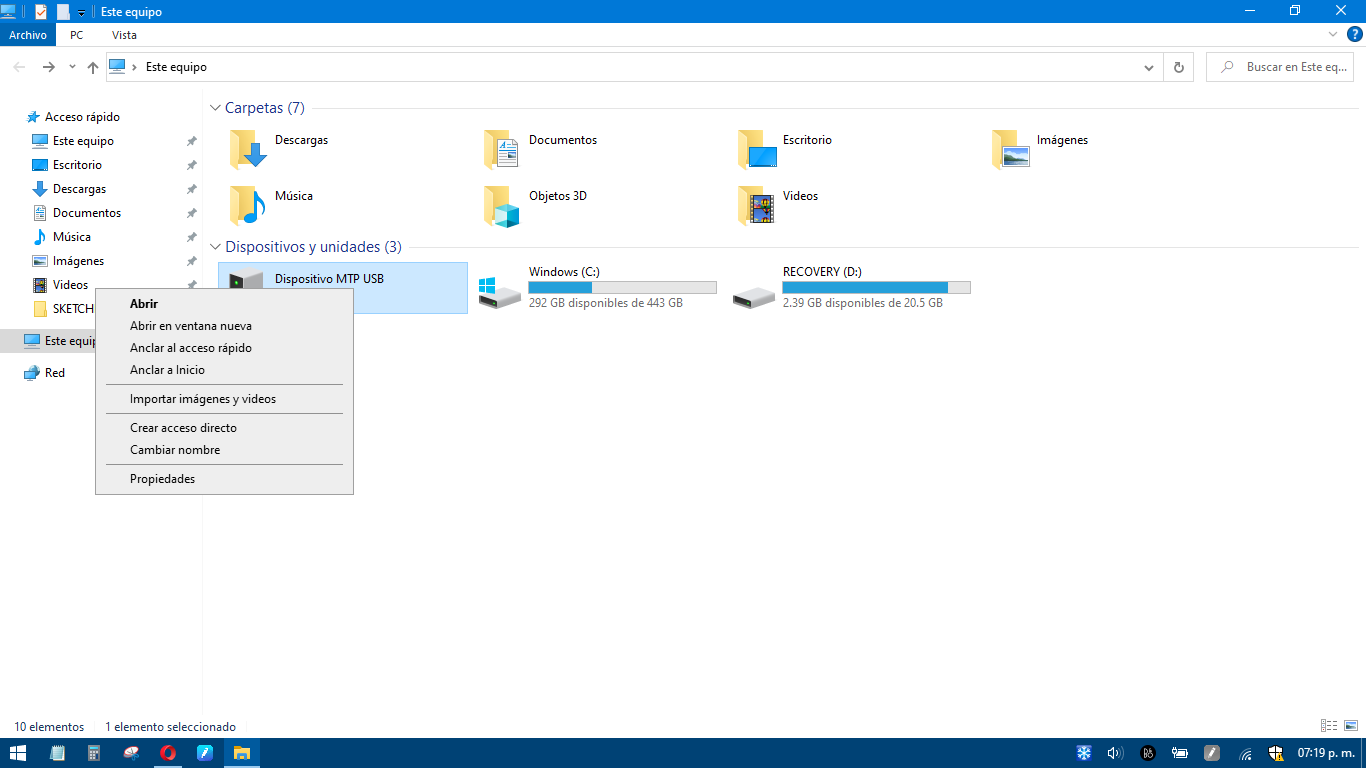
Captura de pantalla (41).png


Also, there's no USB icon on the Taskbar to Eject my Android phone from there.
Soon after I get about 10 to 15 warning pop-ups that says: "Device has been disconnected".
So, I guess I'm doing something wrong here. Thus far I've tried to update drivers, and changing phone's USB connection settings, but nothing helps.

So, just asking if anyone of you guys has had this "issue" or knows what's really happening.

 
There's no option to eject because MTP isn't a mounted storage protocol. It's a file transfer protocol, and you can think of it more like a data stream.

MTP is a high level file transfer protocol, as opposed to a general storage protocol like USB mass storage. That means that the MTP client (computer) does not see an array of byte blocks that makes up a data structure that makes up a file system, but instead speaks in terms of files and folders to the MTP device. This lets the MTP device take part in the high level operations (such as updating its metadata indexes) while keeping the integrity of its file system in its own hands. In particular, dropped transfers (such as by unplugging the USB cable too soon) do not corrupt the device file system.
https://en.wikipedia.org/wiki/Media_Transfer_Protocol

You can safely unplug and replug it as you want. Android does all of the file system management in this case.
 
There's no option to eject because MTP isn't a mounted storage protocol. It's a file transfer protocol, and you can think of it more like a data stream.


https://en.wikipedia.org/wiki/Media_Transfer_Protocol

You can safely unplug and replug it as you want. Android does all of the file system management in this case.
Nice, so I'm not doing anything wrong.

I kinda got used after years and years of "Safely Ejecting USB devices", so it was kinda weird.
 
  • Like
Reactions: BigOnYa
Nice, so I'm not doing anything wrong.

I kinda got used after years and years of "Safely Ejecting USB devices", so it was kinda weird.
I mean, as long as you're not actively copying something, just yank it out.
For me, only exception to this is Hekate's UMS feature, tbh.
 
Nice, so I'm not doing anything wrong.

I kinda got used after years and years of "Safely Ejecting USB devices", so it was kinda weird.
Yeah, that's totally understandable. It doesn't do a good job of distinguishing between the two, and I think the only way you can "eject" it is with Windows Media Player. I remember doing that with an old Zen MP3 player back in the day. I don't even think WMP exists anymore, but MTP was originally designed by Microsoft for it.

I mean, as long as you're not actively copying something, just yank it out.
That shouldn't affect anything. One of the ideas behind MTP is preventing data loss in the event of a failure or disconnect. If anything is lost, it's due to the device you were transferring to.
 
There's no need to safely eject any USB drives anymore since some early Windows 10 update, they changed the way USB transfers work so data doesn't get cached anymore by default. Once the progress bar ends on whatever transfer you're doing, you can immediately yank the USB out without any issues.
 
I just normally disconnect the cable from the phone. I don't know if I am doing it wrong or not.
 

Site & Scene News

Popular threads in this forum