How can I stop Auto-Uptade to game?

  • Thread starter Thread starter captainkid-7
  • Start date Start date
  • Views Views 1,273
  • Replies Replies 11

captainkid-7

Member
Newcomer
Joined
Jul 6, 2024
Messages
6
Reaction score
2
Trophies
0
Age
36
XP
45
Country
Turkey
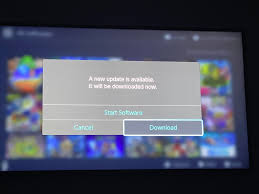
Before updating the my switch device, (17.00/1.6.) the game would launch directly even if it was not up to date. It wouldn't ask for the update. I updated Atmosphere and Device. (18.0/1.7.1) Now, if the game is not up to date, it constantly asks if there is an update. What is the way to prevent this?
1720262360262.png
 
You connected online, so the console downloaded the list of available update versions for games. You don't get rid of this unless you replace the system save data at 8000000000000180 with a fresh one from a newly formatted system

No, "reset required version" in dbi will not fix this. Required version and available version are 2 different things

I'm not sure if deleting the save file will work and regenerate a new one on the next boot, or if you can use the file from someone else's console, but you can always do a full backup, format your switch, pull the save file, restore your backup, then inject the save file you pulled

 
  • Like
Reactions: mathew77
Did you tried this?
Please do following:
1. Get nag to be shown.
2. Backup 180 save.
3. Do reset version in dbi
4. Backup 180 save.
5. Unpack both saves and compare version_db_list files.
6. Post it here.
yes, yes I have.

don't you specifically acknowledge this, and specifically didn't want to include that functionality in dbi?

https://github.com/rashevskyv/dbi/issues/72#issuecomment-966078918
https://github.com/rashevskyv/dbi/issues/72#issuecomment-966259789
 
Last edited by Deleted member 702243,
Yes problem solved with this
Go to dbi > Browse İnstalled Application > go to random game Click "+" button > Reset required verison... Then boom problem solvedd . Never show uptadde scree
 
sick, thanks duckbill for the stealth update. glad dbi actually properly removes update nags now

btw you will have to do this for every game individually but that shouldnt be a problem
 
sick, thanks duckbill for the stealth update. glad dbi actually properly removes update nags now

btw you will have to do this for every game individually but that shouldnt be a problem
I thougt I need make every game. But After making one game. other games not show the pop up. Just making on one game, fix for my all game.
 

Site & Scene News

Popular threads in this forum