

Hacking help with U wizard

  • Thread starter Thread starter joetje
  • Start date Start date
  • Views Views 1,460
  • Replies Replies 4

joetje

New Member
Newbie
Joined
Aug 6, 2018
Messages
3
Reaction score
0
Trophies
0
Age
56
XP
74
Country
Netherlands
Hello ! ,

I am trying to use U wizard but i have the following problem.
I have the .key file that comes with the Wud. i have.
renaming it to.txt or bin. is clear.
When i want to press the " import key " to select the file..... here it comes.... it is not there.
I am using version 1.1.3. i have tried everything to make all the buttons visible. See pic below :)
Anyone that knows the trick to show a normal window with all the buttons there?

thx!
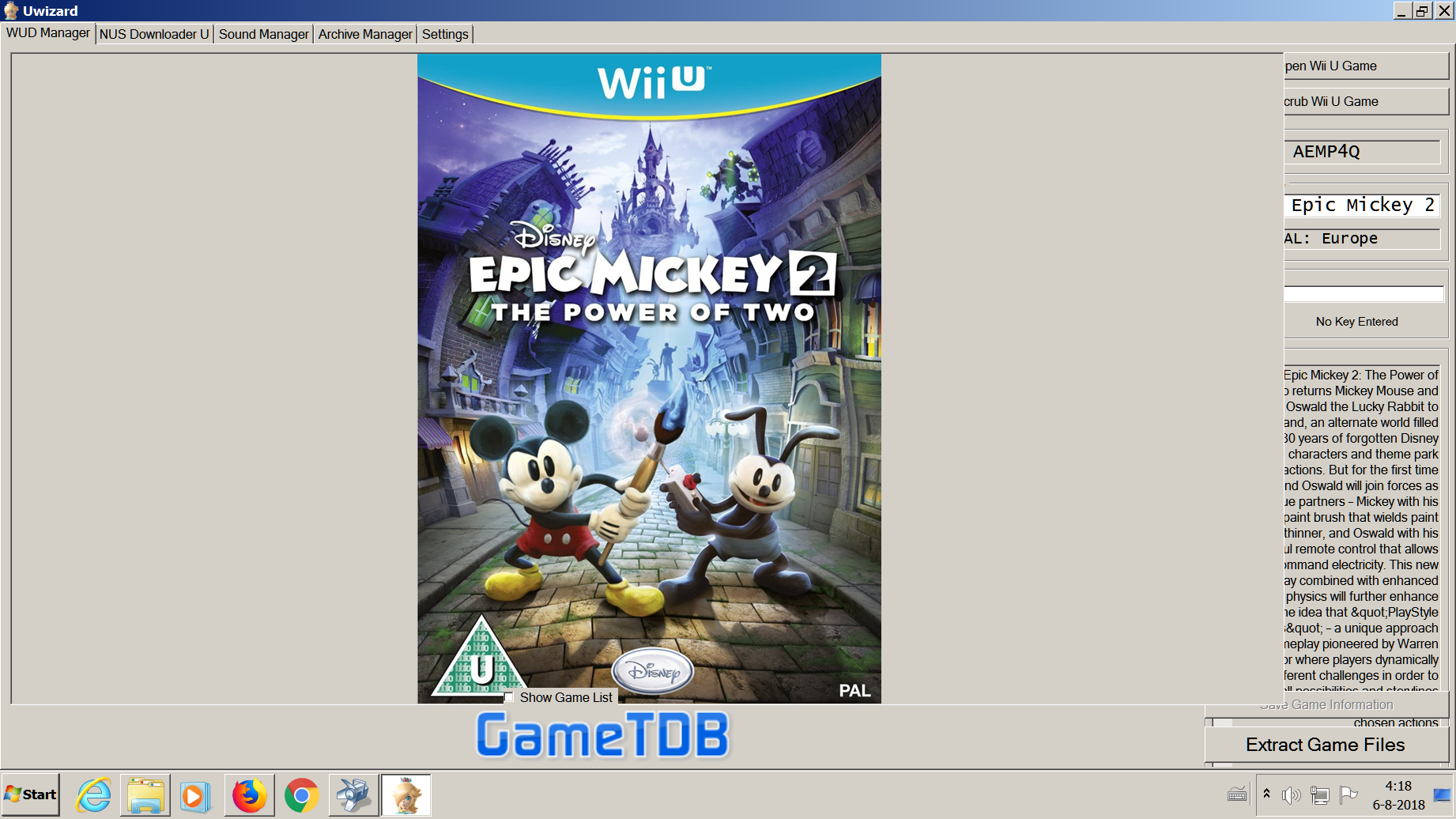
upload_2018-8-6_4-18-51.png
 
Hello ! ,

I am trying to use U wizard but i have the following problem.
I have the .key file that comes with the Wud. i have.
renaming it to.txt or bin. is clear.
When i want to press the " import key " to select the file..... here it comes.... it is not there.
I am using version 1.1.3. i have tried everything to make all the buttons visible. See pic below :)
Anyone that knows the trick to show a normal window with all the buttons there?

thx!

View attachment 138691
to show the all the buttons, increase your display resolution.

I'm not sure what you're trying to do here? are you converting your own wud dumps to installable format?
 
Wud to loadiine :)
My screen is at max res. 1920 and would love to click the import button. Hidden under the overlay. :(
 
I found the problem!!! . The letter size was set to 125% in windows for better reading because i use my television as my primary screen. I forgot al about that when i installed win7. When u go to 125 or 150 % in windows lettertype the right side of the screen where the buttons are dissapear :)
 
Last edited by joetje,

Site & Scene News

Popular threads in this forum