Green Sync Problem?

  • Thread starter Thread starter JuanMena
  • Start date Start date
  • Views Views 3,790
  • Replies Replies 11

JuanMena

90s Kid, Old Skull Gamer & Artist.
Member
Joined
Dec 17, 2019
Messages
6,229
Solutions
5
Reaction score
26,155
Trophies
4
Age
32
Location
the 90s
XP
19,357
Country
Mexico
I have a male VGA with pins exposed and female Component inputs, soldered the Component to VGA pins and now I have picture on a VGA monitor, but the screen seems to have a green tint on it.
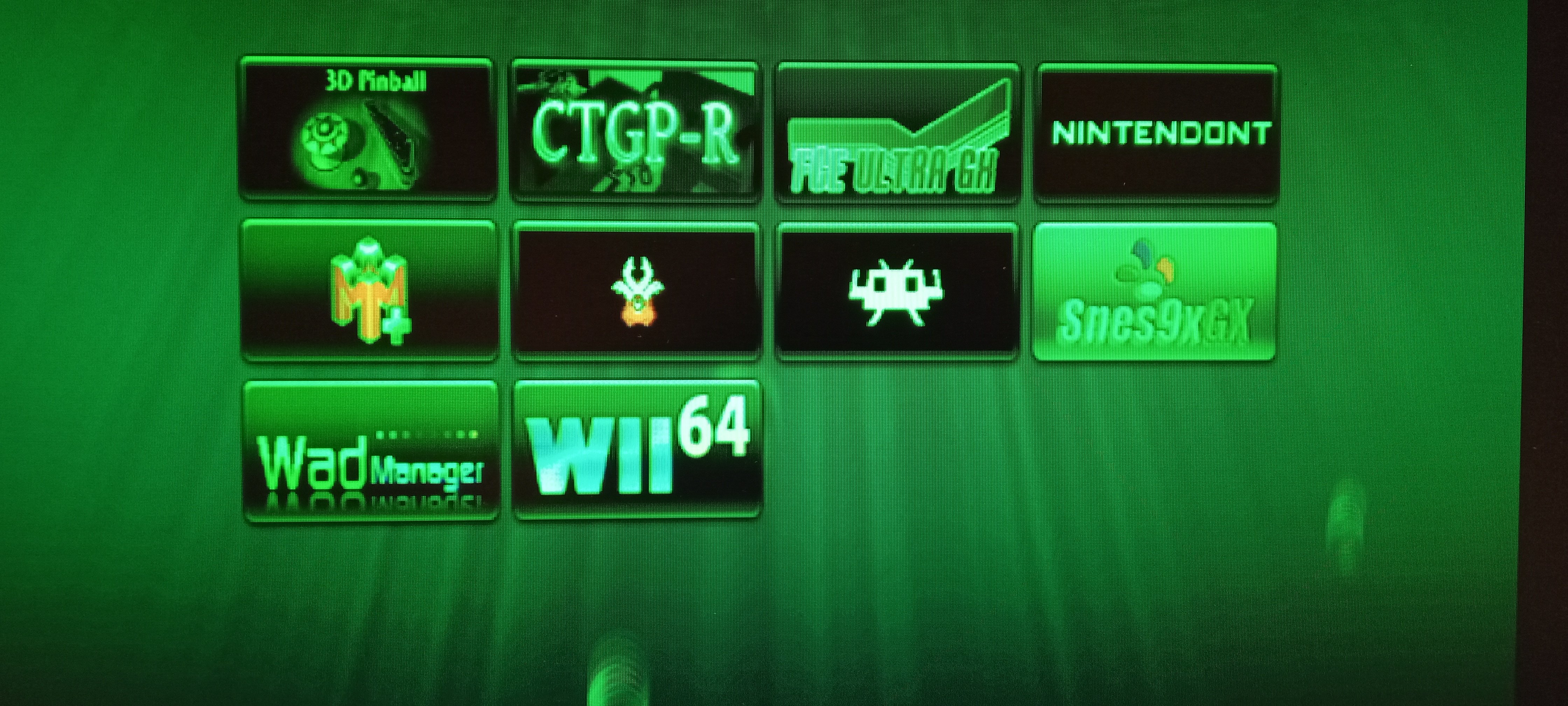
IMG_20220519_220727_381.jpg


At first I thought it was a problem of soldering the cables wrongly, but then noticed that it's picking up blue and red, notice the SNES icon.
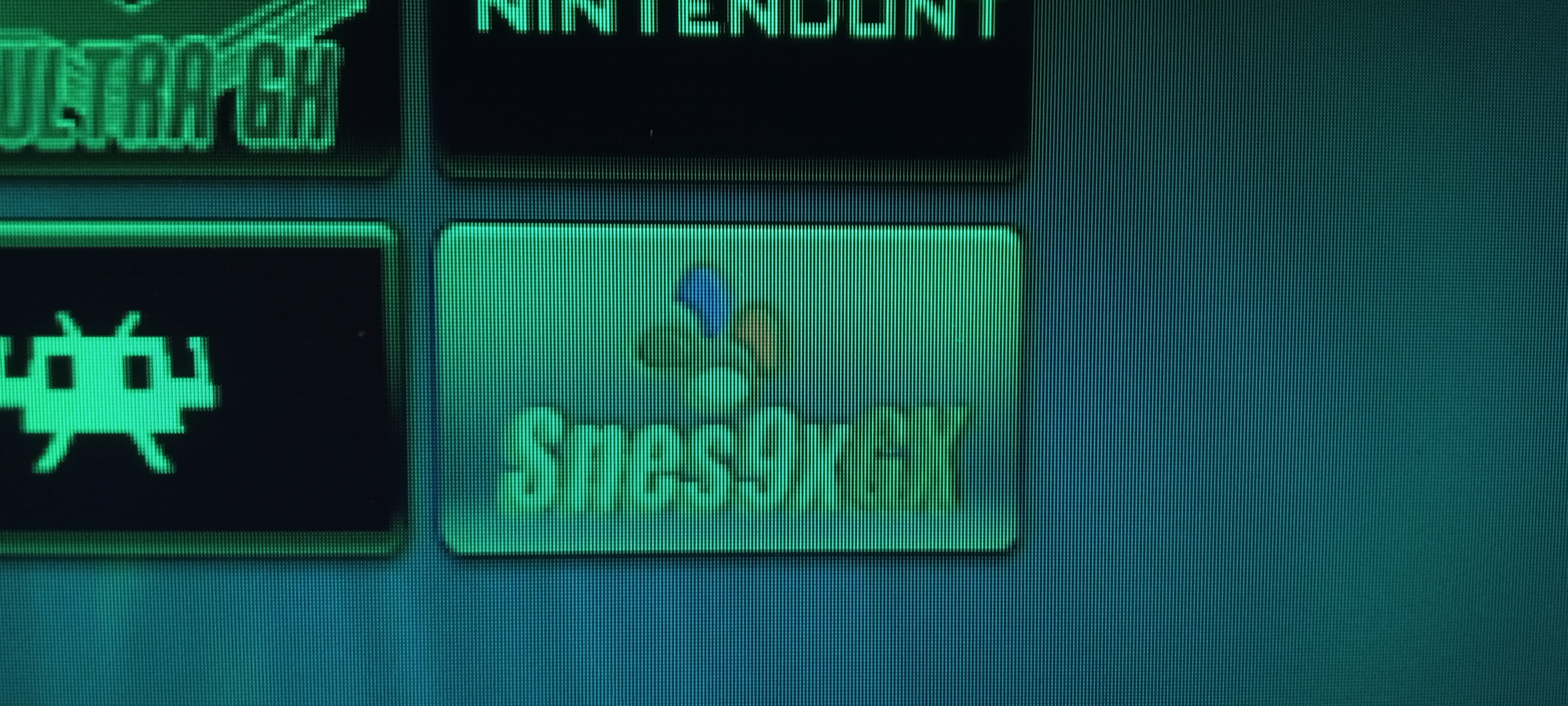
IMG_20220519_220750_029.jpg


I'm lost on what could be the problem here.
Could it be possible that the solder in probably bridging both blue and red pins? Or do I need extra hardware to solve the issue?

PS: Assumed that it'd work since VGA and Component are basically the same?
I mean... it works!? ¯\_(ツ)_/¯

EDIT: Definitely picking up Red and Blue...
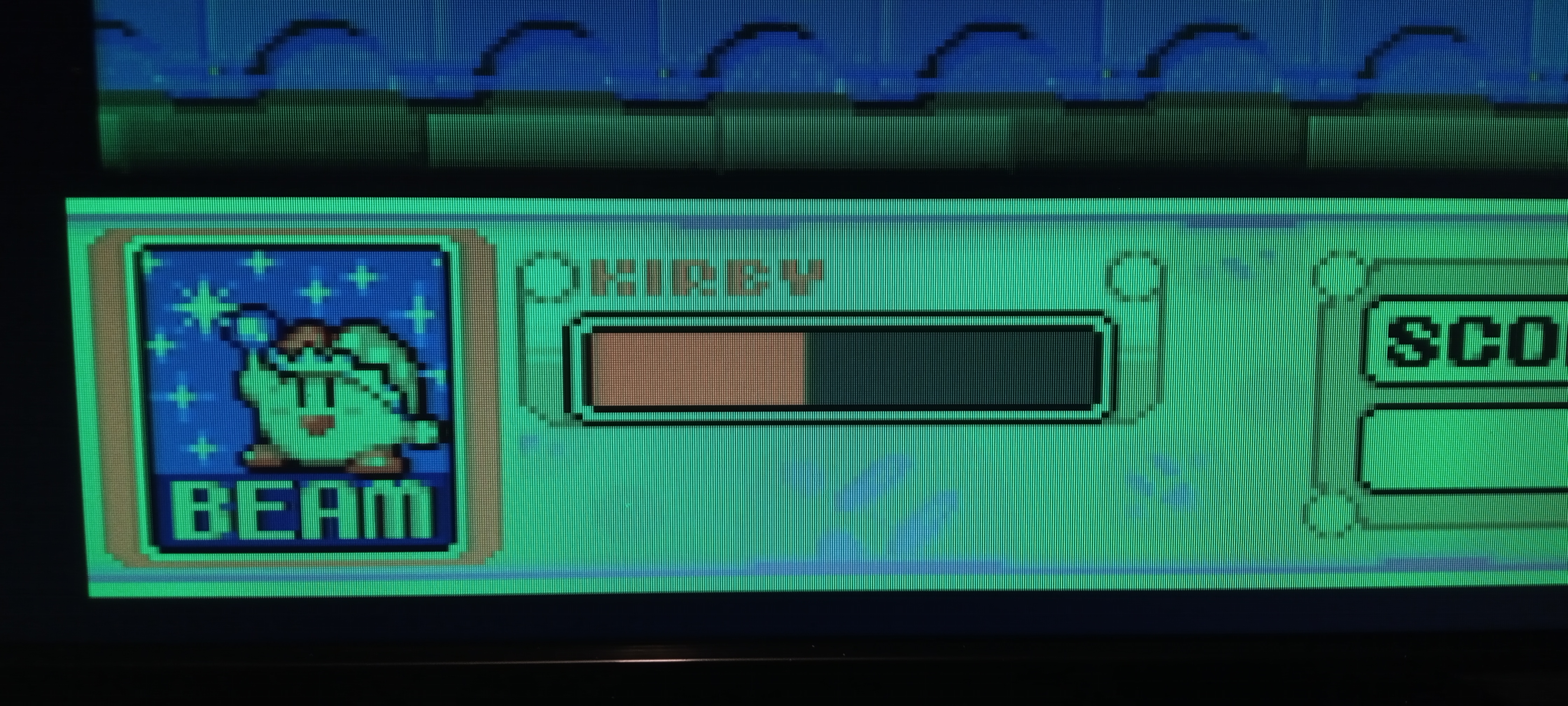
IMG_20220519_222621_514.jpg
 
Last edited by JuanMena,
YPbPr and RGB are not the same. You're lucky you're getting anything at all.
Either you need a proper Wii VGA cable from e.g. Mayflash or Vdigi, an external YPbPr to VGA transcoder, or modify the Wii to permanently output RGB instead of YPbPr.
 
YPbPr and RGB are not the same. You're lucky you're getting anything at all.
Either you need a proper Wii VGA cable from e.g. Mayflash or Vdigi, an external YPbPr to VGA transcoder, or modify the Wii to permanently output RGB instead of YPbPr.
Ah hahaha :rofl2:
Cool. Was just curious to test this, I had the cables and the inputs, and thought why not.

Thanks for the info.

EDIT: According to my eyes, both Wii2HDMI and Component outputs the same quality. Actually the cable I made looks SHARPER but ¯\_(ツ)_/¯
 
What you need is a monitor that natively supports sync on green or to build a sync separator circuit using an LM1881.
 
  • Like
Reactions: JuanMena
What you need is a monitor that natively supports sync on green or to build a sync separator circuit using an LM1881.
I came to that conclusion couple hours later. It might as well be a bad VGA port. I'm currently trying to get two things:
CRT VGA monitor
Another VGA cable to test


But thanks anyway.
 
  • Like
Reactions: fringle
Chances are the cable is fine. A lot of the old samsung syncmasters crt's do support sync on green. Dealt with the same issue many years ago when playing with a homemade og xbox vga cable and not wanting to build the sync separator. Here's a list that might help you find one that works.
http://ps-2.kev009.com/sog/
 
  • Like
Reactions: JuanMena
I came to that conclusion couple hours later. It might as well be a bad VGA port. I'm currently trying to get two things:
CRT VGA monitor
Another VGA cable to test


But thanks anyway.
This video actually talks about the very issue you mentioned. Only certain monitors support sync on green. The video mentioned using a Framemeister or OSSC to get around that, they aren't cheap though.
(The PS2 got a VGA cable made for it that only PS2 linux used, but since it output in VGA mode, when trying to use PS2 Linux with component cables the same issue as what you're having occurs, or the reverse issue I suppose)
 
  • Like
Reactions: JuanMena
Chances are the cable is fine. A lot of the old samsung syncmasters crt's do support sync on green. Dealt with the same issue many years ago when playing with a homemade og xbox vga cables and not wanting to build the sync separator. Here's a list that might help you find one that works.
http://ps-2.kev009.com/sog/
DUUUUDE! :bow:
That'll save a lot of worries! Nice! Thanks! 👍

This video actually talks about the very issue you mentioned. Only certain monitors support sync on green. The video mentioned using a Framemeister or OSSC to get around that, they aren't cheap though.
(The PS2 got a VGA cable made for it that only PS2 linux used, but since it output in VGA mode, when trying to use PS2 Linux with component cables the same issue as what you're having occurs, or the reverse issue I suppose)

I don't want to sound pretentious, but I know that my monitor can't handle sync on green. To be fair there was no way ro know if I hadn't purposefully searched for it or by actually trying.

A Franemeister is around $14,000,00MXN and an OSSC is around half of that. There's no way I'm going to spend that (to be honest it's very hard to even save that amount)

But thanks too JD 😅
 
What you need is a monitor that natively supports sync on green or to build a sync separator circuit using an LM1881.
Chances are the cable is fine. A lot of the old samsung syncmasters crt's do support sync on green. Dealt with the same issue many years ago when playing with a homemade og xbox vga cable and not wanting to build the sync separator. Here's a list that might help you find one that works.
http://ps-2.kev009.com/sog/
No. "Sync on Green" is a concept that only applies to RGB. You can separate and process the sync all you want, that doesn't change the fact the Wii is feeding YPbPr into an RGB-only monitor.

The reason OP got a stable image in the first place is because his monitor _does_ support SoG. That has no relation to feeding the monitor the wrong color format.
 
  • Like
Reactions: JuanMena
No. "Sync on Green" is a concept that only applies to RGB. You can separate and process the sync all you want, that doesn't change the fact the Wii is feeding YPbPr into an RGB-only monitor.

The reason OP got a stable image in the first place is because his monitor _does_ support SoG. That has no relation to feeding the monitor the wrong color format.
While it's true that NTSC wii's don't output in RGB the same cannot be said about a Pal Wii. I'm not sure if this is a hardware limitation or software so may be changed via softmod if it's software based.
 
While it's true that NTSC wii's don't output in RGB the same cannot be said about a Pal Wii. I'm not sure if this is a hardware limitation or software so may be changed via softmod if it's software based.
PAL Wiis can output RGB... 15 KHz RGBs. Which won't work on a PC VGA monitor. Again irrelevant.
 
This video actually talks about the very issue you mentioned. Only certain monitors support sync on green. The video mentioned using a Framemeister or OSSC to get around that, they aren't cheap though.
(The PS2 got a VGA cable made for it that only PS2 linux used, but since it output in VGA mode, when trying to use PS2 Linux with component cables the same issue as what you're having occurs, or the reverse issue I suppose)


fwiw I used to play games from the HDD on my PS2 and would use a 4:3 VGA monitor.
I used the PS2 to component cables, 3 rca couplers, and a vga to component cable.
This worked on games that supported VGA and I was able to get it working on most other games by using ESR by ffgriever.

cable.jpg
 

Site & Scene News

Popular threads in this forum