EZ5i skinning competition

  • Thread starter Thread starter FAST6191
  • Start date Start date
  • Views Views 118,157
  • Replies Replies 757
Status
Not open for further replies.
TLOZ said:
My competition-submission:
I'm new here and didn't know where to post the skin URL, so I'll post it here:
http://filetrip.net/g25124775-BlueCube.html
Hope you like it, hope I win
yaywii.gif
Thanks TLOZ for your entry.
wink.gif

But your skin is incomplete. The 2 splash screen are not present.

Please check my tutorial to see how to build them : http://ezflash.sosuke.com/viewtopic.php?p=69650#p69650

In your case, files bluecube_up.bin and bluecube_bottom.bin are missing.

The file EZSkin.ini is not required.

Edit : nice splash.ani
grog.gif


I think i need to gives some tips on my first post along with FAQ.
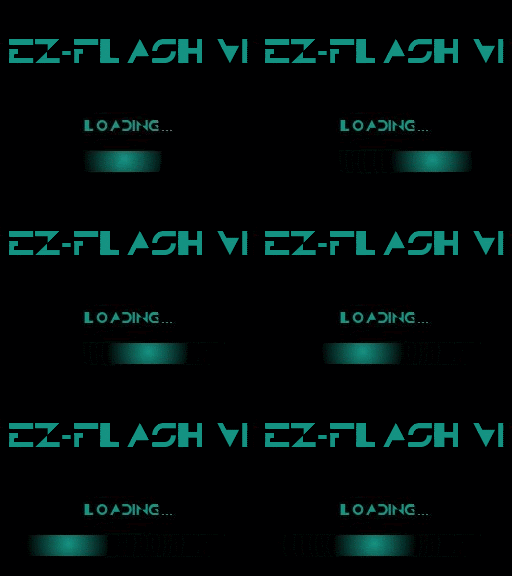
The plash.ani is displayed on top screen, when kernel start.

This said, perhaps you will have to switch top and bottom background in ez skin forger ?
 
Thanks
toot.gif

I try to solve the problems and update my skin as soon as possible
wink.gif
 
wink.gif


Also add your preview picture in your entry post with upper and lower screen.


First post updated with bold text (see [1] lines), thanks FAST6191.
And my first post in this thread got a Tips section now.
 
Ok, I added the missing files and switched the screens.
I hope it works now
wink.gif
 
I guess I'll try making one too
wink.gif


Just one little problem though - when I try to download the skin editor from filetrip, it stops downloading after 2.5MB, and therefor it won't let me extract the files :/
Any chance uploading it to a different site?
Thanks in advance!
 
TLOZ said:
Ok, I added the missing files and switched the screens.
I hope it works now
wink.gif
Looks good on my EZ5i this time.
wink.gif


Now, a last advice if you wish, you can also preview your splash.ani in your entry post with an animated gif.
By the look at your work it should be simple for you to make that.
Also, don't hesitate to show other screens like cheat window, and shutdown window in your preview. Could be a gif animated as well.
Use ESF previewer and grab screen for that.

This are only advices.
tongue.gif


@all : I will update often my first post about Tips and FAQ. Don't hesitate to check it.
 
Ok, I think it's finally done now
wink.gif


@Mbmax
Thanks VERY much for the advices
wink.gif
 
Both me and my cousin share the same email and want to participate and my cousin wasn`t able to create an account so can this profile send 2 entries?
By the way,I did read something saying one entry per person but we`re 2 people
 
My entry:
space.png


Title: UniqueGeeks.Net Space
Author: Evan Dixon (UniqueGeek at GBAtemp.Net)

UniqueGeeks.Net Download Link
Filetrip Download Link

This is actually my first flashcart skin.

*Using Mind Control*
You will give me the prize....
*End Using Mind Control*

[Edit]
Apparently I'm the second person to enter.

[Edit2]Updated 7/12/10. Added Launch button and shutdown confirmation now looks like the rest of the skin
[Edit 3]Updated 7/15/10. Made new space.ani, added new top screen file list background, added run button pressed image
 
Escape said:
when I try to download the skin editor from filetrip, it stops downloading after 2.5MB, and therefor it won't let me extract the files :/
Any chance uploading it to a different site?
Thanks in advance!

I'm feeling ignored :
 
EZVi Clear

Screens:

clear.gif
ezvisettings.jpg

preview2-1.jpg
shutdown2.png

buttons.gif


I have an extra DS lite board, so I took a pic and made a skin...

Edit: added the missing clear_up.bin file... sorry about that! Also updated the icons (wasn't 100% happy with the originals) and included a launch button.
 
Status
Not open for further replies.

Site & Scene News

Popular threads in this forum