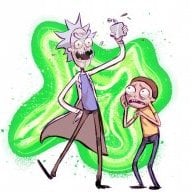
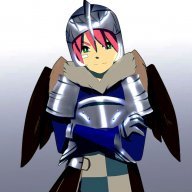
Ill make a Korra theme but you might not see it till tomorrow
Take your time. There is absolutely no rush. You rock!
Ill make a Korra theme but you might not see it till tomorrow
I suggest someone to make a new thread (or maybe edit first post) to take on all themes released. It could be very useful for users who wants to see if a specific theme had just been created.
EFE doesn't compress the bin properly, use an LZ11 compressor, someone posted it some posts above yours...i gotta question why doesnt the theme work on 3ds when i try to make it with EFE? I wanna fix the corner problem
EFE doesn't compress the bin properly, use an LZ11 compressor, someone posted it some posts above yours...
No problem, also you might need to recompress it with LZ11.bat after you save it with EveryFileExplorer
You can get the LZ11.bat from here https://gbatemp.net/threads/guide-replace-zelda-ss-textures-and-models.313747/ Download the link called "LZ11.bat with DSDecmp" and drag the uncompressed theme onto the .bat to compress it.
EDIT: To fix colours, this might work. Uncompress theme first before, then edit with EveryFileExplorer and then recompress the saved file.
EFE doesn't compress the bin properly, use an LZ11 compressor, someone posted it some posts above yours...
I don't know too much about the colour hex's the only ones I have modified are 0x10 and 0x24 so far. Check a page or two back there were people talking about the colour hex's its something like they are reversed.This fixed my problem with the box in the corner. Switching between .jpg>.bmp>.png is annoying though.
Regarding the hex and the default UI colors: Say im at offset x60, after the 00 indicate what it is and the next 00 39 11 00 are the Blue, Green, Red is the 00 39 11 part in hex? Sorry I'm a noob about reading this and understanding it, but is this basically it or is the offset of 0xD (which is what 12 bytes?) takes that much of the next Hex numbers?

The way it worked for me I guess was I used a saved theme from the theme editor, decompressed it, edited it with EFE and then recompressed it and that worked. I Haven't noticed anything weird with mine.There's just too many changes to the beginning of the file, I think, when I use everyfileexplorer even if I decompress before editing and then compress afterward. Maybe I'll eventually get something to work but EFE is making more changes than it should or assuming some kind of default theme values?
EFE has to edit an uncompressed theme I think for it to work, and the ThemeEditor saves compressed themes.I tried this and the theme doesn´t work anymore.
Well, I tried it here and works okay....I tried this and the theme doesn´t work anymore.
Well, I tried it here and works okay....
Will make a little guide.
1- Decompress your bin using LZ11 Compressor.
2- Change what you want using EFE.
3- Save it.
4- Recompress using LZ11.
5- ???

I noticed that if I open a decompressed theme with EFE and make no changes, just save it immediately, the file size goes from 847kb to 873kb with no alterations made by me, so it's doing something behind the scenes which may account for my problems with color.
How were you able to get that in body_LZ.bin format? Can EveryFileExplorer open it?
^Thats why I dont use EFE
Well, I tried it here and works okay....
Will make a little guide.
1- Decompress your bin using LZ11 Compressor.
2- Change what you want using EFE.
3- Save it.
4- Recompress using LZ11.
5- ???
I took one from Home Menu's RomFS and changed everything, technically no longer Ninty's theme. There's no images in it, just pallet data and pointers, which I have documented.
Maybe i´m stupid but it doesn´t work for me.
I take my bin file from the custom theme creator and follow your steps. but when my 3ds restarts, it shows the default theme.
You put the bin file into the LZ11 compressor folder?
I made that mistake once and that happened...