Homebrew RELEASE AmiiSwap - Amiibo switcher/manager for Emuiibo

  • Thread starter Thread starter FuryBaguette
  • Start date Start date
  • Views Views 87,017
  • Replies Replies 171
  • Likes Likes 24
Doesn’t seem to work in Resident Evil Revelations 2 :(

What I did: hold down R stick + pressing D-pad up to enable emuiibo during loading screen the Home button blinks once, then enter to options select amiibo hold R Stick + D-pad right, light blinks once, but nothing happens
You should do the enable combo before even launching the game, when in game use the switch combo or AmiiSwap to change the active amiibo
 
You should do the enable combo before even launching the game, when in game use the switch combo or AmiiSwap to change the active amiibo
I must be doing something wrong because it doesn’t work in BotW for me either :(

My generated Zelda amiibo is
Code:
sd:/emuiibo/SBZelda/amiibo.bin
                    amiibo.json
                    mii.dat
                    areas

In Home Menu I hold right stick + dpad up, then keep holding right stick down (as a button) + dpad right, I enter to BotW select amiibo tool press dpad right again and nothing happens, the light blinks correctly in every step.

 
Last edited by cucholix,
@FuryBaguette @XorTroll @June15thI figured out the error, the module MayDel which allows turn on/off the home button light IS NOT COMPATIBLE and won’t allow emuiibo work correctly, if other users are having this issue disable MayDel before using emuiibo.

Edit, I tested again and there’s not conflicts with MayDel, I wasn’t using it correctly, my bad...
 
Last edited by cucholix,
Doesn’t seem to work in Resident Evil Revelations 2 :(

What I did: hold down R stick + pressing D-pad up to enable emuiibo during loading screen the Home button blinks once, then enter to options select amiibo hold R Stick + D-pad right, light blinks once, but nothing happens

I must be doing something wrong because it doesn’t work in BotW for me either :(

My generated Zelda amiibo is
Code:
sd:/emuiibo/SBZelda/amiibo.bin
                    amiibo.json
                    mii.dat
                    areas

In Home Menu I hold right stick + dpad up, then keep holding right stick down (as a button) + dpad right, I enter to BotW select amiibo tool press dpad right again and nothing happens, the light blinks correctly in every step.

Careful with derailing this thread, if anything the emuiibo thread would be better for this.

But you should select the amiibo, in amiiswap, then press ""R3"" (right stick) and up and then spawn. R3 + Right won't work properly for BotW probably because it has multiple amiibo checks or something like that, it's one of those weird games.
 
  • Like
Reactions: FuryBaguette
well crashes everytime when pressing A on a Amiibo.bin
Make sure that the file structure is right and your amiibo.bin is in sdmc:/emuiibo/AmiiboName/amiibo.bin
I'll need more info to help you, show me the folder structure and your settings
 
What are the amiibo.json, mii.dat anbd the areas folder come from?
Can't I use the amiibo collection from other websites?
 
Please follow the instruction on emuiibo's github and the amiiswap one. The info needed is there

Thanks, I copied the flat collection to the Switch and let emuiibo do it's part after a restart, and then generated settings.txt

However, selecting an amiibo caused ams to crash...

Note: the folder names emuiibo created is longer than the name Display ed in Amiiswap (long amiibo file names originally), could this be the cause?
 
Thanks, I copied the flat collection to the Switch and let emuiibo do it's part after a restart, and then generated settings.txt

However, selecting an amiibo caused ams to crash...

Note: the folder names emuiibo created is longer than the name Display ed in Amiiswap (long amiibo file names originally), could this be the cause?
Yes, this could be the cause, can you try a shorter name?
 
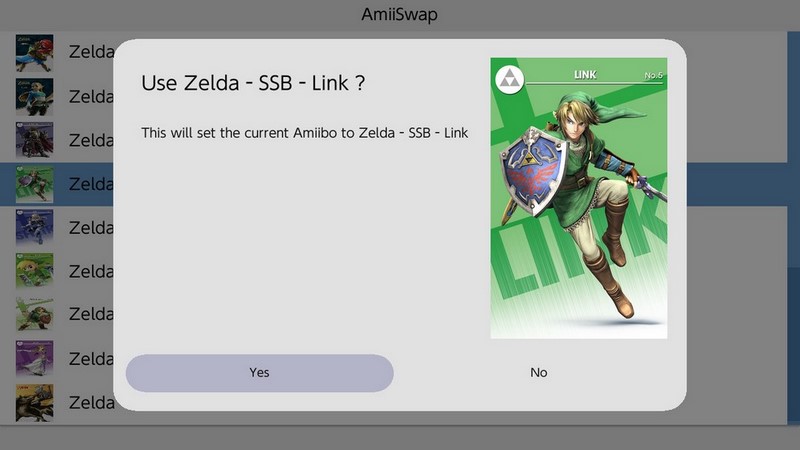
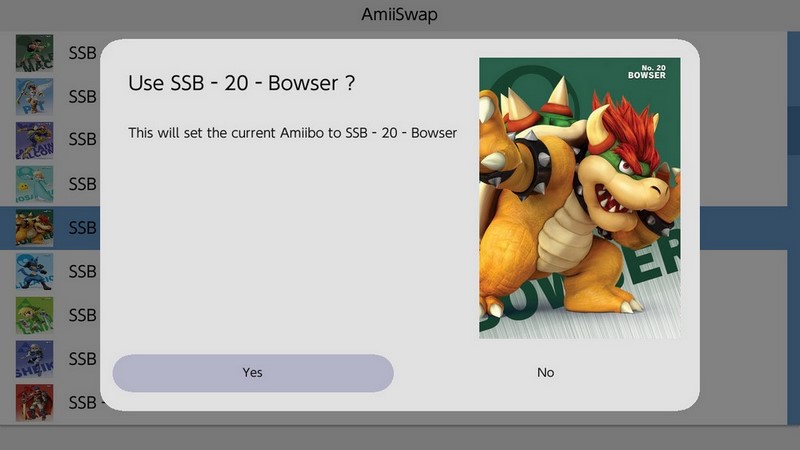
This is working GREAT! Thank You for your work!

Amii-Swap-1.jpg

Amii-Swap-2.jpg
 
Last edited by FanboyKilla,
  • Like
Reactions: FuryBaguette
Always chrashes for me when selecting the game in the main screen.

This is my settings.txt:

[game]
Bowser
Peach
Toad

this is my emuiibo folder:

Unbenannt.JPG


Please anyone can help and tell me what is wrong ???

Thank you!


a>
 

Site & Scene News

Popular threads in this forum